
描述
New & improved!
Have you become tired of the clutter of Admin Notices that appear at the top of every page in your WordPress Dashboard?
With each new plugin or theme that you install, there seem to be more and more notices that appear at the top of each page!
With this simple plugin, you can claim back all this wasted screen space so that you can focus on what is important – creating your content.
Hide Admin Notices hides away all Notices, Messages, and Update Nags, and makes it easy for you to see them again when you want.
HOW DOES IT WORK?
After activating the plugin, you will have a new Show Notices button at the top right-hand corner of your admin pages – just next to Screen Options.
Click the button to reveal all hidden notices, then simply click the button again to hide them.
SUPPORT
Like this plugin? Please Rate It or Donate a $1
Have a problem? Please write a message in the WordPress Support Forum
Translations
- English
- Russian
- German
- Japanese
- Italian
- Spanish
屏幕截图
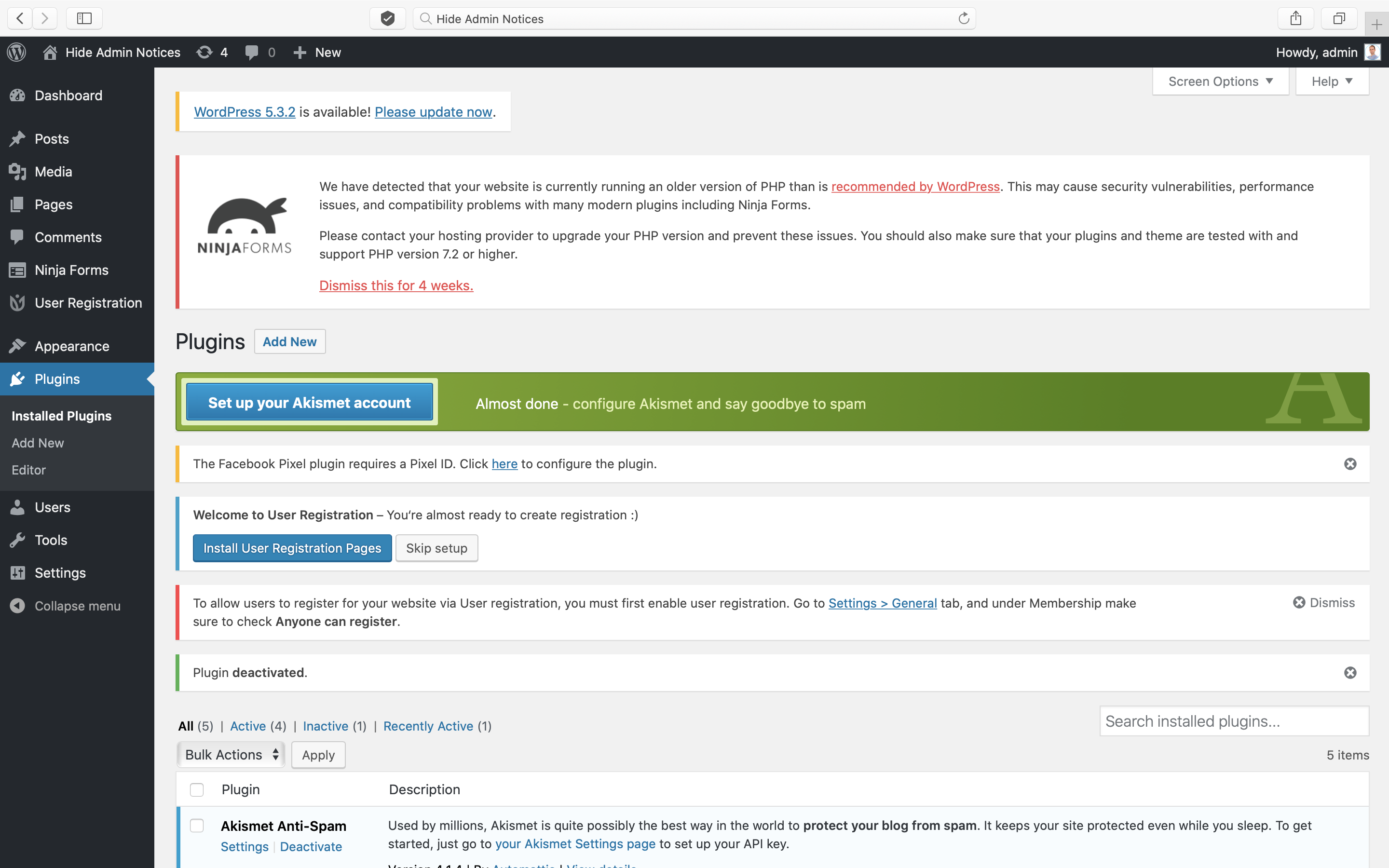
Does your WordPress Admin look like this mess? 
Activate this plugin and you will tidy-up the mess!
安装
- Press the Add New button on your WordPress Dashboard Plugins screen
- Search for “Hide Admin Notices”
- Press Install Now and then Activate
- The plugin will work straight away; there is nothing more to do!
常见问题
-
What does this plugin do?
-
It hides away all WordPress Dashboard Notices, Messages, and Update Nags that appear at the top of each screen.
You can see these notices at anytime simply by clicking the Show Notices button in the top right-hand corner.
To hide all notices again, just click on Hide Notices.
-
Simply click the Show Notices button in the top right-hand corner on the screen.
-
How do I hide the Dashboard notices?
-
Simply click the Hide Notices button in the top right-hand corner on the screen.
-
Don’t worry — this is normal behaviour. The Show Notices button appears only when there are hidden notices, thus if you can’t see this button, there are no notices that have been hidden.
If, however, there are notices you think should have been hidden and there is no button, please write a message in the WordPress Support Forum.
-
What configuration is there with this plugin?
-
None. Simply install, activate and enjoy!
-
There is a feature I want!
-
Great! Please write a message in the WordPress Support Forum.
评价


贡献者及开发者

更新日志
2.1.0
- Report form update.
2.0.0
- Major rewrite!
- Prevent the flash of notices appearing on page load.
- Prevent notices that are “hidden” by default from being shown in the Hide Admin Notices panel.
- Hide the “Show Notices” tab when other Screen Options tabs are open.
- Stop hiding plugin update messages on the Plugins page.
- Stop hiding bulk action and plugin deactivated notices on Plugins page.
- Stop hiding notices such as “New user created”.
- Add a settings page to report issues with specific plugins.
- Add a background and border to the panel like Screen Options.
1.2.3
- WP 6.4 compatibility
1.2.2
- Excluding WP default update notices
1.2.1
- Donate link update
1.2.0
- New PontetLabs brand
- WP 5.9 compatibility
- Translations for Russian, German, Japanese, Spanish & Italian
- Mobile support
1.1.0
- WP 5.7 compatibility
- Formidable forms compatibility
- Custom twitter feeds compatibility
- WP Clone compatibility
- WP Staging compatibility
- Text update
- FR translation update
- Speed enhancement
1.0.3
- Ensure all notices display within panel
- Look for notices after page load
- Ignore notices that are not visible
- WooCommerce support
- JetPack support
- Language update
- WordPress 5.6 support
1.0.2
- Language update
1.0.1
- WordPress 5.5.3 support
- Change in author
- Readme update
1.0
- Initial release