
描述
Screen Reader Text Format adds a screen reader only text format control to the block editor. This allows content creators to correctly markup certain types of text content. For example, when using the strikethrough text format, it is almost always correct to include screan reader text that indicates the content has been struck out and if the content is replaced with an insert, the correct solution is to include screen reader text that indicates the insertion.
Without this ability, content creators will have to do complicated HTML edits to create the correct text informing screen readers of strike, insert, and even “important” notes that are indicated with bold text since screen readers are completely agnostic towards those HTML tags.
安装
- Upload the
screen-reader-text-formatfolder and all its contents to the/wp-content/plugins/directory - Activate the plugin through the ‘Plugins’ menu in WordPress
常见问题
-
Why do I need to use screen reader text?
-
The most common use case is when the text had been formated using things like strike. This is great for visual users, but users who are accessing content via a screen reader will not know what has happened.
For example, let’s say you are writting about a product and that product is normally $100 but the price is marked down to $80. This might be represented as ~$100~ $80. That is to say
<del>$100</del> $80. A screen reader will read “$100 $80” with no mention of the strike through.In the best case scenerio this would be written out “Was $100 now $80” but often the design will not allow the space, hence the shorthand. To fix this for screen readers, the screen reader text format can be used to include “was” and “now” so this will make more sense for screen readers.
-
How do I use this?
-
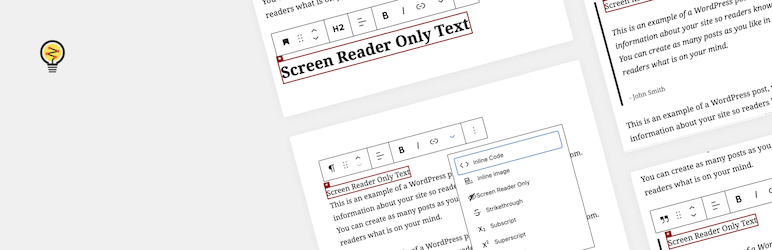
In the block editor, most text content like paragraphs, headings, and lists have a text format toolbar. To use the tool add your text, then highlight it. This should bring up the text format toolbar. Click the down arrow and select the screen reader text format.
-
Once you add and hide text it may be difficult to find. Fortunately we added some highlighting to make this easier. When you are editing a block, any text that is hidden within the block or it’s children will be displayed with highlighted.
评价


贡献者及开发者


更新日志
1.1.0
- [fix] Issue with block based widget editor
- [chore] Update build method
- [chore] Code standard updates
- [chore] Optimize images
1.0.0
- Initial release