

描述
Customizing the admin login form allows users to tailor their WordPress experience. With the ability to remove unnecessary elements and add personalized touches, such as branding or custom fields, users can create a login page that reflects their unique style and enhances user engagement.
Key Features:
1. Customizable Fields: Allow users to design fields like username, password.
2. Branding Options: Enable users to customize the login form\’s colors, logo, background image, and text to reflect their brand identity.
3. Layout Options: Provide flexibility in choosing between different layouts such as single-column or multi-column, with options for field alignment.
4. Responsive Design: Ensure that the login form is responsive and adapts to different screen sizes and devices.
5. Custom CSS: Allow advanced users to further customize the login form\’s appearance using custom CSS.
This offers a range of customizable features that can greatly enhance your WordPress admin login experience. Whether you want to align the login form with your brand\’s identity, or simply streamline the login process, this plugin provides a user-friendly and flexible solution.
屏幕截图
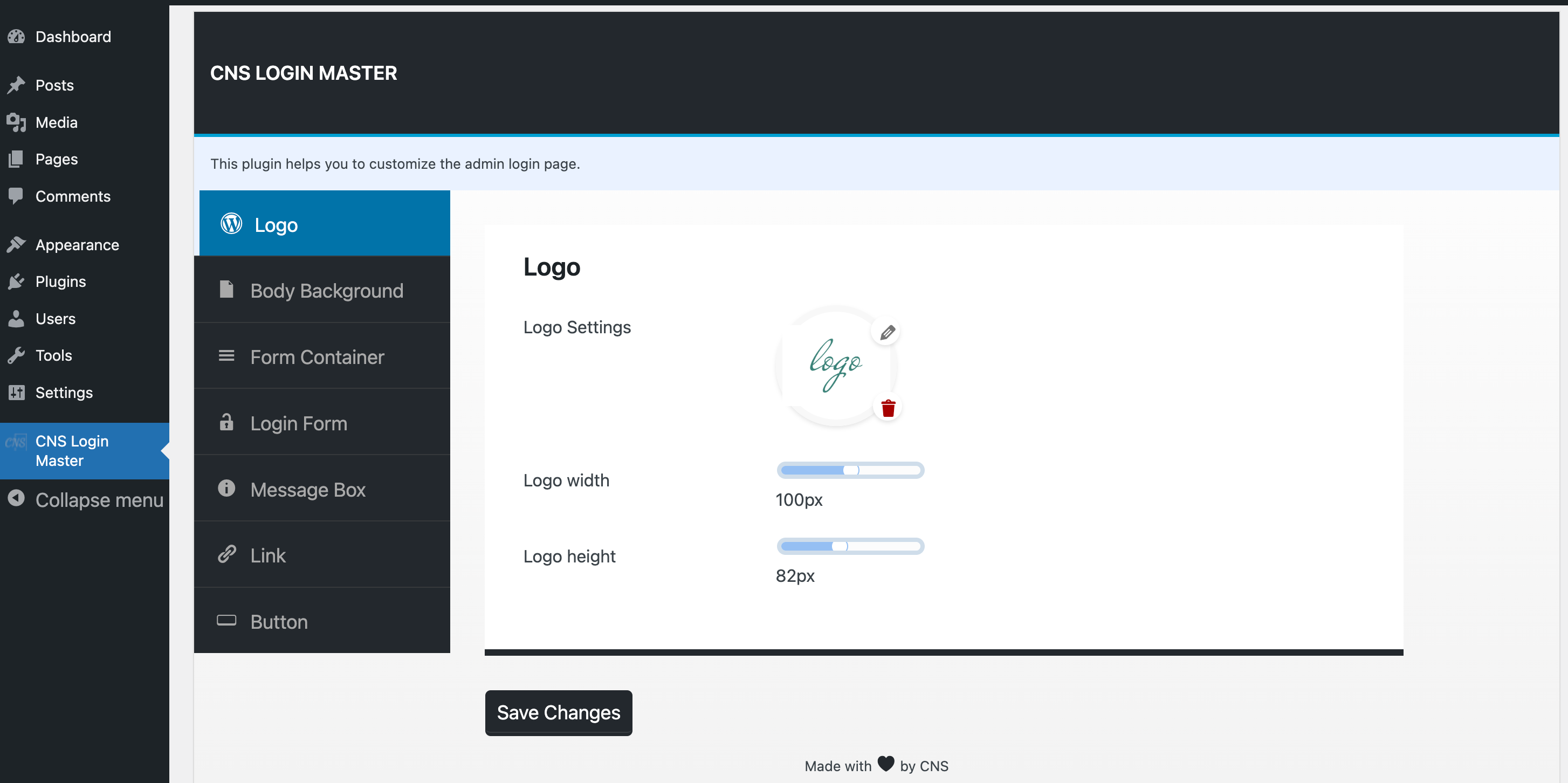
[https://tinyurl.com/2cnt8rv6 Change WordPress Logo and size of it.] 
[https://tinyurl.com/235gywfw Change button design.]
安装
Installing a WordPress plugin is a straightforward process. There are two primary methods for installing plugins: through the WordPress dashboard or manually using FTP. Here\’s a step-by-step guide for both methods:
Method 1: Installing a Plugin via the WordPress Dashboard
-Login to Your WordPress Dashboard:
–Open your web browser and navigate to your WordPress admin login page (usually at http://yoursite.com/wp-admin).
Enter your username and password to log in.
-Navigate to the Plugins Section:
–In the left-hand menu, click on \”Plugins.\”
-Click on \”Add New\”:
–On the Plugins page, click the \”Add New\” button at the top.
-Search for the Plugin:
–In the search bar on the top right, type the \”CNS Login Master\” to install.
-Install the Plugin:
–Once you find the plugin in the search results, click the \”Install Now\” button next to it.
-Activate the Plugin:
–After installation, a new button will appear. Click \”Activate\” to activate the plugin.
-Configure the Plugin:
–To configure plugin settings Go To WordPress Admin Dashboard > CNS Login Master. You can find a design setting.
Method 2: Manual Installation via FTP
-Download the Plugin:
–Visit the WordPress Plugin Directory or the official website of the plugin and download the plugin ZIP file to your computer.
-Extract the ZIP File:
–Extract the contents of the ZIP file. You should now have a folder with the plugin files.
-Connect to Your Server via FTP:
–Use an FTP client like FileZilla to connect to your web server. You will need your FTP credentials (host, username, password).
-Upload the Plugin Folder:
–Navigate to the wp-content/plugins/ directory on your server.
–Upload the entire plugin folder from your computer to the plugins directory on your server.
-Activate the Plugin:
–Once the plugin is uploaded, go to your WordPress dashboard.
–Navigate to the \”Plugins\” section, where you should see the newly uploaded \”CNS Login Master\” plugin.
–Click \”Activate\” to activate the plugin.
-Configure the Plugin:
–After activation, To configure plugin settings Go To WordPress Admin Dashboard > CNS Login Master. You can find a design setting.
That\’s it! You have successfully installed a WordPress plugin using either the WordPress dashboard or FTP.
常见问题
1 – Is That Plugin Free Forever?
Ans – Yes, This plugin is free for a lifetime. But You can contribute by donating to support the development of the plugin.
2 – Are there any hidden charges to use this plugin?
Ans – No, There are no hidden charges to use this plugin.
3 – Can I use this plugin for my client\’s website?
Ans – Yes, You can use this plugin for your client\’s website and also you can distribute it with your website.
4 – Can I replace the WordPress logo with our site logo?
Ans – Yes, You can also customize your site logo.
评价
此插件暂无评价。
贡献者及开发者


更新日志
1.0.1
- Fixed: Added version parameters to wp_enqueue_style() and wp_enqueue_script() calls
- Fixed: Added sanitization callback to register_setting()
- Fixed: Scripts now load in footer
- Fixed: Admin styles enqueue condition corrected
1.0.0
- Initial release