

描述
Virfice is a self-hosted email marketing solution built exclusively for WordPress. There is no lock-in, no per-subscriber pricing, and no artificial sending limits. Your data stays on your server. Your audience remains fully yours. You get complete ownership, control, and flexibility to grow without restrictions.
🚀 Get Virfice Pro 📄 Documentation
Feature Highlights
🎨 Advanced email builder with reusable sections
🗂️ Audience segmentation using lists and tags
🎯 Targeted campaigns with include/exclude filtering
⏰ Send instantly or schedule campaigns for later
🔁 Resend campaigns to non-openers
📊 Track opens, clicks, bounces, and delivery status
🧲 Built-in lead capture forms (no extra plugins required)
📦 Ready-made templates and reusable blocks
🤖 Event-based automation workflows
🛍️ WooCommerce-triggered emails (purchase, cart, customer actions)
🧾 Fully branded transactional and system emails
✉️ Built-in SMTP configuration (no additional SMTP plugin needed)
🔒 No lock-in and no per-subscriber pricing
🚀 Unlimited sending (based on your SMTP provider limits)
📧 Customize WooCommerce transaction emails
🗂️ Manage all default WooCommerce emails and WordPress system emails
✉️ Email Builder
Create high-converting emails with a powerful visual builder built directly into WordPress. Personalize content dynamically, control global brand styles, and reuse sections to design faster while keeping every email consistent and professional.
🎯 Campaigns
Segment your audience using lists and tags. Include or exclude subscribers, schedule emails or send instantly, and resend to non-openers to maximize engagement.
📊 Analytics & Tracking
Track delivery, opens, clicks, bounces, and failures in one centralized dashboard. Compare campaign results and continuously optimize your email strategy.
🧲 Built-In Forms
Grow your list with customizable, mobile-optimized forms — no extra plugins required. Capture leads directly inside WordPress and build an audience you fully own.
📦 Premade Templates
Launch faster with professionally designed templates and reusable content blocks. Fully customize everything to match your brand.
🤖 Automation == coming soon
Create event-based workflows triggered by subscriptions, purchases, tags, or abandoned carts. Deliver perfectly timed sequences that nurture, convert, and retain customers automatically.
🧾 Transactional & System Emails
Get WordPress system emails and WooCommerce transaction emails all in one place
✉️ Built-In SMTP Configuration
Connect your preferred SMTP service directly inside Virfice. Authenticate, test, and send emails without installing additional SMTP plugins.
Customize the WordPress system and WooCommerce transaction emails
🆕 New Account Email – Customize new account email sent to customers when they create a new account on the website.
🔒 Reset Password Email – Customize reset password email sent to customers when they request a password reset.
📦 New Order Email – Customize new order email sent to the store admin when a new order is placed.
❌ Cancelled Order Email – Customize canceled order email sent to the store admin if an order is canceled.
⚠️ Failed Order Email – Customize failed order email sent to the store admin when an order fails.
🕒 Order On-Hold Email – Customize order on-hold email sent to customers when their order is on hold.
🔄 Order Processing Email – Customize order processing email sent to customers after their order is paid and processed.
✅ Order Completed Email – Customize order complete email sent to customers when their order is marked complete.
💸 Order Refunded Email – Customize order refunded email sent to customers if their order is refunded.
📄 Customer Invoice Email – Customize customer invoice email sent to customers, containing order information and payment links when applicable.
📝 Customer Note Email – Customize customer note email sent to customers when a note is added to their order by the admin.
How to use Virfice
Using Virfice is straightforward. No coding or extra technical skill is required.
- Install the plugin and activate it.
- Head to your WordPress dashboard Virfice and start designing emails, launching campaigns, and customizing WordPress system and WooCommerce emails — all from one powerful dashboard.
屏幕截图

Virfice dashboard 
Configure email settings 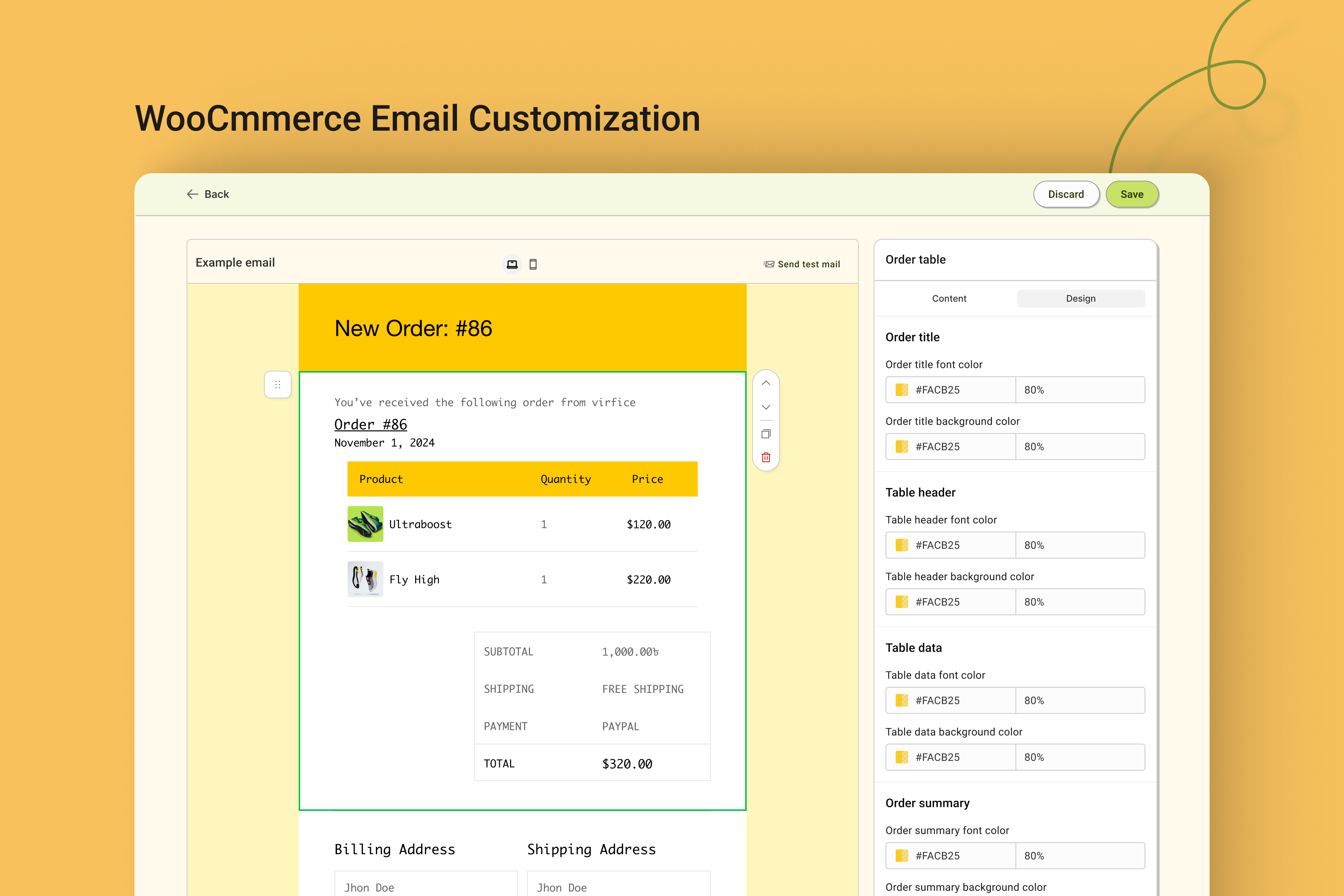
WooCmmerce email customization 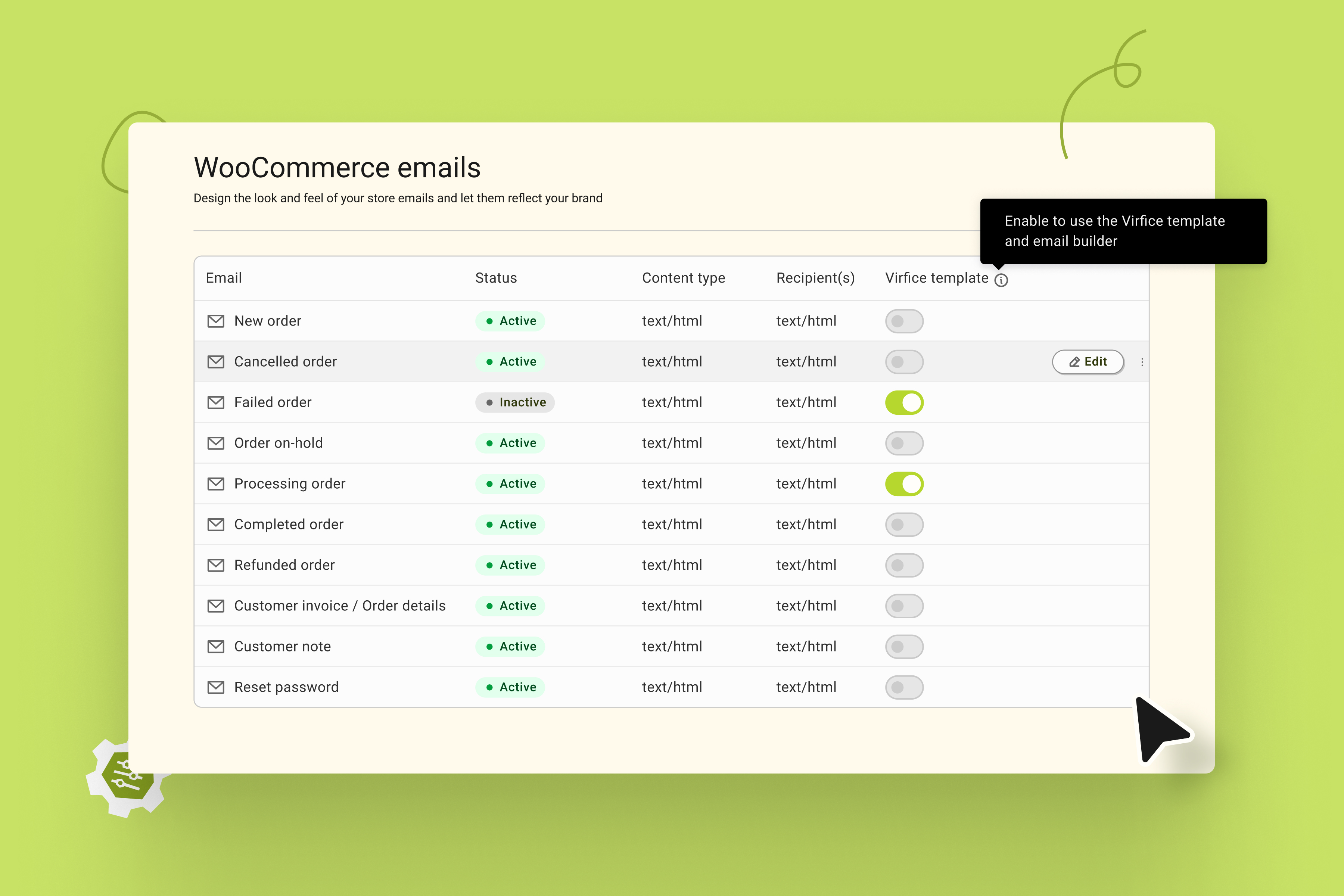
Manage WooCommerce emails 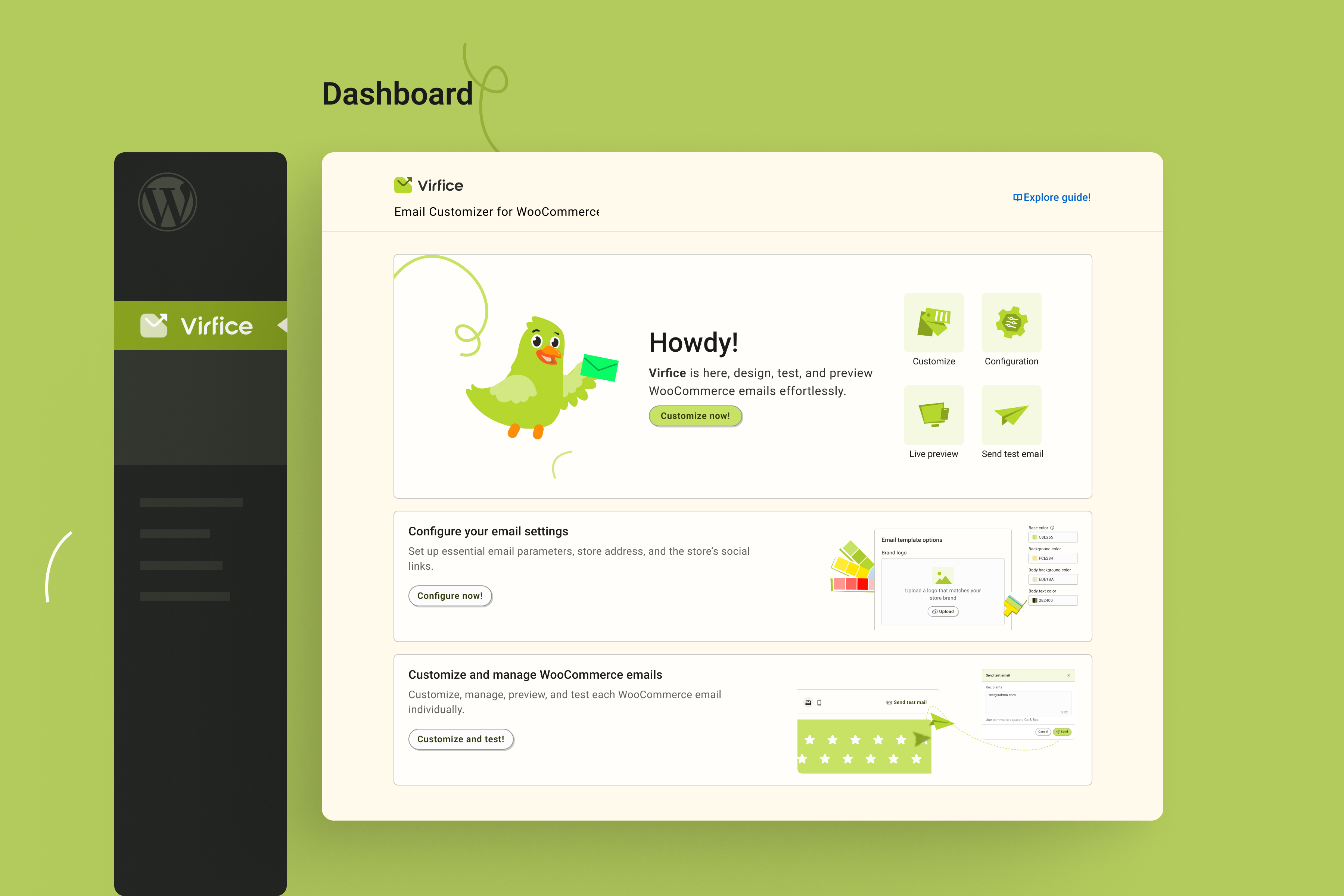
Virfice Email Customizer dashboard 
Send test emails to your preferred email addresses 
Add social media links to WooCommerce emails 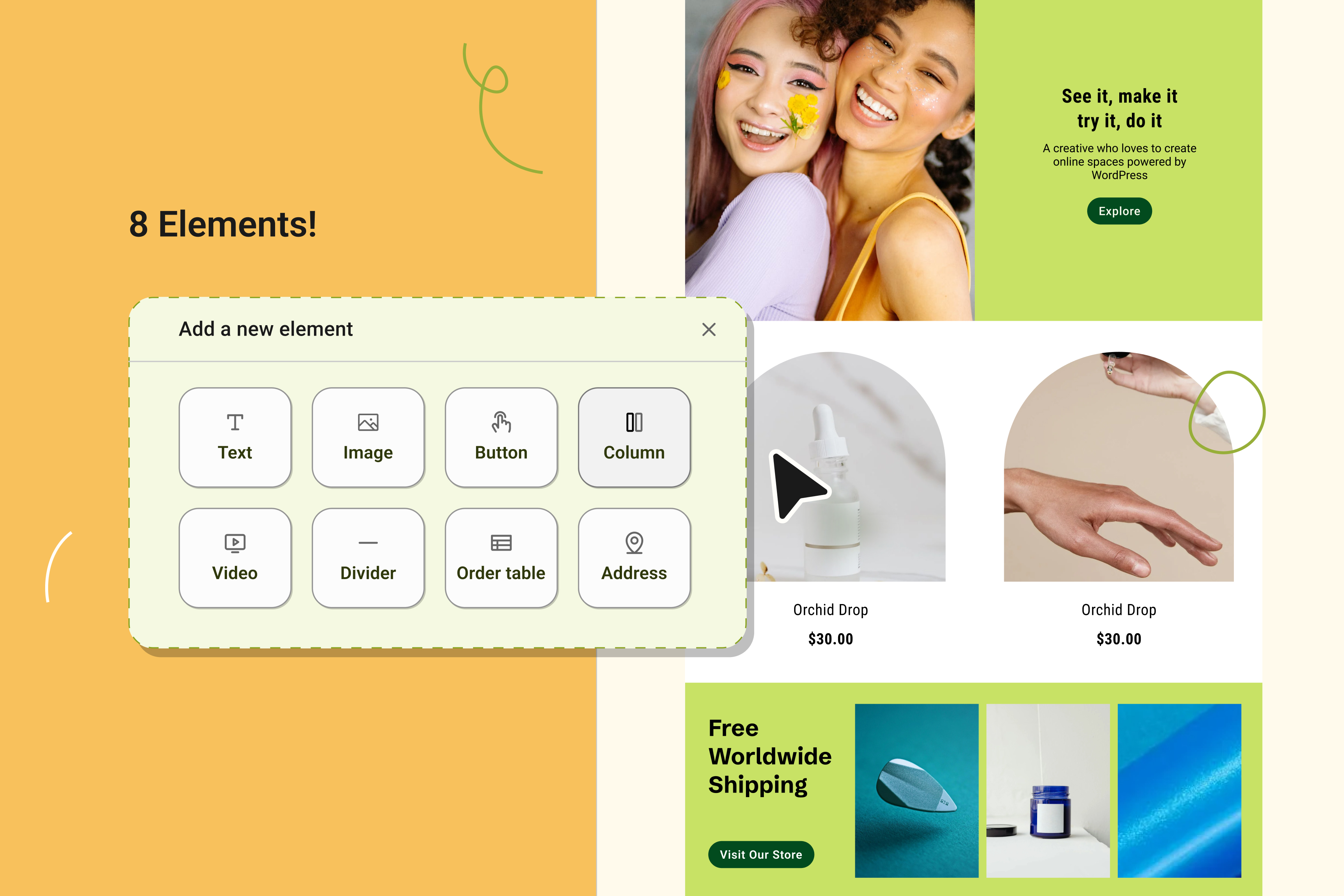
Email builder elements 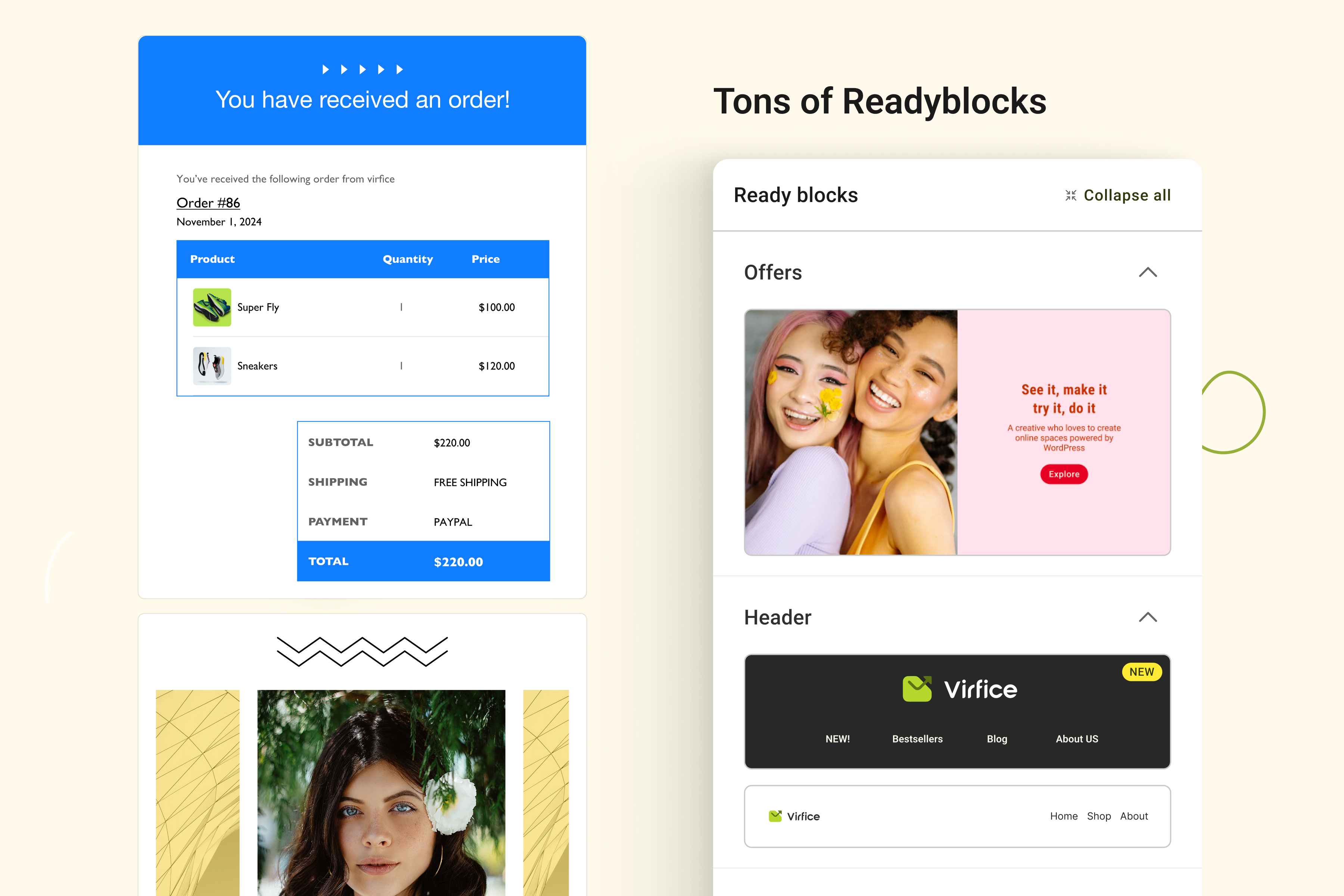
Ready blocks 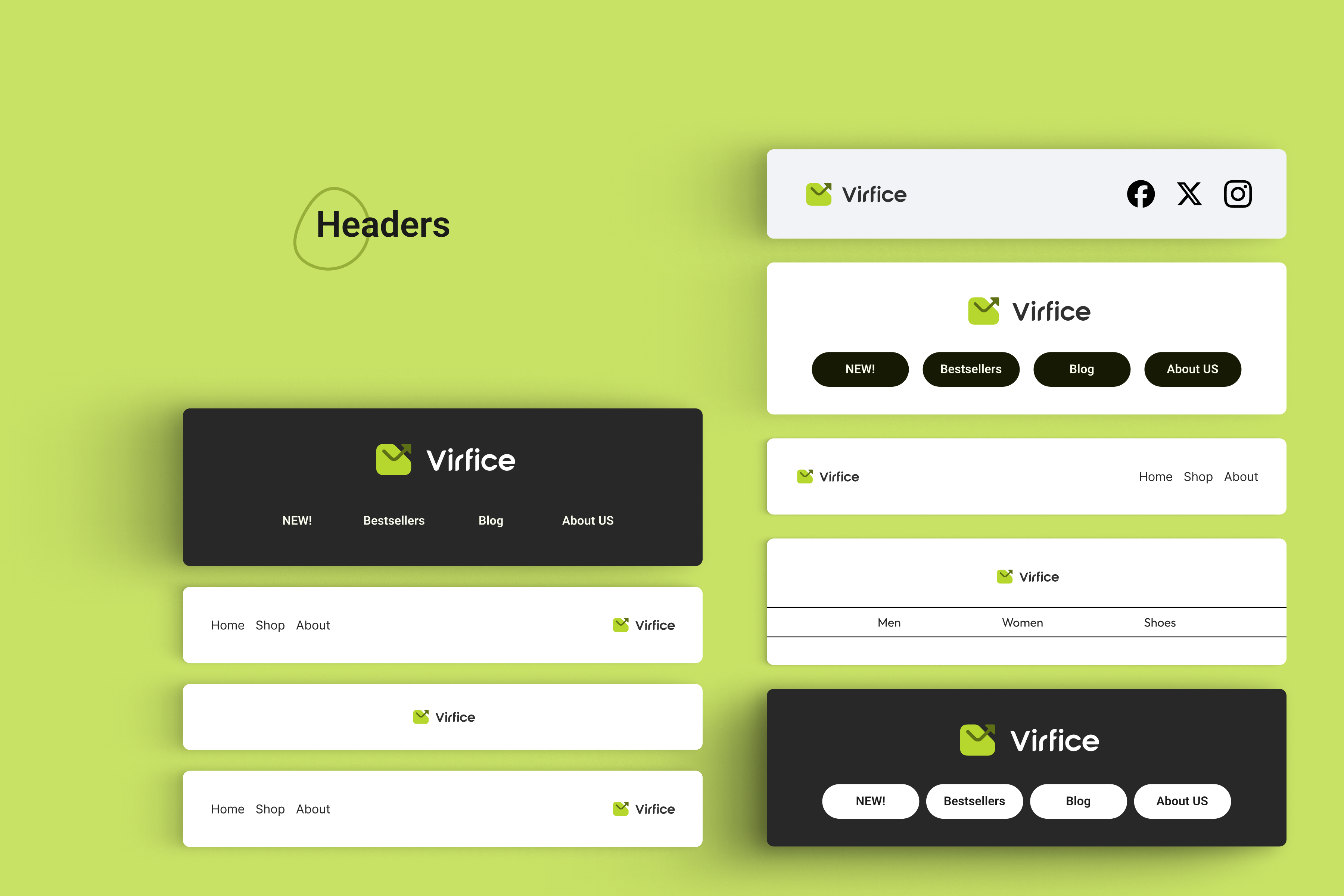
Header variations 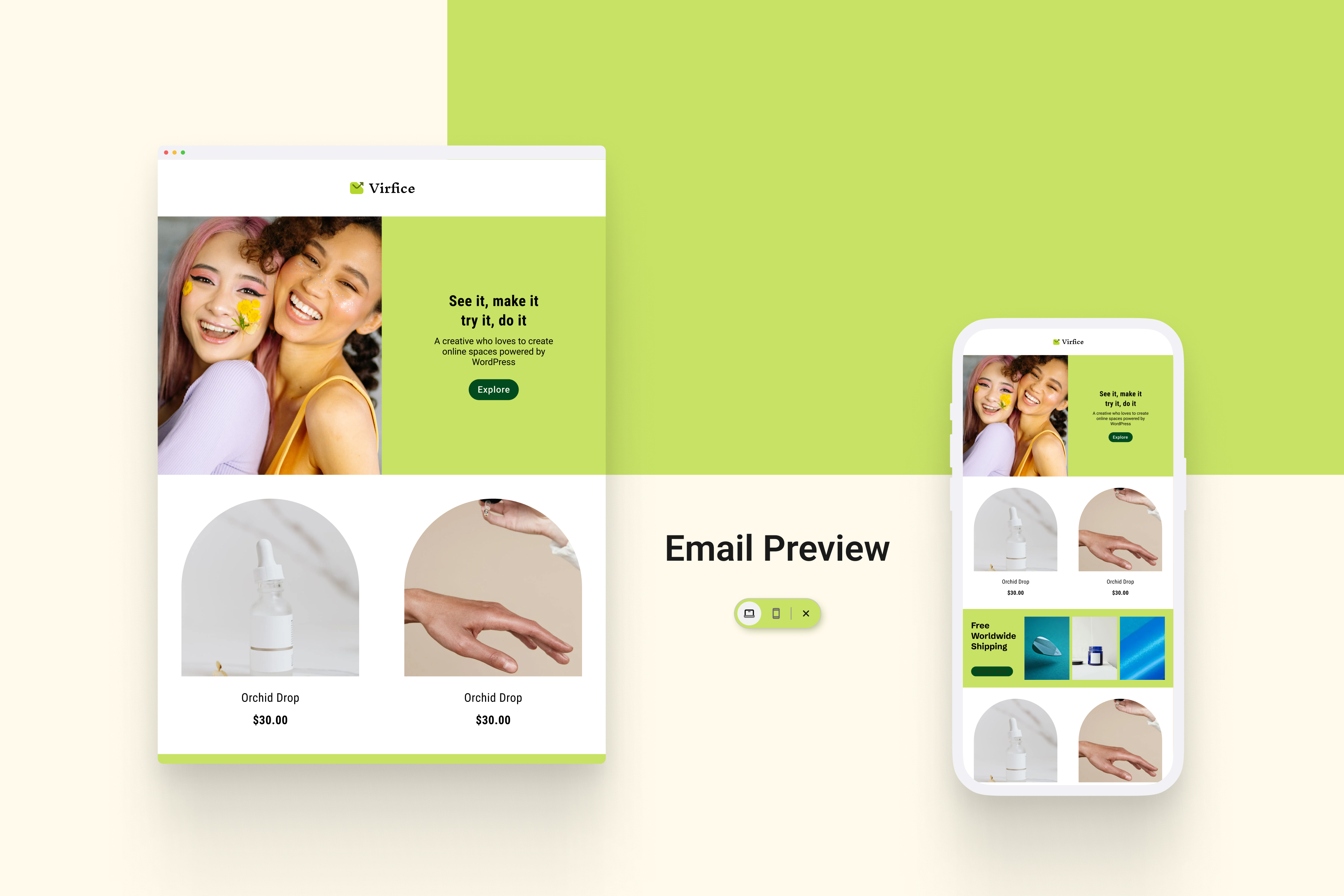
Email preview
安装
Minimum Requirements
- WooCommerce 8.0 or greater
- WordPress 5.0 or greater
常见问题
-
Is it compatible with my WordPress theme?
-
Email Customizer for WooCommerce by Virfice works with all major WordPress themes.
-
The plugin is free. There’s a free version with advanced featured available on Virfice website.
-
Where can I ask for support for this plugin?
-
You can ask for support here or you can contact Virfice support for any issues.
-
Can I report an issue or ask for a feature?
-
Yes, please report any issues you face or request any features you may feel required on Virfice support.
评价


贡献者及开发者
「Virfice – Self-hosted Email Marketing for WordPress, Newsletter, WooCommerce Emails, Automation, and More」是开源软件。 以下人员对此插件做出了贡献。
贡献者
更新日志
2026-03-17 – version 1.2.1
- Update: Added empty state for forms list, campaigns list, and audience list
- Fix: Form input design issue
2026-03-08 – version 1.2.0
- New: new Dashboard with improved overview and navigation.
- New: Campaign management system.
- New: Forms builder and form management.
- New: Audience management system.
- New: WordPress New User email customization support.
- New: WordPress Reset Password email customization support.
- New: Unsubscribe email template customization.
- New: Cron Job configuration for scheduled email processing.
- New: native SMTP configuration support.
- Update: email builder performance and usability.
- Update: Enhanced overall plugin performance and stability.
- Fix: Fixed all known bugs.
2025-08-31 – version 1.1.13
- Fix: Remove unused files
2025-08-31 – version 1.1.12
- Fix: Order table product title design issue
2025-08-26 – version 1.1.11
- Update: Fix readme file typo
2025-08-25 – version 1.1.10
- Update: Enhanced column settings
- Update: Improved default header and footer
- Update: Restructured ready-blocks
- Fix: Minor security issues
- Fix: Resolved all known issues
2025-08-11 – version 1.1.9
- New: Added brand-new social element.
- Update: Enhanced text element for better formatting and editing.
- Update: Default column styles refined for a cleaner layout.
- Update: Columns are extended with more customization options.
- Update: Overall user experience enhancements.
- Update: Enhanced image element
- Fix: Fixed cursor stacking issue when hovering near the edge while “Add Elements” and “Ready Designs” options appear.
- Fix: Resolved all known bugs for smoother performance.
2025-07-06 – version 1.1.8
- New: Tooltip added to improve UX
- Update: Clearer and more user-friendly brand settings
- Update: Improved canvas border
- Update: Redesigned email list to reduce confusion
- Update: Improved text element by removing extra lines before and after text
- Update: Enhanced image element
- Fix: Fixed issue with links not working properly
- Fix: Resolved all known bugs
2025-06-28 – version 1.1.7
- Fix: Dashboard notice reappears after closing
- Fix: Minor known bugs to improve stability and performance
2025-06-21 – version 1.1.7
- New: Added a helpful guide for users to get started more easily
- Fix: Minor known bugs to improve stability and performance
2025-06-06 – version 1.1.5
- Fix: Special character rendering issue in the Order Address element
- Fix: All known minor issues resolved
2025-05-11 – version 1.1.4
- New: Tax amount display in the WooCommerce order table.
- New: Feedback prompt to help us improve Virfice even more
- Fix: Various minor bugs and issues to enhance overall stability.
2025-05-01 – version 1.1.3
- New: Global header and footer
- New: Product images in order table
- New: Show column number in settings
- New: The Content and Design tabs on the right panel for each element are now fixed for easier navigation.
- New: Add contents (text, image, and button) options added to column
- New: Child sorting
- Update: Hover out removes the element border
- Update: The order table element enhanced with design options for specific ares and content
- Fix: Social icons not serving from the settings
- Fix: Preview text is not being sent in test email
- Fix: All known bug fixed
2025-03-10 – version 1.1.2
- New: Option to remove selected color in the color picker
- New: Validation to prevent email width from being set below 400px or above 800px
- New: [Test] label added before every test email
- New: Settings & Documentation links in the plugin list
- Update: Default logo size in header-ready blocks optimized for design
- Update: Dashboard notification when Virfice is installed without WooCommerce
- Fix: Virfice deactivating after updating to a new version
- Fix: Brand settings inaccessible when email width exceeds 800px
- Fix: Extra 4px padding applied when background top-bottom padding is set to 0
- Fix: Green mark overlapping issue when applying top-bottom background padding to elements
- Fix: Image delete option not working in columns
- Fix: Green area overlapping issue on scroll-top
- Fix: Various security issues
- Fix: Several known bugs
- Fix: Reply to email address in test email not working
2025-03-03 – version 1.1.1
- Fix: Reply-to email address not working issue
- Fixed: Empty address fields no longer leave extra spaces or commas in regular customizer
- Improved: The Social Media section heading is now hidden if left blank, while keeping the icons visible in regular customizer
2025-03-02 – version 1.1.0
- New: Intuitive email builder
- New: 8 email elements
- New: 15+ ready block designs
- New: 12 custom email templates for WooCommerce emails
- Update: Revamped brand settings
- Update: Improved email preview
- Update: Enhanced overall experience
- Fix: Various bug fixes
2025-01-04 – version 1.0.3
- Fix: Disable add_rewrite_rule method
- Update: Added Telegram, VK, and phone as social links
2024-10-27 – version 1.0.2
- Fix: Typos in the plugin
2024-08-05 – version 1.0.1
- New: Email configuration settings
- New: Brand settings added
- New: Improved dashboard
- New: Placeholders support
- New: Notice to configure SMTP before sending test emails
- Update: Virfice position in the WordPress menu
- Update: Improved overall user experience
- Fix: Email status not updating issue on email notifications
- Fix: Color picker not choosing the right color issue
- Fix: All known bugs
2024-06-20 – version 1.0.0
- Initial Release