

描述
This plugin allows adding multiple simple (not variable or grouped) products to the WooCommerce cart using URL parameters. While WooCommerce natively supports adding a single product to the cart via a URL parameter like add-to-cart=product_id&quantity=quantity, this plugin extends that functionality to support multiple products in a single URL.
How it works:
- URL Format:
?add-to-cart=product_id:quantity,product_id:quantity,product_id:quantity - Single Quantity: If the quantity is not specified (eg.
?add-to-cart=product_id,product_id:quantity), the product is added with a quantity of 1.
Examples:
- Adding multiple products with specific quantities:
example.com/cart/?add-to-cart=12:2,34:1,56:5 - Adding multiple products with default quantity:
example.com/cart/?add-to-cart=12,34:2,56
Configuration
The plugin works out of the box with no configuration required. However, you can optionally define the following constants in your wp-config.php to adjust the default limits:
Maximum products per request (default: 50)
define( ‘ADD_MULTIPLE_TO_WC_CART_PRODUCT_LIMIT’, 50 );
Limits how many product entries are processed in a single URL. Extra products beyond the limit are silently ignored.
Maximum quantity per product (default: 999)
define( ‘ADD_MULTIPLE_TO_WC_CART_QTY_MAXIMUM’, 999 );
Caps the quantity of each individual product. Any quantity above this value is clamped to the maximum.
Example — allow up to 10 products with a max qty of 100:
define( ‘ADD_MULTIPLE_TO_WC_CART_PRODUCT_LIMIT’, 10 );
define( ‘ADD_MULTIPLE_TO_WC_CART_QTY_MAXIMUM’, 100 );
屏幕截图
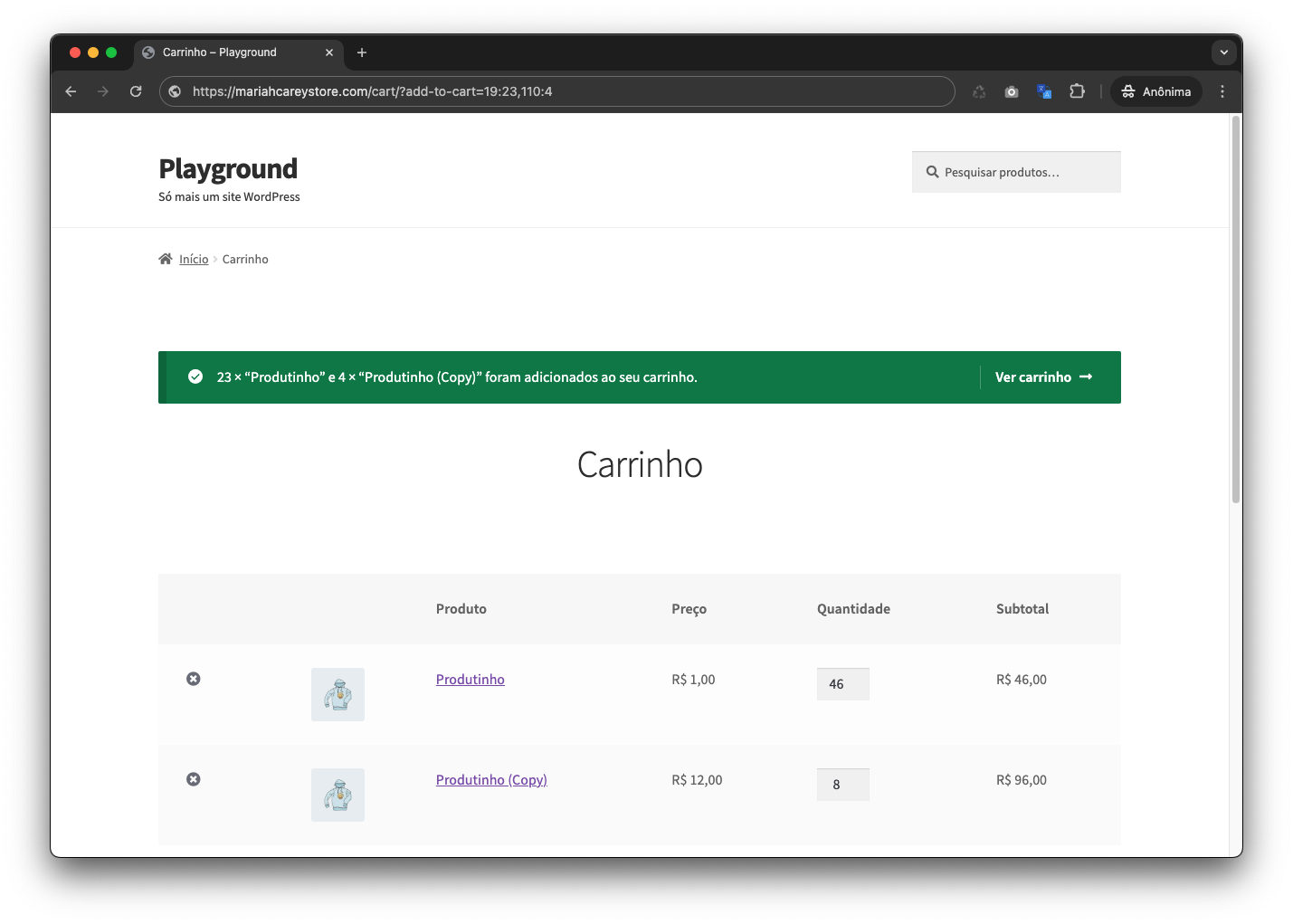
Example of URL format with multiple products.
安装
Automatic installation
- In your WordPress dashboard, go to Plugins Add New.
- Search for
Add multiple products to cart via url. - Click Install Now and then Activate.
Manual installation
- Download the plugin
.zipfile. - In your WordPress dashboard, go to Plugins Add New Upload Plugin.
- Select the
.zipfile and click Install Now, then Activate.
After activation
No configuration needed — the plugin works immediately after activation. Use the URL format described in the Description section to start adding multiple products to the cart.
常见问题
-
How do I add multiple products to the cart?
-
Use the URL format:
?add-to-cart=product_id:quantity,product_id:quantityFor example:
https://yourstore.com/cart/?add-to-cart=12:2,34:1,56:5will add product 12 (qty 2), product 34 (qty 1), and product 56 (qty 5) to the cart in a single request. -
What happens if I don’t specify a quantity?
-
If no quantity is specified, the product will be added with a quantity of 1. Example:
?add-to-cart=12,34:2,56adds products 12 and 56 with qty 1, and product 34 with qty 2. -
Does it work with variable or grouped products?
-
The plugin supports simple and variable product types. Grouped products are not supported.
-
Does it work with WooCommerce Blocks?
-
The plugin hooks into WooCommerce’s native
wp_loadedaction and works independently of the cart page template (classic or blocks). -
Is WooCommerce required?
-
Yes, WooCommerce must be installed and active. The plugin will do nothing if WooCommerce is not detected.
评价


更新日志
1.1.0
- Tested and compatible with WordPress 6.9.4 and WooCommerce 10.x.
- Added
Requires Plugins: woocommerceheader (WordPress 6.5+ standard). - Added configurable limit of 50 products per request (overridable via
wp-config.php). - Added configurable maximum quantity of 999 per product (overridable via
wp-config.php). - Fixed internal hook re-registration argument count.
- Improved readme with expanded Installation, FAQ, and Configuration sections.
- Added PHPUnit test suite (available in the GitHub repository).
1.0
- Initial release.