

描述
Simple Pie Chart Block allows you to create elegant and minimal pie charts using the ChartJS library. You can upload data directly to the block instance without having to format your data into a CSV file upload. You can customize each slice’s percentage, color and associated data + labels. You also toggle between pie and doughnut chart types.
Features:
- Create and customize pie charts directly within the WordPress block editor.
- Add, update, and remove slices with specific titles, values, percentages, and colors.
- Toggle the display of legends and customize their styles and background colors.
- Choose between Pie and Doughnut chart types.
Usage
- In the WordPress block editor, add the “Simple Pie Chart” block to your post or page.
- Use the block settings to customize your pie chart:
- Add slices with titles, values, percentages, and colors.
- Toggle the legend display and customize its style and background color.
- Choose between Pie and Doughnut chart types.
- Adjust the chart width.
Github
https://github.com/cheestudio/simple-pie-chart-block
屏幕截图

An example of the Pie Chart configuration 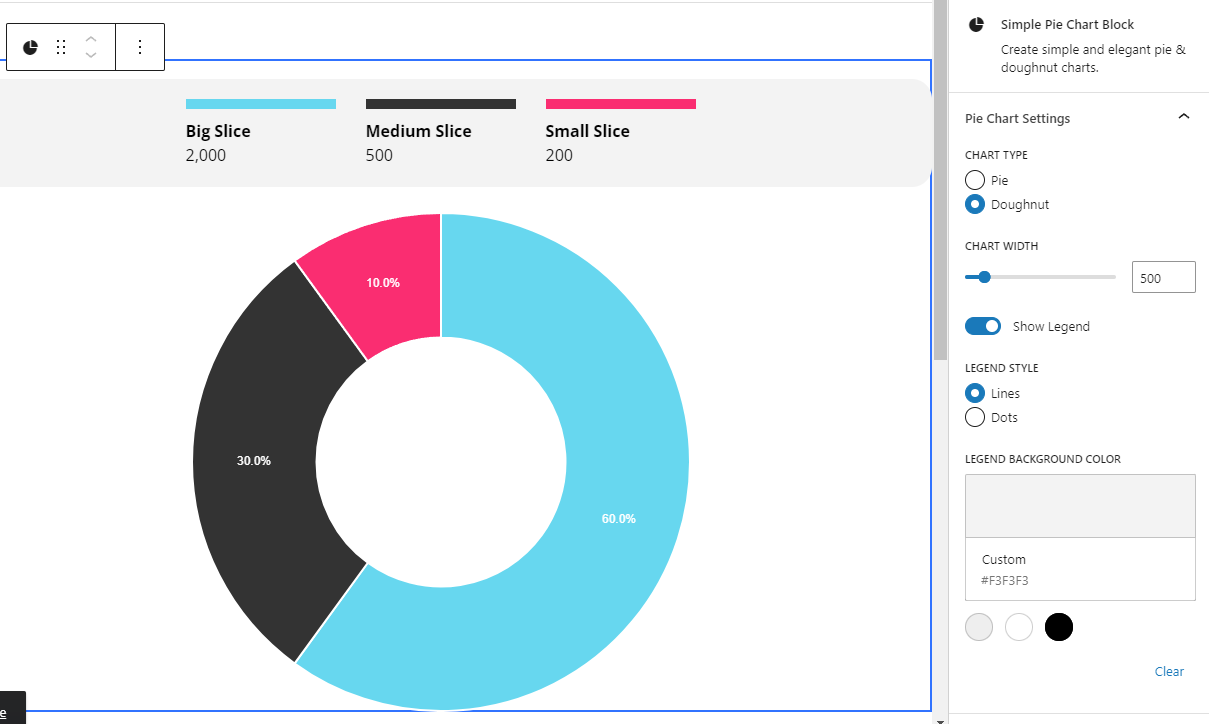
An example of the Doughnut Chart configuration
区块
该插件提供了 1 个区块.
- Simple Pie Chart Block Create simple and elegant pie & doughnut charts.
安装
Upload and then Activate the plugin through the ‘Plugins’ screen in WordPress.
常见问题
-
Can I create other types of charts?
-
No, this plugin only supports pie charts and doughnut charts.
-
Do I need to upload a CSV file to create the chart?
-
No CSV is required! You can add the data to the chart directly.
-
Is there a GitHub repository for this plugin?
-
Yes, the GitHub repository is located at https://github.com/cheestudio/simple-pie-chart-block.
评价
此插件暂无评价。
贡献者及开发者

更新日志
1.6
Minor bug fixes
1.5
Mobile Styling adjustments
1.0
Initial release