
描述
This plugin disables the block editor by default and enables the classic editor, enhancing your writing experience. It also supports Classic Widgets, eliminating the need for an additional plugin. You can still use the block editor for specific pages or posts if you wish. Just install it and forget about it.
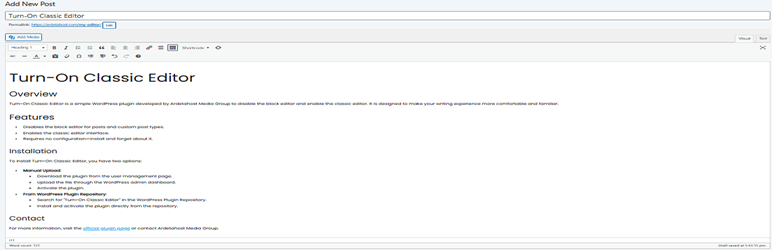
屏幕截图

screenshot-1.png 
screenshot-2.png
安装
- Upload
turn-on-classic-editorto the/wp-content/plugins/directory. - Activate the plugin through the ‘Plugins’ menu in WordPress.
- When creating or editing Pages and Posts, you will see options to choose between Classic Editor and Gutenberg Editor directly from the editor screen.
- Enjoy writing with the Classic Editor or Gutenberg Editor as per your selection. (Screenshot 2)
常见问题
-
How do I disable the block editor?
-
Simply activate the plugin, and the block editor will be disabled. However, you can still choose to use the block editor for pages and posts if desired.
-
Do I still need the Classic Widgets plugin?
-
No, this plugin already includes Classic Widgets.
评价
此插件暂无评价。
贡献者及开发者

更新日志
1.1.2 – September 14, 2024
- Added editor options for Page and Post (screenshot 2)
- Fixed Unexpected output during activation (from 1.1.0)
- Fixed WordPress.Security.NonceVerification.Recommended (from 1.1.1)
1.0.3 – August 31, 2024
- Restored the missing screenshot from readme.txt
1.0.2 – August 31, 2024
- Initial public release.
- Added FAQ section: Added a FAQ section to answer common user questions.
- Added screenshots.
1.0.1 – August 29, 2024
- Submitted request to WordPress Plugin Directory
- Fixed the ‘Author URI’ field
- Fixed the ‘Plugin URI’ field
- Updated function names to comply with WordPress guidelines
1.0 – July 30, 2024
- Initial release