
描述
Source code to build this plugin can be found at: https://github.com/yildirimgoks/leadblaze-widget
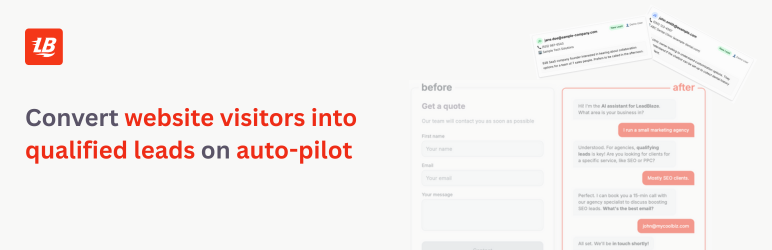
The LeadBlaze Chat plugin allows you to easily add an AI-powered chat interface to your WordPress site. Perfect for customer support, lead generation, and user engagement.
Usage
Floating Widget
Enable the floating widget in settings to display it automatically on your chosen pages.
Shortcode
Place the chatbot anywhere in your content:
[leadch_widget]
With custom parameters:
[leadch_widget height=”500px” width=”400px” theme=”dark”]
PHP Template Tag
For theme developers:
Requirements
- WordPress 5.0 or higher
- PHP 7.2 or higher
- Valid site key from LeadBlaze
Privacy Policy
This plugin communicates with an external chatbot service at https://leadblaze.ai. Data transmitted includes:
* User messages
* Session identifiers
* Client identifiers (if configured)
* Site key for authentication
Please ensure you have appropriate privacy policies in place and user consent where required.
Support
For support, feature requests, or bug reports, please visit our support forum or contact us at support@leadblaze.ai
常见问题
-
How do I get a site key?
-
Contact LeadBlaze support to obtain a site key for your domain.
-
Can I customize the widget appearance?
-
Yes! The plugin supports light and dark themes, and you can further customize it with CSS variables.
-
Can I change the “Contact us” header text?
-
Yes! Use the
headerTitleconfig option to set custom text, or setshowHeadertofalseto hide it entirely. -
What is the preview chat bubble?
-
When the floating widget is collapsed, a small chat bubble message automatically appears after visitors scroll 25% of the page. Clicking it opens the chat. It only shows once per browser session and auto-dismisses after 10 seconds. This feature is enabled by default and requires no configuration.
-
Does it work with page builders?
-
Yes, the shortcode works with all major page builders including Elementor, Divi, and Gutenberg.
-
Is the widget mobile-friendly?
-
Absolutely! The widget is fully responsive and adapts to all screen sizes.
-
Can I show the widget only on specific pages?
-
Yes, you can configure it to show on all pages, home page only, or specific pages by ID.
-
Will it slow down my site?
-
No, the widget is optimized for performance at only ~25KB gzipped and loads asynchronously.
-
Can I have multiple widgets on the same page?
-
Yes, you can use multiple shortcodes with different configurations on the same page.
评价
此插件暂无评价。
贡献者及开发者

更新日志
1.0.4
- Added: WordPress admin settings for chat window header title customization.
- Added: WordPress admin settings for scroll pop-up bubble toggle and custom message.
1.0.3
- Added: Preview chat bubble — a scroll-triggered message that pops out from the floating button to encourage engagement. Enabled by default, auto-dismisses after 10 seconds, and only shows once per session.
- Added:
headerTitleconfig option to customize the chat header text (default: “Contact us”). - Added:
showHeaderconfig option to show or hide the chat header entirely.
1.0.2
- Fixed: Removed forced tablet/desktop min-heights that could push the input field outside shorter shortcode containers. Widget now fills its host container as documented.
- Added: Demo mode support in the underlying widget bundle (used by LeadBlaze’s logged-in admin preview). No impact on standard site-key embeds.
1.0.1
- Minor readme update
1.0.0
- Initial release
- Core chat functionality
- WordPress admin interface
- Shortcode support
- Floating widget mode
- Light/dark themes