
描述
Start accepting salon appointments from your own website
Yatoon gives salons, nail studios, spas, and beauty professionals a fast mobile booking flow without forcing customers into a separate marketplace. Clients can choose multiple services, book for a group, select staff, find a real available time, and manage their appointment after booking.
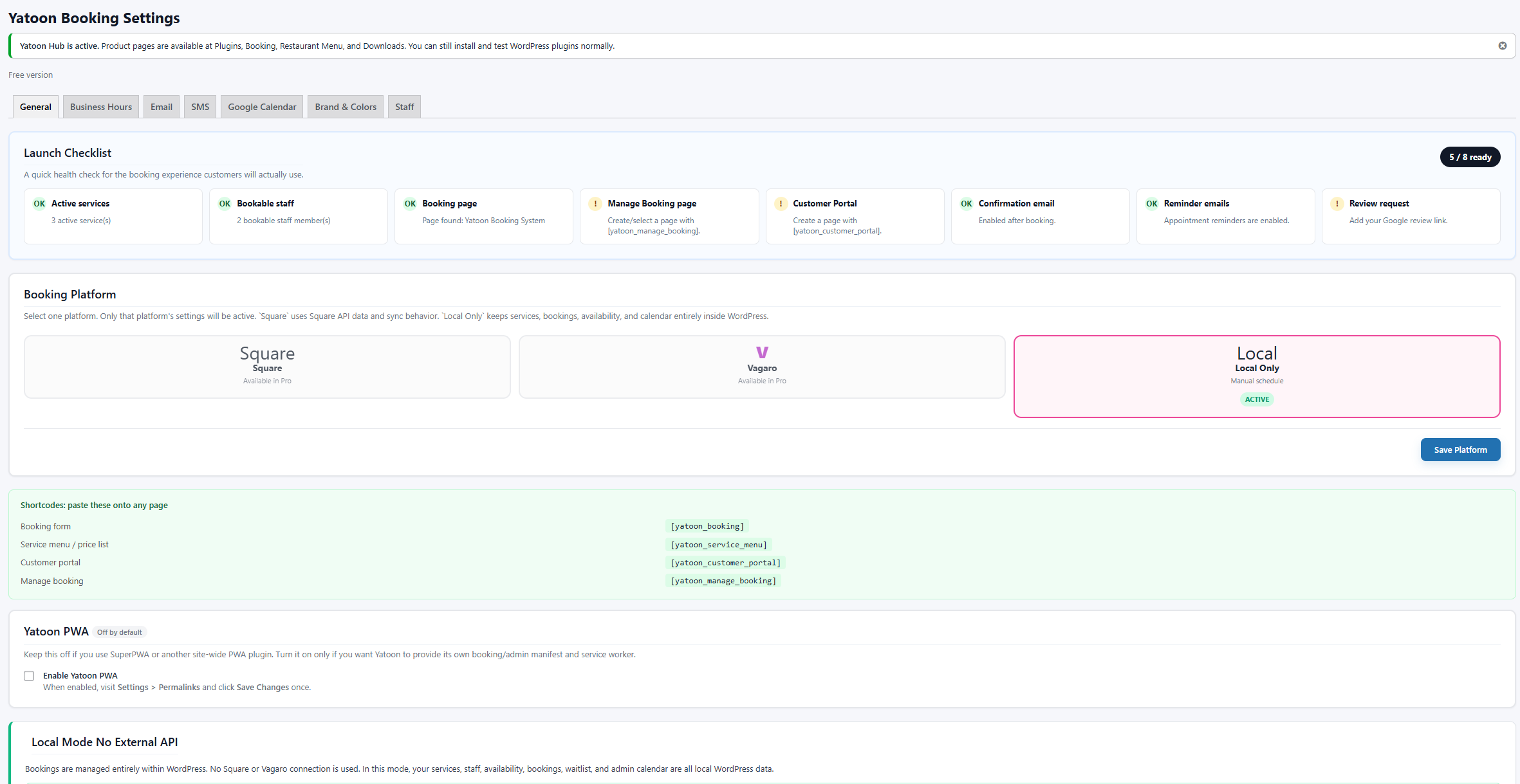
The free version runs locally in WordPress. Your service, staff, customer, and booking data remain in your WordPress database. No Square, Vagaro, or AI account is required.
Built by a salon owner, for salon owners.
- Guided setup with optional demo content – nothing is added unless you choose it
- Automatic booking, appointment-management, and customer-portal page creation
- Mobile-first booking for individual and group appointments
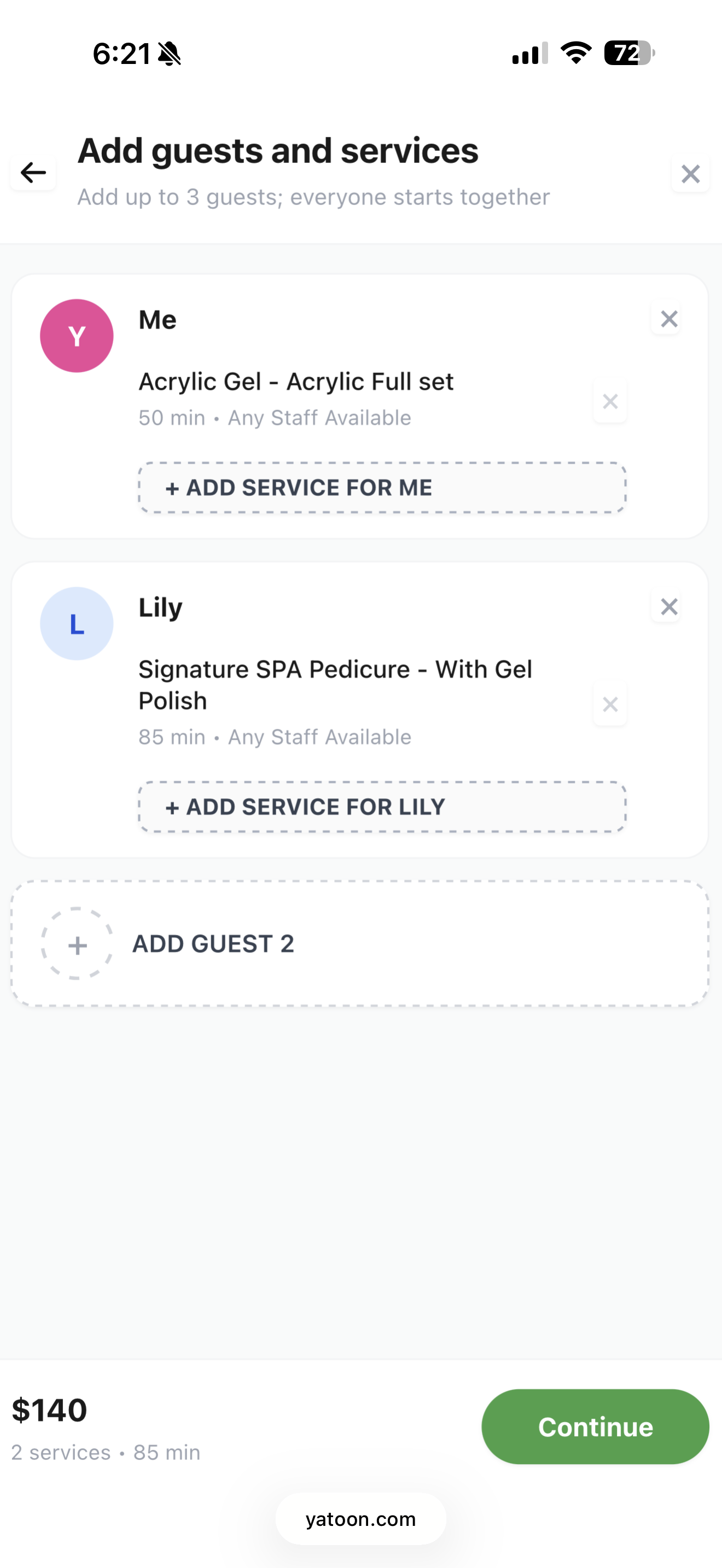
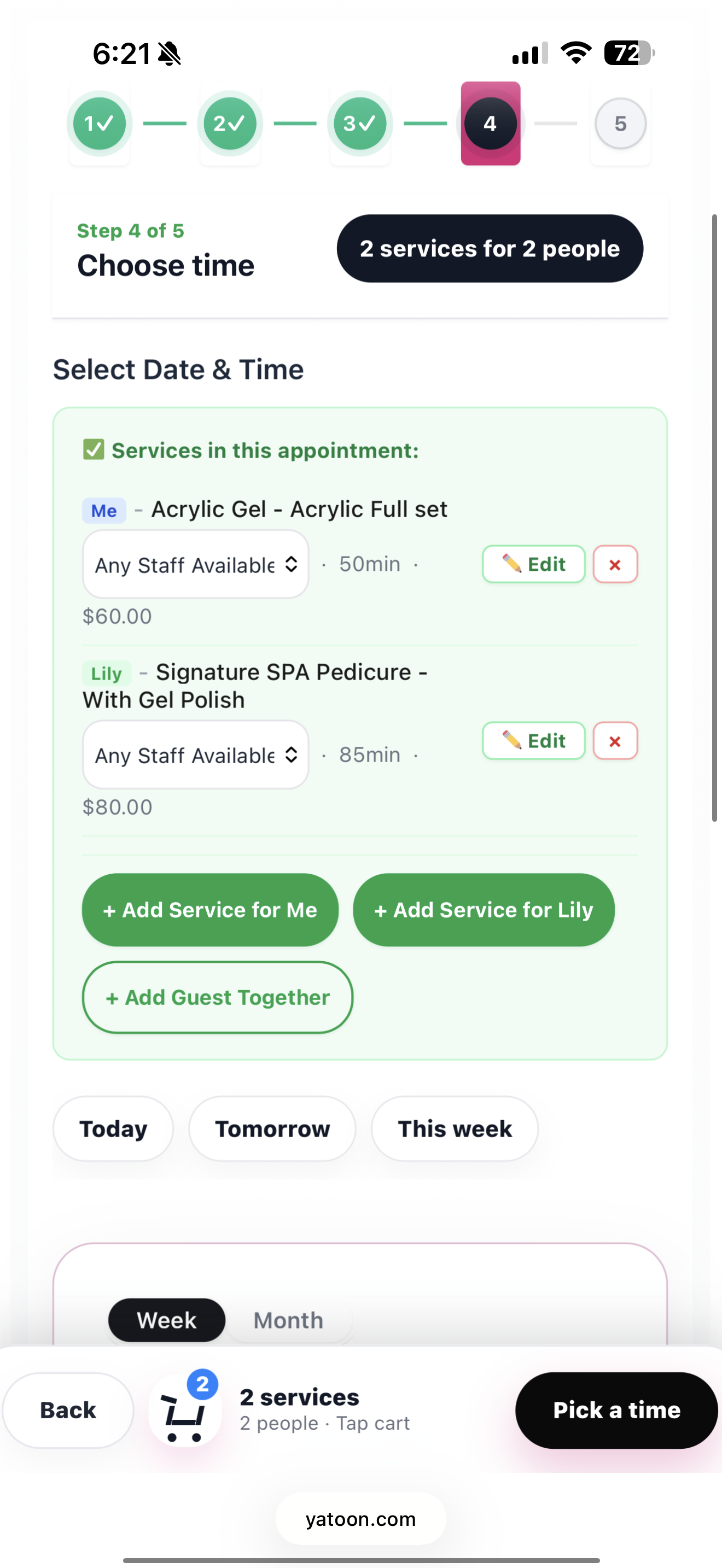
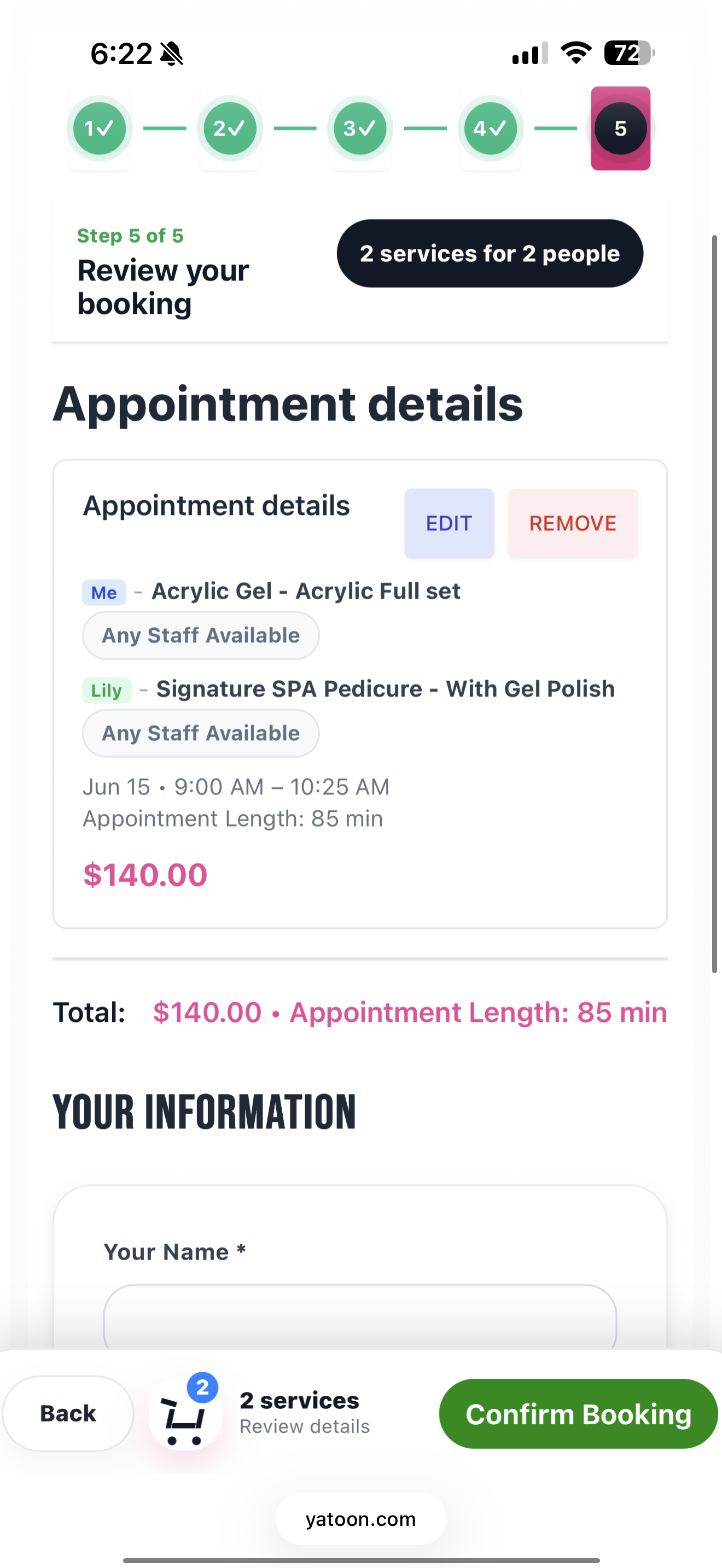
- Multiple services in one visit with combined duration and pricing
- Local staff schedules, availability, confirmations, reminders, and waitlist capture
- Customer self-service for viewing, rescheduling, and cancelling appointments
- Service photos, category navigation, gallery, staff profiles, and ratings
Live demo: https://yatoon.com/bookingdemo/
Launch in four guided steps
- Add your business details.
- Start blank or explicitly choose sample services for testing.
- Set opening hours and email notifications.
- Let Yatoon create the required pages and open the customer view for a test booking.
Free always uses local WordPress booking. Square and Vagaro credentials are requested only by the separate Pro package.
Optional AI, never a requirement
On a compatible WordPress installation with an AI provider connected, Yatoon can help customers choose a service and help owners improve service descriptions. Without AI, the complete normal booking flow continues to work. Yatoon does not sell AI credits or store provider API keys.
Official source and support
Yatoon is distributed under GPLv2 or later. Official downloads, updates, demos, and support are available from https://yatoon.com and the WordPress.org support forum.
What makes Yatoon different
Most booking plugins were built for generic businesses. Yatoon was built for beauty. That means:
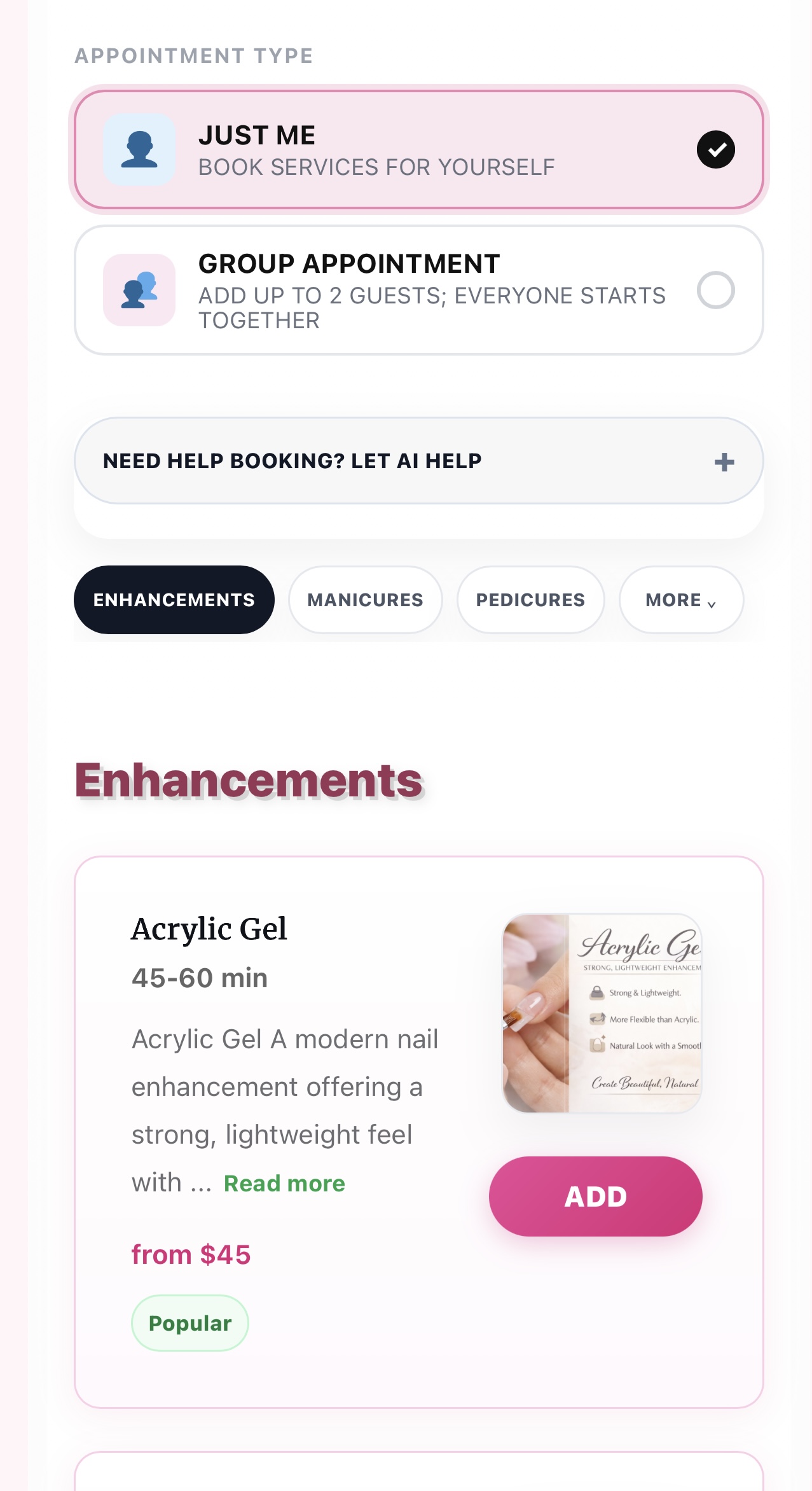
- Clients can book multiple services in one visit – nails + pedicure + eyebrows, all in one checkout
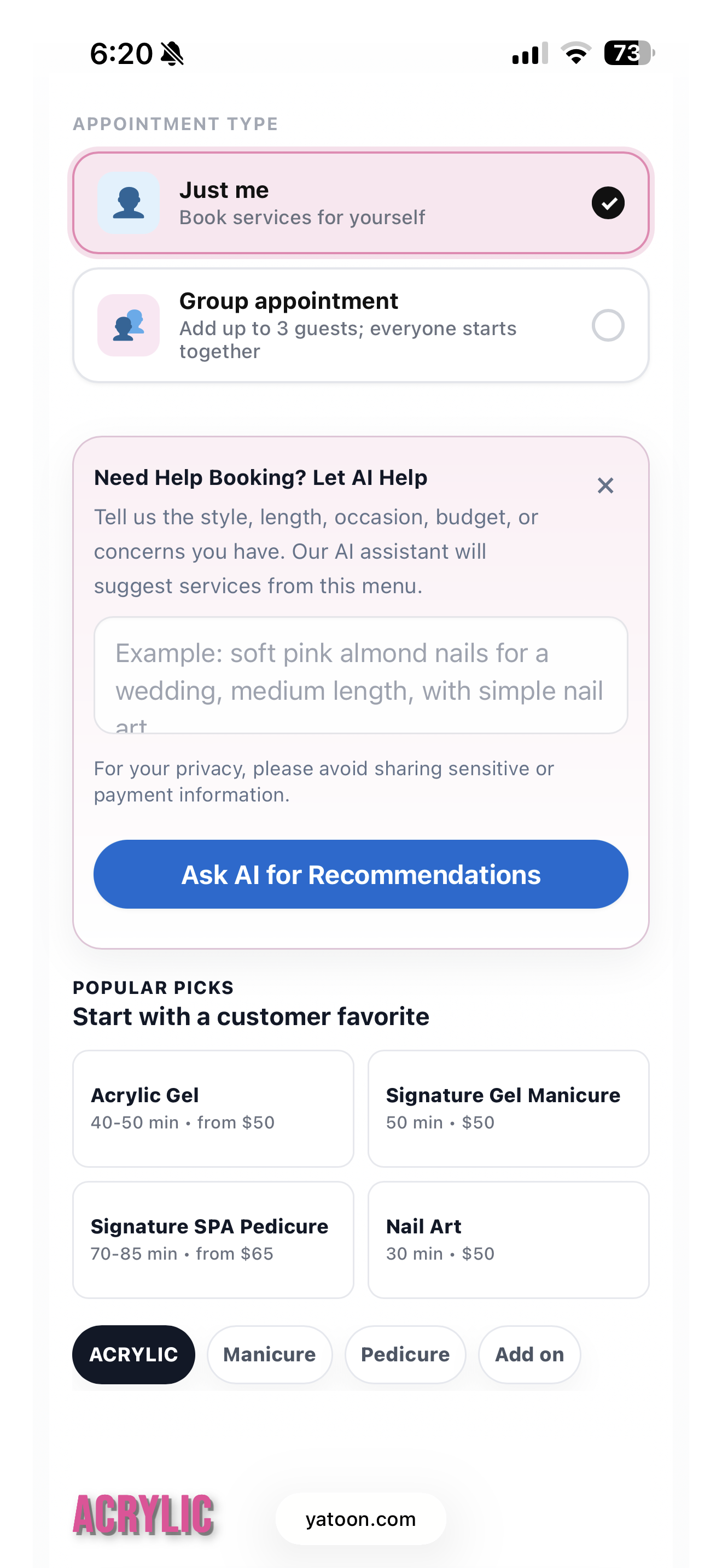
- AI-guided service selection helps unsure clients understand which service fits their needs
- Group appointments – your client books for herself and her friend, with separate services and staff for each person, in one go
- A restaurant-style service menu with photos, pricing, and a Book button right on the page – not a separate popup or redirect
- Staff profiles with real star ratings from verified clients – clients pick who they trust
- A photo gallery that auto-scrolls your nail art – because your work sells itself
- Tip / gratuity at checkout – preset percentages or custom amount, right in the booking flow
This is the stuff that actually matters in a salon. Everything else is just noise.
Booking experience your clients will love
- Mobile-first – the entire booking flow is designed for phones first. Your clients book from the nail salon parking lot or their couch.
- Multi-step flow with animated progress bar – clients always know where they are and what’s next
- Real-time availability – live calendar that loads actual open slots from your schedule
- “Any staff” option – clients who don’t have a preference get the first available technician automatically
- Waitlist capture – when a time is fully booked, clients can join a list so you can follow up manually
- “Text Us” button – if nothing is available, clients can reach you directly with one tap
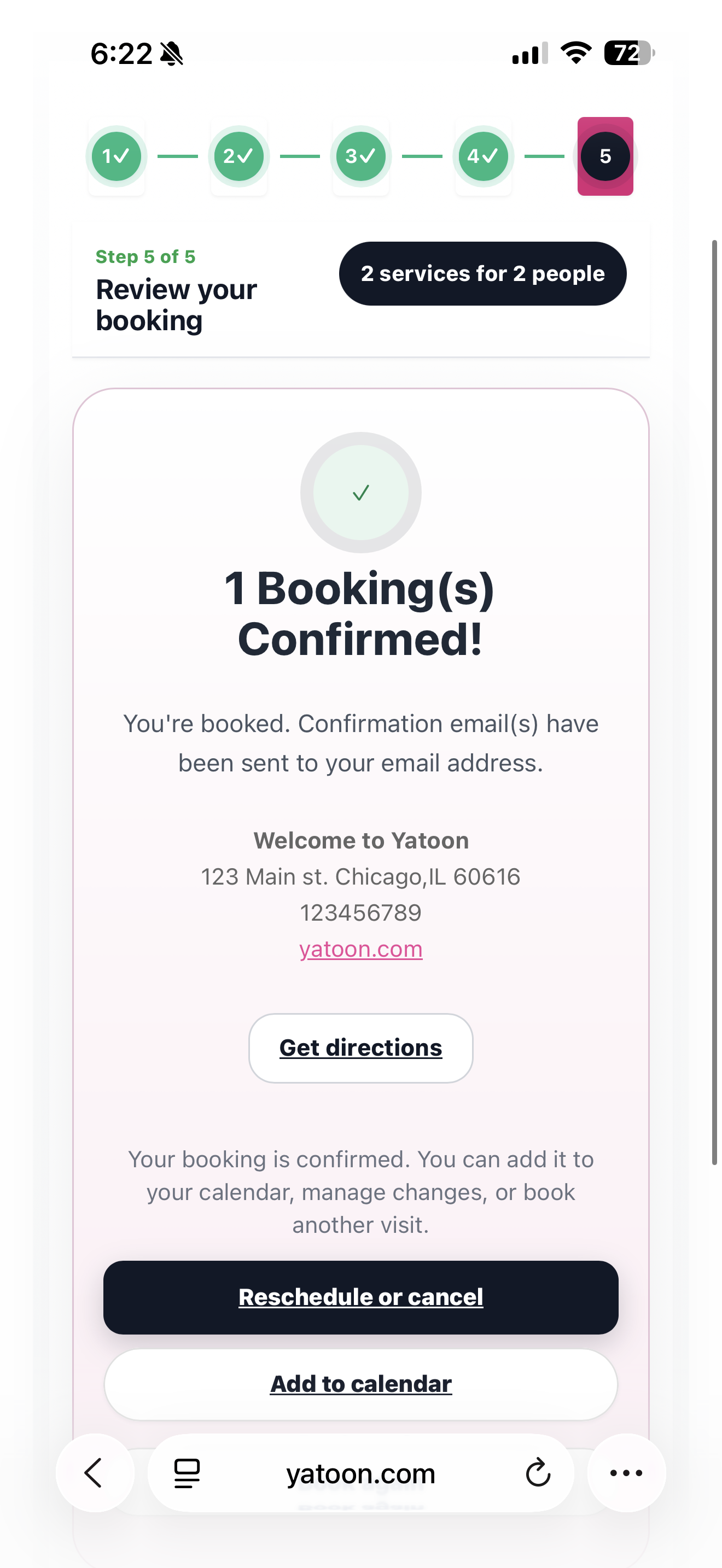
- Add to Calendar – Google, Apple, and Outlook with one click after booking
- Self-service portal – clients reschedule or cancel on their own, without calling you
Everything you need to run your salon
For your clients:
* Beautiful booking form that matches your website
* Instant confirmation email with full appointment details
* Automated reminder email before their appointment
* One-tap star rating after their visit – no login required
* Secure link to reschedule or cancel anytime
For your team:
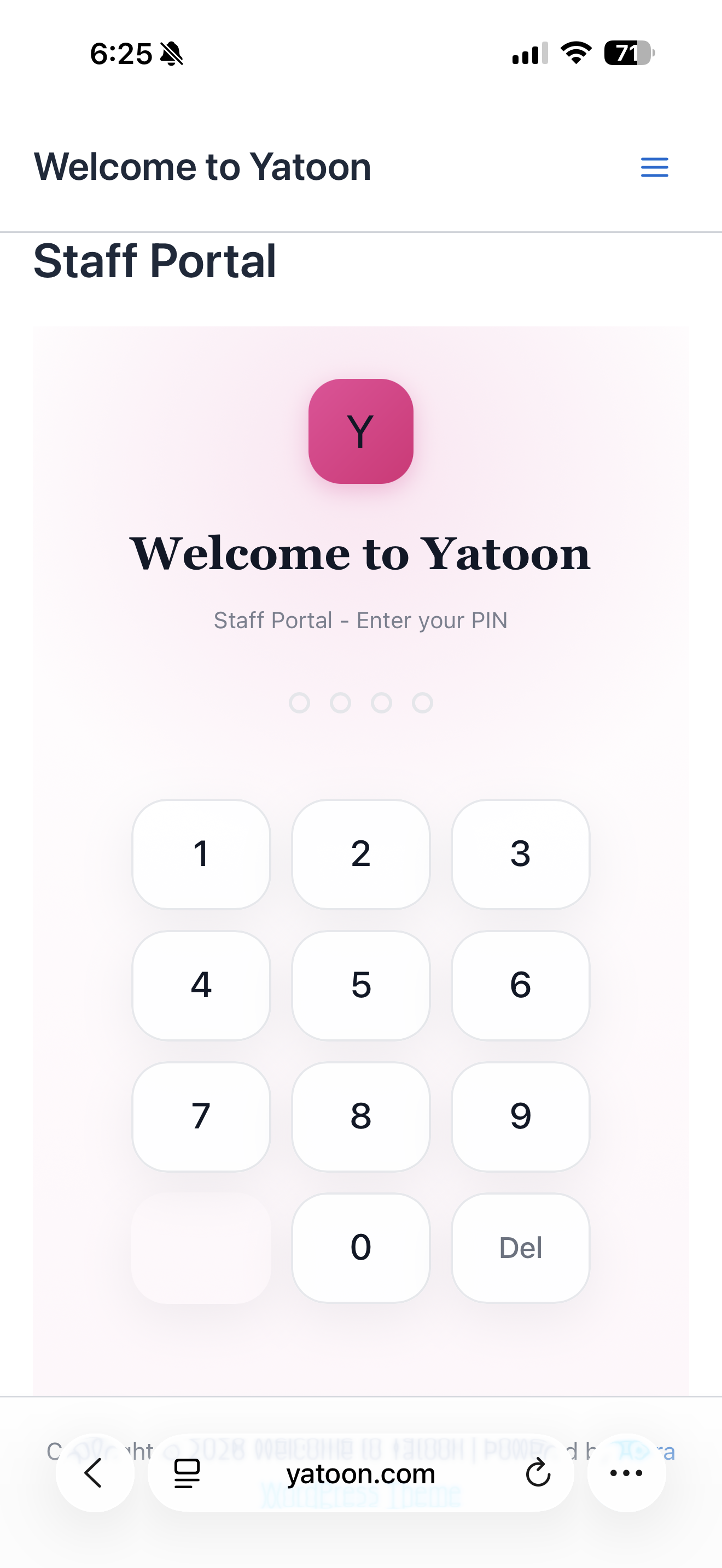
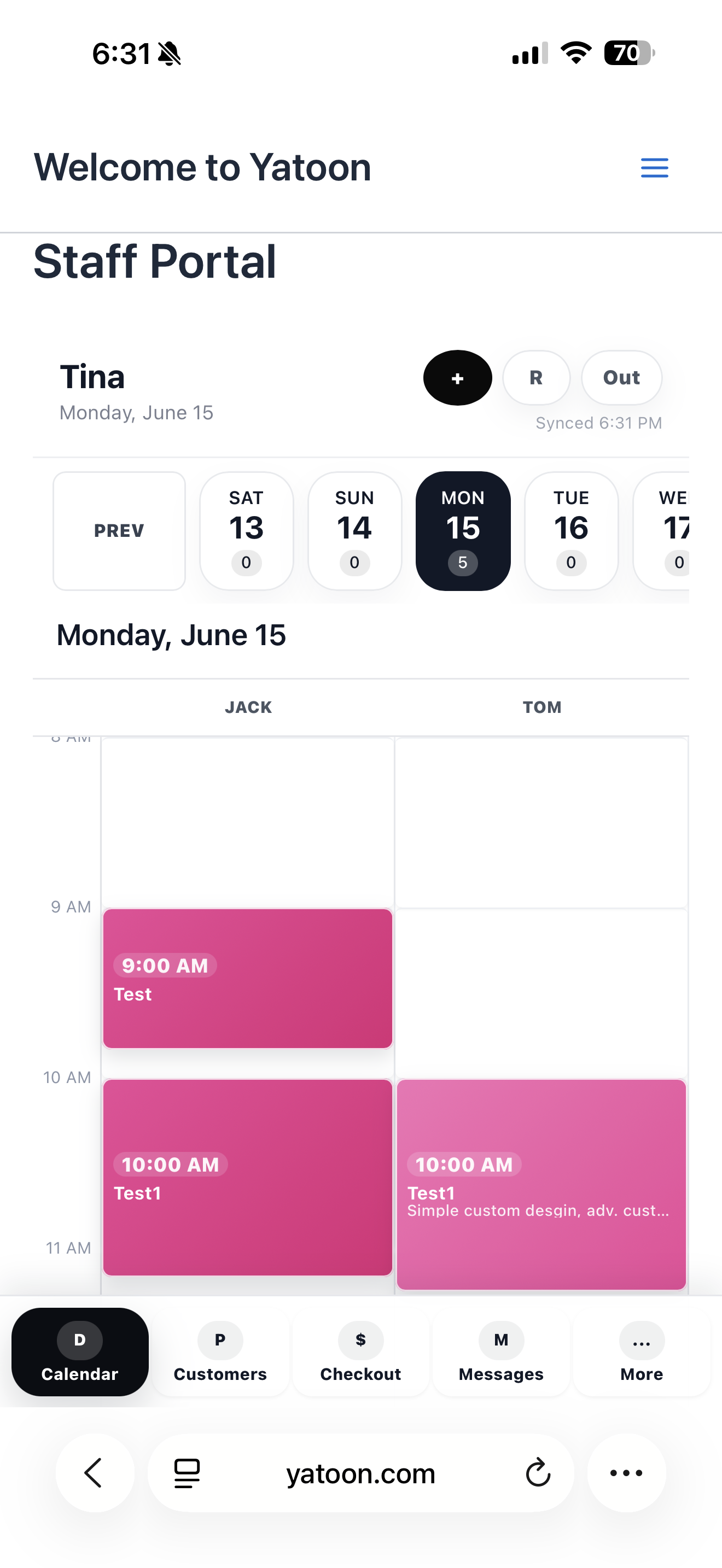
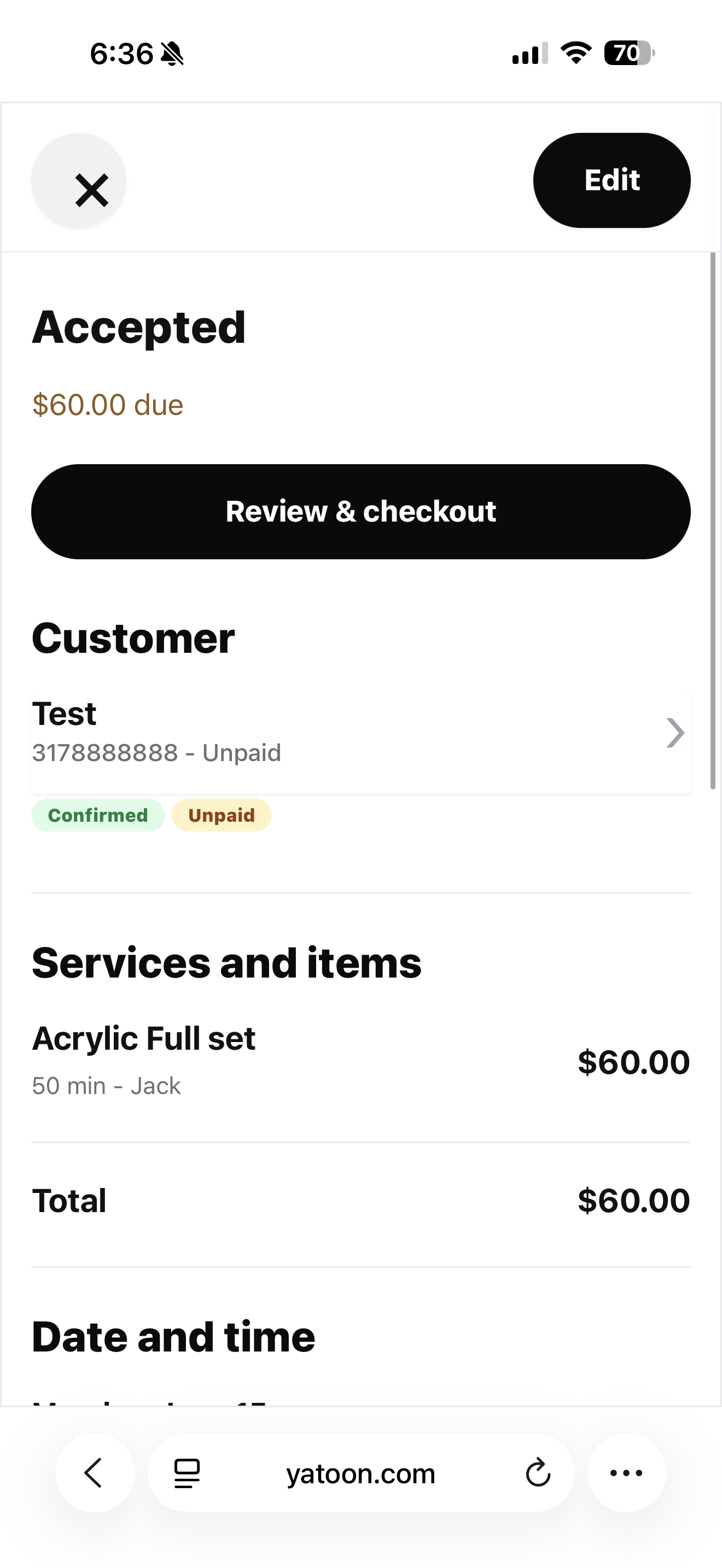
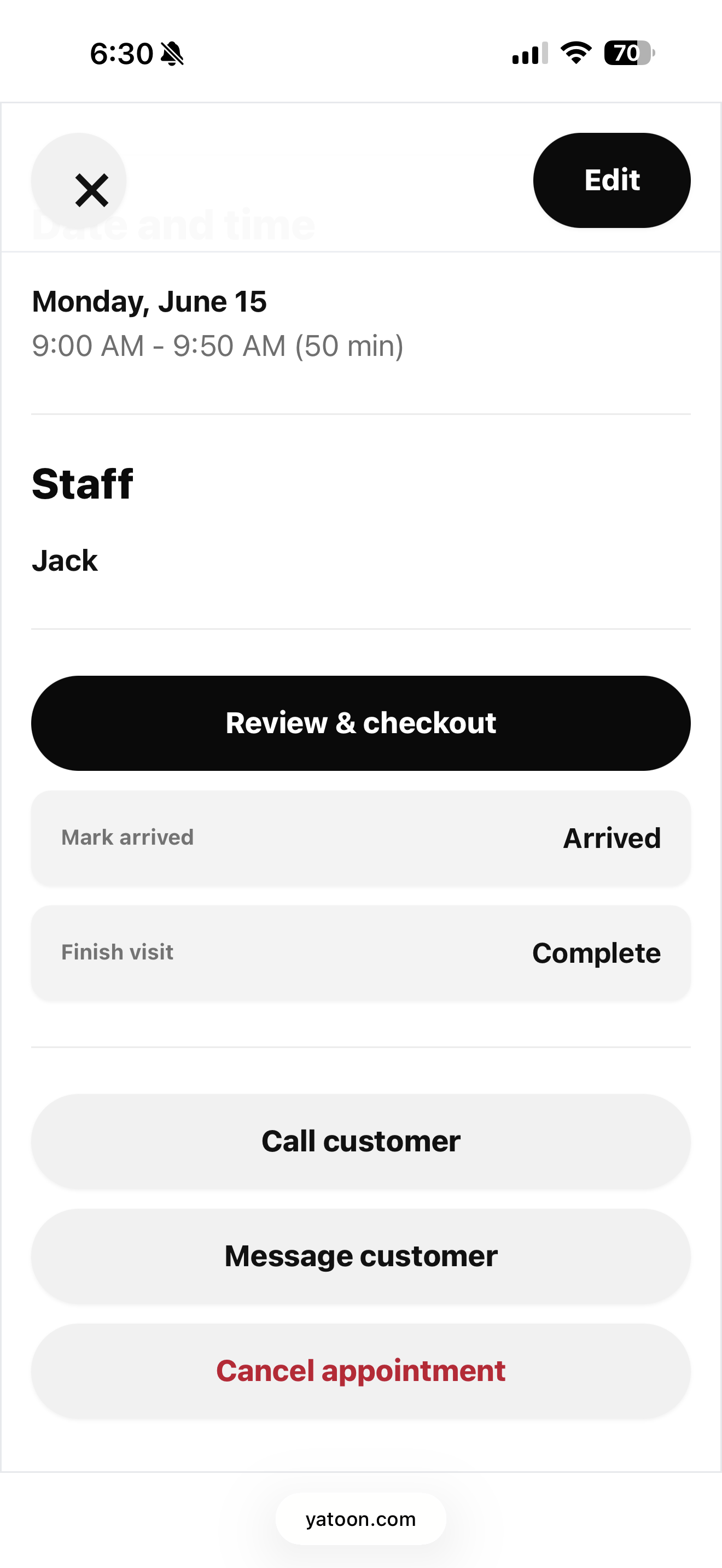
* Staff portal – technicians view their own schedule on their phone, no logins needed
* Staff profiles with photos, bios, and real star ratings
* Each staff member linked to only their services
For you:
* Dashboard with today’s bookings, monthly revenue, and no-show rate at a glance
* Client list with visit history, notes, and allergy information
* Closed dates manager – block holidays for everyone with one click
* Custom booking form fields – add questions like nail shape preference, allergy notes, or reference photos
* Fully customizable confirmation email template
Service display shortcodes
[yatoon_booking]– the full booking form. Put it on any page.[yatoon_service_menu]– restaurant-style menu with photos, prices, and Book buttons. Clients browse and book without leaving the page.[yatoon_catalog]– image card grid with category filters.[yatoon_gallery]– auto-scrolling photo carousel of your work. Supports mobile swipe, lightbox, and infinite loop.[yatoon_customer_portal]– client self-service: view upcoming bookings, reschedule, cancel.[yatoon_staff_portal]– technician schedule viewer. Installable as a home screen app on iPhone and Android.
Optional Pro upgrade – for salons that are growing
The WordPress.org version runs in local WordPress booking mode. A separate Pro package is available outside WordPress.org for salons that need live third-party integrations and higher-volume workflows:
- Square & Vagaro live sync – your Square Appointments or Vagaro availability syncs in real time. No double bookings, ever. Clients see exactly what’s open.
- AI reply drafts – turn Text Us messages into warm, staff-reviewed response drafts
- SMS reminders via Twilio – automated text messages before every appointment cut no-shows dramatically
- Google Calendar two-way sync – your bookings appear in your personal calendar automatically
- Unlimited staff members – no cap on technicians
- Deposits & prepay – require a credit card or partial payment upfront for clients with a no-show history, or for high-value services
- Waitlist auto-notify – email clients automatically when a matching slot opens
- No-show tracking – automatically flag clients who miss appointments
- Recurring bookings – clients set up weekly or bi-weekly repeats from the confirmation page
- Service packages, memberships, coupon codes & gift cards – sell and redeem prepaid value from your site
- Priority support – direct access to the team that built and runs this in a real salon
Get started in 5 minutes
- Install and activate the plugin
- The Setup Wizard launches automatically – follow 5 simple steps to configure your business info, hours, and booking page
- Add
[yatoon_booking]to your booking page - Add
[yatoon_service_menu]to your services page - Upload photos to your services and add
[yatoon_gallery]to your homepage - Preview the client booking experience at https://yatoon.com/bookingdemo/
That’s it. Your clients can start booking.
External Services and Privacy
The free booking flow runs locally in WordPress and does not require Square, Vagaro, Stripe, Twilio, or Google Calendar.
AI features use the WordPress 7.0 AI Client when a site administrator connects an AI provider in WordPress Settings > Connectors. Yatoon does not store AI provider API keys and does not charge for AI usage. Any AI usage cost depends on the site owner’s selected AI provider. On WordPress 6.9 and older, AI features stay hidden and the booking system continues to work normally.
The plugin bundles the Freemius SDK to provide optional account, upgrade, licensing, and software analytics screens. Freemius is only used when a site administrator chooses to connect or opt in. On opted-in sites, Yatoon sends one-time setup funnel event names together with the plugin version, Free/Pro tier, booking mode, and event time. It does not include customer names, contact details, appointment content, or payment information. Sites that do not opt in keep these milestones only in their own WordPress database.
- Freemius: https://freemius.com – Terms: https://freemius.com/terms/
- Freemius Privacy Policy: https://freemius.com/privacy/
屏幕截图
常见问题
Does this work with Square or Vagaro?
Real-time Square and Vagaro calendar sync is available in Yatoon Pro. The free version supports local availability management through the built-in calendar.
Can clients book for a group?
Yes. Yatoon supports group appointments – your client can book services for themselves and a guest in a single checkout, with separate service and staff selection for each person.
Can I add multiple services to one appointment?
Yes. Clients can add as many services as needed. The booking form shows a running total of time and price, and the calendar finds a start time that fits the full combined duration.
Is it mobile-friendly?
Yatoon is designed mobile-first. The booking form, service menu, and photo gallery all work smoothly on phones and tablets.
Does it send confirmation emails?
Yes. Automated confirmation emails go out immediately after booking, with a full appointment summary and a link to manage or reschedule.
Can clients leave a star rating without creating an account?
Yes. After their appointment, clients receive an email with a one-tap star rating link. No login or account required.
How do I display my service photos?
Upload photos to each service (Services > Edit > Gallery Images), then add
[yatoon_gallery]to any page. The carousel auto-scrolls and supports swipe on mobile.Does AI cost money?
WordPress 7.0 provides the AI Client interface, but the site owner pays their chosen AI provider if that provider charges for usage. Yatoon does not store AI API keys or charge for AI usage.
Does Yatoon still work on WordPress 6.9?
Yes. The booking system remains compatible with WordPress 6.9 and older. AI features only appear when the WordPress 7.0 AI Client is available and configured.
What languages is Yatoon available in?
Yatoon is translation-ready and compatible with WPML and Polylang. All strings are localized.
评价

贡献者及开发者

更新日志
3.4.0
- Improved: Rebuilt the Services admin screen with compact service cards, clearer Active/Hidden controls, and editable option rows.
- Improved: Prevented old saved column widths from squeezing Service controls and improved mobile option-card wrapping.
- Analytics: Added a privacy-aware five-step activation funnel using Freemius only on sites that already allow tracking.
- Privacy: Conversion events exclude customer, appointment, payment, and explicit site-domain data.
- Stability: Free and Pro share the same telemetry and database core, backed by release parity tests.
3.3.19
- Stability: Free and Pro now load the same shared core before all business classes.
- Upgrade safety: UI-only releases no longer rerun the full database schema migration.
- Testing: Added automated shared-core, schema-upgrade, package parity, and WP-CLI smoke tests.
- Onboarding: New package-aware setup wizard, optional demo data, automatic page creation, and direct test-booking action.
- Insights: Added a local activation funnel from activation through the first real booking.
- Trust: New installations stay clean unless sample staff and services are explicitly selected.
- UI: Free attribution remains visible on mobile while immersive mode still hides the theme footer.
3.3.18
- Improved: Client profiles now surface VIP, upcoming booking, no-show, and unpaid signals directly in the client list.
- Improved: Booking payment status labels now include no-show fee charged and waived states for cleaner operations.
- Updated: Version aligned with Pro at 3.3.18 and Freemius SDK remains at 2.13.2.
3.3.17
- Updated: Free version number aligned with Pro for consistent deployment tracking.
- Updated: Freemius SDK refreshed to 2.13.2.
- Improved: Maintenance release with the latest packaging and compatibility metadata.
3.3.16
- Refined: cleaner admin license wording, steadier mobile spacing, stronger button/focus states, and clearer release metadata for Free and Pro packages.
- Improved: tightened service/category cards and booking controls so the interface feels more polished on phone and desktop.
3.3.15
- Final polish: mobile steps, service cards, category tabs, AI helper, and license/upgrade wording are cleaner and easier to scan.
- Improved booking review wording, guest naming, service label clarity, and group appointment management from the 3.3.15 release.
- Fixed related appointment cancellation so multi-person Square bookings are managed together from the customer link.
3.3.14
- Improved: Group guest appointments now show the time range first and Reserved Time underneath, with guests clearly shown as starting together instead of implying sequential service order.