
描述
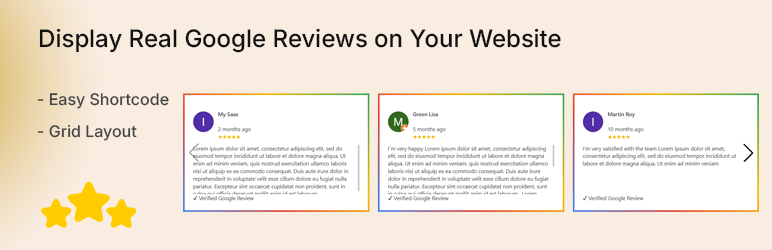
Wow Google For Review is a lightweight and powerful plugin to display real Google Reviews directly on your WordPress website.
It uses the latest Google Places API (New) to fetch authentic reviews and display them in modern layouts.
Perfect for businesses, agency and freelancer who want to showcase social proof and build trust.
External services
This plugin uses the Google Places API (New) to fetch and display public Google reviews.
When fetching reviews, the plugin sends the configured Google Place ID and API key to Google servers.
This service is provided by Google:
Terms of Service: https://policies.google.com/terms
Privacy Policy: https://policies.google.com/privacy
Features
- Fetch real Google Reviews using Places API (New)
- Grid layouts (2, 3, 4 columns)
- Shortcode support
- Admin preview with pagination
- Transient caching for performance
- Easy setup (API Key + Place ID)
- Clean and responsive design
- Lightweight and fast
How to Create Google API Key
- Go to: https://console.cloud.google.com/
- Create a new project
- Navigate to APIs & Services -> Library
- Enable Places API (New)
- Go to Credentials -> Create API Key
- Restrict API key to Places API (New)
- Enable billing (Google provides free credits)
How to Get Place ID
Use the official tool:
https://developers.google.com/maps/documentation/places/web-service/place-id
Example Place ID:
Chxxxxxxxxxxxxxxxxxxxxxxxxx
Usage
Use shortcode anywhere:
[wowrefog_shortcode layout=”1″]
[wowrefog_shortcode layout=”2″]
[wowrefog_shortcode layout=”3″]
安装
- Upload the plugin files to the
/wp-content/plugins/directory - Activate the plugin through the ‘Plugins’ screen in WordPress
- Go to Google Reviews -> Settings
- Enter your Google API Key and Place ID
- Click Fetch Reviews
常见问题
-
Why reviews are not showing?
-
Make sure:
- API key is valid
- Places API (New) is enabled
- Billing is enabled
- Place ID is correct
-
Is this plugin free?
-
Yes, this is the free version.
-
Can I change layouts?
-
Yes, use shortcode parameter to change layout.
评价
此插件暂无评价。
