

描述
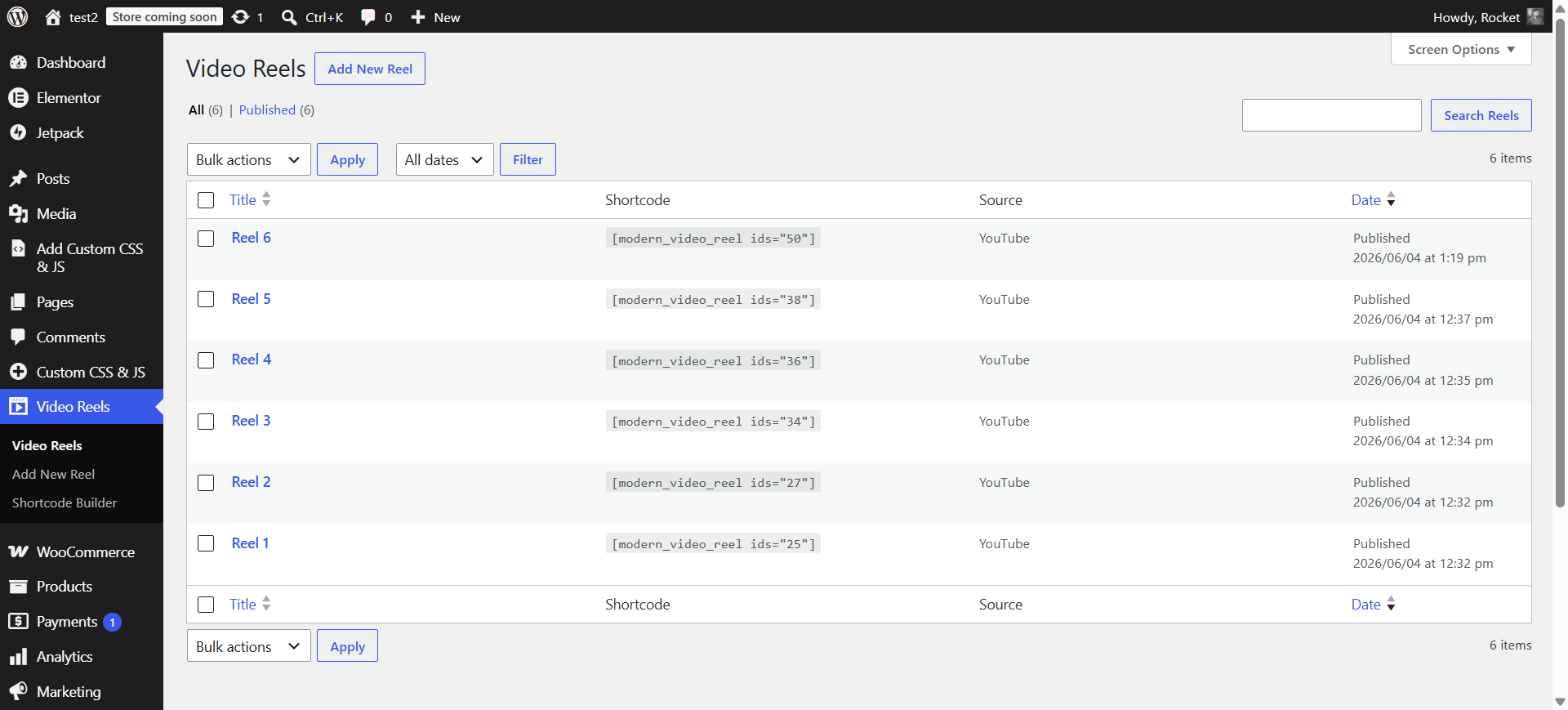
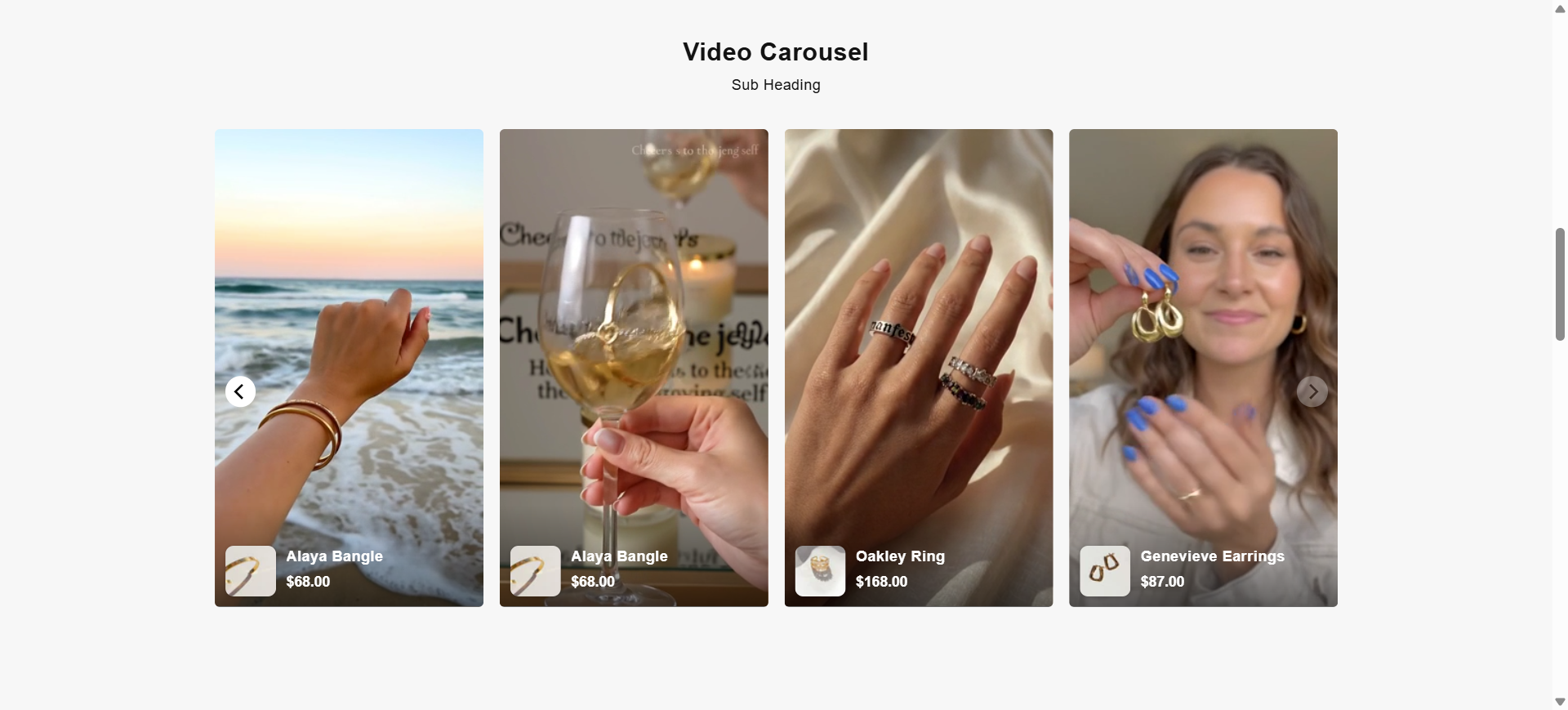
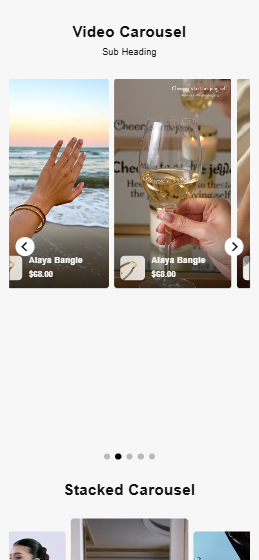
Vidreelo lets you add short, vertical videos to your WordPress site and play them in a beautiful Instagram Reels / YouTube Shorts–style full-screen player. Visitors browse a carousel or grid of vertical thumbnails, tap one, and swipe up and down through your videos, just like a social feed.
Each reel can use a YouTube video or a self-hosted MP4, and you can tag products on it (WooCommerce products or manual products) so a “Shop” card appears right on the video. It is perfect for shoppable video, product demos, testimonials, tutorials, and social-style content.
Key Features
- One simple shortcode —
[vidreelo]shows all your reels. - YouTube or self-hosted videos — choose the source per reel; only the field you need is shown.
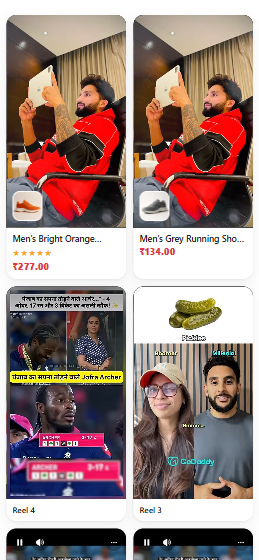
- Auto-play in the grid — both self-hosted and YouTube reels play muted as they scroll into view.
- Instagram Reels–style player — full-screen vertical player with swipe up/down between videos, mute, and play/pause.
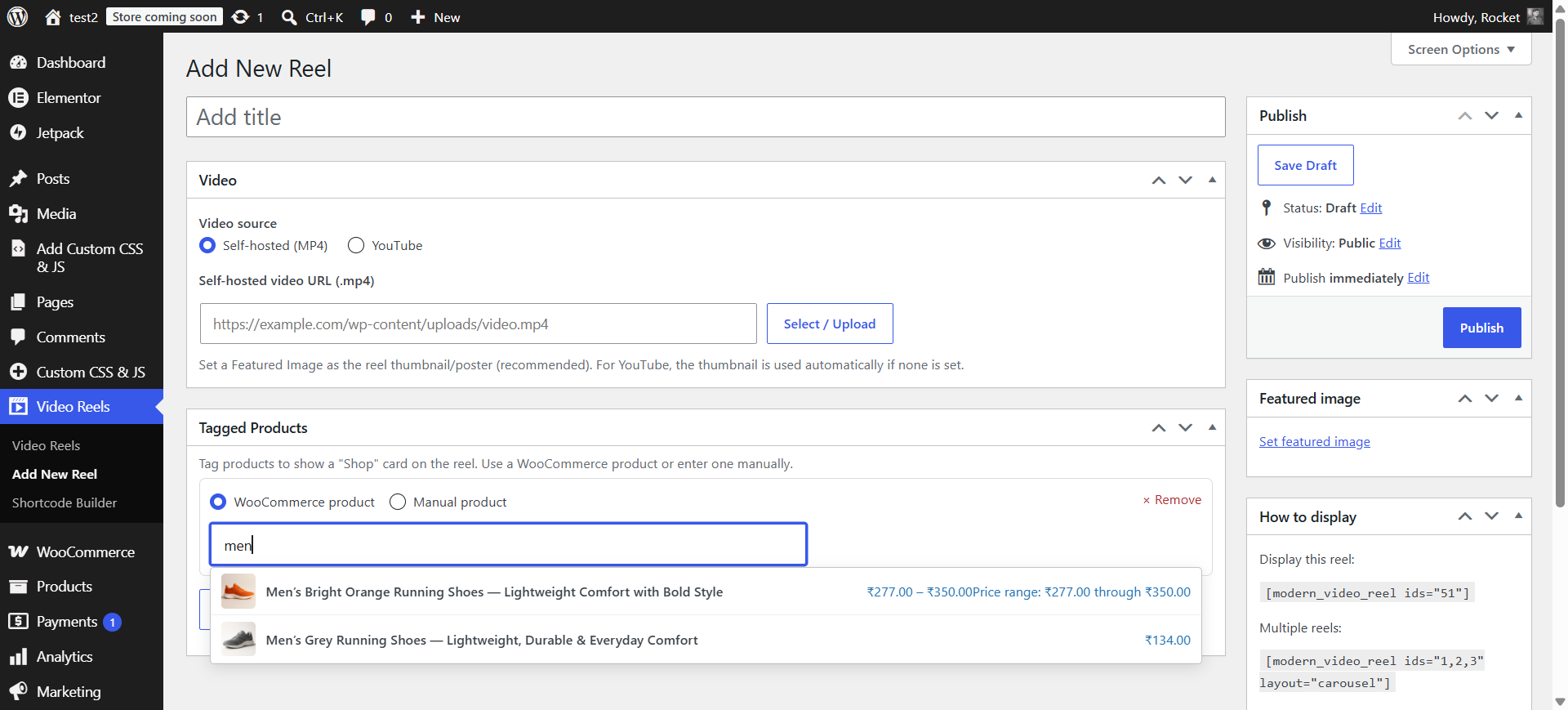
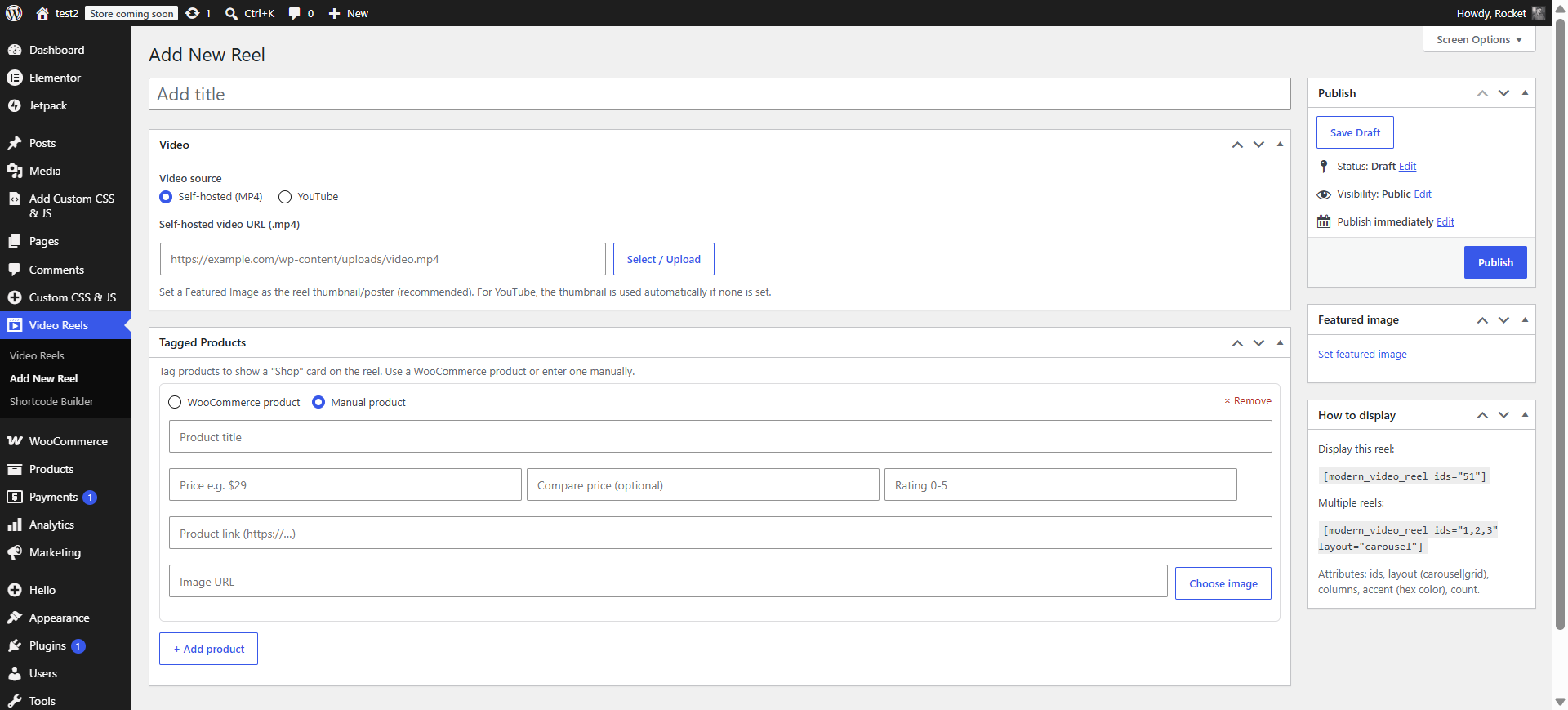
- Shoppable — tag WooCommerce products (automatic image, title, price, sale price and rating) or manual products (title, price, compare price, image and link). The product shows under the reel and as a “Shop” card in the player.
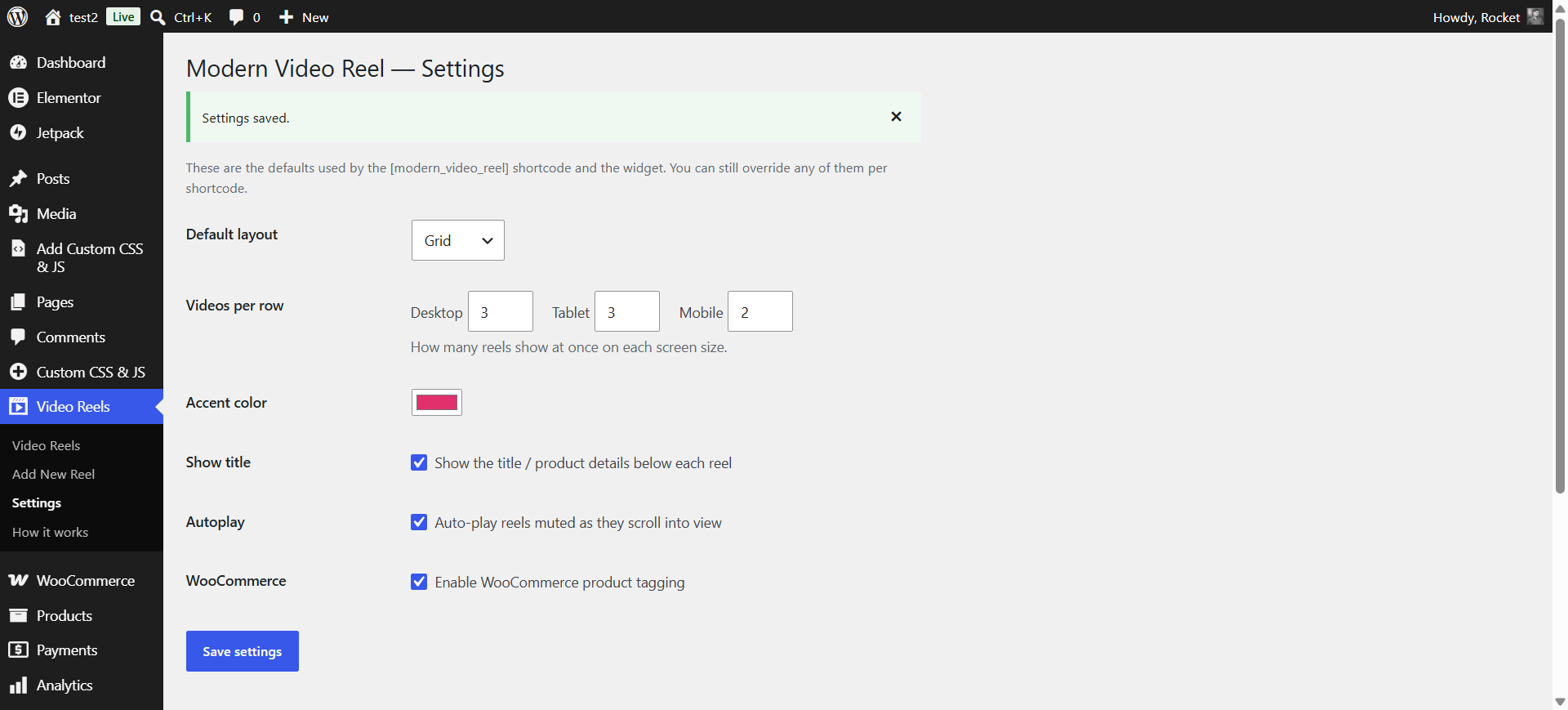
- Carousel or grid layout, columns per device, and accent color.
- Widget — drop reels into any widget or block area, no shortcode needed.
- Lightweight & self-contained — no external libraries or CDNs, fully responsive, works with any theme.
How to use
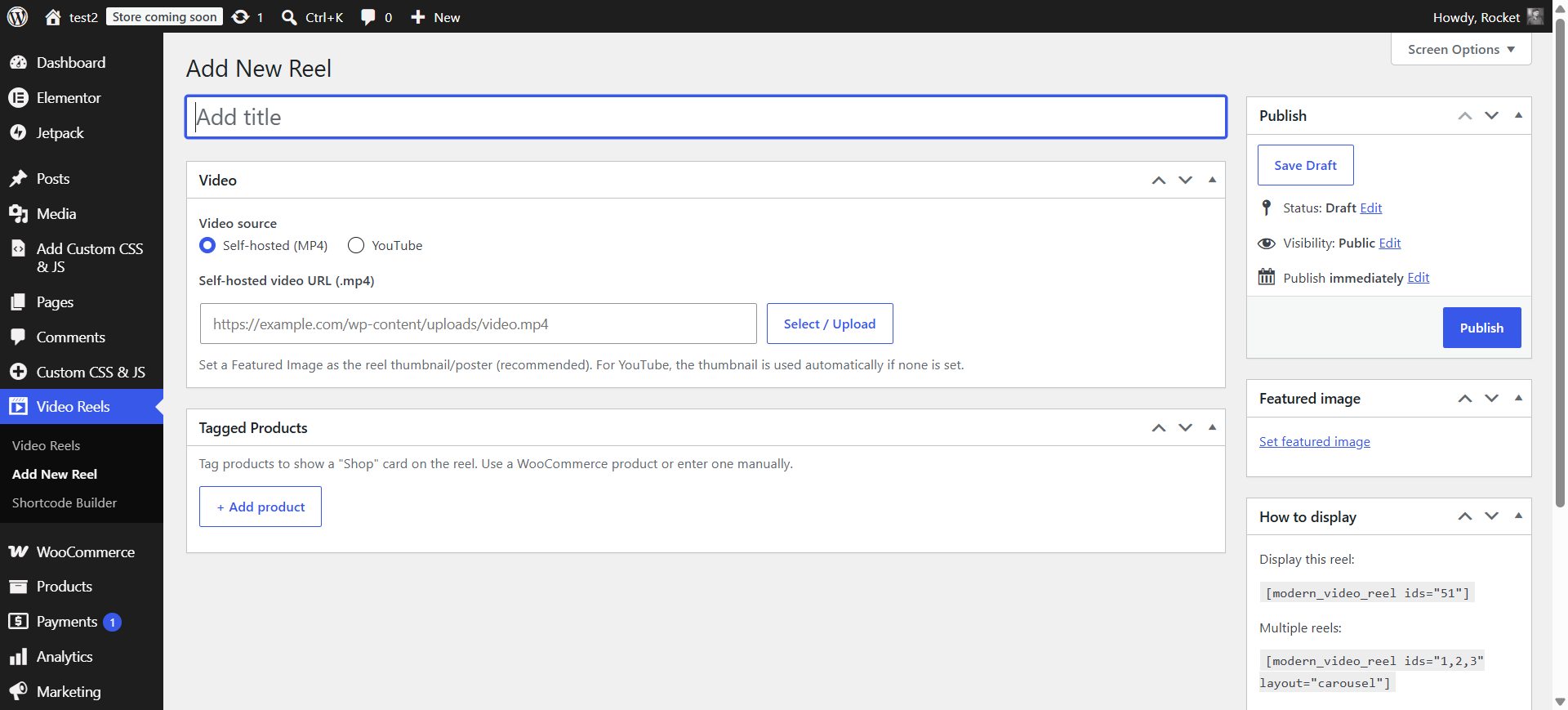
- Go to Video Reels Add New Reel.
- Pick YouTube or Self-hosted, add the video, and set a Featured Image as the thumbnail.
- Optionally tag products under Tagged Products.
- Publish, then place the shortcode on any page:
[vidreelo]
See Video Reels How it works in your admin for the full guide.
屏幕截图

安装
- Upload the plugin to
/wp-content/plugins/, or install it from Plugins Add New. - Activate it.
- A Video Reels menu appears. Add reels and place the
[vidreelo]shortcode where you want them.
常见问题
-
How do I add a video?
-
Go to Video Reels Add New Reel, choose YouTube or Self-hosted, add the video, set a Featured Image, and Publish.
-
How do I show reels on a page?
-
Add
[vidreelo]— it shows all your reels. Optional attributes:layout(carousel or grid),columns,accent(hex color), andidsto limit to specific reels. -
How do I tag products on a video?
-
In the reel editor, open Tagged Products and add a WooCommerce product (searchable) or a manual product (title, price, image, link). A “Shop” card appears on the reel in the player.
-
Do I need WooCommerce?
-
No. WooCommerce is optional; it only enables the product picker. You can always add manual products without it.
-
Does it load any external libraries?
-
No. The player is fully self-contained, with no third-party CDNs. YouTube reels are embedded through the official youtube-nocookie.com embed only when an admin adds a YouTube URL.
评价
此插件暂无评价。
贡献者及开发者


更新日志
1.0.0
- Initial release.