

描述
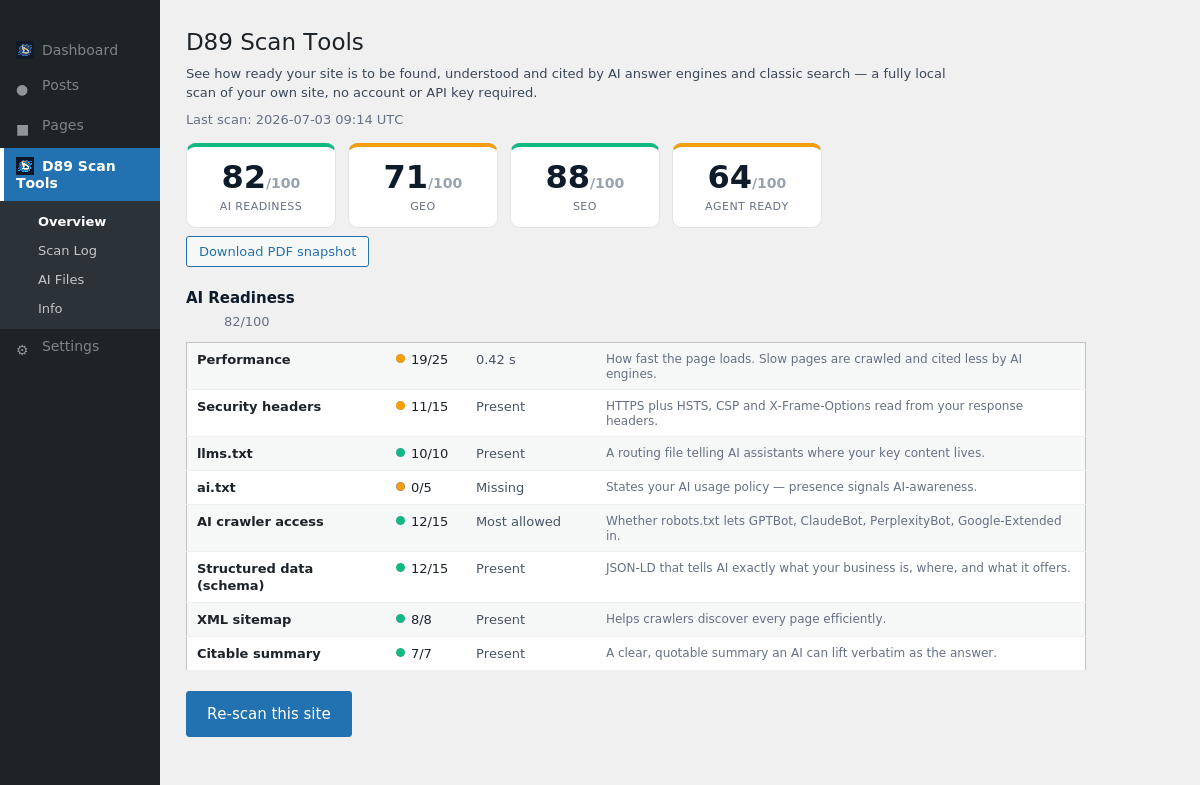
AI answer engines like ChatGPT, Google AI Overviews, Gemini, Perplexity and Claude are becoming a primary way people find businesses. Daryo89 Multi Scan and AI Assessment scores how ready your site is to be discovered, understood and cited by those engines — and by classic search — and shows you exactly what to fix.
Everything runs locally on your own server. The plugin analyses your own site’s HTML and HTTP response headers. It makes no third-party API calls, needs no account and no API key, and stores nothing off-site.
What it scores (all on-page, all local):
- AI Readiness — security headers,
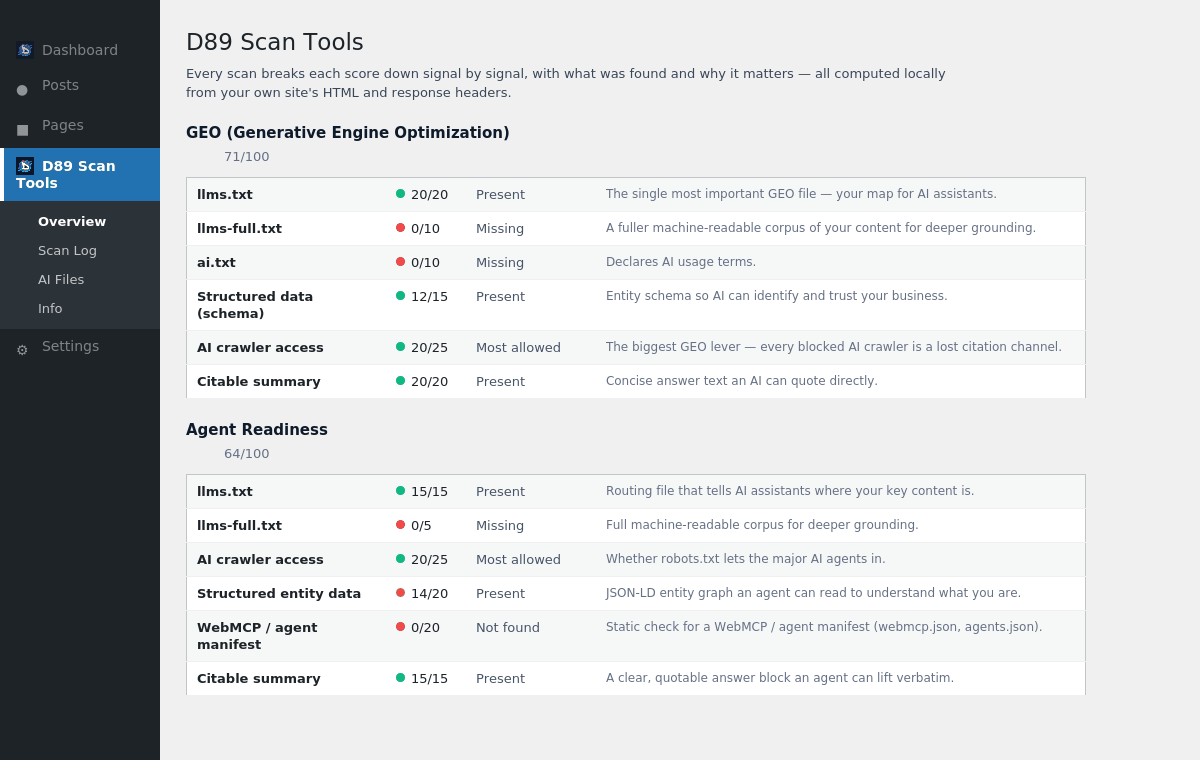
llms.txt/ai.txt, AI-crawler access, structured data, XML sitemap and a citable summary. - Agent Readiness — how prepared your site is for AI agents: routing files, crawler access, entity schema, a WebMCP / agent manifest and a quotable answer block.
- GEO (Generative Engine Optimization) — the files and signals that decide whether AI assistants can cite you:
llms.txt,llms-full.txt,ai.txt, schema, crawler access and citable content. - SEO — the classic on-page essentials: title, meta description, H1, canonical, viewport, Open Graph, sitemap, crawler access and HTTPS.
Also included:
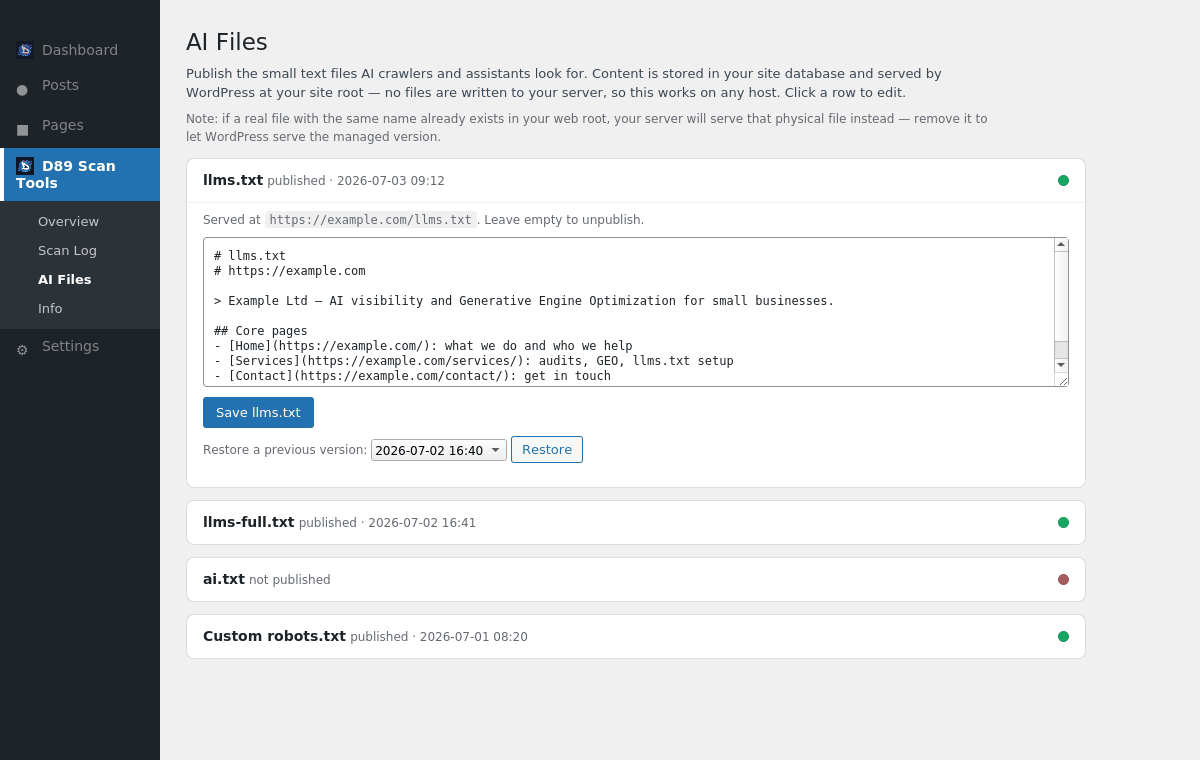
- AI Files manager — publish the small text files AI crawlers look for:
llms.txt,llms-full.txt,ai.txtand a customrobots.txt. Content is stored in your database and served by WordPress at your site root, so it works on any host without writing files to your server. - Branded PDF snapshot — download a clean, shareable report of any scan.
- Scan log — keep a history of scans and export it to CSV to track progress over time.
Free, and truly local. No sign-up, no key, no data leaving your site.
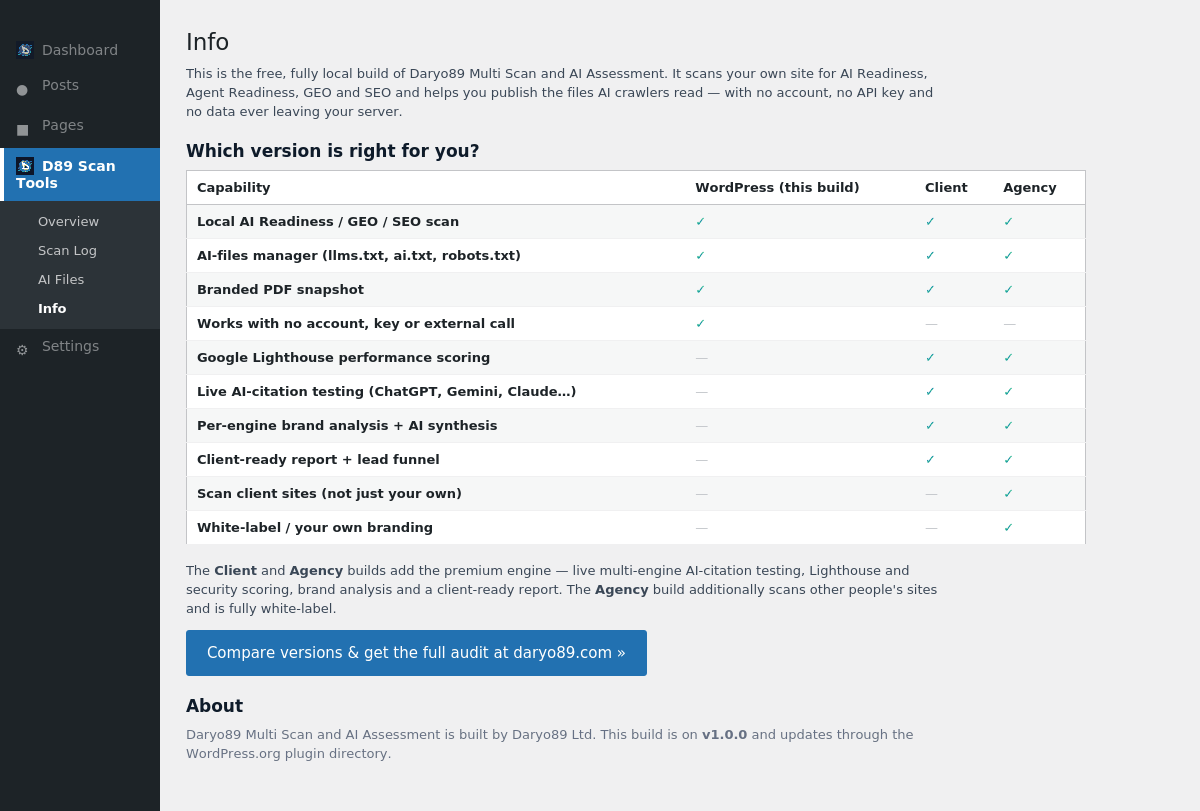
Want live, multi-engine AI-citation testing (does ChatGPT / Gemini / Claude actually mention you?), Google Lighthouse performance scoring, per-engine brand analysis and a client-ready report? Those are part of the paid Client and Agency editions available at daryo89.com. This free plugin’s Info tab compares the editions.
Built by Daryo89 Ltd, a UK digital-architecture and Generative Engine Optimization consultancy. “D89” and “Daryo89” are the author’s own brand.
屏幕截图
安装
- Upload the plugin to
/wp-content/plugins/or install it from the Plugins screen in your dashboard. - Activate it through the Plugins menu in WordPress.
- Open D89 Scan Tools in the admin menu and click Scan this site now.
- Review your AI Readiness, Agent Readiness, GEO and SEO scores, then use the AI Files tab to publish
llms.txt,ai.txtand friends.
常见问题
-
Does this send my data anywhere?
-
No. The plugin reads your own site’s HTML and HTTP response headers on your server to compute the scores. It makes no third-party API calls and stores nothing off-site.
-
Do I need an API key or an account?
-
No. This build is fully local and needs neither.
-
How are the AI files (llms.txt, ai.txt) published?
-
They are stored in your WordPress database and served by WordPress at your site root (for example
https://example.com/llms.txt). Nothing is written to your filesystem and no server configuration is changed, so it works on shared, read-only and multisite hosts. If a real file with the same name already exists in your web root, your server serves that one instead — remove it to let the managed version show. -
Why don’t I see a Google Lighthouse / PageSpeed score?
-
This free build is deliberately local-only, so it doesn’t call Google PageSpeed. Performance is estimated from your site’s own response time. Full Google Lighthouse scoring is part of the paid Client and Agency editions at daryo89.com.
-
What is llms.txt and why does it matter?
-
llms.txt is a plain-text file that tells AI assistants where your key content lives, so they can find and cite it accurately. The AI Files tab helps you create and publish it.
-
What’s the difference between this and the Client / Agency editions?
-
This free build scores and helps you fix your own site locally. The paid Client and Agency editions add live AI-citation testing across multiple engines, Lighthouse and security scoring, per-engine brand analysis and a client-ready report; the Agency edition also scans other people’s sites and is white-label. See the plugin’s Info tab for a full comparison.
评价
此插件暂无评价。
贡献者及开发者

更新日志
1.0.2
- Report PDF: made clear that every check is performed locally on your own server. Removed the signals block that named Google PageSpeed and Mozilla Observatory (this free build never contacts them); the report now shows the equivalent locally-measured site signals plus a per-header security section, each explained in plain English.
- Info screen: added a plain-English list of exactly what the free build checks on your own server, added a local security-header row to the comparison, and tidied the version comparison wording.
1.0.1
- Updated the bundled FPDF library to the latest stable release (1.86).
- Housekeeping: removed an unused, unprefixed library constant definition; core-font metrics now resolve automatically from the bundled font directory.
1.0.0
- Initial public release: fully local AI Readiness, Agent Readiness, GEO and SEO scoring; AI Files manager (llms.txt, llms-full.txt, ai.txt, robots.txt) served from the database by WordPress; branded PDF snapshot; scan log with CSV export. No account, no API key, no third-party calls.