
描述
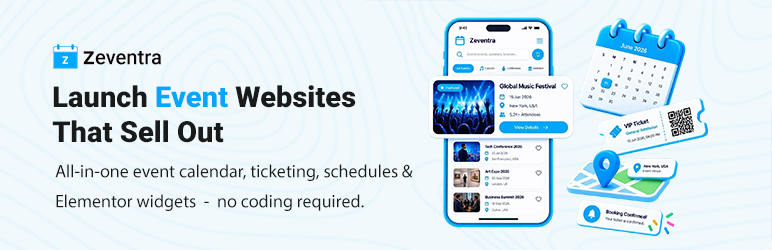
Zeventra helps you promote events, collect registrations, send RSVPs, sell tickets, and check in attendees — without locking core booking or payment features behind paid add-ons.
Create events in WordPress, display them with calendars and listing layouts, accept free or paid bookings, gather RSVP responses separately from tickets, and manage check-in with PDF tickets and QR codes. Optional Elementor widgets and shortcodes let you build the pages you need.
Key Features
– Interactive event calendar and multiple listing layouts (grid, list, masonry, slider, timetable, timeline, yearly, and more).
– Free and paid event bookings with attendee details, coupons, and admin booking management.
– RSVP forms with customizable response options (defaults include Yes, Maybe, and No) — separate from paid tickets.
– PDF tickets with QR codes and an administrator QR camera scanner (desktop webcam and mobile/tablet cameras), plus manual check-in URL entry.
– Built-in Stripe and PayPal payment gateways, plus manual/offline confirmation.
– Weekly, monthly, and yearly recurring events.
– Elementor widgets when Elementor is installed; shortcodes work without it.
– Booking, payment, ticket, refund, and RSVP email notifications where configured.
Event Management & Display
– Create and manage events from the WordPress dashboard.
– Set dates, times, capacity, ticket pricing, organizers, speakers, locations, schedules, categories, tags, and colored labels.
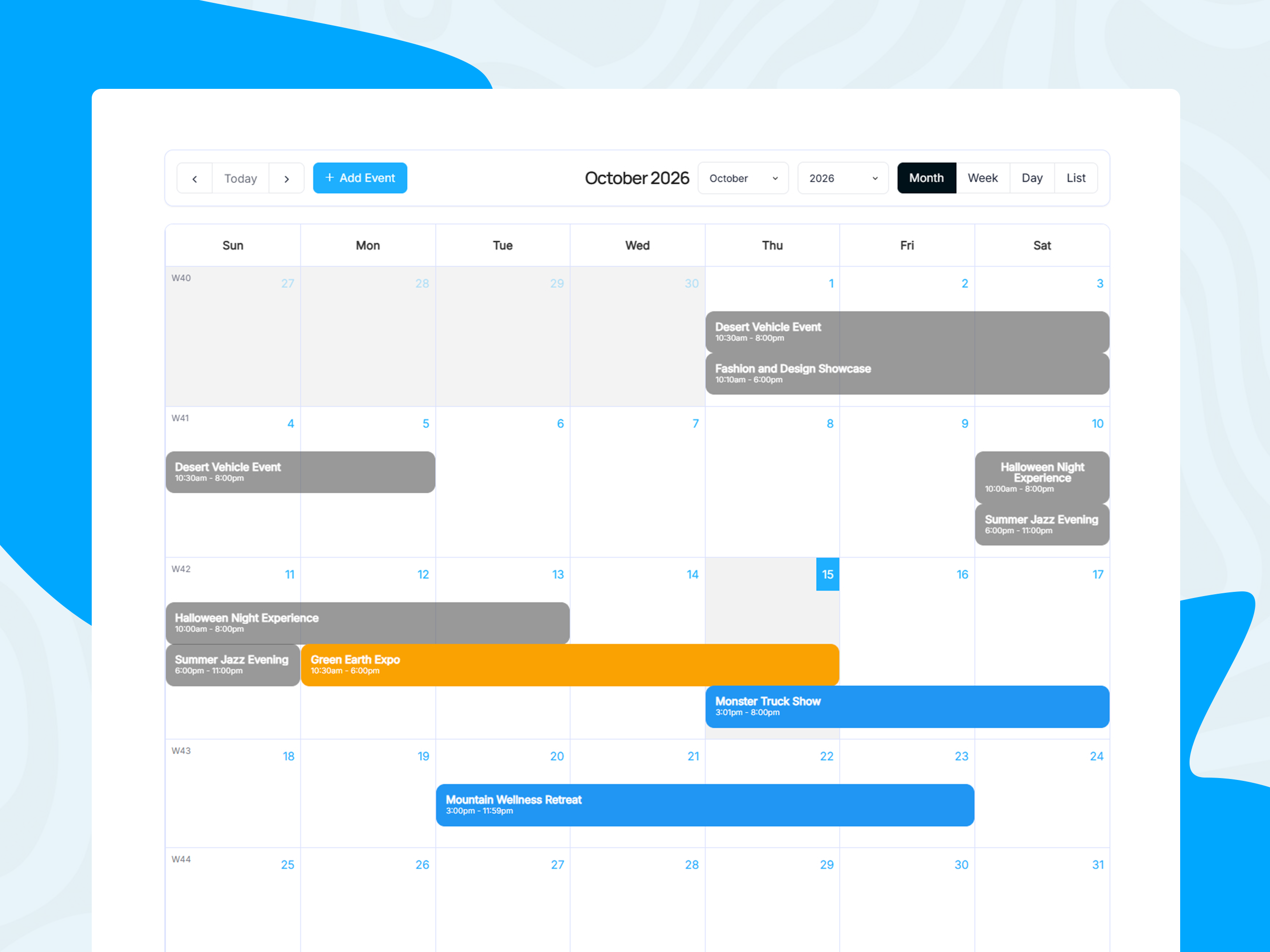
– Display events with an interactive FullCalendar (month, week, day, and list views).
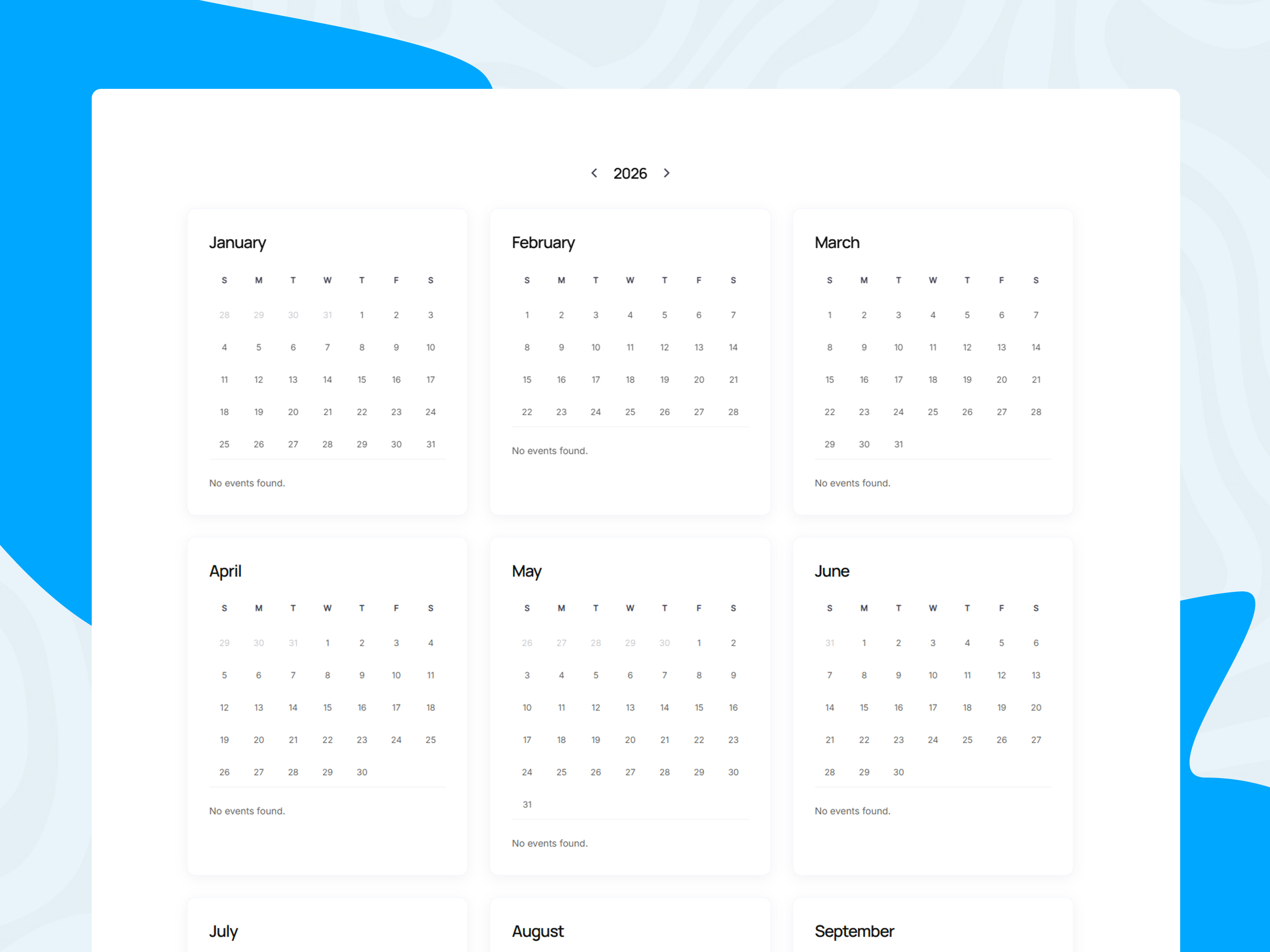
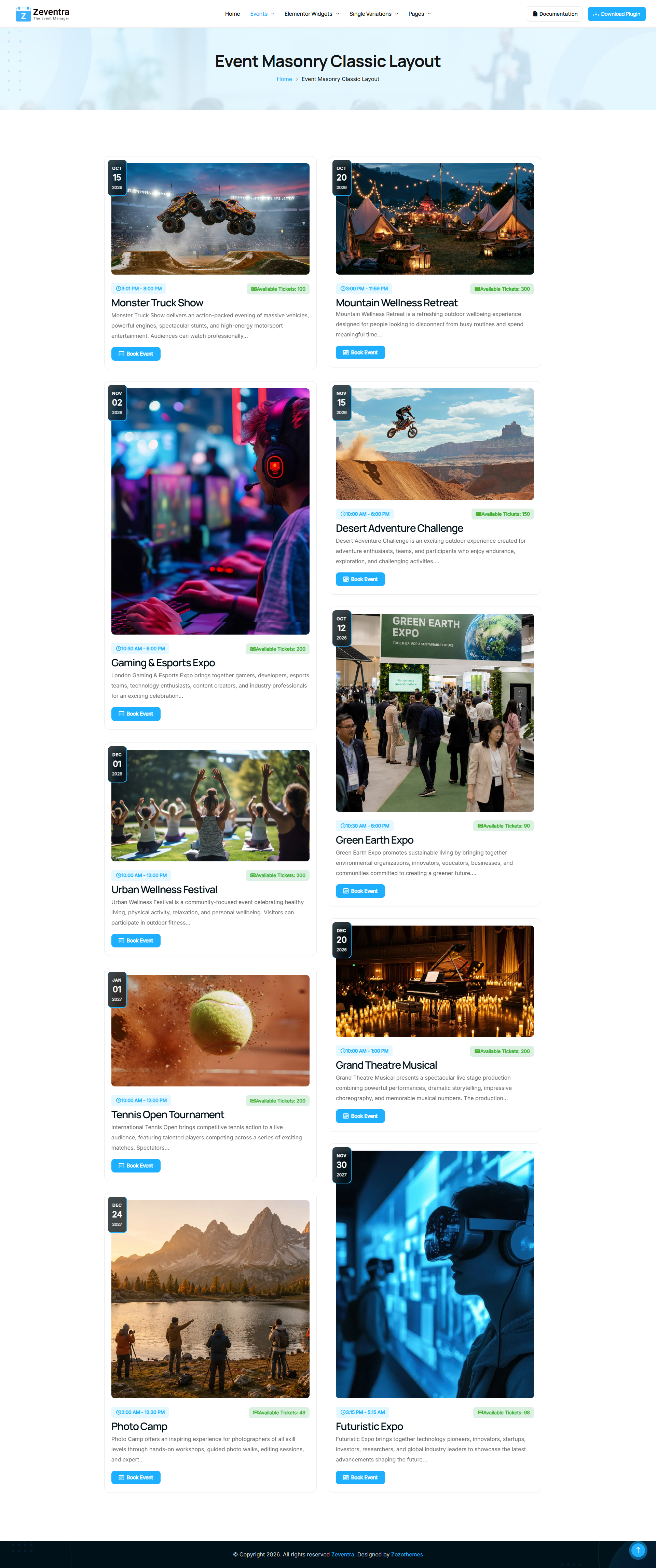
– Choose from grid, list, masonry, filtered masonry, slider, cover, countdown, timetable, timeline, and yearly layouts.
– Support weekly, monthly, and yearly recurring events (daily recurrence is not supported).
– Countdown displays (single-event header, sidebar, shortcode, and Elementor) resolve the current or next occurrence for recurring events.
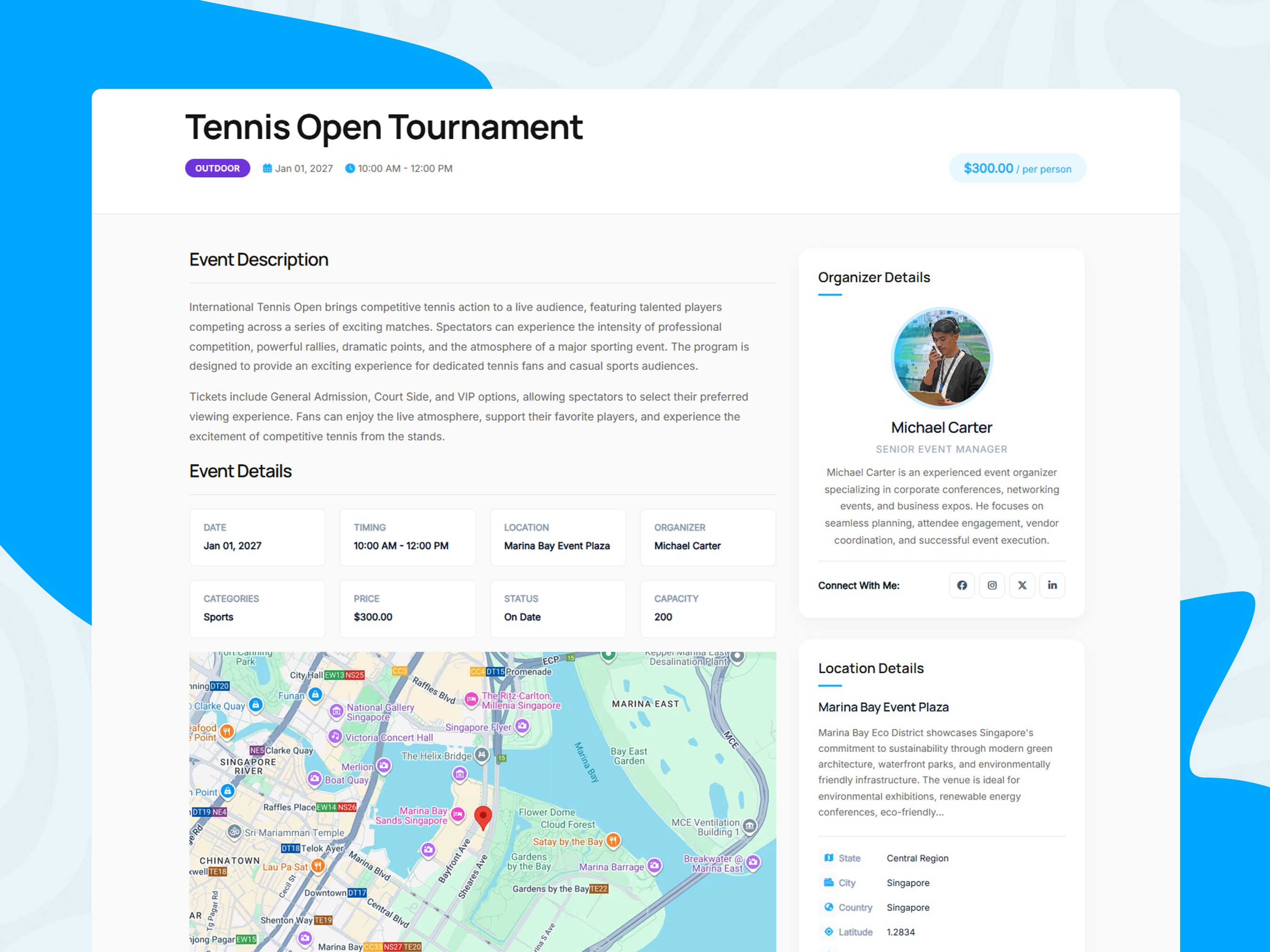
– Customize single-event pages, archives, related events, and section order.
– Filter and paginate listings; embed calendars, grids, lists, and maps with shortcodes.
– Optional Google Maps embeds and Add to Calendar / social sharing links when configured.
Booking, Registration & RSVP Forms
Event booking
– Enable free or paid bookings per event.
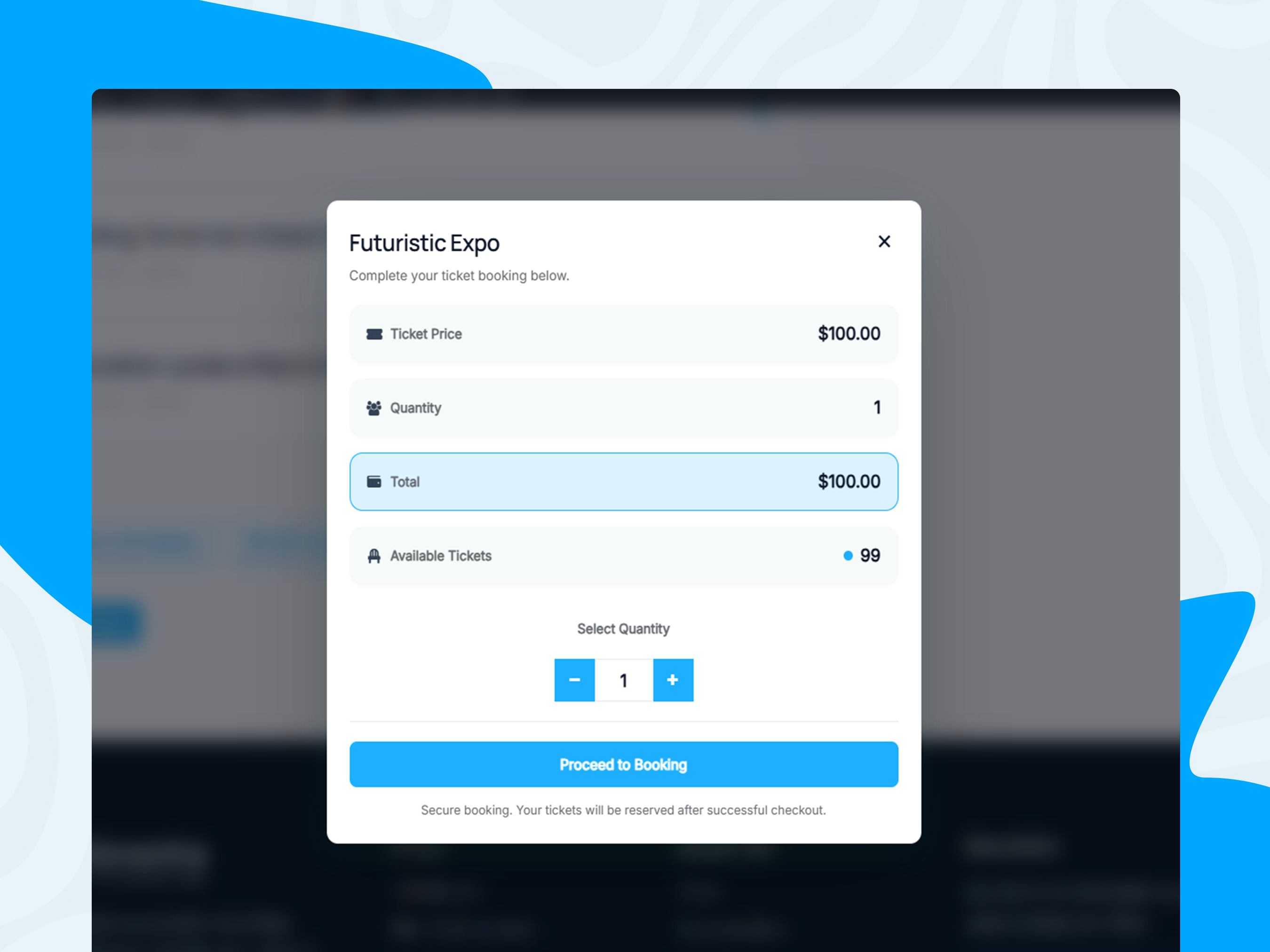
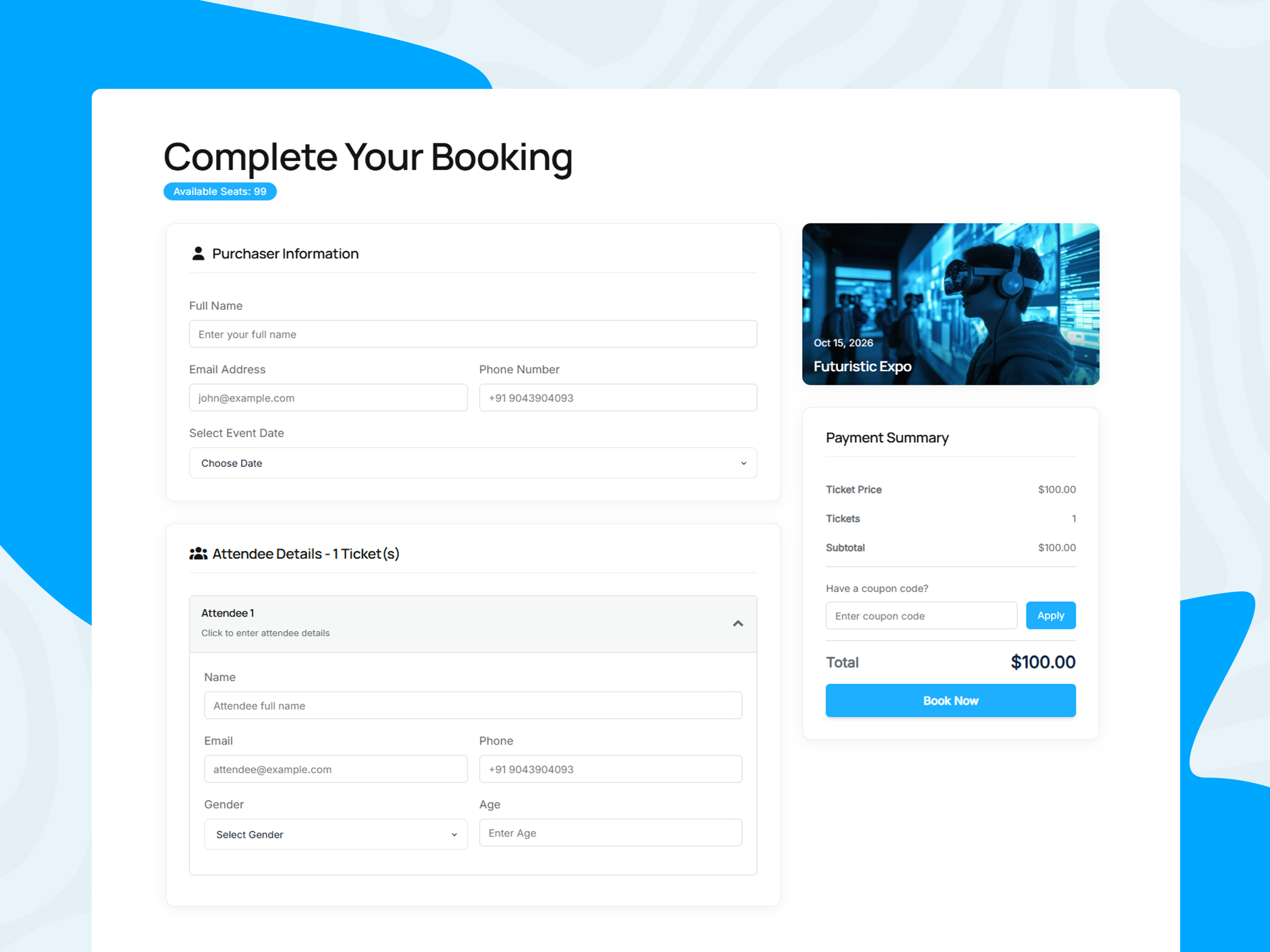
– Collect ticket quantities and attendee details on the booking form.
– Apply coupons where configured.
– Assign booking, payment, and success pages (or let the plugin discover pages that contain the required shortcodes).
– Track booking, attendee, and payment status in the admin dashboard.
– View revenue charts, export booking data to CSV, and clean up expired pending bookings.
RSVP forms
– Enable an RSVP form independently of booking and ticketing.
– Collect name, email, and a response (default options: Yes, Maybe, No; labels can be customized per event).
– Show the form in the single-event page layout or with the [zozo_event_rsvp_form] shortcode.
– Review RSVP responses in the admin (Events RSVPs and on the event edit screen).
– Send RSVP confirmation emails when a response is saved or updated.
An RSVP confirms interest or attendance preference only. It is not a paid booking, PDF ticket, or guaranteed entry, and it does not reserve ticket capacity.
Tickets, QR Check-In & Attendees
– Generate booking and attendee PDF tickets with QR payloads for booking and attendee check-in URLs.
– Check in from the QR Ticket Scanner admin page (or the bookings list scanner) using the camera or by pasting a check-in URL.
– Camera scanning works with the bundled html5-qrcode library on supported desktop and mobile browsers; HTTPS (or localhost) and camera permission are required. Manual URL entry remains available when a camera is unavailable.
– Check-in pages, the staff scanner UI, and the check-in AJAX endpoint require a logged-in WordPress administrator (manage_options). Nonces alone do not authorize check-in.
– Check-in is allowed during the ticket’s event occurrence window (start inclusive, end exclusive) and is blocked for fully refunded bookings.
– Optional per-event Enable QR Code controls QR images on attendee tickets and the attendee check-in route. Staff scanner tools and booking-level tickets are not turned off by this switch.
– Optional After Check-In responses for successful attendee check-ins when that route is used by an authorized administrator (URL, text, HTML, or file).
– Ticket Notes print a notes block on attendee ticket PDFs (separate from booking-form fields).
Payments & Refunds
– Stripe: Online payments when API keys (and webhook, when used) are configured. Stripe’s own processing fees apply.
– PayPal: Online payments when Client ID, Client Secret, and Webhook ID are configured (Sandbox or Live). Buyers approve on PayPal; the plugin captures and verifies the order on return using the booking token. Amounts come from server-side booking data.
– Manual / offline: Collect payment outside the gateways and confirm bookings in admin.
– Free / zero-total: Confirm without a payment gateway when the booking total is zero.
– Admin refunds: Stripe and PayPal refunds from the booking screen repay the remaining refundable balance. There is no admin field for entering an arbitrary partial-refund amount. Gateway-driven partial refunds (for example from the Stripe or PayPal dashboard) can sync when webhooks report them.
Notifications
– Booking confirmation and related booking emails.
– Full-refund customer notices when a booking is fully refunded.
– RSVP confirmation and update emails (with clear RSVP-only wording).
– Ticket and check-in related messaging as configured in the booking and QR workflows.
Elementor & Customization
When Elementor is installed and activated, Zeventra provides widgets such as:
– Event Grid, Event List, Event Masonry, Event Masonry Filter, Event Slider
– Event Countdown, Event Coming Soon, Event Schedules, Event Sponsors, Event Pricing
– Organizer Grid / List / Slider, Location Grid / List / Slider, Taxonomy Grid / List / Slider
Elementor is optional. Shortcodes and core event, booking, RSVP, and ticketing features work without it.
Additional customization:
– Single-event and archive settings, including drag-and-drop event page sections.
– Custom field types (text, email, URL, date, phone, textarea, checkbox, radio, select, file upload).
– Frontend login and registration forms; administrators can create events from the frontend calendar when permitted.
– PHP template overrides, hooks, and filters where supported.
Shortcodes
Calendars & listings
– [event_builder_full_calendar] – Interactive FullCalendar.
– [event_builder_full_calendar2 view="grid|list|cover|countdown|timetable|yearly|timeline"] – Alternate listing layouts.
– [zeventra_grid_view] / [zeventra_list_view] – Grid and list views.
– [zozo_events_map] – Events map (when maps are configured).
Booking & payments
– [zozo_event_booking_form] – Booking form.
– [zozo_event_payment] – Payment step.
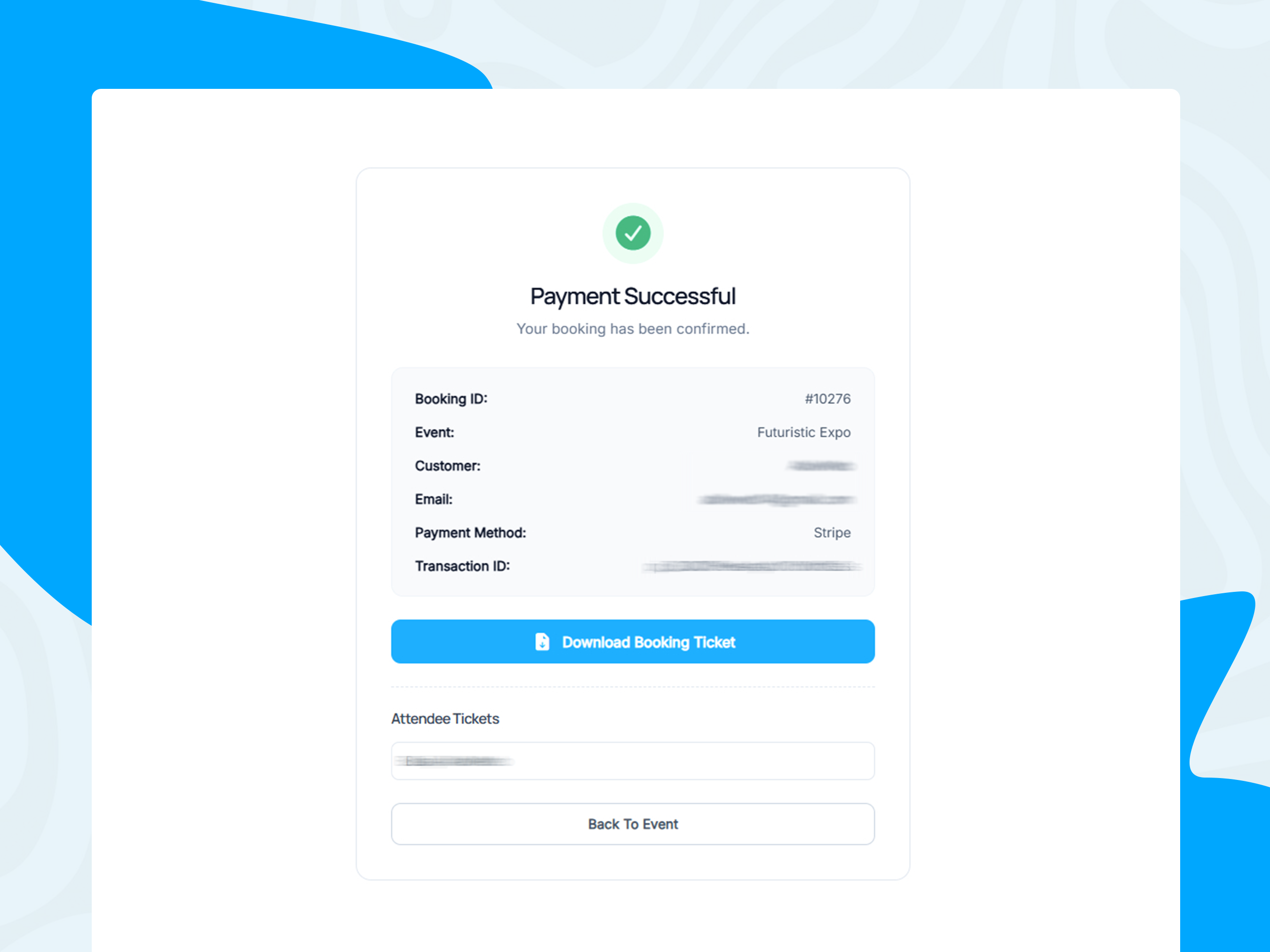
– [zozo_payment_success] – Payment / booking success content.
RSVP
– [zozo_event_rsvp_form] – RSVP form (optional event_id; uses the current event on single event pages).
Accounts
– [zozo_login_form], [zozo_register_form], [zozo_user_button]
Shortcode behavior may depend on plugin settings and page assignment.
Who Can Use Zeventra?
– Conferences, workshops, concerts, community events, and meetups
– Seminars, exhibitions, corporate meetings, and networking events
– Recurring activities and free or paid ticketed events
– Events that need both ticket sales and lightweight RSVP responses
External Services
Depending on configuration, Zeventra may connect to:
– Stripe and PayPal for payments (each provider’s terms and fees apply).
– Google Maps for map embeds when an API key / map content is configured.
– YouTube and Vimeo when administrators embed supported video content.
– External social sharing or calendar services via Add to Calendar / share links.
Third-party services are optional.
Live Demos
Explore selected demos on the official Zeventra site. More layouts are available from the demo homepage.
Event listings & calendars
– Interactive Full Calendar
– Yearly Calendar
– Timetable Calendar
– Event Grid
– Event List
– Event Masonry
– Event Masonry with Filter
– Event Slider
– Countdown Listing
– Events Archive
Single-event pages
– Single Event – Tennis Open
– Single Event – Gallery Header
– Single Event – Map Header
– Single Event – Right Sidebar
Related content
– Organizer Grid
– Location Grid
License
Zeventra is licensed under the GNU General Public License, version 2 or later.
License: GPLv2 or later
License URI: https://www.gnu.org/licenses/gpl-2.0.html
Third-party libraries and services may have their own licenses or terms. Review the relevant license and service documentation when distributing or configuring the plugin.
屏幕截图
安装
- Upload the
zeventraplugin folder to/wp-content/plugins/, or install the ZIP from the WordPress Plugins screen. - Activate Zeventra under Plugins.
- Configure event, booking, payment, and display settings.
- Create events from the WordPress dashboard.
- Assign or create booking / payment / success pages as needed, or add the matching shortcodes to your pages.
- Enable booking and/or RSVP on each event as required.
- Install Elementor only if you want Elementor widgets.
- Configure Stripe and/or PayPal if you accept online payments.
- Test booking, RSVP, ticket, and check-in flows before going live.
Requirements
– WordPress 6.0 or later. – PHP 7.4 or later. – Elementor optional (widgets only). – Stripe and/or PayPal credentials required only for those gateways.
常见问题
-
Can I create and manage events with Zeventra?
-
Yes. Manage events, schedules, organizers, speakers, locations, booking settings, and RSVP settings from the WordPress dashboard.
-
Can I display events in different layouts?
-
Yes. Options include grid, list, masonry, masonry filter, slider, cover, countdown, timetable, timeline, yearly layouts, and an interactive FullCalendar.
-
Does Zeventra include RSVP forms?
-
Yes. Enable RSVP per event, customize response labels (defaults include Yes, Maybe, and No), embed the form on the event page or with
[zozo_event_rsvp_form], track responses in admin, and send confirmation emails. An RSVP is not a paid ticket or guaranteed entry. -
Can I accept free and paid bookings?
-
Yes. Free and paid workflows are supported. Paid bookings can use Stripe, PayPal, or manual offline confirmation.
-
Can I manage attendees and check-in?
-
Yes. Track bookings and attendees in admin, issue PDF tickets with QR codes, and check in with the administrator QR scanner (camera or pasted URL) during the event time window. Only logged-in administrators can complete check-in.
-
Does Zeventra support PDF tickets and QR codes?
-
Yes. PDF tickets and QR check-in are included. The event Enable QR Code setting controls attendee-ticket QR images and the attendee check-in route; staff scanner and booking-level tickets are not turned off by that switch. Check-in itself requires administrator access.
-
Can I create recurring events?
-
Yes. Weekly, monthly, and yearly options are available. Daily recurrence is not supported. Countdown timers for recurring events count down to the current or next occurrence rather than treating a past series start as the end of the event.
-
Does Zeventra support Elementor?
-
Yes. Event listing and related Elementor widgets are included. Elementor is optional for core calendar, booking, RSVP, and ticketing features.
-
Can I use shortcodes without Elementor?
-
Yes. Core display, booking, RSVP, payment, and account shortcodes work without Elementor.
-
Can I customize event pages?
-
Yes. Configure single-event sections, archives, related events, and other display settings. Developers can use hooks, filters, and supported template overrides.
-
Where can I see a demo?
-
Visit the Zeventra demo website, or use the Live Demos links in the Description section above.
评价
此插件暂无评价。
贡献者及开发者
「Zeventra – Event Calendar, Ticketing & Booking Manager with Elementor」是开源软件。 以下人员对此插件做出了贡献。
贡献者
更新日志
1.1.2
- Fixed – QR ticket scanning and check-in processing for the admin camera scanner across supported desktop and mobile browsers (camera selection fallbacks, decode region sizing, and clearer permission/HTTPS errors).
- Improved – Check-in access security: scanner UI, check-in AJAX, and booking/attendee check-in URLs require a logged-in administrator (
manage_options). - Fixed – Recurring-event countdown resolution across the single-event header, sidebar widget, shortcode countdown view, and Elementor countdown widget (counts to the current or next occurrence instead of showing Event Ended early).
- Fixed – Single-event content map no longer exposes raw map JSON as visible page text.
- Fixed – Speakers slider spacing and carousel control behavior.
1.1.1
- Updated – README feature descriptions for RSVP forms, event management, booking, tickets, QR check-in, payments, and notifications.
- Updated – Organized verified live demo links for calendars, listings, single events, booking, and related layouts.
- Updated – Clarified outdated or misleading README claims (including RSVP vs paid tickets, QR setting scope, and recurring event types).
1.1.0
- Improved – QR check-in respects the event occurrence time window and shows clearer public check-in results.
- Improved – Attendee ticket PDF layout and booking email notification consistency.
- Improved – Timetable calendar layout, including a visible time axis and clearer concurrent-event stacking.
- Improved – PayPal checkout redirect host allowlisting and return capture with booking-token validation.
- Improved – PayPal refund API handling: capture-id resolution, completed-only refund sync, and safer admin refund confirmation.
- Improved – Free / zero-total booking confirmation lifecycle (idempotent confirm without a gateway).
- Fixed – Frontend FullCalendar Add Event and drag-select creation are limited to users who can create events.
- Updated – Recurring events documentation (weekly, monthly, yearly). Daily recurrence is not supported.
- Updated – Enable QR Code and ticket-settings descriptions to match current behavior.
- Updated – Readme documentation highlighting RSVP forms, bookings, tickets, payments, and major features.
- Removed – Postponed Gutenberg Event Grid block implementation (use shortcodes or Elementor widgets).
1.0.2
- Fixed – Full Calendar listing ordering
- Fixed – Full Calender event colors
- Updated readme documentation.
1.0.1
- Fixed reported issues and improved plugin stability.
- Updated plugin functionality and PHP implementation.
- Updated readme documentation.
1.0.0
- Initial release.
- Event creation and management.
- Event categories, tags, organizers, speakers, and locations.
- Event grid, list, masonry, slider, calendar, and schedule display options.
- Elementor widget integration.
- Booking and attendee management.
- Free and paid booking workflows.
- Stripe and manual offline payment options.
- PDF tickets and QR code check-in.
- Frontend login, registration, and event submission functionality.
- Event display and booking shortcodes.