
描述
Clevie Community turns your WordPress site into a social community where members can create posts, share ideas, connect with others and build their own communities.
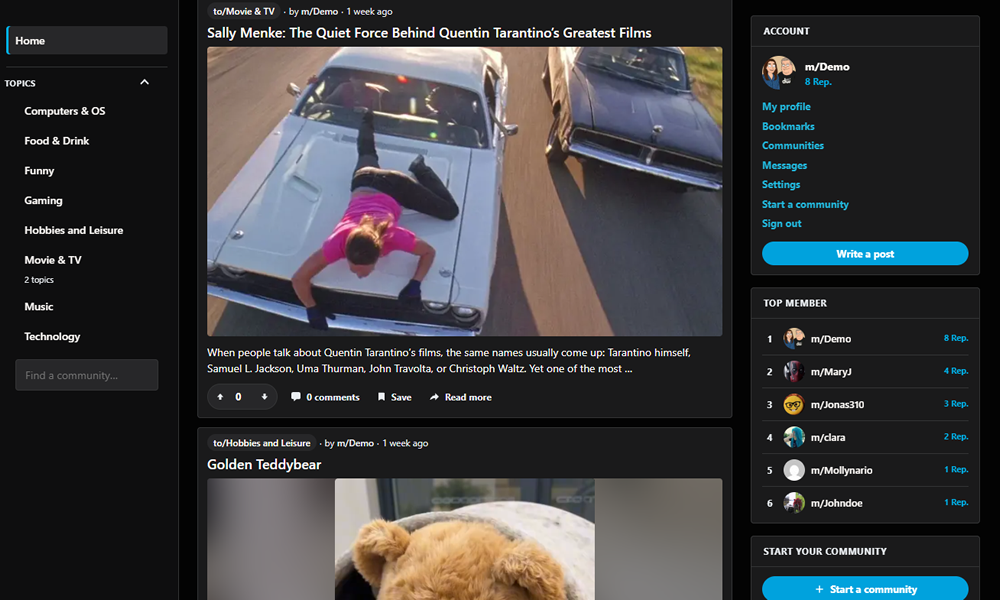
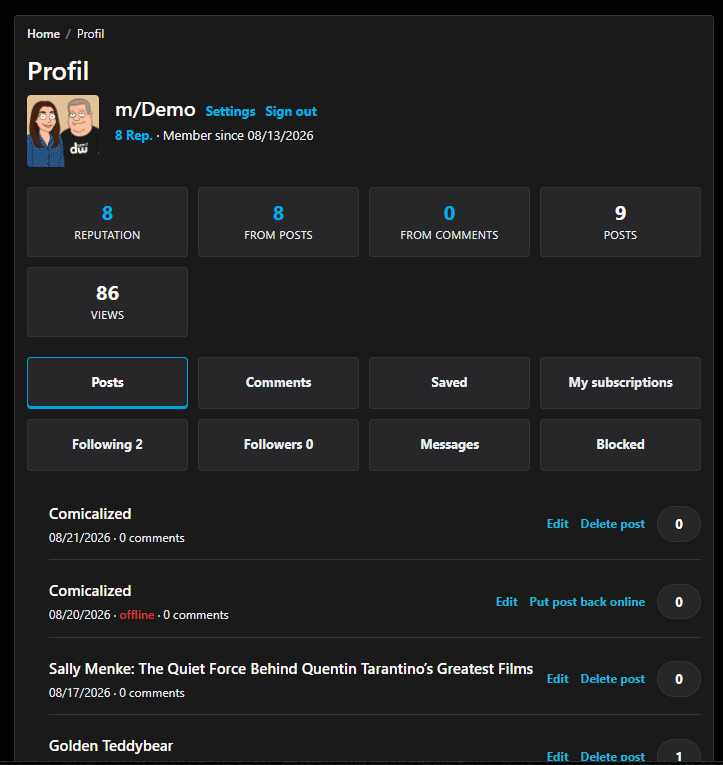
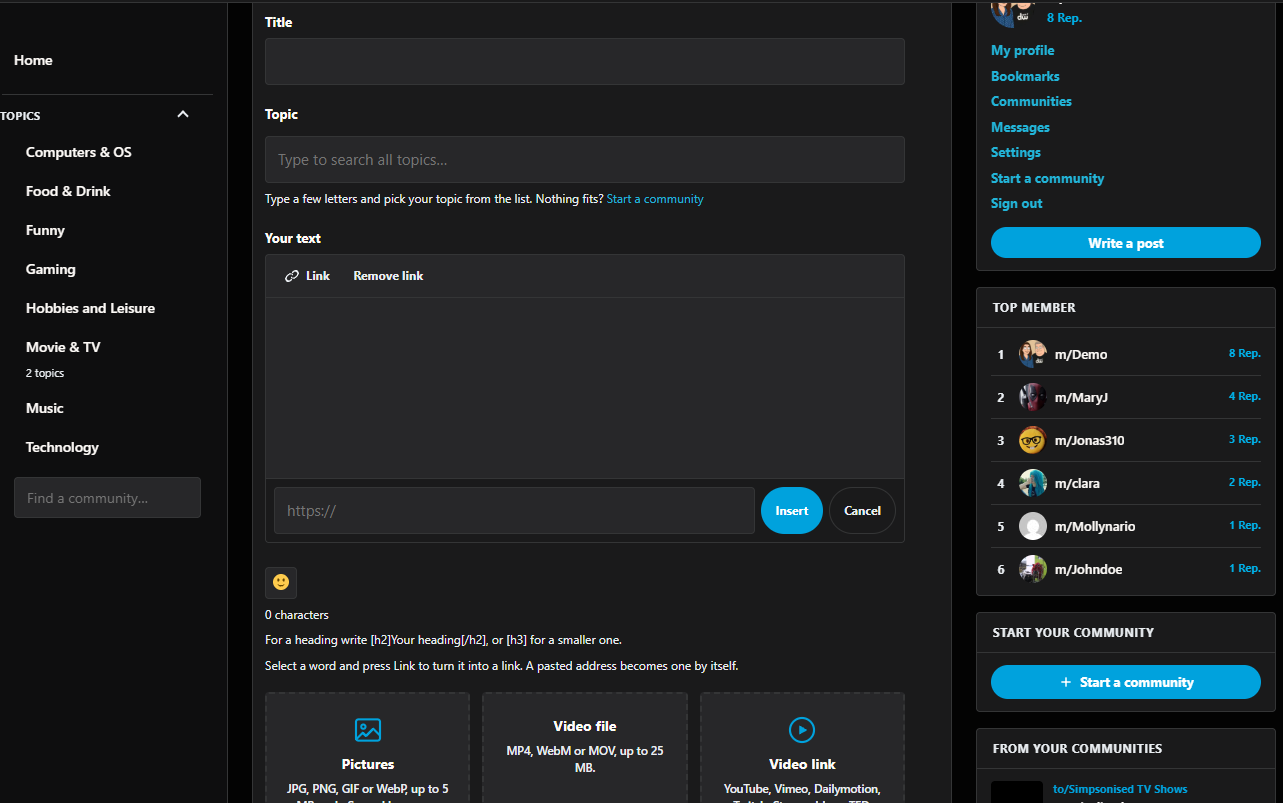
Members can publish content directly from the front end, vote on posts, comment, create profiles and communities, follow other members, and interact with others through a familiar social experience. Moderation, reporting and blocking tools help you keep your community organized and welcoming.
The free version gives you a powerful foundation for building a community without artificial limits on the number of communities you can create. It also supports video links in posts.
Clevie Community Pro adds even more ways for members to connect, including hashtags, @mentions, private messages, member following and video file uploads.
Whether you’re building a discussion community, a social network, a member platform or a community around your website, Clevie Community gives you the tools to get started — without replacing WordPress with a separate platform.
WordPress.org compatibility
This release keeps the public Clevie shortcode and hook names for backward compatibility while using the clevie_ prefix for plugin-defined PHP symbols.
屏幕截图
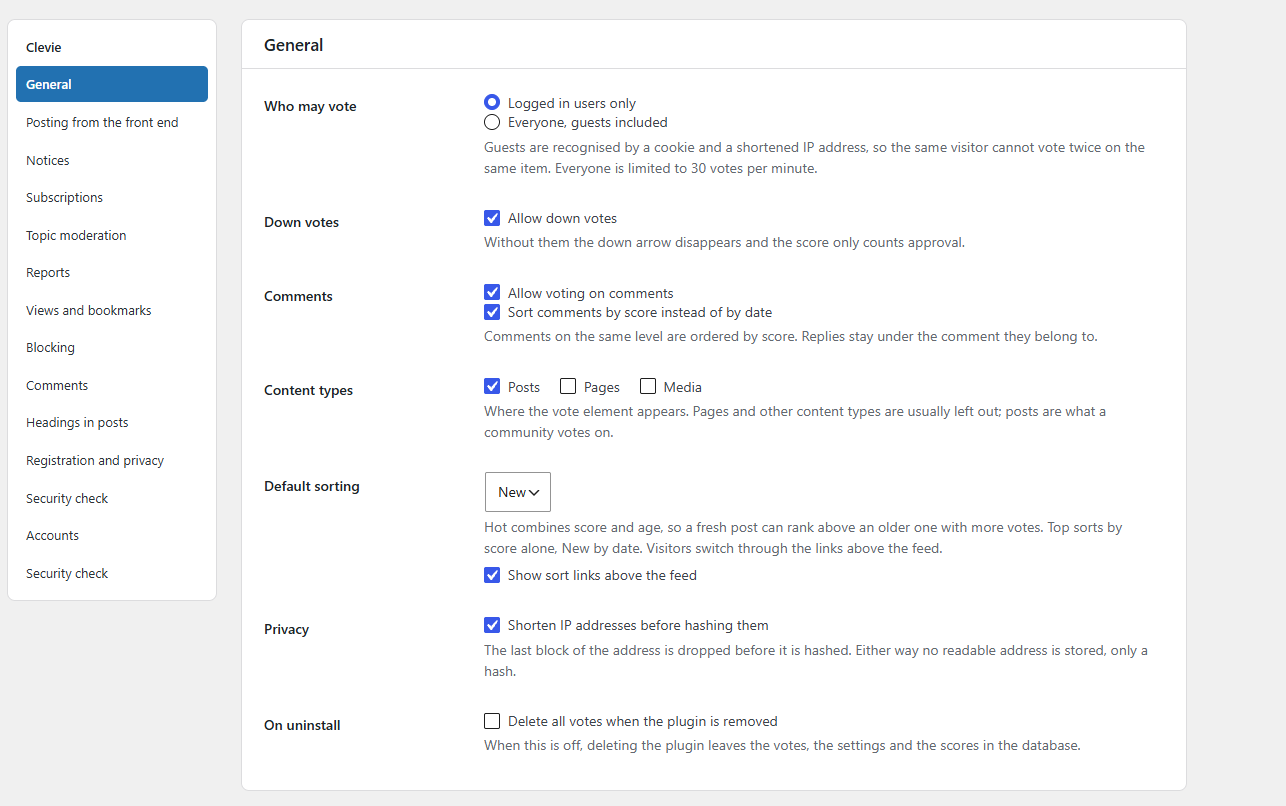
安装
- Upload the plugin through Plugins, Add New, Upload Plugin, and activate it.
- The plugin creates the pages needed for posting, sign in, registration, profiles, moderation and community creation.
- Go to Community, Settings to configure voting, posting and moderation.
- Make sure your site can send email because new accounts confirm their address by email.
- Add the Clevie: Topics widget to a sidebar if your theme supports widgets.
The plugin works with any theme. The Clevie Social theme provides additional styling and integration.
常见问题
-
No. The plugin works with any theme through its shortcodes and widgets. The Clevie Social theme adds additional styling and integration.
-
Is community creation included?
-
Yes. Community creation is included without an artificial count limit.
-
Which parts need Clevie Community Pro?
-
Hashtags, @mentions, private messages, following members and video file uploads are available in Clevie Community Pro. Video links are included in the free edition.
-
Does the plugin use external services?
-
Clevie Community uses Freemius for optional licensing and premium updates. If the site owner opts in, Freemius may receive usage and diagnostic data. Community posts, comments, votes, passwords and other community content are not sent to Freemius. The Freemius connection can be declined during setup without disabling the free community features.
Freemius service: https://freemius.com/
Freemius terms: https://freemius.com/terms/
Freemius privacy policy: https://freemius.com/privacy/ -
What happens to my data if I remove the plugin?
-
Nothing is deleted. Votes, settings and data stored on posts and members remain in the database unless the purge option is enabled before deleting the plugin.
-
Can I disable voting?
-
Yes. The available community features can be configured under Community, Settings.
评价
此插件暂无评价。
贡献者及开发者


更新日志
2.18.50
- Updated the plugin version for the new release.
2.18.49
- Improved the WordPress.org description and plugin metadata.
2.18.48
- Moved the inactive-member win-back notification feature into the premium edition only.
2.18.47
- Fixed the plugin header declaring “Clevie Community pro” instead of “Clevie Community”, which Plugin Check reported as a mismatch with the readme.
- Fixed a sanitized-but-still-flagged input on the account deletion form (an unnecessary extra trim() was breaking Plugin Check’s ability to recognize the sanitizer).
- Correctly scoped the slow-query notices around the one-time meta key migration that runs on plugin upgrade and uninstall.
2.18.46
- Addressed the WordPress.org review team’s sanitization/escaping feedback: input is now sanitized at the point it is read wherever possible, and every remaining exception (passwords, file uploads, functions that already return escaped HTML) carries a documented reason instead of a bare suppression comment.
2.18.45
- Fixed WordPress.org metadata consistency for the generated free version.
2.18.27
- Reorganised the plugin settings screen with a compact section navigation while keeping the existing settings API and save flow.
2.18.21
- Added reversible post offline functionality for authors. “Delete post” takes a post offline without permanently deleting its content.
2.18.19
- Corrected premium feature licensing to use the Clevie Social theme bundle license.
- Updated the internal plugin version to 2.18.19.
2.18.16
- Cleaned up the WordPress.org readme structure and shortened the Description section.
2.18.15
- Improved WordPress.org readme compatibility.
- Removed the languages directory from the distribution package.
- Improved output escaping and security checks.
- Free community creation has no artificial count limit.
- Premium-only features are excluded from the free distribution.