
描述
CPT Meta Size Analyzer is a simple yet powerful plugin that provides insights into your WordPress post meta and content sizes. It helps you monitor and analyze meta and content data for various post types including custom post types (CPT).
Key Features:
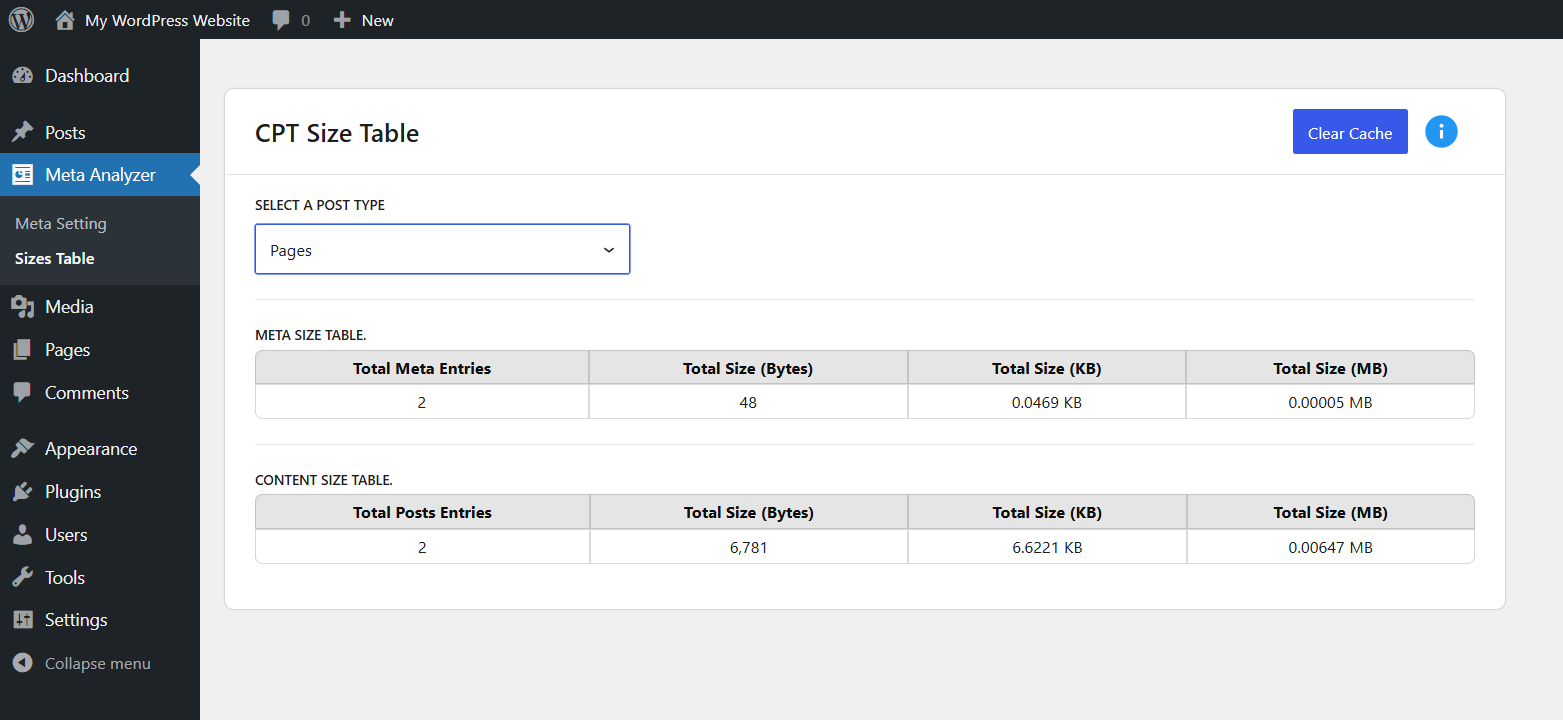
- Meta Size Table: Displays total meta entries and their size (Bytes, KB, MB) for each selected post type.
- Content Size Table: Displays total post entries and their content size.
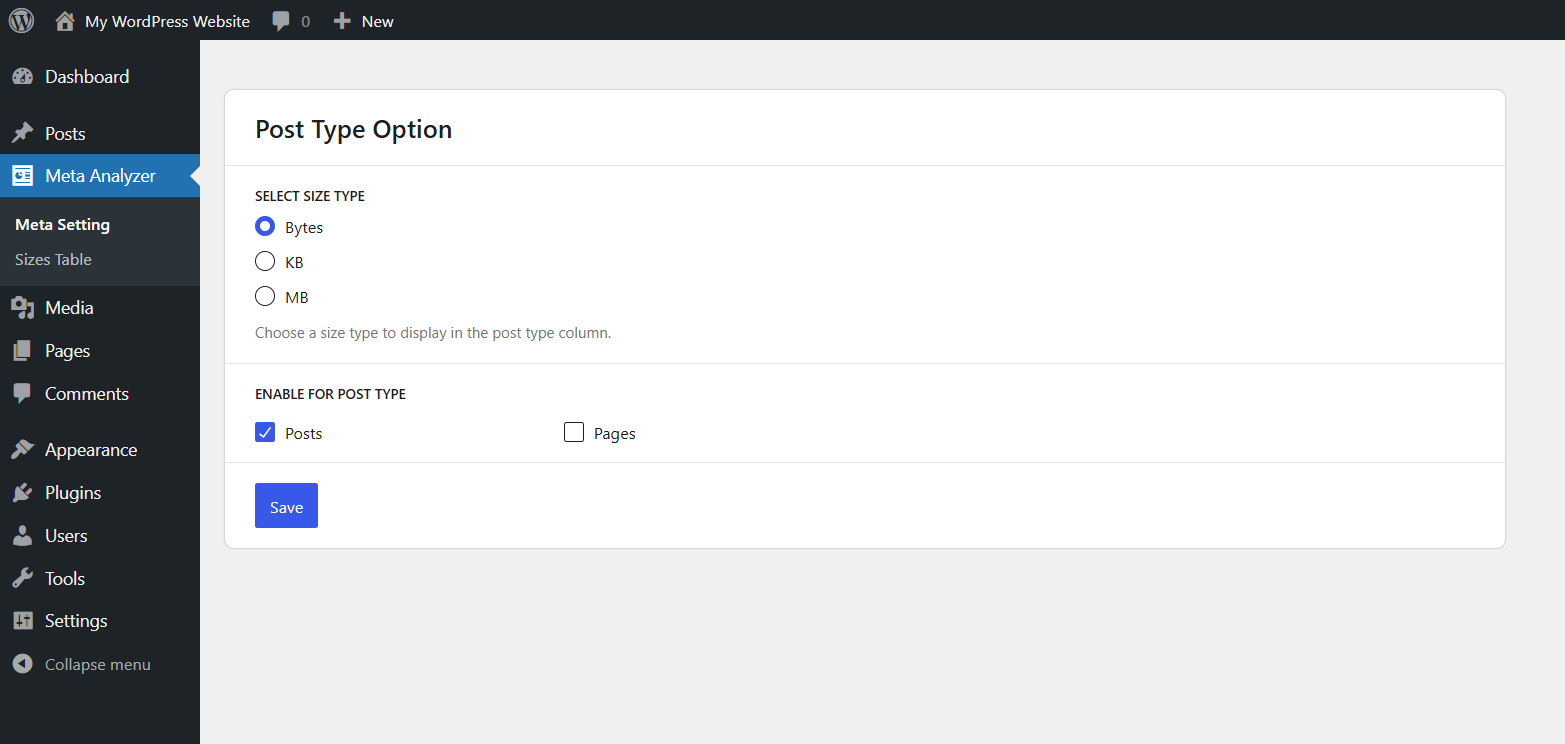
- Size Type Option: Choose between Bytes, KB, or MB as the default unit to display in post listings.
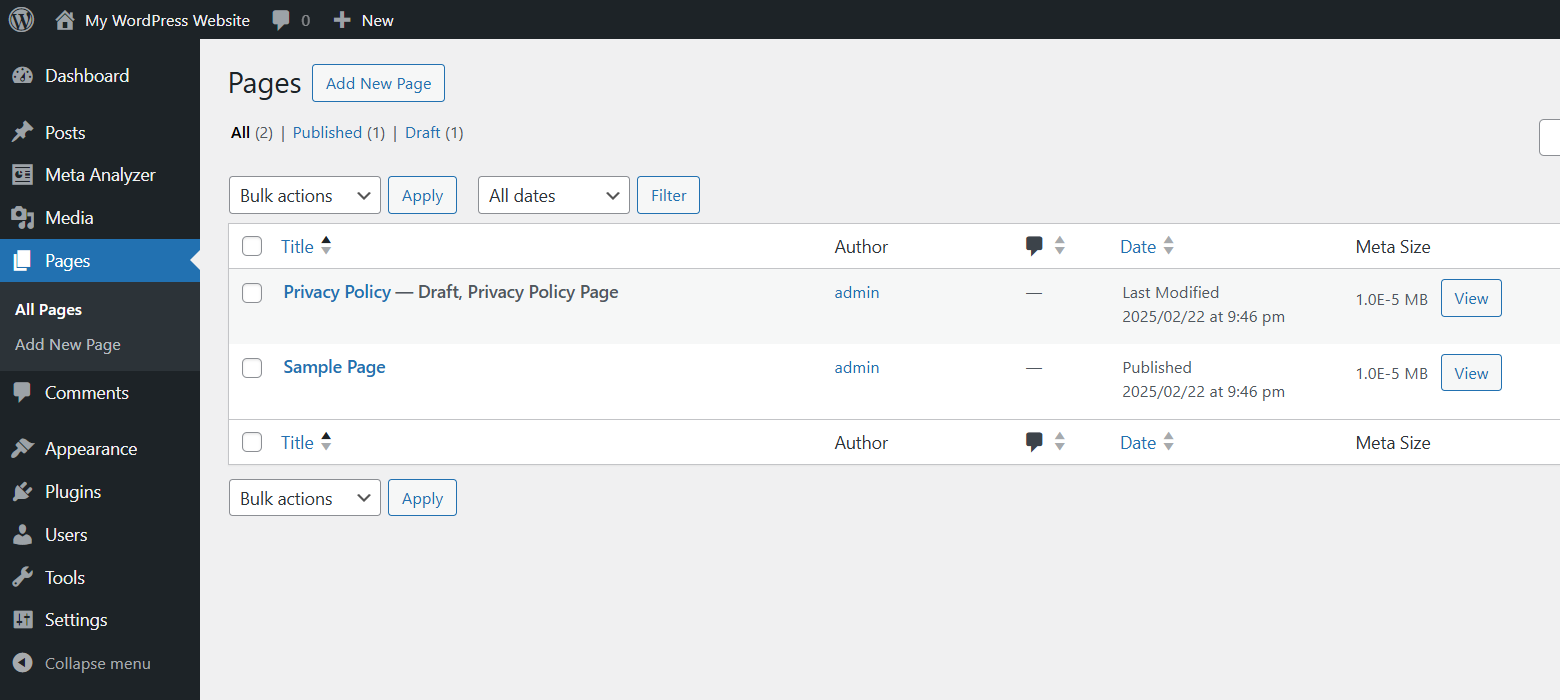
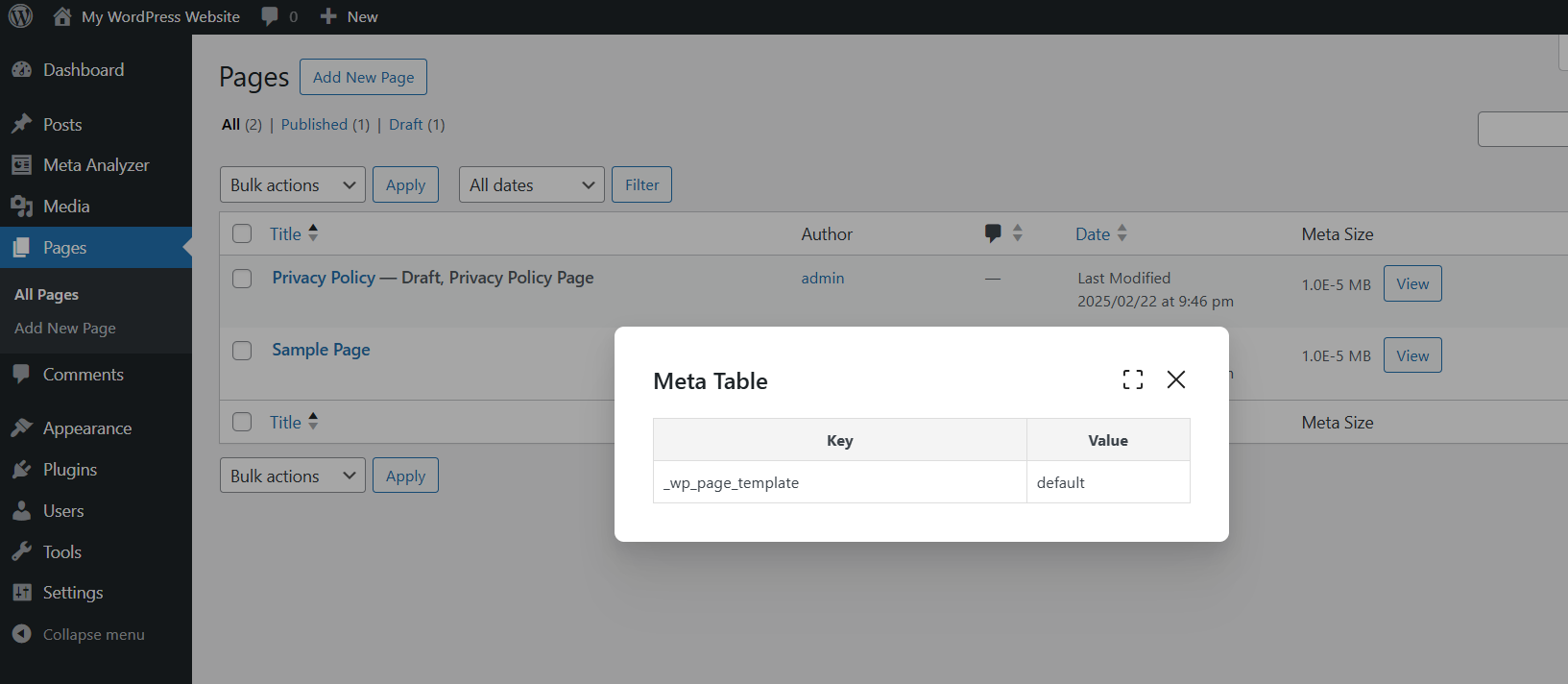
- Per Post Meta Size: Adds a “Meta Size” column in post listings to show individual post meta size.
- Post Type Selection: Enable/disable post types to include in analysis.
- Cache Control: Clear cached data for fresh recalculation.
- Filter for Post Statuses: Developers can customize which post statuses are included in size calculations using a filter.
Use Cases:
- Detect unusually large meta data.
- Analyze content storage usage.
Filters
cptmesia_content_size_post_statuses
This filter allows you to customize which post statuses are included in meta and content size calculations.
By default, the plugin includes ‘publish’ and ‘draft’.
Example: Add ‘private’ post status for calculation:
add_filter( 'cptmesia_content_size_post_statuses', function( $statuses ) {
    $statuses[] = 'private'; // Include private posts.
    return $statuses;
});
屏幕截图
安装
- Upload the plugin files to the
/wp-content/plugins/cpt-meta-size-analyzerdirectory, or install the plugin through the WordPress plugins screen directly. - Activate the plugin through the ‘Plugins’ screen in WordPress.
- Configure display options in Meta Analyzer > Meta Setting.
- Go to Meta Analyzer > Sizes Table to view meta and content sizes.
常见问题
-
1. How is the post meta and content size calculated?
-
The plugin calculates the total size of post meta and content data by fetching all entries for a post type and summing their byte sizes. It then converts the size into KB (Kilobytes) and MB (Megabytes) for better readability.
-
2. Why does my post size show as 0 KB?
-
If the total size is too small (less than 1 KB), rounding may result in a 0 KB display. The plugin provides precise calculations in bytes, KB, and MB, so even small values are accounted for.
-
3. What does the conversion formula look like?
-
The conversion formula used in the plugin is:
– KB CalculationTotal Bytes ÷ 1024
– MB CalculationTotal Bytes ÷ (1024 × 1024) -
4. Why does the size change after clearing the cache?
-
When you clear the cache, the plugin recalculates the post meta and content sizes, ensuring that any recent changes in the database are reflected.
-
5. Can I filter which post statuses are included in the calculations?
-
Yes! The plugin allows filtering post statuses using the cptmesia_content_size_post_statuses filter:
add_filter( ‘cptmesia_content_size_post_statuses’, function( $statuses ) {
$statuses[] = ‘private’; // Include private posts.
return $statuses;
}); -
6. How do I troubleshoot incorrect size calculations?
-
- Make sure your database tables are properly optimized.
- Check if your hosting provider imposes any restrictions on querying large datasets.
- Try clearing the cache and reloading the sizes.
-
7. Does this plugin affect website performance?
-
No, the plugin fetches data efficiently and uses caching to reduce database queries. However, if you have a large number of posts, calculations may take slightly longer.
-
8. Can I clear cached data?
-
Yes, you can click on the “Clear Cache” button to refresh and recalculate all meta and content sizes.
-
9. What post types are supported?
-
By default, it supports Posts, Pages, and Products (WooCommerce), but you can enable other custom post types from the plugin settings.
-
10. Can I include private or custom post statuses in calculations?
-
Yes, by default, only ‘publish’ and ‘draft’ posts are included. You can modify this using the
cptmesia_content_size_post_statusesfilter. See Filters section below for an example.
评价
此插件暂无评价。
贡献者及开发者


更新日志
1.0.0
- Initial release
- Meta size and content size analyzer
- Size type option (Bytes, KB, MB)
- Post type settings
- Per-post meta size column in post list
1.0.1
Addressed and resolved all reviewer feedback to ensure plugin compliance and improved functionality.
1.0.2
- Tested compatibility with WordPress 7.0.2.
- Fixed minor CSS compatibility issues.
- Improved compatibility with recent WordPress versions.