

描述
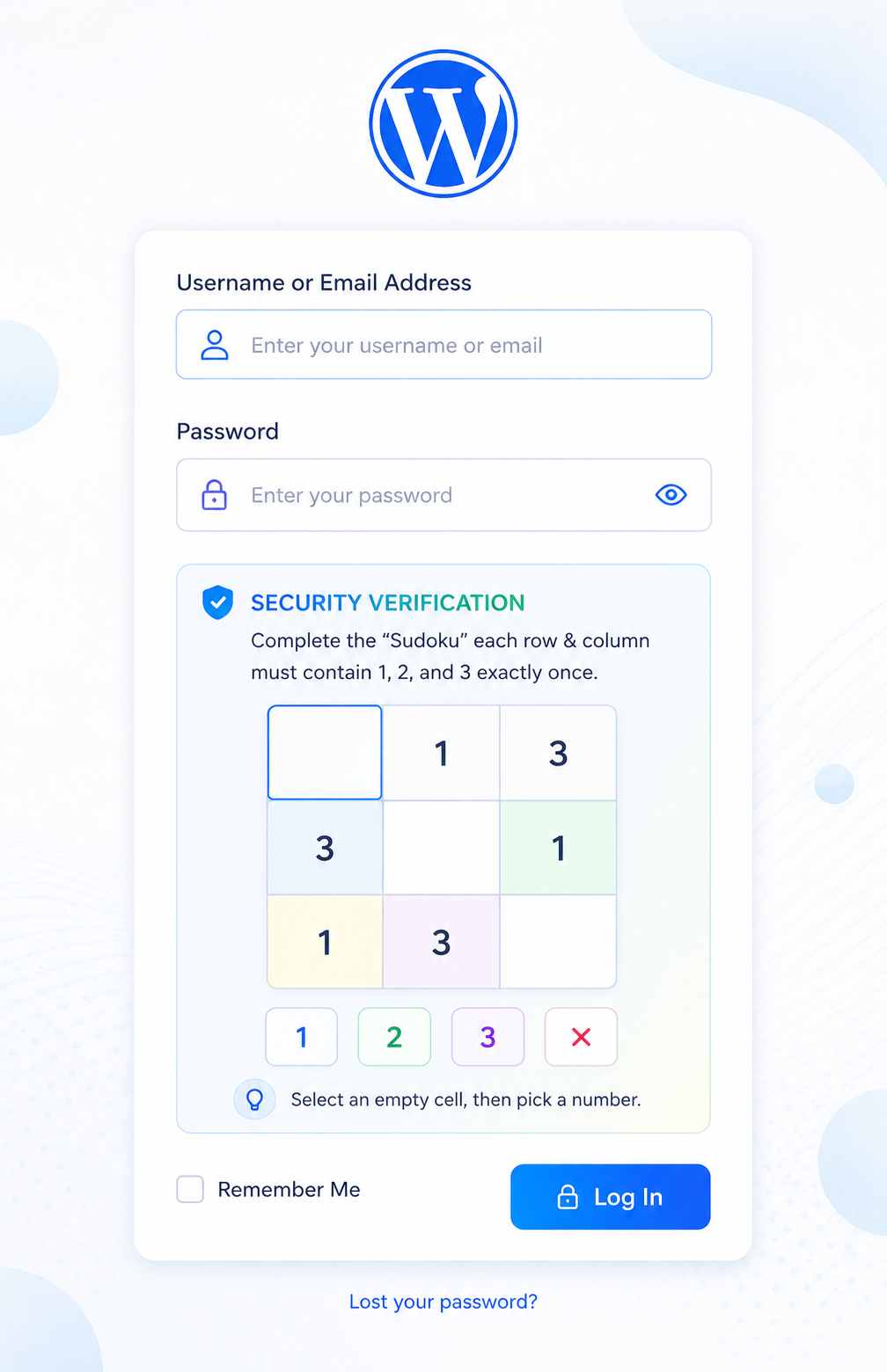
Human Verification Brain Puzzle For Login Security Guard replaces the traditional CAPTCHA with a lightweight, accessible 3×3 puzzle on the WordPress login page. Users must correctly complete the puzzle before the Log In button becomes active. The answer is also verified server-side, so it cannot be bypassed by disabling JavaScript.
How it works
- A random 3×3 puzzle is displayed on the login page.
- Each row and each column must contain the digits 1, 2, and 3 exactly once.
- Click (or tap) an empty cell to select it, then pick a number from the picker — or press 1, 2, or 3 on your keyboard.
- Once the puzzle is solved correctly, the Log In button becomes clickable.
- The answer is validated server-side on submission for extra security.
Features
- 6 built-in puzzle variations chosen at random each visit.
- Client-side validation with instant feedback (wrong cells highlighted in red).
- Server-side answer verification — cannot be bypassed without JavaScript.
- WP nonce protection against CSRF attacks.
- Accessible: full keyboard navigation, ARIA roles and labels,
aria-livestatus region. - No external requests — no JavaScript frameworks or CDN dependencies.
- Tiny footprint: one CSS file, one JS file, one PHP class.
- Fully translatable via standard WordPress i18n functions.
- Matches native WordPress login page styling.
- Works on the standard
wp-login.phpscreen, the WooCommerce “My Account” login form, and the MemberPress login form.
Privacy
This plugin is stateless — it does not use PHP sessions, cookies, or any database storage. The puzzle shown to a visitor is bound to a signed WordPress nonce embedded in the form itself. No personal data is stored or transmitted to third parties.
屏幕截图
安装
Automatic installation
- Log in to your WordPress admin panel.
- Go to Plugins Add New.
- Search for Human Verification Brain Puzzle For Login Security Guard.
- Click Install Now, then Activate.
Manual installation
- Download the plugin
.zipfile. - Upload and extract the
human-verification-brain-puzzle-for-login-security-guardfolder to/wp-content/plugins/. - Go to Plugins Installed Plugins in your WordPress admin and activate the plugin.
常见问题
-
Will this stop all bots?
-
Human Verification Brain Puzzle For Login Security Guard significantly raises the bar for automated login attacks compared to a simple username/password form. It is not intended to replace a full security suite — it works best alongside strong passwords and two-factor authentication.
-
Is it accessible?
-
Yes. Every interactive element has ARIA roles and labels, keyboard navigation is fully supported, and status messages are announced via an
aria-liveregion. -
Does it work with custom login pages?
-
The plugin hooks into the standard
login_formaction andauthenticatefilter forwp-login.php, pluswoocommerce_login_form(WooCommerce “My Account” login) andmepr-login-form-before-submit(MemberPress login) so the puzzle appears and is enforced on those forms too. Custom login page plugins that calldo_action('login_form')inside their form will also work. -
Can I add my own puzzles?
-
Not through the admin UI in this release. Developers can filter the puzzles array by modifying the class — a settings screen and puzzle filter hook are planned for v2.
-
Does it conflict with other security plugins?
-
The plugin uses standard WordPress hooks at conventional priority levels and does not modify the database schema. It has been tested alongside Wordfence and iThemes Security without conflicts.
评价
此插件暂无评价。
贡献者及开发者

更新日志
1.2.0
- Adding Some Modern Style and security
1.1.0
- Security: the puzzle solution is no longer sent to the browser — client-side feedback now relies on local row/column conflict detection instead of exposing the answer in page source.
- Security: removed PHP session usage entirely in favor of a stateless, nonce-based puzzle token, avoiding the cache/session conflicts native PHP sessions can cause on WordPress hosting.
- A new random puzzle is now shown on every page load/reload, not just after a failed attempt.
- Added compatibility with the WooCommerce “My Account” login form.
- Added compatibility with the MemberPress login form.
- Fixed an incorrect ARIA label on empty puzzle cells.
1.0.0
- Initial release.