描述
Elementor page builder addon to display posts in a grid. Useful for generating post grid from your blog posts with multiple options.
View Demo | View Details | Support | Buy Pro
Key Features
- Multiple customization options and easy to use.
- Fully responsive layout for all devices.
- Create any kind of design without coding.
- Multiple layouts for post grid block.
- Several features for blog grid block.
- Compatible with all themes.
- And more…
Premium features
- Advanced Customization Options
- Assign Default Image (Works if Featured Image of the post is not available)
- Disable Title and Image Links
- Meta Setting (Includes Date Format, Comments, Author, Categories and other settings)
- Post Filter
- Pagination (Normal, Ajax and Load More)
- Custom Post Type Support
- WooCommerce and Easy Digital Downloads Support
- Exclude Posts
- Advanced Query Parameters
- Additional Layout with Overlay
屏幕截图

Layout 1 (Default) 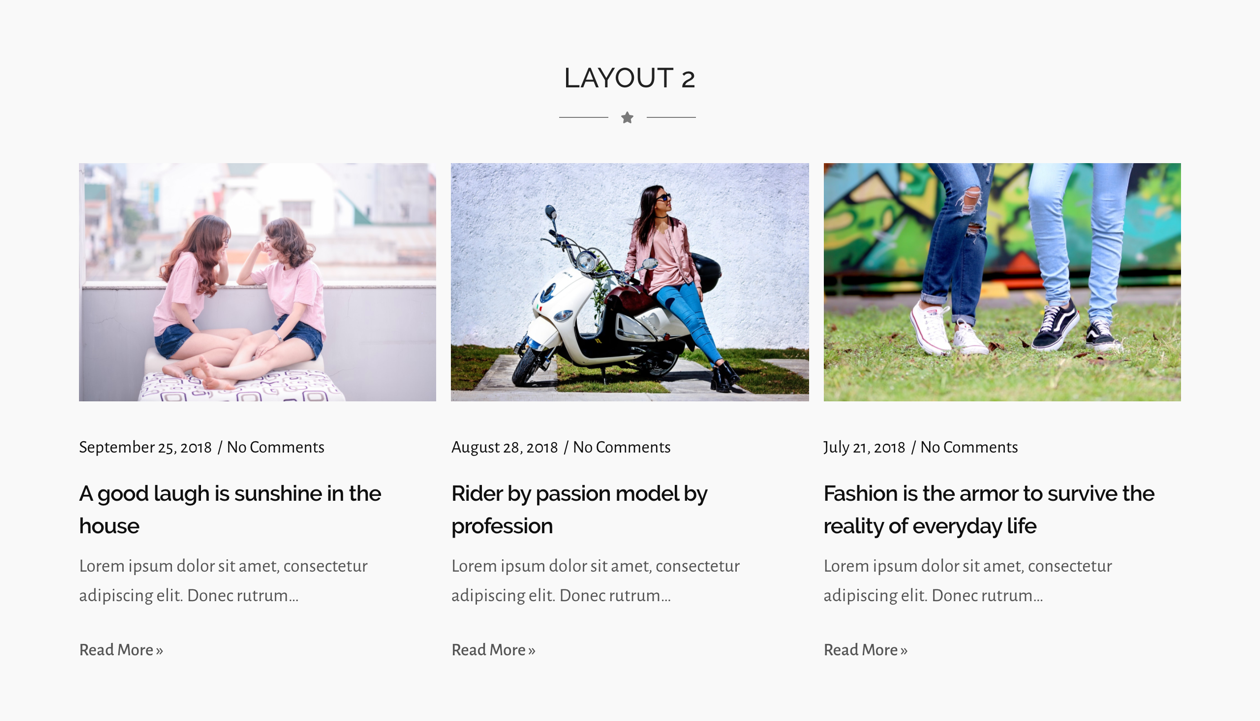
Layout 2 
Layout 3 
Layout 4 
Layout 5 
Curve Image Layout
安装
- Go to Plugins > Add New and search for Post Grid Elementor Addon , install and activate it.
- We are good to go. No configuration needed.
- Post Grid is added under WPC Elements on Elementor page customization panel.
常见问题
-
Does the plugin require Elementor?
-
Yes, this is an addon of the Elementor page builder. so it needs Elementor to be installed and activated to work.
-
Does this plugin work with all themes?
-
Yes, it works with all themes.
-
Does it work with FSE themes?
-
Yes, it works with all FSE themes.
-
How many layouts are available on this plugin?
-
It comes with 5 layouts. The Premium version of a plugin comes with additional layouts and options.
-
Does the plugin support pagination?
-
No, the free version of this plugin does not have pagination. You need to upgrade to the premium version if you want to add pagination.
评价

2024 年 4 月 12 日
Ho risolto i miei problemi , nessun danno collaterale

2024 年 3 月 22 日
Just enjoy the grate plugin

2024 年 3 月 11 日
Simple but efficient

2024 年 2 月 28 日
New to WP and was advised to use this which has been very useful.

2023 年 12 月 21 日
The Grid takes so much hard work out of building Cards and making them attractive. I really like them!

2023 年 12 月 18 日
I am happy to use WordPress, one tool with lot many features, Very easy to understand and configure website with all available tools.
Thank you for the nice work.
贡献者及开发者

更新日志
2.0.17 – 2024-04-20
- Fix tag title
2.0.16 – 2023-12-11
- Update tested up to
2.0.15 – 2023-11-21
- Update contributor
2.0.14 – 2023-07-28
- Update Author Info
2.0.13 – 2023-05-25
- Update Admin Notice package
2.0.12 – 2023-02-20
- Fix PHP 8 issue
2.0.11 – 2022-12-15
- Fix admin links
2.0.10 – 2022-10-10
- Update dashboard
2.0.9 – 2022-09-08
- Fix class names
- Minor bug fixes
2.0.8 – 2022-07-4
- Fix admin notice
- Minor bug fixes
2.0.7 – 2022-05-26
- Tested with latest version (6.0) of WordPress
- Demo, documentation and other links added
2.0.6 – 2022-01-26
- Tested with latest version (5.9) of WordPress
- Fixed alignment icons missing on backend
- FAQs updated
2.0.5 – 2021-07-15
- PHP error fixed in PHP 7.1
2.0.4 – 2021-07-14
- Minor bug fixes
- Add welcome page
2.0.2 – 2021-06-29
- Updated Color and Typography options
2.0.1 – 2021-06-28
- Show published posts only
2.0.0
- Global Typography and Color compatibility added
- Removed depreciated color and typography schemes
- Removed hardcoded colors
1.0.7
- Tested with latest version (5.4.1) of WordPress
- Hover color added for title and read more button
1.0.6
- Tested with latest version (5.4) of WordPress
- Author and Demo URL updated
- Screenshots added
1.0.5
- Tested with latest version (5.2.4) of WordPress
- Demo URL updated
1.0.4
- Demo URL updated
1.0.3
- Author and Plugin URI updated
1.0.2
- Demo and Plugin Detail URL updated
1.0.1
- Minor CSS issue fixed
- Default color for title, meta and content added
- Class issue at layout 5 fixed
1.0.0
- Initial Release