描述
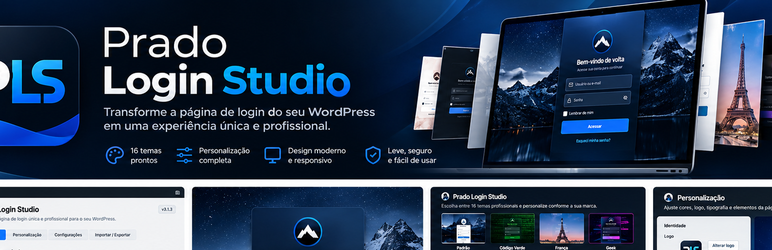
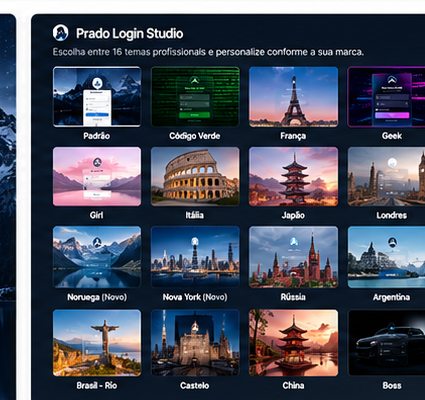
Prado Login Studio provides a simple settings screen for creating a branded WordPress login experience without editing code.
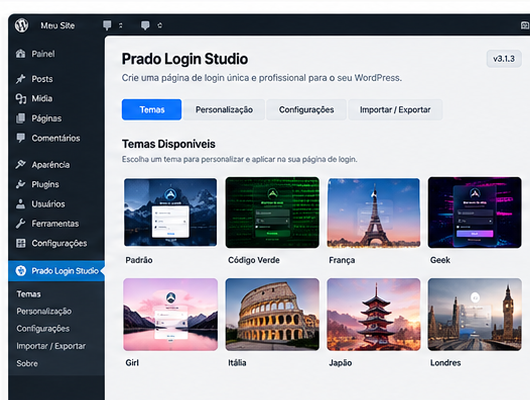
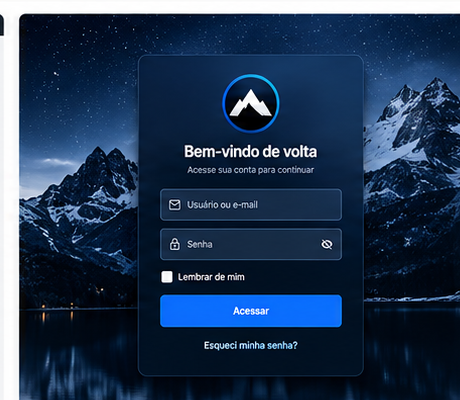
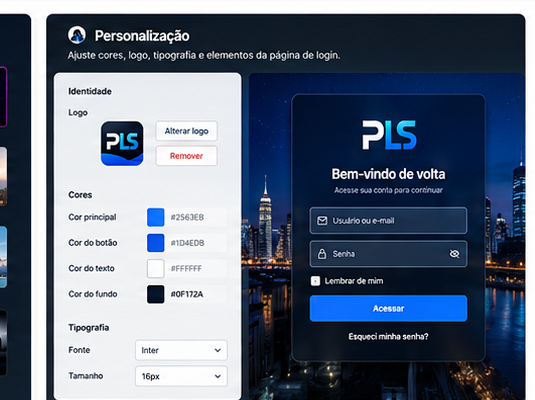
Choose one of 16 complete visual environments or customize the background, logo, form colors, button, links, width, border radius, welcome text, and button text. Settings can be exported and imported as JSON between WordPress installations.
The plugin can also hide selected login-page elements and the WordPress information shown in the administrative footer. Google Fonts are optional, disabled by default, and never required for the bundled themes to work.
Features
- Sixteen complete 4K visual themes.
- Custom logo or a logo-free login page.
- Custom background image and colors.
- Form, button, text, and link colors.
- Adjustable form width and border radius.
- Custom welcome message and login button text.
- Optional visibility controls for login links, language selector, toolbar logo, and administrative footer.
- JSON export and import for settings portability.
- Optional Google Fonts selection.
External services
Google Fonts is optional and disabled by default. If a site administrator explicitly enables it, the visitor’s browser requests the selected font stylesheet from fonts.googleapis.com and font files may be served by fonts.gstatic.com. This request can transmit technical information such as the visitor’s IP address and user agent to Google.
Google Fonts is provided by Google LLC under its Terms of Service and Privacy Policy. The plugin remains functional when this option is disabled and uses local system fallbacks.
屏幕截图
安装
- Upload the plugin through Plugins > Add New > Upload Plugin, or copy it to
/wp-content/plugins/. - Activate Prado Login Studio.
- Open the Prado Login Studio top-level menu in the WordPress dashboard.
- Choose a theme or customize the settings and save.
常见问题
-
Does Prado Login Studio send data to an external service?
-
Not by default. Google Fonts is disabled by default. If an administrator enables it, the visitor’s browser connects to Google to retrieve the selected font.
-
Will deleting the plugin remove its settings?
-
Yes. The plugin removes its saved settings when it is deleted through WordPress.
-
Can I move my design to another site?
-
Yes. Export the settings as JSON and import that file on another site running Prado Login Studio.
评价
此插件暂无评价。
贡献者及开发者

更新日志
3.1.3
- Renames the plugin to Prado Login Studio and adopts the new
prado-login-studiotext domain and permalink identity. - Updates plugin-facing references, JSON portability metadata, administrative branding, and package naming for the new identity.
- Removes the previous portrait-based administrative icon so the plugin branding is fully distinct.
3.1.2
- Loads administrative CSS through the WordPress enqueue APIs instead of printing a style block directly.
- Moves static administrative and login presentation rules out of inline HTML while preserving dynamic theme previews.
- Keeps the WordPress.org readme section formatting compliant for review.
3.1.1
- Resolves Plugin Check output-escaping findings in dynamic login CSS.
- Sanitizes imported-file metadata before processing.
- Adds the tested WordPress version header and resource versioning.
- Avoids treating the administrative page selector as unverified form data.
3.1.0
- Prepares the plugin for WordPress.org review.
- Disables external font requests by default and preserves explicit administrator choice when applying themes.
- Adds uninstall cleanup and licensing information for bundled assets.
- Improves uploaded JSON error handling and request sanitization.
- Updates the public readme and external-service disclosure.
- Moves the plugin to its own top-level administrative menu with a paintbrush icon.
- Reworks Norway with a bright snowy fjord, blue form, white text, and a restrained red accent.
- Adds Japan, China, Russia, Argentina, and Boss visual environments.
- Refines Boss with a complete mansion office, central executive desk, fireplace, and library backdrop.
3.0.1
- Corrige a prioridade do CSS do formulário sobre os estilos nativos do WordPress e do tema.
- Reforça cores, campos, botão, mensagens e bordas de cada ambiente.
- Centraliza a assinatura do plugin abaixo do formulário.
3.0.0
- Onze ambientes 4K: Geek, Código Verde, Girl, Boy, Castelo, Nova York, França, Londres, Itália, Noruega e Brasil Rio de Janeiro.
- Aplicação e salvamento imediato do tema ao clicar.
- Miniaturas reais dos ambientes.
- Formulário centralizado e paleta individual por tema.
- Fontes combinadas por tema e seletor para temas personalizados.
2.0.0
- Atualização da identidade e apresentação do plugin.
- Correção reforçada da remoção do logotipo.
- Inclusão de dez temas prontos.
- Exportação e importação de temas.
- Identificação permanente: Criado por Saulo Prado.