

描述
ShoreZella Login Styler turns the default WordPress login screen into a page that looks like it belongs to your site. Add your own logo, set a background image or colour, restyle the form, and match the buttons and text to your brand, all from one settings screen, with no code and no theme edits.
Every WordPress site has the same wp-login.php screen out of the box. It is the first thing clients, members and customers see when they sign in, and by default it is plain WordPress branding. ShoreZella Login Styler lets you make that screen yours in a few minutes.
✨ Highlights
- 🎨 Full visual control of the login page, with no code and no theme edits
- 👀 Live preview that updates the moment you change a field
- 📱 Separate desktop, tablet and mobile layouts
- 🖼️ Your own logo, background image and brand colours
- 🔒 Changes only how the page looks, never how logging in works
- 🪶 Lightweight, loads only where needed, with a clean uninstall
⚡ See your changes as you make them
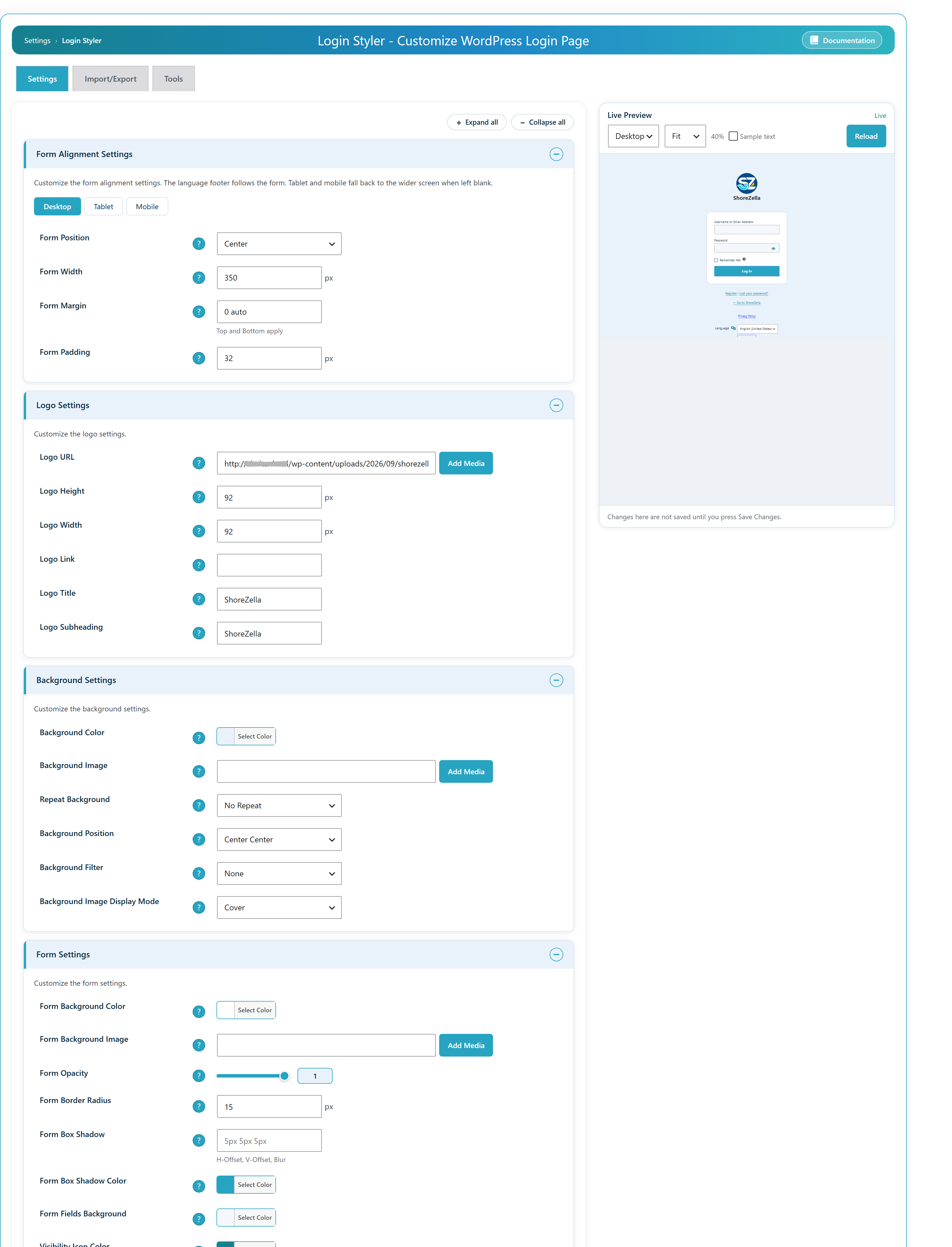
A live preview sits right beside the settings and shows your real login page, updating the moment you change a field. Pick a colour and it recolours instantly. Switch the preview between desktop, tablet and mobile, zoom in to check the details, and turn on sample text to see how notices and hints will look.
Nothing is written to your site until you press Save Changes, so you can experiment as much as you like and your live login page never changes until you are happy with it.
🛠️ What you can customise
🖼️ Logo and heading
- Replace the WordPress logo with your own image
- Set the logo width and height
- Choose where the logo links to and its hover title
- Add a subheading line beneath the logo
🌅 Background
- Background colour or full-page background image
- Image position, repeat and display mode (cover, contain, stretch or default)
- Optional visual filter (blur, brightness, grayscale, sepia and more)
📐 Form layout
- Position the form left, centre or right
- Set the form width, margin and padding
- Rounded corners, opacity and a drop shadow
- Move the “Register” and “Lost your password?” links inside the form
- The language footer automatically follows the form’s alignment
🎨 Colours and text
- Input field text colour
- Label colour, size and alignment
- Button background, text and hover colours, with an optional full-width button
- Notification and error message colour and size
- Registration and hint text colour and size
- Footer link colours
🌐 Language switcher
- Show or hide the language selector
- Style its icon, dropdown and Change button
- Line up the row neatly
⚙️ Advanced
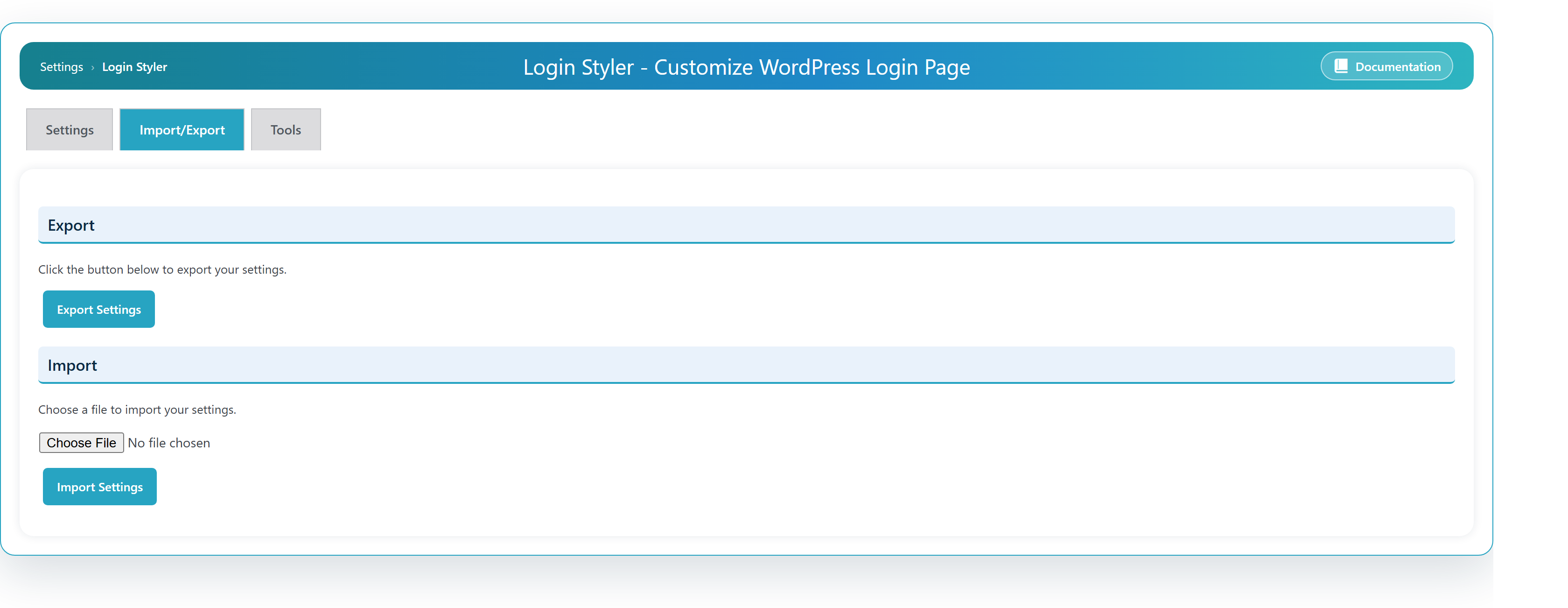
- Export your settings to a file and import them into another site
📱 Responsive, per device
Form position, width, margin and padding can each be set separately for desktop, tablet and mobile. Leave a tablet or mobile value blank and it simply follows the wider screen, so you only override what you need to.
🪶 Lightweight and tidy
- Loads only where it is needed – its styling assets are added to the login page and its own settings screen, and nowhere else on your site.
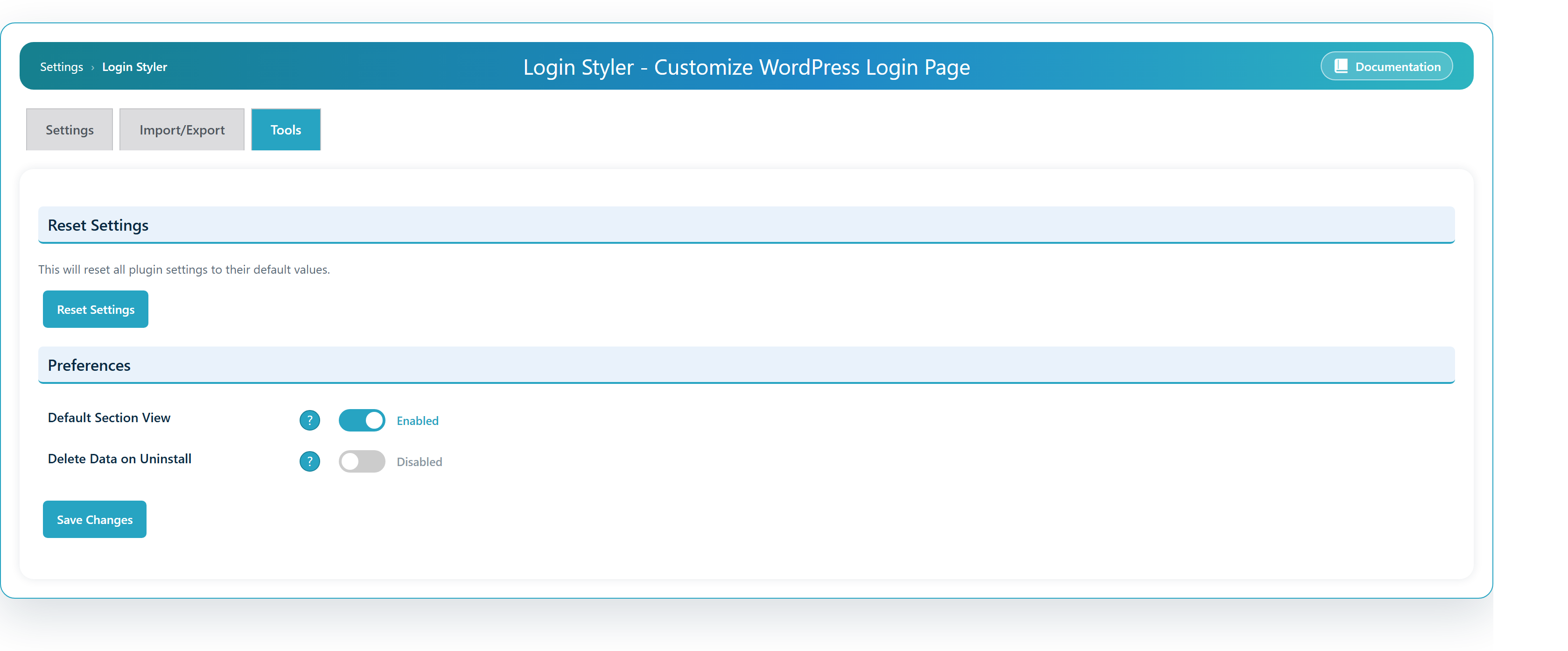
- Clean uninstall. Your settings stay untouched when you deactivate. If you would like everything removed when you delete the plugin, turn on “Delete Data on Uninstall” on the Tools tab first, otherwise nothing is left behind either way you choose.
- Translation ready, with a text domain and a bundled translation template.
ShoreZella Login Styler only changes how the login page looks. It never changes how logging in works. Your login URL, passwords and security stay exactly as WordPress and your other plugins set them up.
Login Styler is made by ShoreZella. See the Login Styler product page for full details and screenshots.
屏幕截图
安装
From your WordPress dashboard
- Go to Plugins > Add New.
- Search for “ShoreZella Login Styler”.
- Click Install Now, then Activate.
- Go to Settings > ShoreZella Login Styler to start customising.
Manual installation
- Upload the
shorezella-login-stylerfolder to the/wp-content/plugins/directory. - Activate the plugin through the Plugins screen in WordPress.
- Use the Settings link on the Plugins page, or go to Settings > ShoreZella Login Styler.
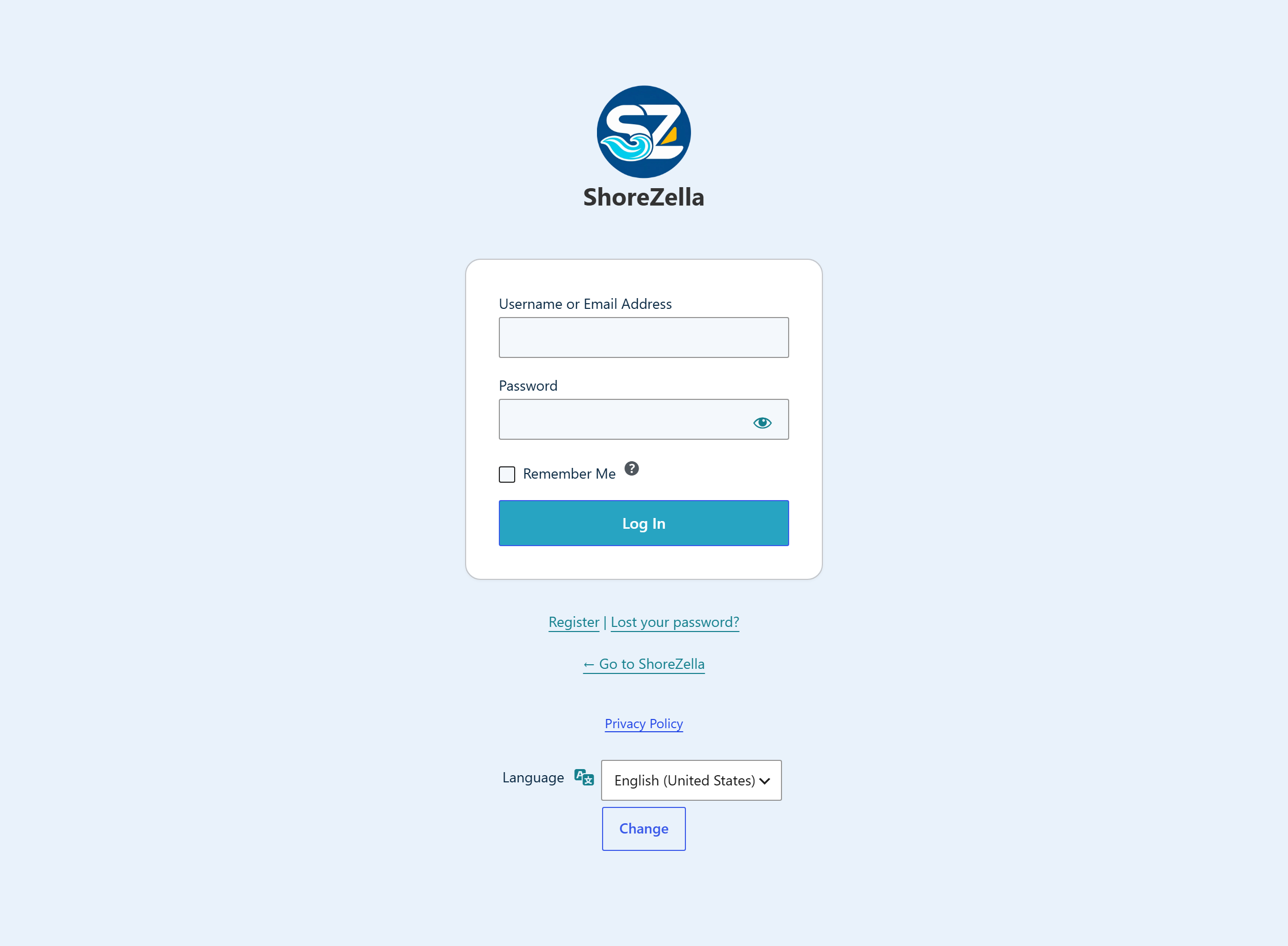
Once you are on the settings screen, edit the fields on the left and watch the live preview on the right. When it looks right, press Save Changes and visit your login page to see it live.
常见问题
-
Does this change how users log in?
-
No. ShoreZella Login Styler only changes the appearance of the login page. It does not touch your login URL, authentication, passwords or any security setting, so logging in works exactly as it did before.
-
Will it work with my theme?
-
Yes. The WordPress login page is separate from your theme, so the plugin works regardless of which theme you use. Your theme is not modified in any way.
-
Do I have to save to see my changes?
-
No, the live preview updates as you type, before anything is saved. Your real login page only changes once you press Save Changes, so you can experiment safely.
-
Can I set a different layout for mobile?
-
Yes. Form position, width, margin and padding can be set separately for desktop, tablet and mobile. Any value you leave blank on tablet or mobile falls back to the wider screen.
-
Can I customise the login logo?
-
Yes. You can use your own logo image, set its size, choose the link it points to and its hover title, and add a subheading below it.
-
Will my settings survive plugin updates?
-
Yes. Your settings are stored as normal WordPress options and are kept across updates. You can also export them to a file from the Import/Export tab and import them on another site.
-
How do I reset everything to default?
-
Open the Tools tab and use Reset Settings. This restores the styling options to their defaults.
-
Does the plugin remove its data when uninstalled?
-
Only if you ask it to. Enable Delete Data on Uninstall on the Tools tab and all plugin options are removed when you delete the plugin. Otherwise your data is left untouched.
-
What is the minimum PHP version?
-
PHP 7.4 or higher.
评价
此插件暂无评价。
贡献者及开发者


更新日志
1.0.0
- Initial release.