
描述
NURCaptcha stands for New User Register Captcha. It has been designed for anyone who wishes to allow free registration of new users for a WP site, but want to keep bots outside. It uses Google’s reCAPTCHA tools to give your site an extra protection against those spammer bots, adding security to the WP Register Form. With Skt NURCaptcha you may use a reCAPTCHA on your login form, also.
Skt NURCaptcha is easy to install and doesn’t slow down your site. It is called into action just at the moment the “Register for This Site” form is requested. It prompts users with a checkbox they click on to prove they are not robots, and creates a challenge whenever needed, and checks the response given. If it is not valid, new user registration fails. If the response is valid, NURCaptcha leaves the scene and your site runs as if it was not there.
Skt NURCaptcha adds (from Version 3 on) extra security by querying trustable antispam databases for known ip, username and email of spammers, so you get rid of them even if they break the reCaptcha challenge by solving it as real persons. From version 3.4 on you can enable login form protection, also, as an extra fence against brute force attacks.
NURCaptcha also shows you each blocked attemptive. Log data may be toggled for you to see info on the attemptives blocked by the plugin. It shows date/time of trials, as well as usernames and e-mail addresses of those who failed registration (or login, if enabled) and were kept outside. Please note that attemptives in which the spambot suspends its attack when confronted by the reCAPTCHA challenge can not be logged. So logfile figures will never reflect the whole achievements of the plugin in securing your site.
Works smoothly with WP Multisites (Network) and BuddyPress.
Skt-NURCaptcha home site: https://skt-nurcaptcha.sanskritforum.org/.
Languages included.
- Dutch nl_NL – by SalviJansen.
- Frech fr_FR – by ChezMat.
Privacy Disclaimer
This plugin uses Google reCAPTCHA which uses cookies and collects usage data. Its privacy policy is under Google’s Privacy Policy.
NURCaptcha collects and records in a log table: IP, username and email address of each blocked register or login attemptive.
屏幕截图
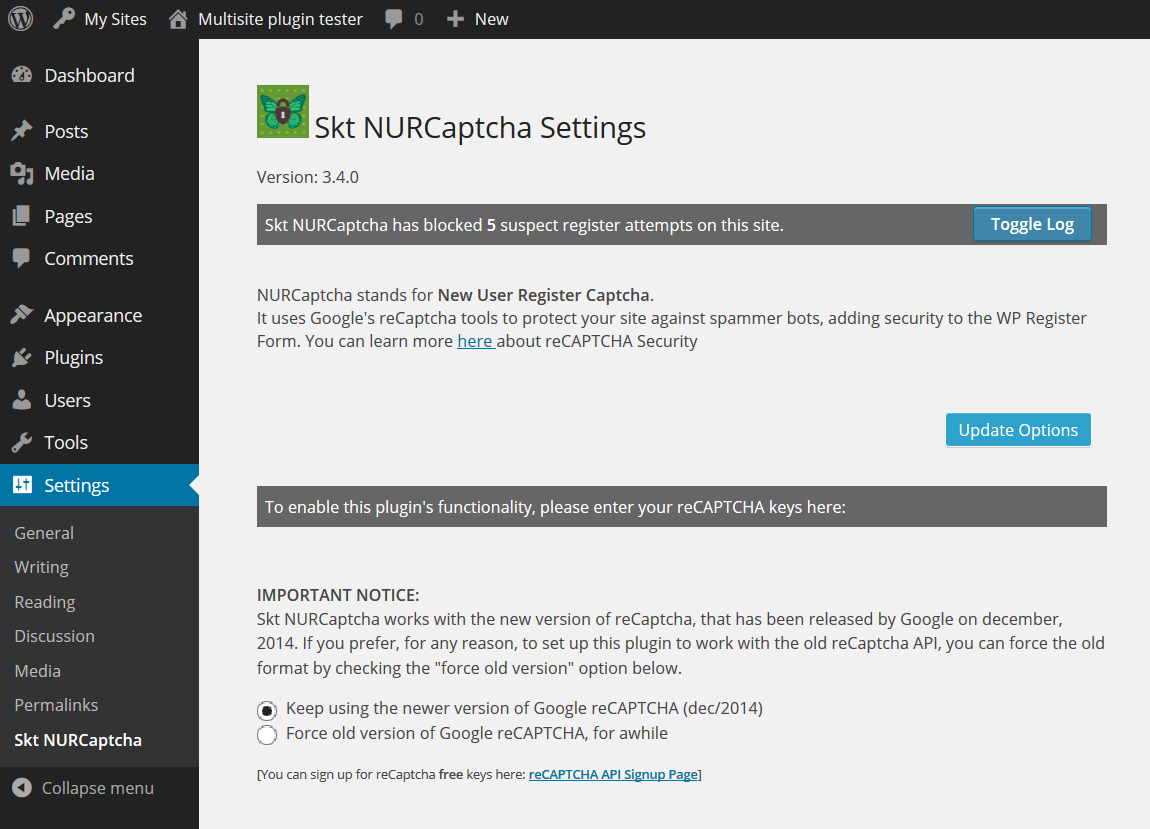
设置页面 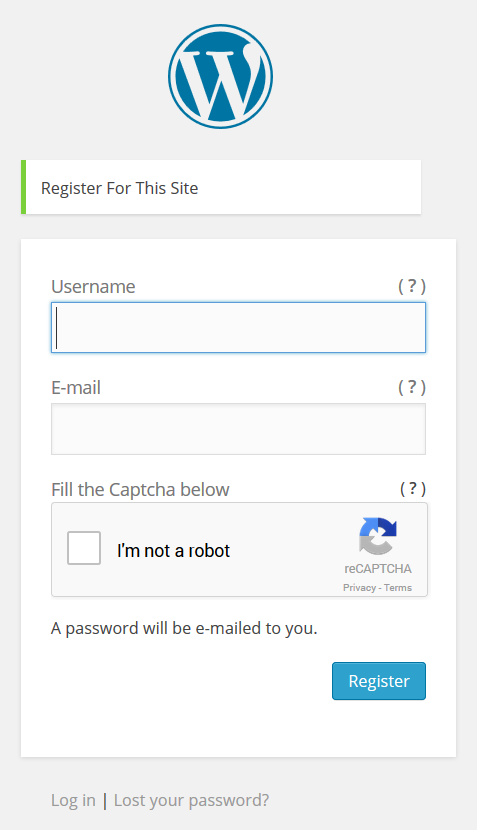
This is how the Register Form will look like
安装
- Upload ‘skt-nurcaptcha’ folder to the ‘/wp-content/plugins/’ directory
- 通过WordPress的“插件”菜单激活插件
- Don’t forget to get the free Public and Private reCAPTCHA keys at reCAPTCHA API Signup Page
- Go to the ‘Settings’ menu, locate Skt NURCaptcha Settings Page and drop your keys there.
- That’s it.
常见问题
-
The number of blocked attemptives is growing too slowly on the log. Does that mean that the plugin is not working?
-
If you was facing a greater number of spambot registrations than the figures you see now in the log counter, that means the plugin is doing its job perfectly. Almost all the spambots give up their attack when confronted by the reCaptcha challenge, so they come and go silently. These bots may not trigger the counter, but they will not get inside your site walls, either.
-
Does NURCaptcha blocks spambots only?
-
That is the main target of any captcha plugin: to catch bots and allow human beings to pass by. In order for it to somehow prevent you against badly mooded human intruders, their data (email & IP) are checked against trustable anti-spam databases (from plugin version 3.0.0 on).
-
How can I help people who for any reason were not able to fill the captcha challenge?
-
These people will leave their track on the log file. So check the log file regularly to see if there is someone you’d like to bring into your subscribers database. The log will give you
that person’s username, email and date/time when he tried to register and failed. Then it’s up to you to add that user manually or send him an email with directions for an effective registration.
The most common problem that keeps good people outside is not due to the reCaptcha, but illegal (non ASCII) characters in usernames. That is why we added a help box to the register form. -
Why there are two versions for the reCAPTCHA?
-
On december, 2014, Google released a new version of reCAPTCHA. This new version is more friendly to the user and far more advanced in technology, if compared to the former version. If you are upgrading from an older version of Skt NURCaptcha, we strongly reccomend you to enable the new version, in the settings page of this plugin. If you have this version of the plugin in a fresh installation, the new version of thr reCAPTCHA is enabled by default. The only reason to keep both versions of reCAPTCHA is to allow old users to prepare for the change. We don’t know how long will it take till Google disable the old reCAPTCHA’s API, so an automatic (forced) transition to the new version will be provided in future releases of this plugin.
评价


贡献者及开发者

更新日志
3.5.0
- Upgrade in antispam databases querying routines and a few other small fixes
3.4.90
- Small adjustments to PHP7 affecting BuddyPress installs
3.4.8
- Fixed: bug affecting user registration in some sites
3.4.7
- Fixed: small issue affecting access to language files
3.4.6
- Fixed: call to undefined property $errors under BP
3.4.5
- Fixed: call to undefined variable $lang under BP
3.4.4
- Fixed: mispelled call to undefined function at line 85
3.4.3
- Added: enable reCAPTCHA on selected front side pages
- Fixed: register form not working when BuddyPress enabled over WPMU
3.4.2
- Fixed: bug blocking login when keys were not saved yet
3.4.1
- Fixed: small glitch in the code generating PHP warnings
3.4.0
- Added: Transition to the new version of Google’s reCAPTCHA
- Added: login form captcha
3.1.8
- Fixed: removed duplication of div id in registration form when BuddyPress was active
3.1.7
- Fixed: challenge not displaying on https pages
3.1.6
- Added: French version – by ChezMat
- Fixed: field missing at uninstall.php, and small improvements in main code
3.1.5
- Added: action hook to allow extra check on username or email by other plugin
- Added: managing register form’s help messages via Admin Panel
- Fixed: small glitch on register form’s help display code
3.1.3
- Fixed: bug in MU that blocked new site registration
3.1.2
- Fixed: small bug in MU that blocked new user registration from admin panel
3.1.1
- Improved: a server-safe procedure to load external xml contents, needed to read anti-spam databases responses.
3.1.0
- Improved: log entries now stored in a database table – no more data will be lost when plugin upgrades.
3.0.2
- Fixed: anti-spam databases options didn’t save changes.
3.0.1
- Fixed: small glitch affecting BuddyPress users only – no security issues involved.
3.0.0
- Added: StopForumSpam and BotScout databases assessment for extra security.
2.4.7
- Added: user customization of reCAPTCHA strings.
- Improved: better UI to choose native language for reCAPTCHA.
2.4.6
- Added: customized text for submit button on register form.
2.4.5
- Fixed: excluded ubused help button from BuddyPress and WPMU versions.
2.4.4
- Added: help on register form;
- Fixed: logfile deletion drops log count to zero.
2.4.3
- Fixed: wrong data writing on logfile
2.4.2
- Added: improvements on javascript.
- Fixed: small glitch on textdomain call
2.4
- Added: support to BuddyPress.
- Fixed: double counting on WPMU
2.0
- Added support to Multisites.
1.3
- Included Log File to show data of blocked attemptives, and a few other minor code improvements.
1.13
- Register Form Page upgraded with javascript. No critical changes.
1.1
- Admin Page upgraded with javascript. No critical changes.
1.0
- First version.