
描述
Google Search Console
Google Search Console, former Google Webmaster Tools, does a great job when it comes to check the indexing status of your site.
SMNTCS Google Webmaster Tools
SMNTCS Google Webmaster Tools enables you to add Google Search Console to your website.
屏幕截图
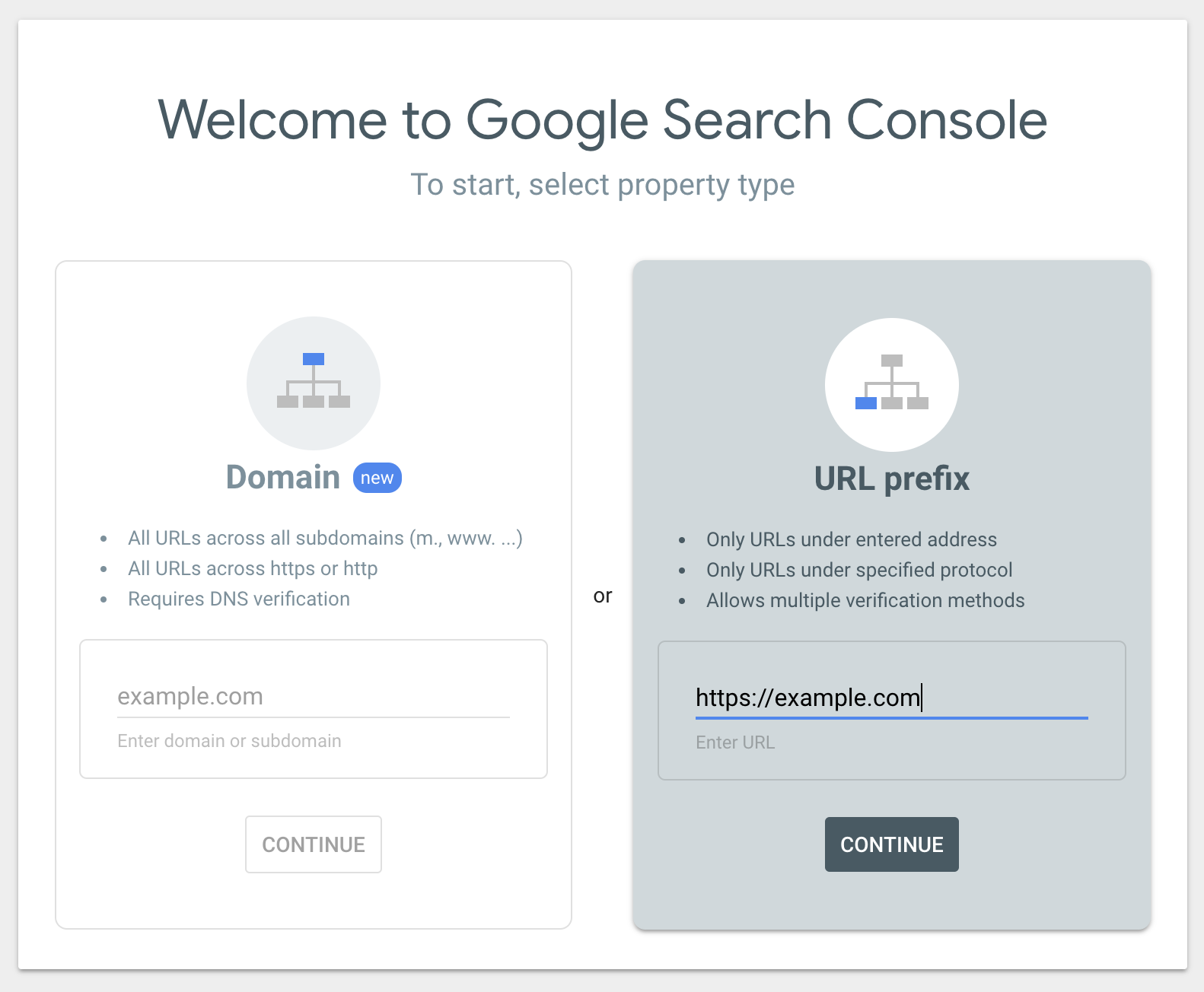
Provide your URL in the section URL prefix 
Copy the meta tag from the section HTML tag 
Paste you Google Analytics tracking code in the customizer
安装
- Upload
smntcs-google-webmaster-toolsto the/wp-content/plugins/directory - Activate the plugin through the Plugins menu in WordPress
- Go to https://search.google.com/search-console/welcome
- Provide your URL in the section
URL prefix, e.g. https://example.com, and click onContinue - Now, open the section
HTML tagwithin the sectionOther verification methods - Copy the meta tag, e.g.
<meta name="google-site-verification" content="BeFze6w_rrIm1NFPKJ-pDDbkf0oeqrtC5sjqb6WzCoE" /> - Go to Google Webmaster Tools and paste your verification code
常见问题
-
Why do I need Google Webmaster Tools in first place?
-
Google Webmaster Tools enables web masters to detect indexing issues, e.g. if the Google Bot cannot access the page or if missing pages occur in the search index.
-
How do I add Google Webmaster Tools to my page?
-
- Go to https://search.google.com/search-console/welcome
- Provide your URL in the section URL prefix, e.g. https://example.com, and click on Continue
- Now, open the section HTML tag within the section Other verification methods
- Copy the meta tag, e.g.
<meta name="google-site-verification" content="BeFze6w_rrIm1NFPKJ-pDDbkf0oeqrtC5sjqb6WzCoE" /> - Go to Google Webmaster Tools and paste your verification code
-
Why am I not able to save the verification code?
-
This issue might be caused by a security plugin. If you use a security plugin, e.g. Wordfence, then disable it so save your verification code and activate it once you’re done.
评价

2020 年 8 月 5 日
1 回复
So easy!! Works perfectly!

2019 年 12 月 7 日
1 回复
Thanks!!

2019 年 4 月 8 日
1 回复
Helps a lot. What will I do without plugins like these????

2018 年 5 月 22 日
ottimo

2016 年 9 月 3 日
1 回复
What a helpful plugin, now I don't have to implement this manually on the sites I'm currently running.
贡献者及开发者

更新日志
3.2 (2023.10.02)
- Test up to 6.4
3.1 (2023.03.11)
- Test up to 6.2
3.0 (2022.12.03)
- Test up to 6.1
2.9 (2022.05.09)
- Test up to 6.0
2.8 (2021.12.19)
- Replace Travis CI with GitHub Actions
- Test up to 5.8
2.7 (2021.04.25)
- Test up to 5.7
2.6 (2020.10.09)
- Test up to 5.5
2.5 (2020.05.02)
- Add testing
- Test up to 5.4
2.4 (2019.11.22)
- Test up to 5.3
2.3 (2019.06.28)
- Update installation instructions
2.2 (2018.03.18)
- Add README.md
2.1 (2016.12.24)
- Add FAQ
2.0 (2016.09.11)
- Use Customizer instead of options page
1.6 (2016.07.20)
- Add donation link
1.5 (2016.07.20)
- Update textdomain
1.4 (2016.07.20)
- Add settings link
- Update Dutch translation
- Update German translation
1.3 (2016.07.20)
- Store translations outside plugin
1.2 (2016.07.20)
- Make plugin translation ready
- Add Dutch translation
- Add German translation
1.1 (2016.07.20)
- Fix broken file path
- Add FAQs
1.0 (2016.07.20)
- Initial release