
描述
WP Performance is a cache & performance plugin which makes optimizing your site really easy.
This plugin generates static html files from your dynamic content and it uses mod_rewrite to load the cache files which is the fastest method.
Features
- Page cache
- Cache preloading
- Browser cache
- GZIP Compression
- Minify CSS, JavaScript, and HTML
- Asynchronously load CSS/JavaScript
- Combine CSS/JavaScript
- Disable CSS/JavaScript
- Resource hints
- Critical CSS path generator
- Database Cleaner
- Export/import settings
- Lazy Load images ( supports native lazy load )
- Lazy Load videos ( supports native lazy load )
- Responsive images
- Regenerate thumbs
- CDN
- WP-CLI Support
- WordPress Multisite
Add-ons
- Cloudflare integration
- Varnish cache
- Dynamic page preload
Supported languages
- English
- Hrvatski
- 中文 (by @cmhello)
WP-CLI Support
- wp wpp flush – Clear the cache
- wp wpp disable – Temporarily disable WP Performance
- wp wpp enable – Enable WP Performance
- wp wpp cleanup – Run all database cleanups
- wp wpp cleanup trash – Run trash cleanup
- wp wpp cleanup spam – Run spam cleanup
- wp wpp cleanup revisions – Run revisions cleanup
- wp wpp cleanup drafts – Run drafts cleanup
- wp wpp cleanup transients – Run transients cleanup
- wp wpp cleanup cron – Run cron tasks cleanup
Report bugs
If you encounter any bug, please create an issue on Github.
屏幕截图

Cache page 
CSS optimization page 
JavaScript optimization page 
Images 
DB Optimizer 
CDN 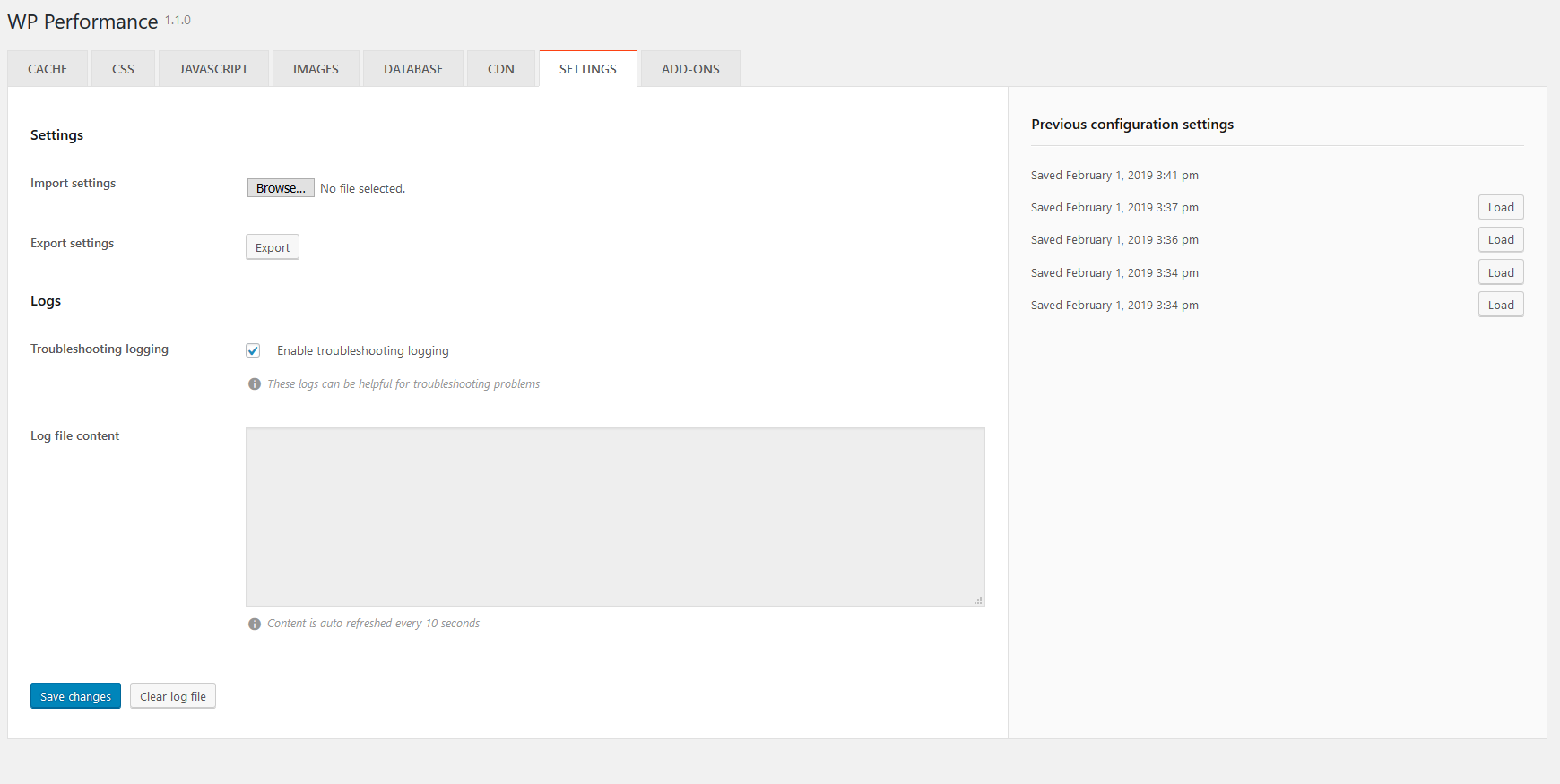
Settings 
安装
- Upload “wp-performance” to the “/wp-content/plugins/” directory
- Activate the plugin through the Plugins menu in WordPress
常见问题
-
Does WP Performance work with Nginx?
-
WP Performance has support for Nginx servers, but an extra step is required to make it working properly.
Depending on your WP Performance configuration, rewrite rules will be generated and listed under the “Settings” tab. You have to copy and paste generated rules manually into the Nginx config file. -
Does WP Performance support WordPress Multisite?
-
WP Performance supports WordPress Multisite with subdomains.
-
Where can I get help?
-
You can get help on the wordpress.org support forum.
If you encounter any bug, please create an issue on Github.
评价


贡献者及开发者

更新日志
1.1.8.3
[FIX] Cloudflare add-on – respect existing headers
1.1.8.2
[FIX] Prefetch add-on again
1.1.8.1
[FIX] Prefetch add-on
1.1.8
[NEW] HTML optimization
[NEW] Google Fonts display optimization
[NEW] Exclude CSS/JS files from asynchronous loading
[UPDATE] Translations
[FIX] Asynchronous JS loading
1.1.7.4
[FIX] Combine CSS
[FIX] Combine JS
1.1.7.3
[FIX] Update UI – Checkboxes
[FIX] Skip dynamic files
1.1.7.2
[FIX] Combined resource path errors
[FIX] Identifiy local resources without URL scheme
1.1.7.1
[FIX] htaccess errors
1.1.7
[NEW] Cloudflare Add-on – purge individual cache
[NEW] Option to keep generated JS/CSS files when flushing the cache
[FIX] Lazy Load issues in MSIE
1.1.6.2
[FIX] HTML minify
1.1.6.1
[FIX] Lazyload issues
1.1.6
[NEW] Lazy load videos
[NEW] Disable Emojis
[NEW] Disable Embeds
[UPDATE] Translations
[FIX] Load/Save settings
1.1.5.1
[FIX] Fix WooCommerce Add to cart error
1.1.5
[IMPROVE] Minify JS
[IMPROVE] Minify CSS
[IMPROVE] Minify HTML
[IMPROVE] Images LazyLoad
[IMPROVE] Async JavaScript
[IMPROVE] Prefetch Add-on
[FIX] Cache dir path
1.1.4.2
[IMPROVE] Minify JS
[IMPROVE] Process CSS import rules
1.1.4.1
[FIX] Minify HTML
1.1.4
[NEW] Multisite support
[NEW] AMP support
1.1.3.4
[FIX] Clear log file after clearing the cache
[FIX] Wrong optimization status message in WPP metabox on edit page screen
[IMPROVE] Admin UI
[IMPROVE] Cloudflare add-on
[IMPROVE] Dynamic page preload add-on
[UPDATE] languages
1.1.3.3
[FIX] Disable resources on selected URL
[UPDATE] Chinese language file
1.1.3.2
[FIX] Parser minify error
1.1.3.1
[FIX] Autoloader errors
1.1.3
[NEW] Dynamic page preload addon
[NEW] Minify HTML
1.1.2
[UPDATE] Chinese language file
1.1.1
[NEW] Remove cache directory after uninstall
[IMPROVE] Move log file into cache dir
[FIX] Empty template errors
1.1.0
[NEW] Exclude user agents from cache
[NEW] Exclude search engines from cache
[NEW] Add-ons page
[IMPROVE] Admin UI
[FIX] XML files cache
1.0.9
[IMPROVE] JavaScript async loading
[IMPROVE] Security
[IMPROVE] Parser
[FIX] LazyLoad
[FIX] Exclude urls
1.0.8.1
[FIX] Minor bug fixes
1.0.8
[NEW] Cloudflare integration
[IMPROVE] Admin UI for desktop devices
[IMPROVE] Admin UI for mobile devices
[FIX] Disabled resources disappearing options
[FIX] Minor bugfixes
1.0.7
[FIX] Add items to menu error
[FIX] Parser warnings for responsive images
[IMPROVE] Admin UI on mobile devices
1.0.6
[NEW] Group resources ( Theme, Plugins, External )
[IMPROVE] Security
[IMPROVE] Admin UI on mobile devices
[UPDATE] Translations
[FIX] Disable external resources
[FIX] Clear cache on front-page
[FIX] Various minor bugfixes
1.0.5
[NEW] Drafts cleanup
[NEW] WP CLI commands – run database cleanups
[IMPROVE] Admin UI
[UPDATE] Translations
[FIX] Minor bugfixes
1.0.4
[NEW] Resource hints
[NEW] Exclude page from Image optimization on edit page screen
[NEW] Exclude URL(s) from Image optimization
[IMPROVE] Metabox UI on Edit page
[IMPROVE] Admin UI
[UPDATE] Translations
[FIX] Cron tasks cleanup
[FIX] Combine Google fonts
1.0.3
[NEW] Cron tasks cleanup
[NEW] Exclude page from Cache, JS and CSS optimization on edit page screen
[NEW] Admin toolbar links
[IMPROVE] Admin Database UI
[IMPROVE] Admin UI on mobile devices
[UPDATE] Translations
[FIX] htaccess backup handling
[FIX] Minor bugfixes
1.0.2
[NEW] Detect server software
[NEW] Generate NGINX rewrite rules
[NEW] Clear collected files list
[IMPROVE] Admin UI
[UPDATE] Translations
[FIX] Htaccess permissions notice
1.0.1
[FIX] PCRE2 parser issues
[FIX] Clear cache JS error
[NEW] Chinese translation