

描述
Gain full visibility over your store’s performance with 360 Analytics for WooCommerce. Designed for WooCommerce store owners who need actionable insights without bloated interfaces, this plugin provides a clean, modern, and high-performance reporting dashboard.
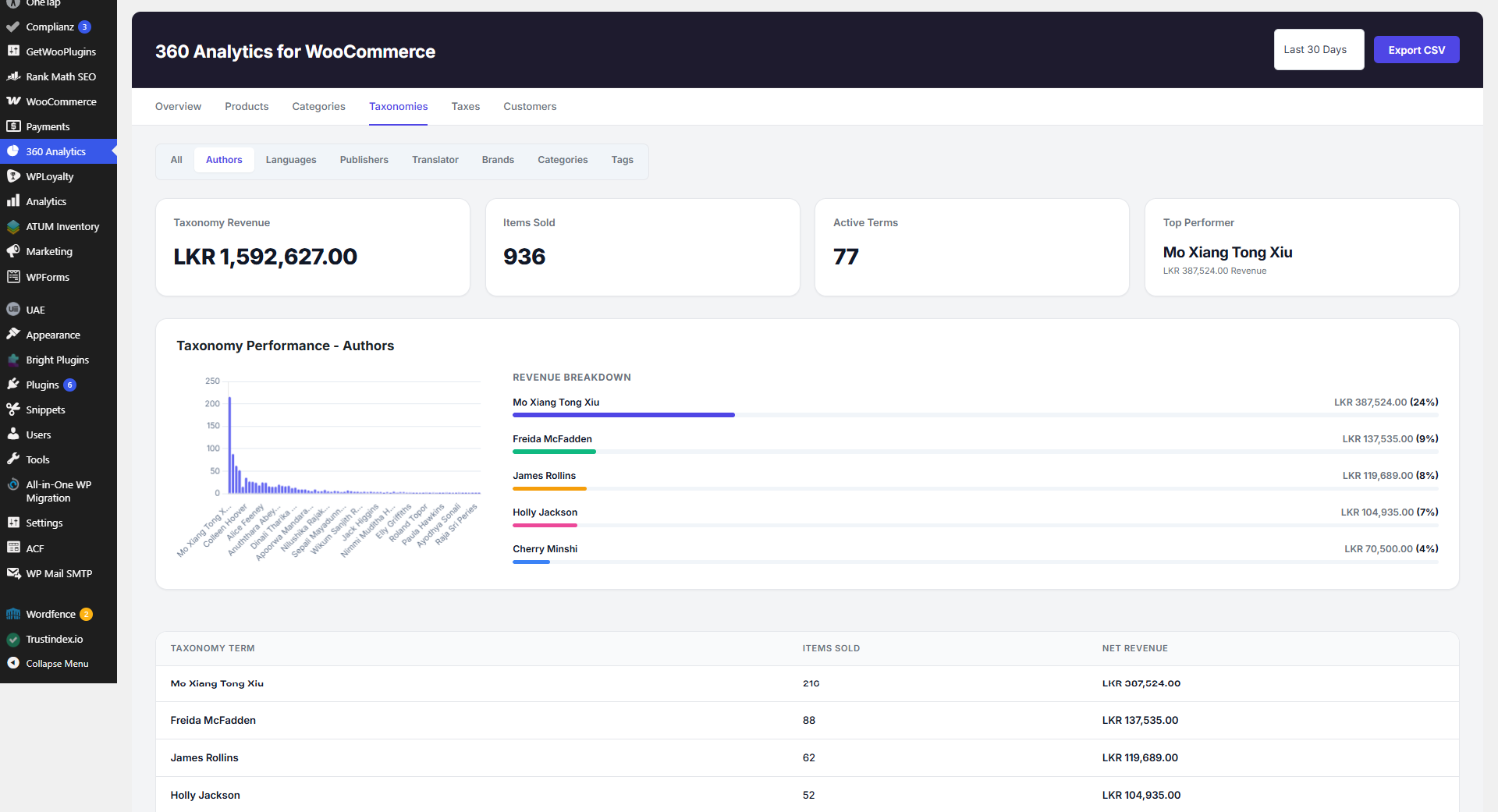
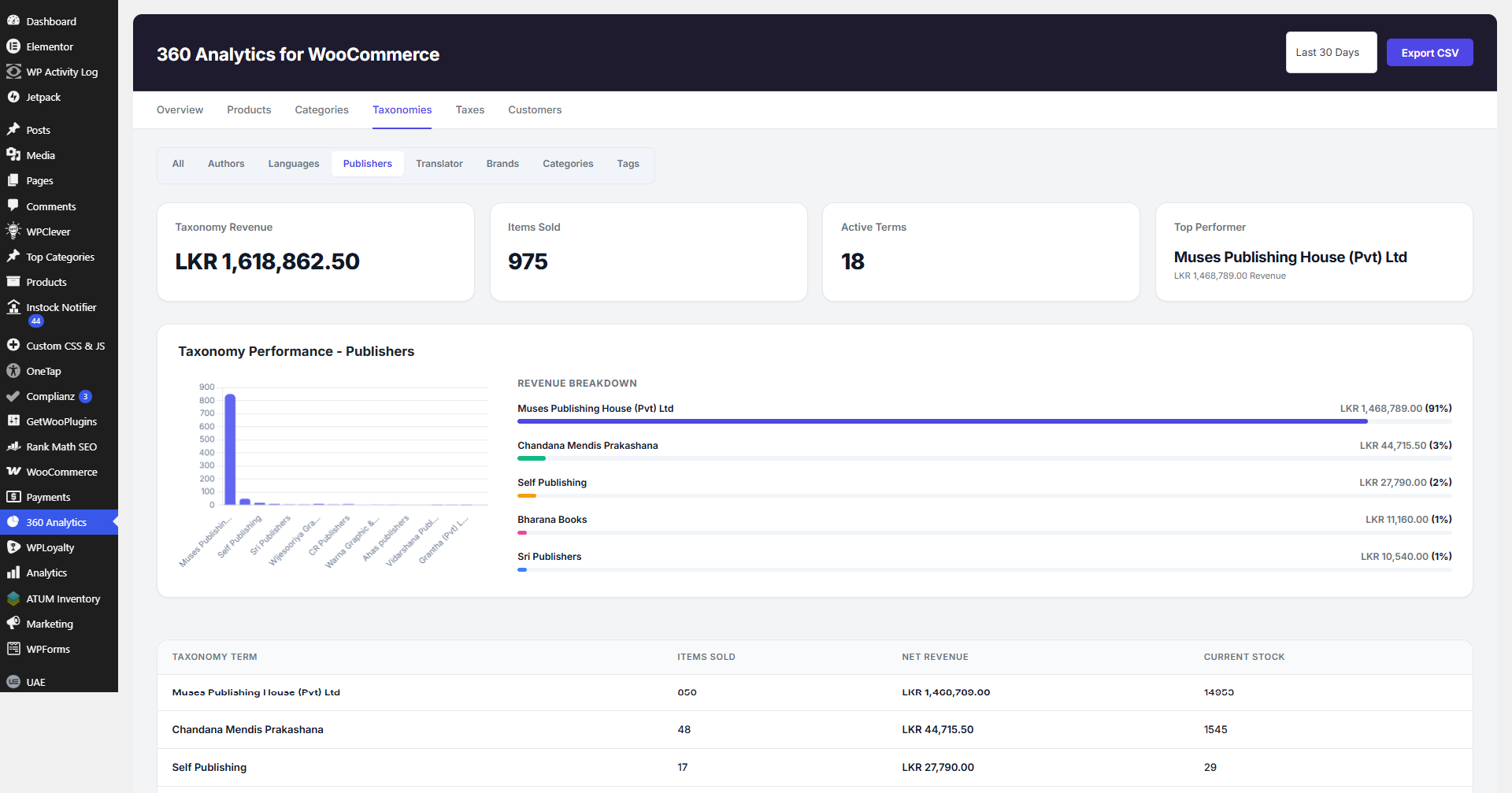
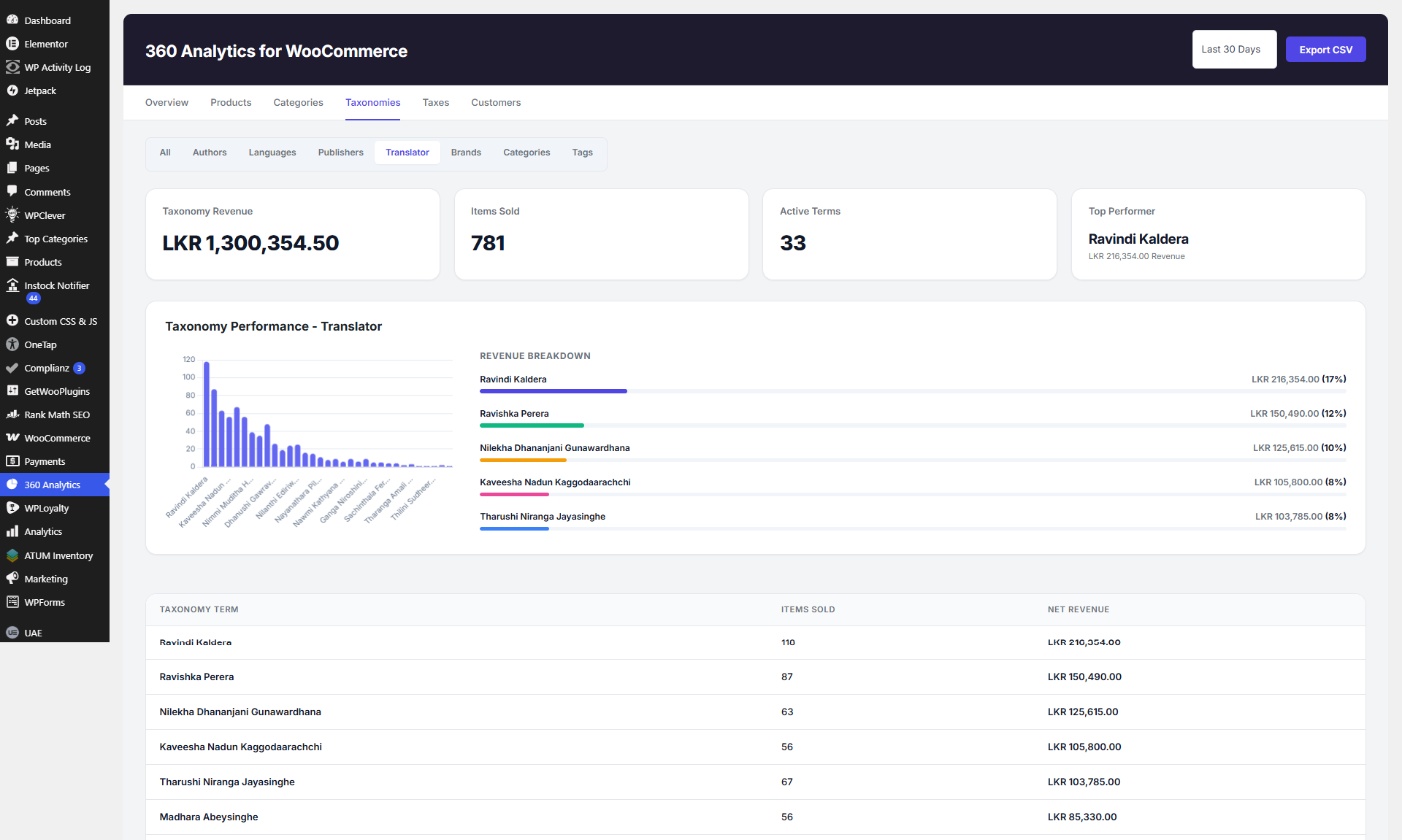
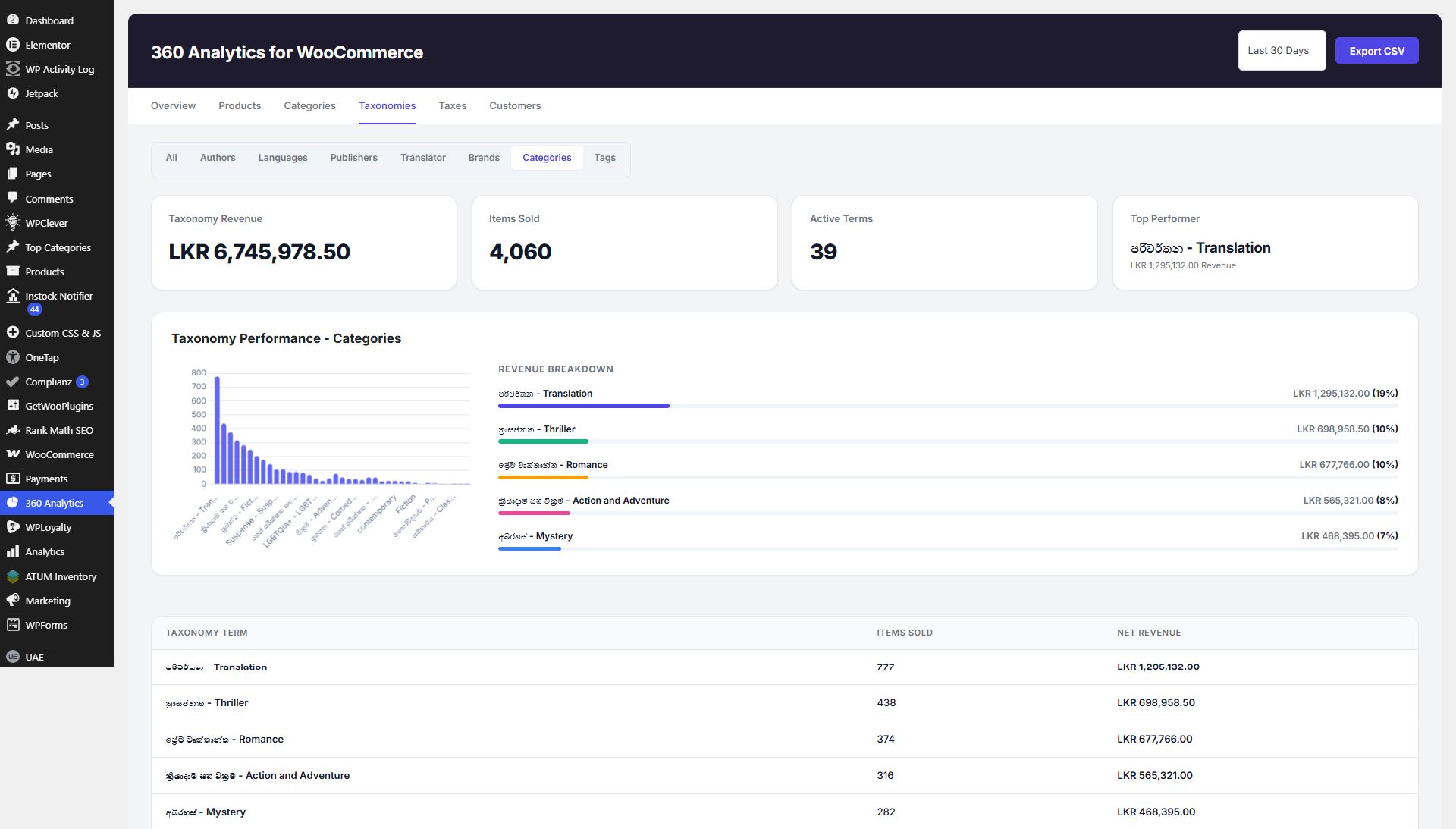
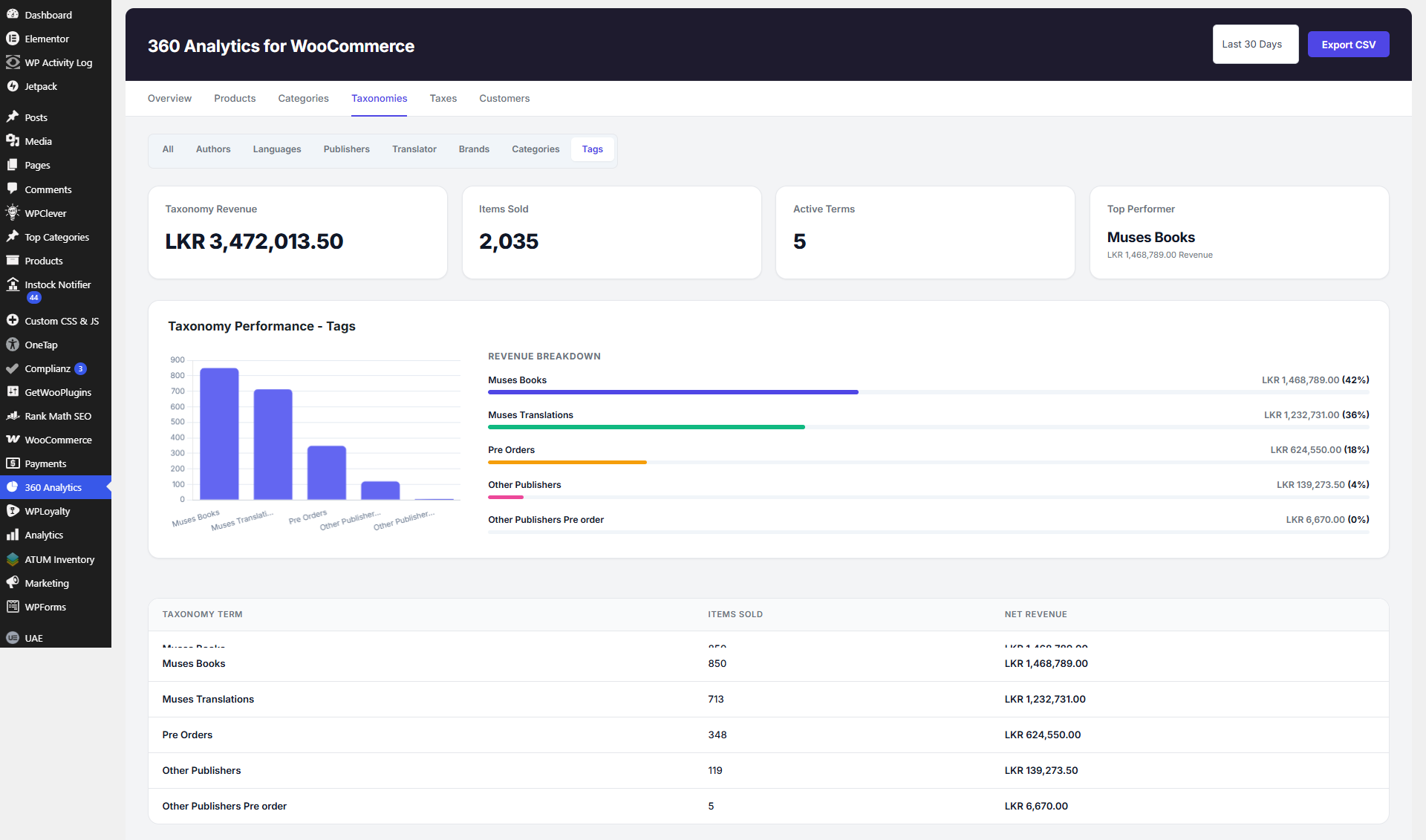
Track your revenue, analyze sales trends, monitor taxonomy performance (such as product categories, brands, or publishers), and get detailed tax breakdowns in real-time.
Key Features
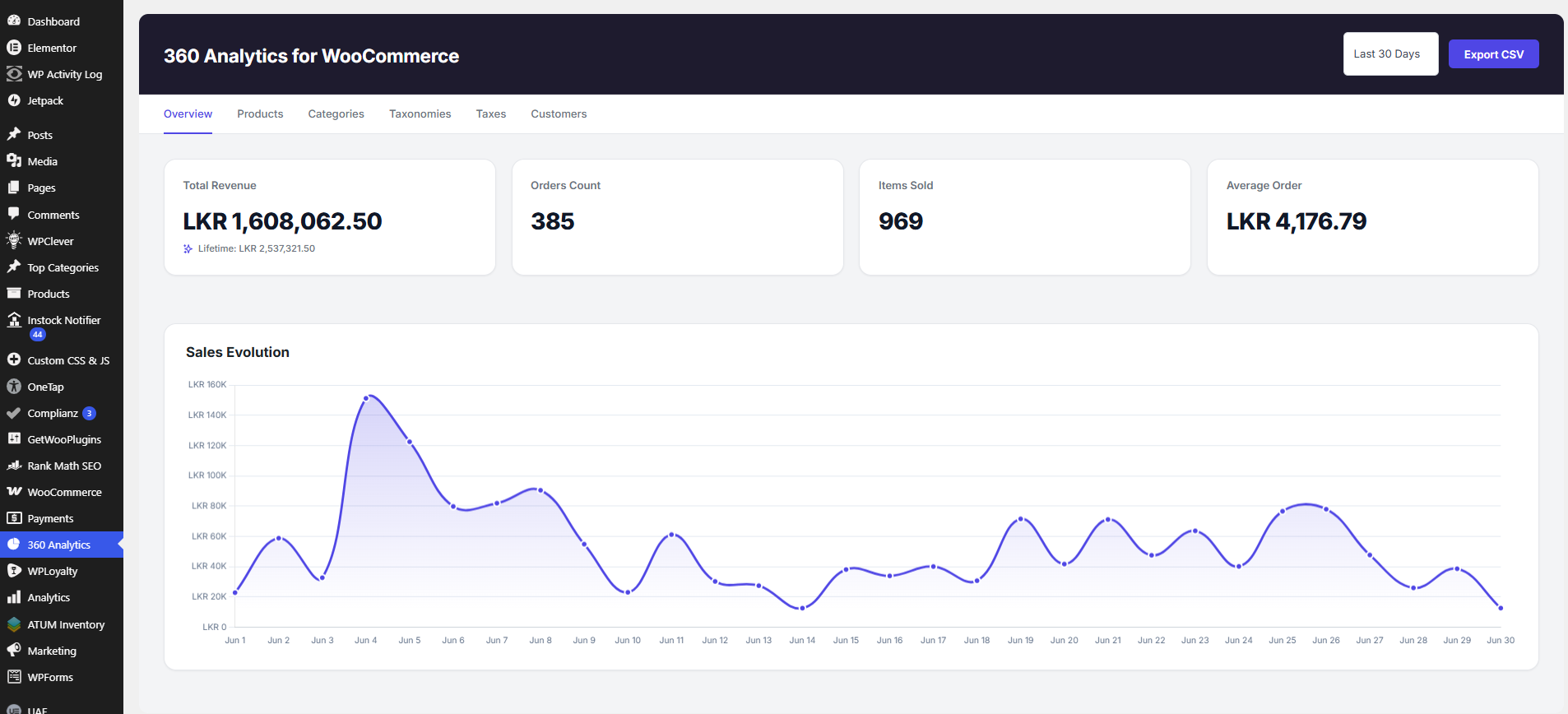
- Modern Overview Dashboard: A professional KPI grid displaying Total Revenue, Lifetime Revenue, Orders Count, Items Sold, and Average Order Value, alongside an interactive Sales Evolution line chart.
- Interactive World Map: Visual geographical breakdown of sales and orders by country on the main dashboard.
- Period-over-Period Comparisons: Analyze revenue and sales velocity against previous periods or Year-over-Year (YoY) benchmarks.
- Real-time Order Data Sync: Instant data reflection on order placement, updates, status changes, or deletions.
- Stock Velocity & Inventory Forecasting: Smart low-stock alerts, sales velocity metrics, and product margin tracking.
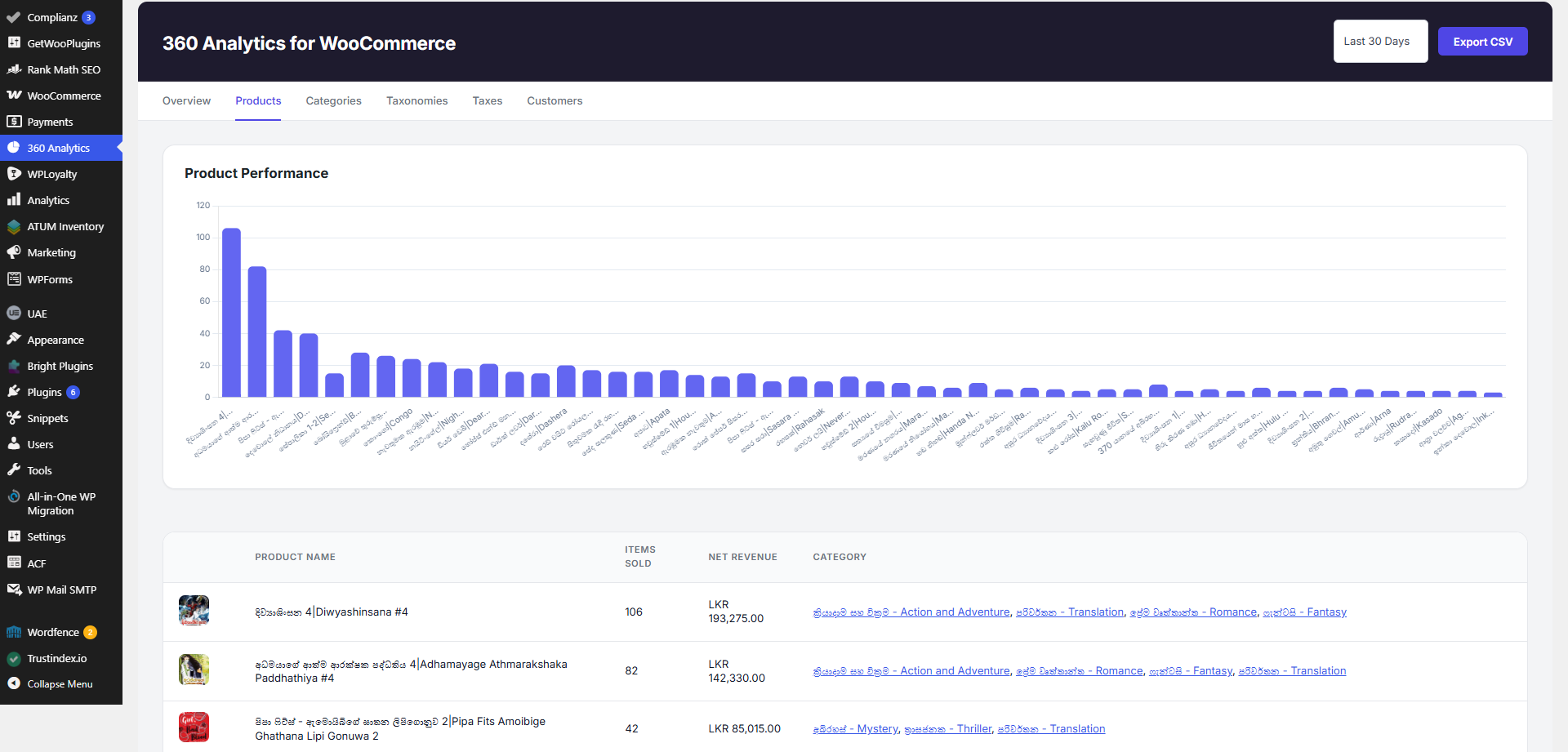
- Product & ISBN Analytics: Detailed product performance metrics with support for ISBN metadata, attributes, and CSV exports.
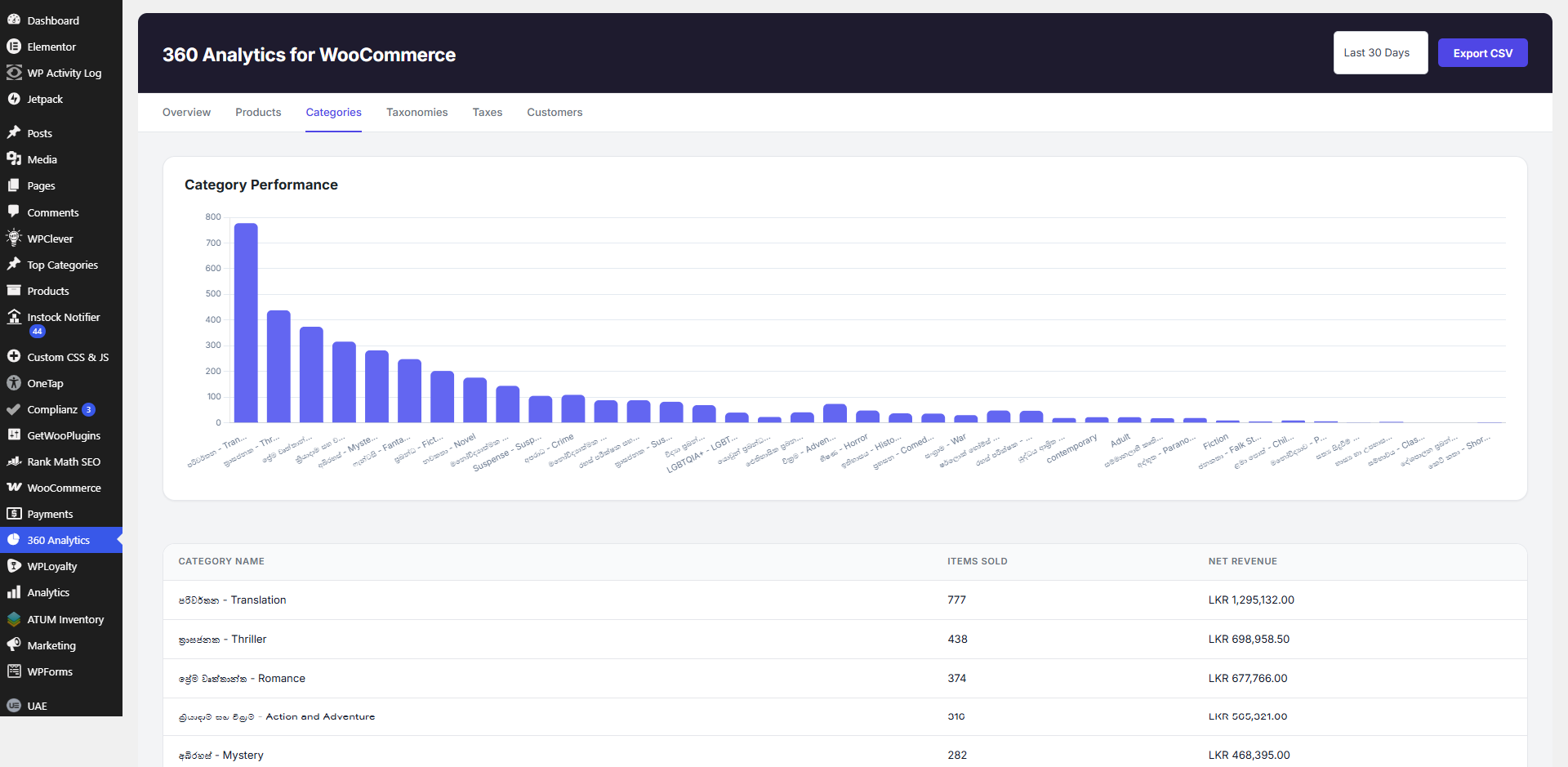
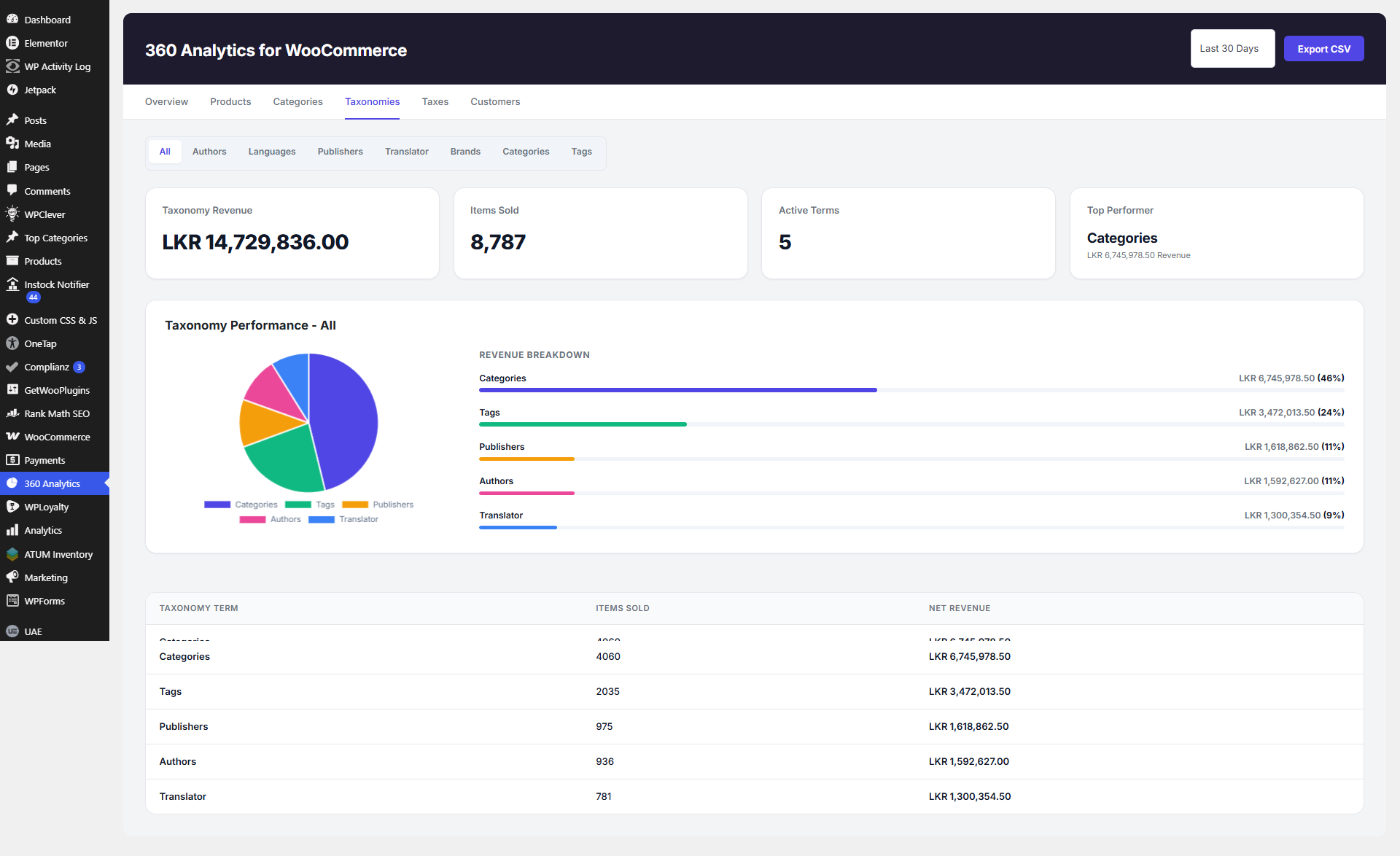
- Category & Custom Taxonomy Analysis: Comprehensive breakdown for categories and custom taxonomies (e.g. Brands, Publishers, Tags) with percentage distribution panels and readable charts.
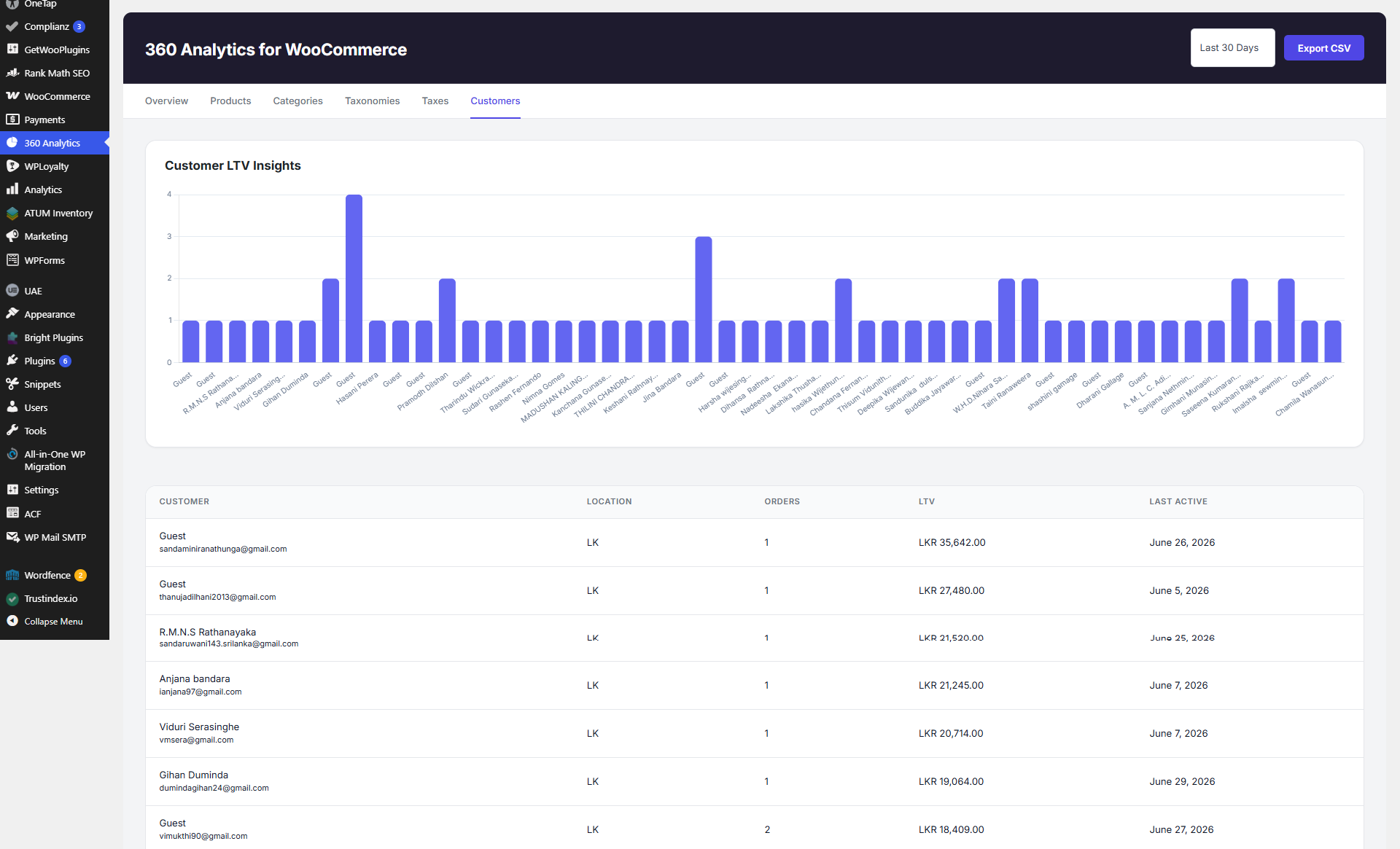
- Tax & Customer Insights: Track taxes collected per order, customer LTV, purchase frequency, and export enriched loyalty data to CSV.
- Quick CSV Exports: Export all reporting tables to CSV with one click for offline auditing.
屏幕截图
安装
- Ensure you have WooCommerce installed and activated on your store.
- Upload the plugin files to the
/wp-content/plugins/360-analytics-for-woocommercedirectory, or install the plugin through the WordPress plugins screen directly by uploading the.zipfile. - Activate the plugin through the ‘Plugins’ screen in WordPress.
- Navigate to 360 Analytics in your WordPress admin menu to access your new reporting dashboard.
常见问题
-
Does this plugin require WooCommerce?
-
Yes. 360 Analytics for WooCommerce retrieves data directly from WooCommerce tables, so WooCommerce must be installed and active.
-
Where do I find the reports?
-
A new top-level menu item named “360 Analytics” will appear in your WordPress admin sidebar once the plugin is active.
-
Can I export the data?
-
Yes. Every report table (Products, Categories, Taxonomies, Taxes, Customers, etc.) features an “Export CSV” button to download data instantly.
-
Does it support custom product taxonomies?
-
Yes, it automatically detects and aggregates sales data for custom taxonomies like Brands or Publishers, displaying them in dedicated tabs.
-
Does this plugin slow down my site?
-
No. The plugin is built with optimized custom database queries (
$wpdb) and handles aggregation directly via the database, ensuring fast load times even with large volumes of orders without bloating your site. -
Are there any extra configurations needed?
-
No configuration is required! Just activate the plugin, and it will immediately start pulling in your existing WooCommerce order data.

贡献者及开发者


更新日志
1.0.4
- Enhanced Product ISBN data resolution across CSV exports using robust multi-source fallbacks (post meta, attributes, taxonomies, and database search).
- Refined admin dashboard navigation UI, KPI card visual hierarchy, and micro-animations.
- General performance optimizations and bug fixes for real-time order statistics synchronization.
1.0.3
- Added real-time order data synchronization on order creation, updates, status changes, and deletions.
- Fixed taxonomy graph display issues, negative calculation bugs, and chart label truncation on X-axes.
1.0.2
- Performance and stability enhancements for order reporting.
1.0.1
- Added WooCommerce 7.0 minimum version requirement and compatibility headers.
- Declared High-Performance Order Storage (HPOS / Custom Order Tables) compatibility.
- Added version gate: plugin now shows a clear admin notice if WooCommerce < 7.0 is detected.
1.0.0
- Initial release.