
描述
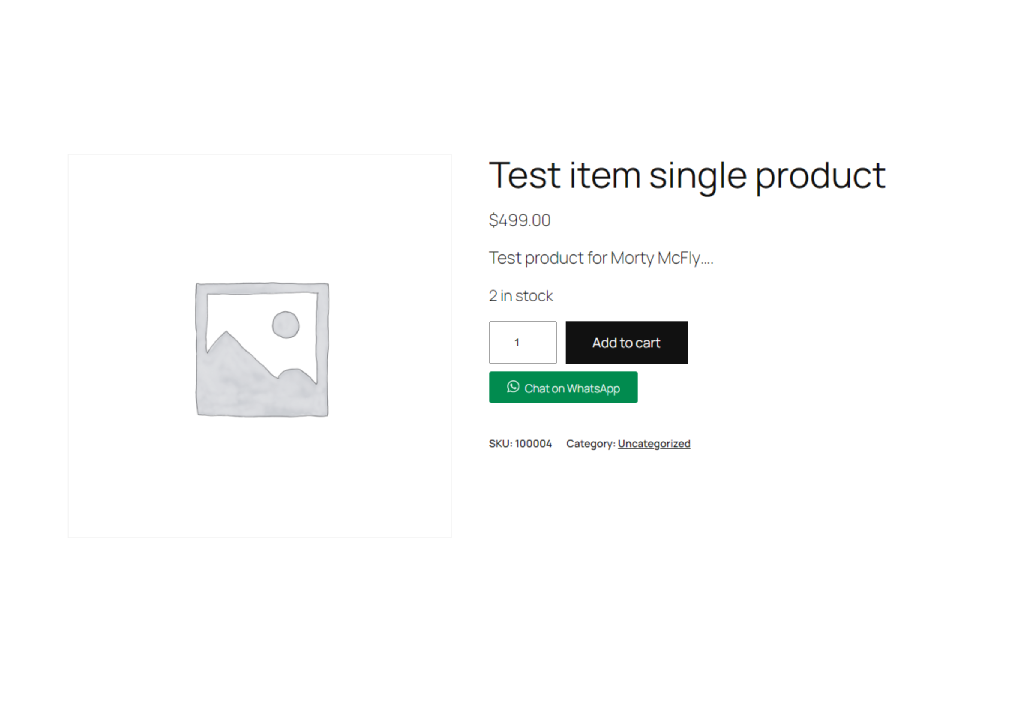
Inquiry Button for WooCommerce allows you to add a customizable WhatsApp inquiry button to your WooCommerce product pages. This makes it easier for customers to contact you directly for more information about your products.
Key Features:
- Enable or disable the inquiry button.
- Customize the WhatsApp number, inquiry message, and button text.
- Seamless integration with WooCommerce product pages.
屏幕截图

安装
- Download the plugin ZIP file.
- Go to your WordPress dashboard.
- Navigate to Plugins > Add New.
- Click “Upload Plugin” and choose the downloaded ZIP file.
- Click “Install Now” and then “Activate Plugin.”
常见问题
-
How do I configure the plugin?
-
Go to the “Woo Inquiry” admin page in your WordPress dashboard. From there, you can enable the button, set your WhatsApp number, define the inquiry message, and customize the button text.
-
Can I use a different messaging platform instead of WhatsApp?
-
This version of the plugin is specifically designed for WhatsApp. If you need support for other platforms, contact the plugin author for customization.
-
Yes, the button is designed to be fully responsive and works well on all devices.
评价
此插件暂无评价。
贡献者及开发者

更新日志
** 1.0 **
* Initial release with customizable WhatsApp inquiry button for WooCommerce.