

描述
BSS Return Manager for WooCommerce turns product returns into a smooth, self-service experience. Customers request a return in a few clicks from their WooCommerce My Account area, and your team reviews, edits, approves, or cancels every request from one clean dashboard — no support tickets, no email back-and-forth.
And the whole experience is yours to shape. Design the return form with a drag-and-drop builder, rewrite every label and message, and edit each notification email right from the WooCommerce settings screen. The plugin adapts to your store’s tone and your customer’s language — no code required.
How it works
- You design the form. Drag in the fields you need — reason for return, photo uploads, an order-items picker, privacy consent, and more — and group them into steps if you like.
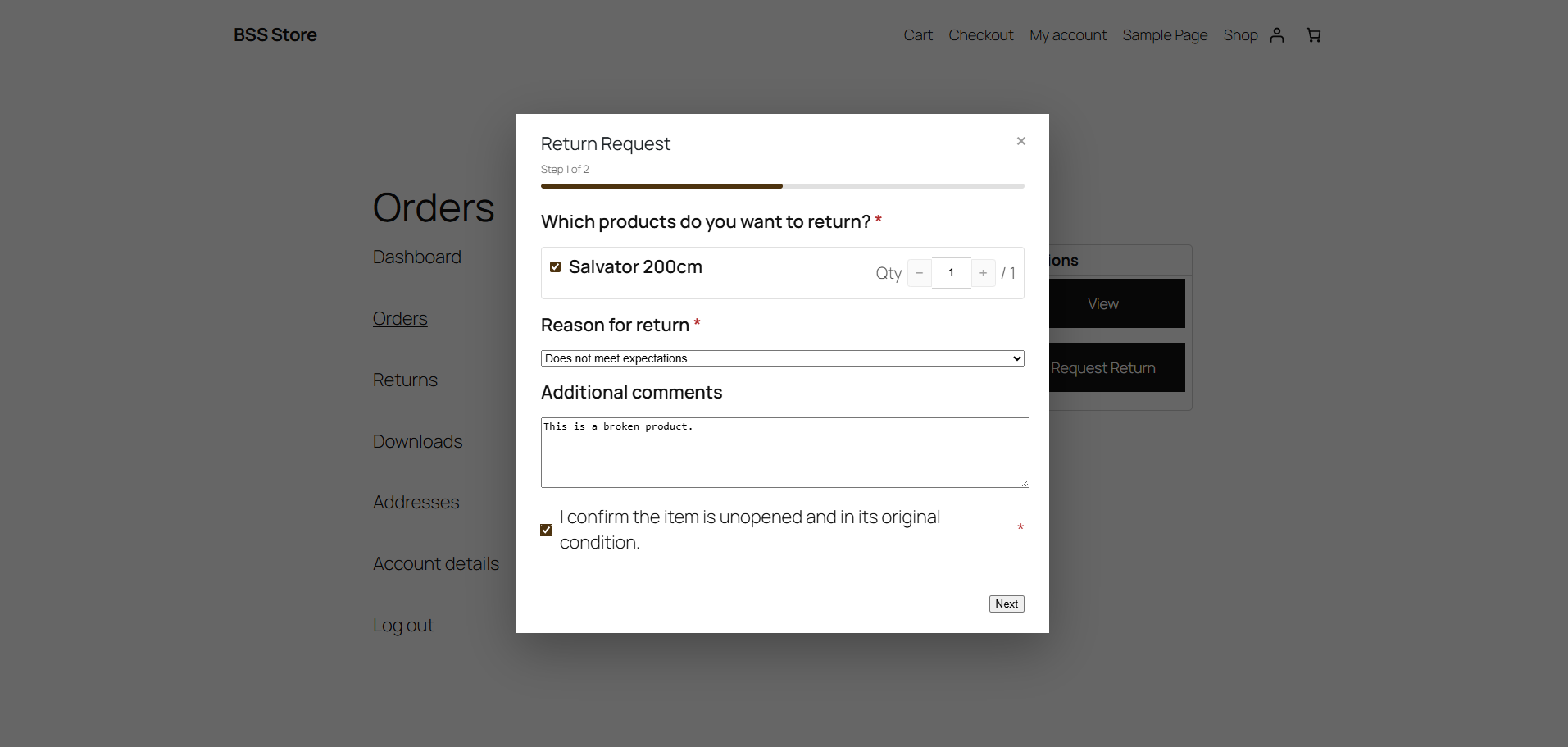
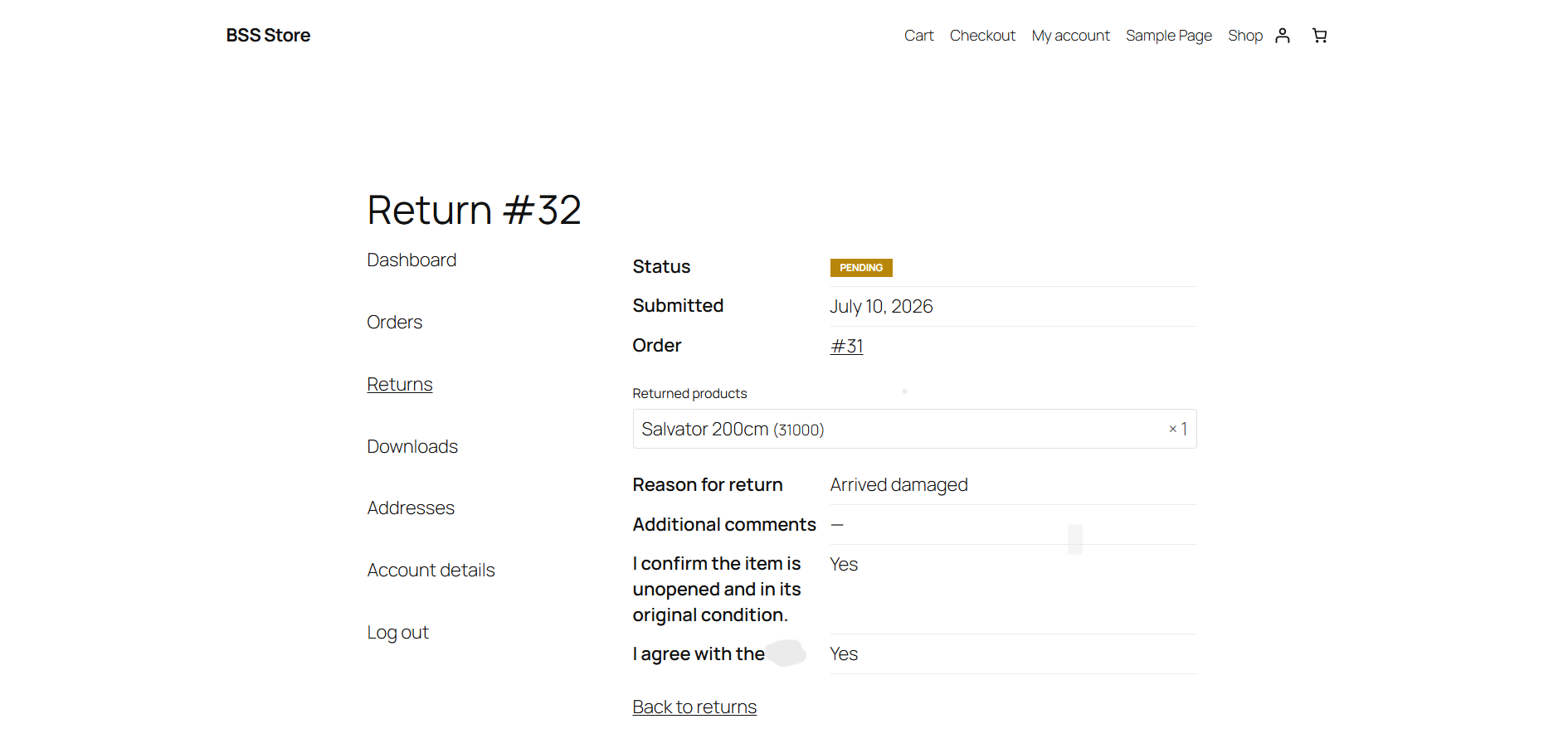
- The customer requests a return. From My Account they pick an eligible order, fill in your form, and submit. A confirmation email goes out instantly.
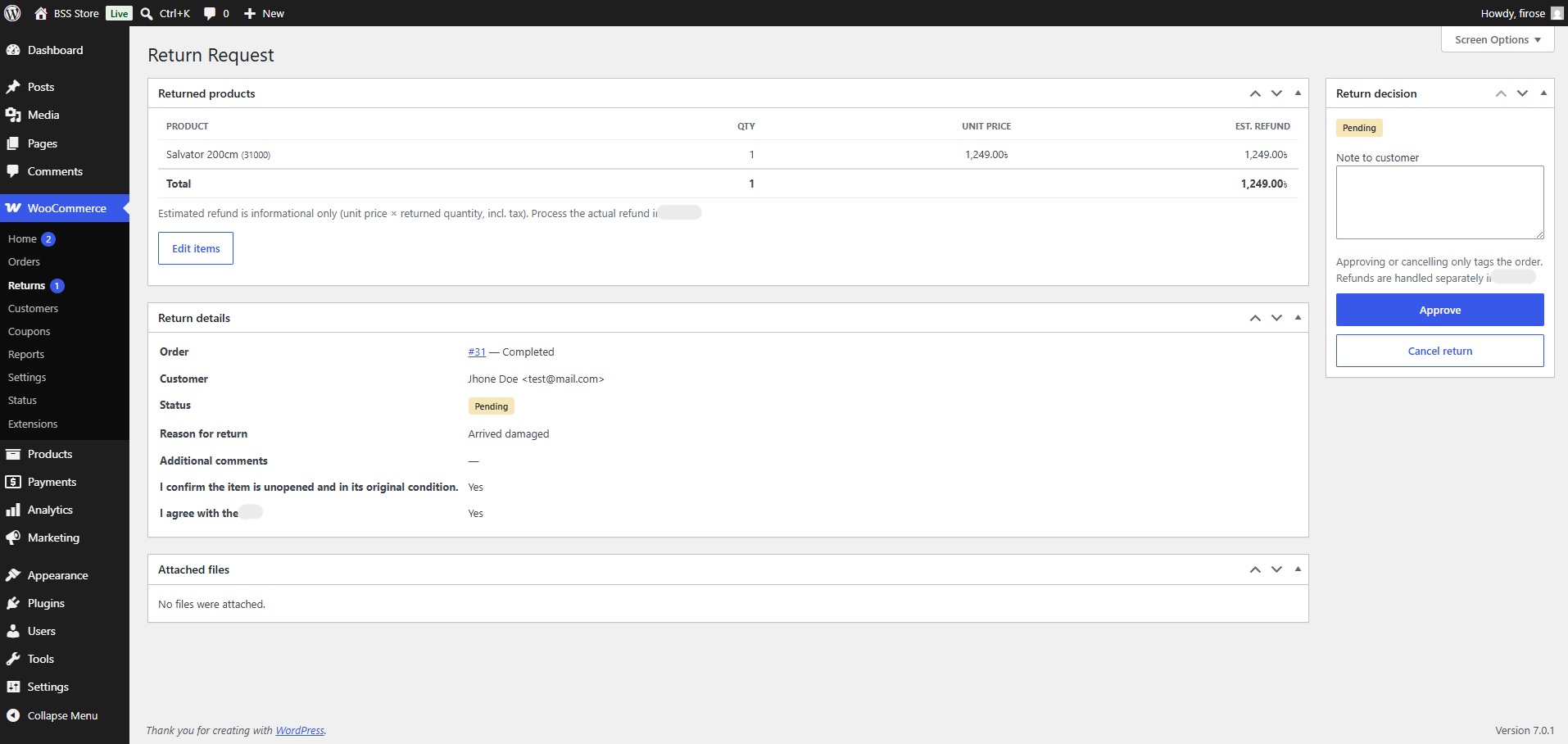
- You make the decision. Review the request, trim the returned items or quantities if needed, then approve or cancel. The customer is notified automatically and the order is tagged so your whole team stays in sync.
Key features
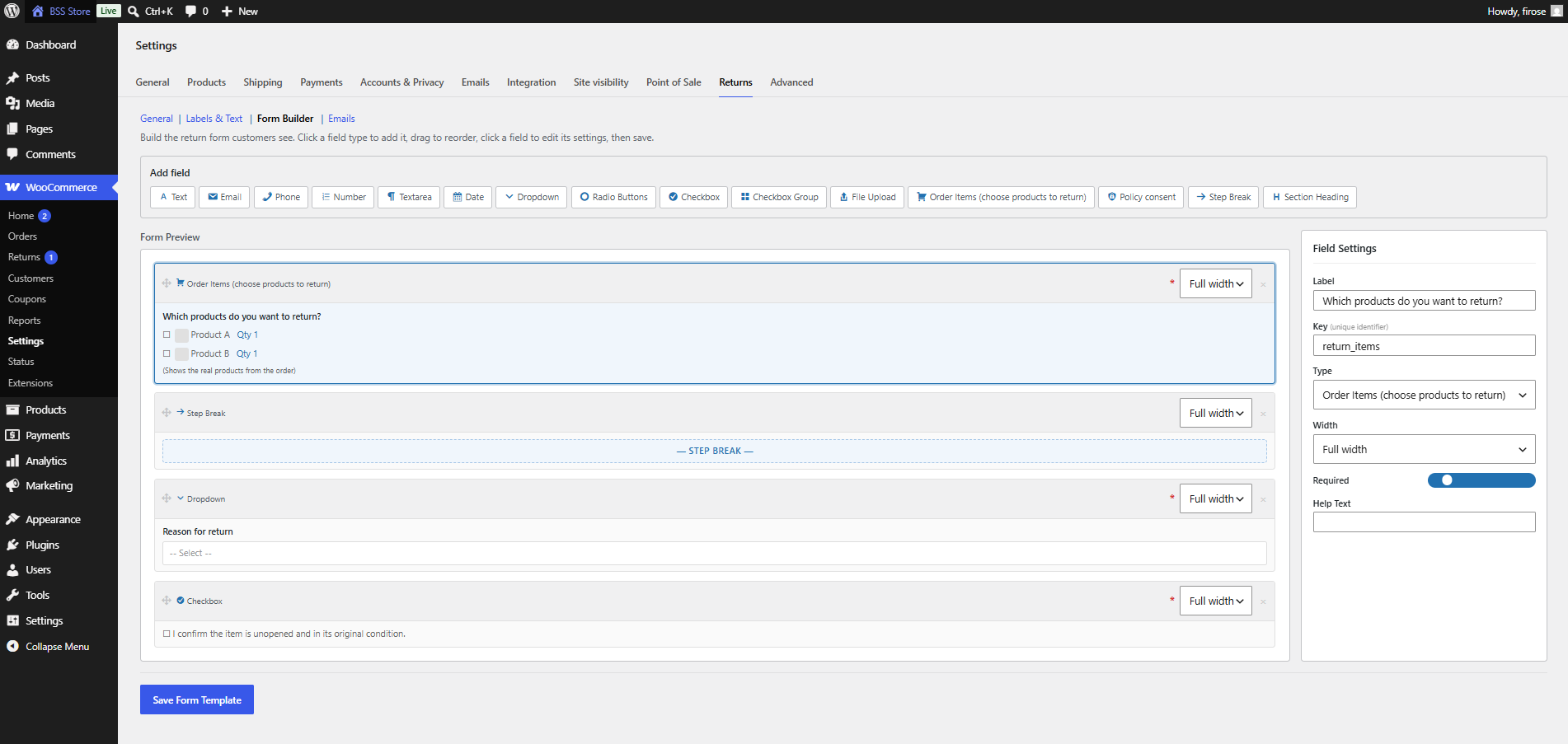
- Drag-and-drop form builder — build the exact form customers fill in: text, textarea, email, radio, checkboxes, headings, privacy consent, file uploads, and an order-items picker that pulls the real products from the order.
- Multi-step forms — group fields into steps with a progress indicator for a guided, less overwhelming experience.
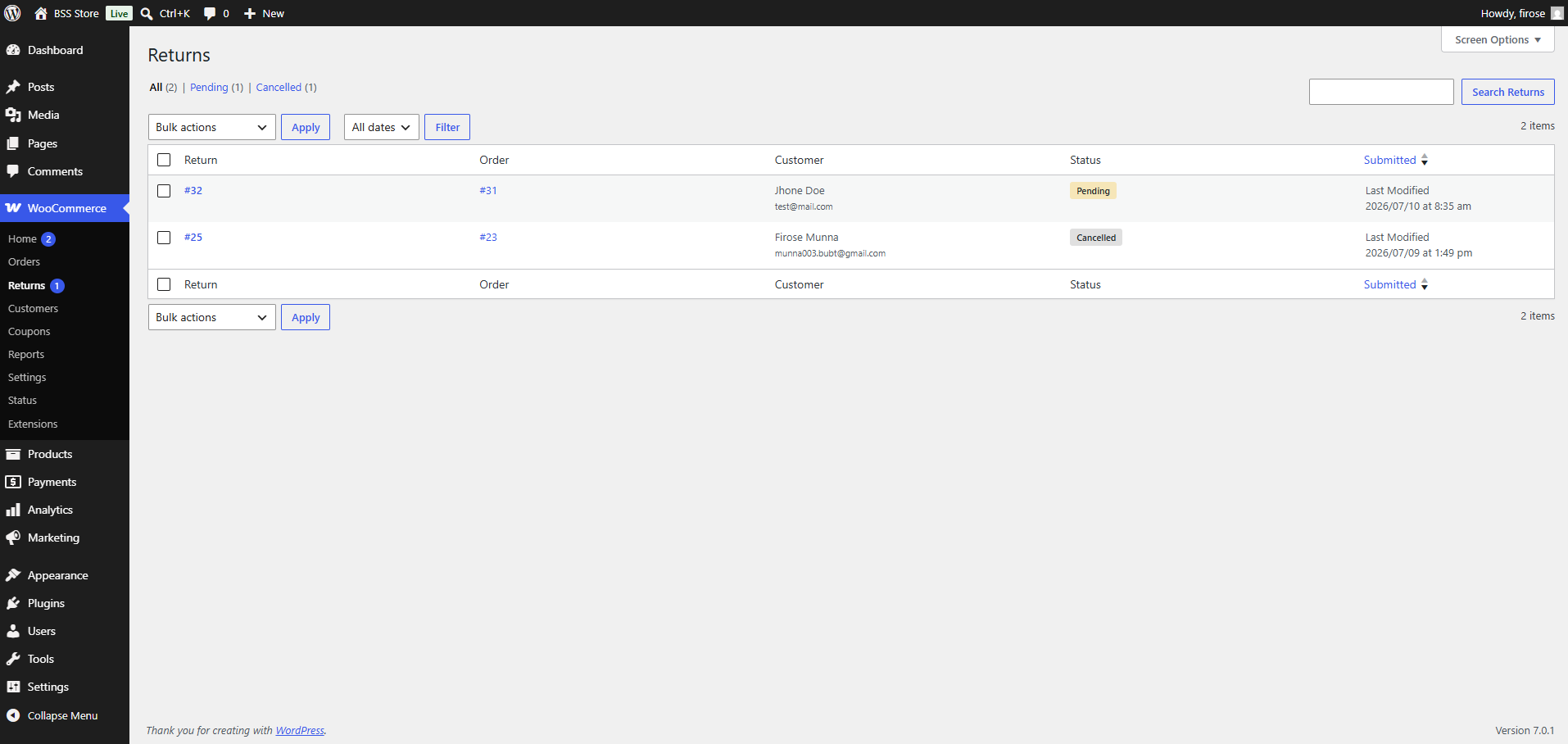
- Return management workflow — every request is stored as a private record under WooCommerce with clear Pending / Approved / Cancelled statuses.
- Edit requested items — reduce quantities or remove products from a pending request before you approve it.
- Order badges — see at a glance which orders have a return, and whether it is a full or partial one, right from the Orders list.
- Token-based emails — three built-in, fully editable WooCommerce emails (admin notification, customer confirmation, customer decision) with tokens such as
{order_number},{customer_name}, and{return_answers}. - Configurable return window — show the return button for a set number of days after an order completes, or always, and choose which order statuses are eligible.
- Secure file uploads — every upload is MIME-validated, size-limited, and stored in a protected directory with per-request access control, so only the customer and your team can reach it.
Built for any store
- Fully translatable — every string uses the
bss-return-manager-for-woocommercetext domain, a.pottemplate is included, and a Dutch (nl_NL) translation is bundled. - HPOS compatible — declares compatibility with WooCommerce High-Performance Order Storage and uses the WooCommerce CRUD API throughout.
- RTL ready — ships mirrored stylesheets for right-to-left languages.
- Developer friendly — action hooks (
bss_rma_admin_new,bss_rma_customer_confirm,bss_rma_customer_decision) let you plug in your own logic when a request is created or decided.
Privacy
BSS Return Manager for WooCommerce stores return requests in your own WordPress database and keeps uploaded files in a protected folder on your own server. It does not send any data to third-party services.
屏幕截图
安装
- Install the plugin: upload the
bss-return-manager-for-woocommercefolder to the/wp-content/plugins/directory, or install it from Plugins Add New in your WordPress dashboard. - Make sure WooCommerce is installed and active.
- Activate the plugin through the Plugins screen in WordPress.
After activating: configure the plugin
Open WooCommerce Settings Returns and set up each tab. The plugin ships with a working default form, so returns work right away — but review these settings to match your store:
- General — choose the return window (show the return button for a set number of days after an order completes, or always), select which order statuses are eligible for a return, set the admin notification email address, and set the upload file-size and file-count limits. If you want all plugin data removed when you delete the plugin, enable “Delete data on uninstall” here.
- Labels & Text — rewrite every customer-facing label and message (the return button, page titles, success and validation messages) in your own words and language.
- Form Builder — design the return form your customers fill in. Drag in the fields you need — reason for return, file uploads, the order-items picker, privacy consent — reorder them, group them into steps, then save.
- Emails — edit the three notification emails (admin new request, customer confirmation, customer decision), customise their subject and body with the available tokens, or switch any of them off.
Once configured, a Returns tab appears in each customer’s WooCommerce My Account area, and every request you receive is stored as a return record you can review, edit, approve, or cancel from your WordPress dashboard.
常见问题
-
Does the plugin require WooCommerce?
-
Yes. WooCommerce must be installed and active. The plugin adds the return request to the customer’s WooCommerce My Account area and reads and writes all order data through WooCommerce.
-
Does the plugin process refunds?
-
No. BSS Return Manager for WooCommerce manages the return workflow — the customer request form, your review and approval process, and the notification emails — and tags the order as a full or partial return. You process the actual refund in your payment gateway or through WooCommerce as usual.
-
Does this work with High-Performance Order Storage (HPOS)?
-
Yes. The plugin declares HPOS compatibility and reads and writes all order data through the WooCommerce CRUD API.
-
Can I customise the return form?
-
Yes. Use the drag-and-drop form builder under WooCommerce Settings Returns Form Builder to add, reorder, and configure fields.
-
Can customers upload photos with a return?
-
Yes. Add a file upload field to your form. Uploads are validated by type and size and are stored in a protected directory.
-
Is the plugin translatable?
-
Yes. All strings use the
bss-return-manager-for-woocommercetext domain, and a Dutch (nl_NL) translation is included. A.pottemplate is provided for additional languages.
评价
此插件暂无评价。
贡献者及开发者

更新日志
1.1.0
- Added: a form accent color setting (under WooCommerce Settings, Returns).
- Added: the return form buttons now match your active theme.
- Added: image preview with per-file remove on the file-upload field.
- Added: a Support link on the Plugins page and settings screen.
- Fixed: the privacy consent answer showed a raw %s placeholder in return details.
1.0.0
- Initial public release.