

描述
CliniQ DB scans your WordPress database and presents a plain-English health report — including a letter grade, an issue list, and exactly what to do about each problem.
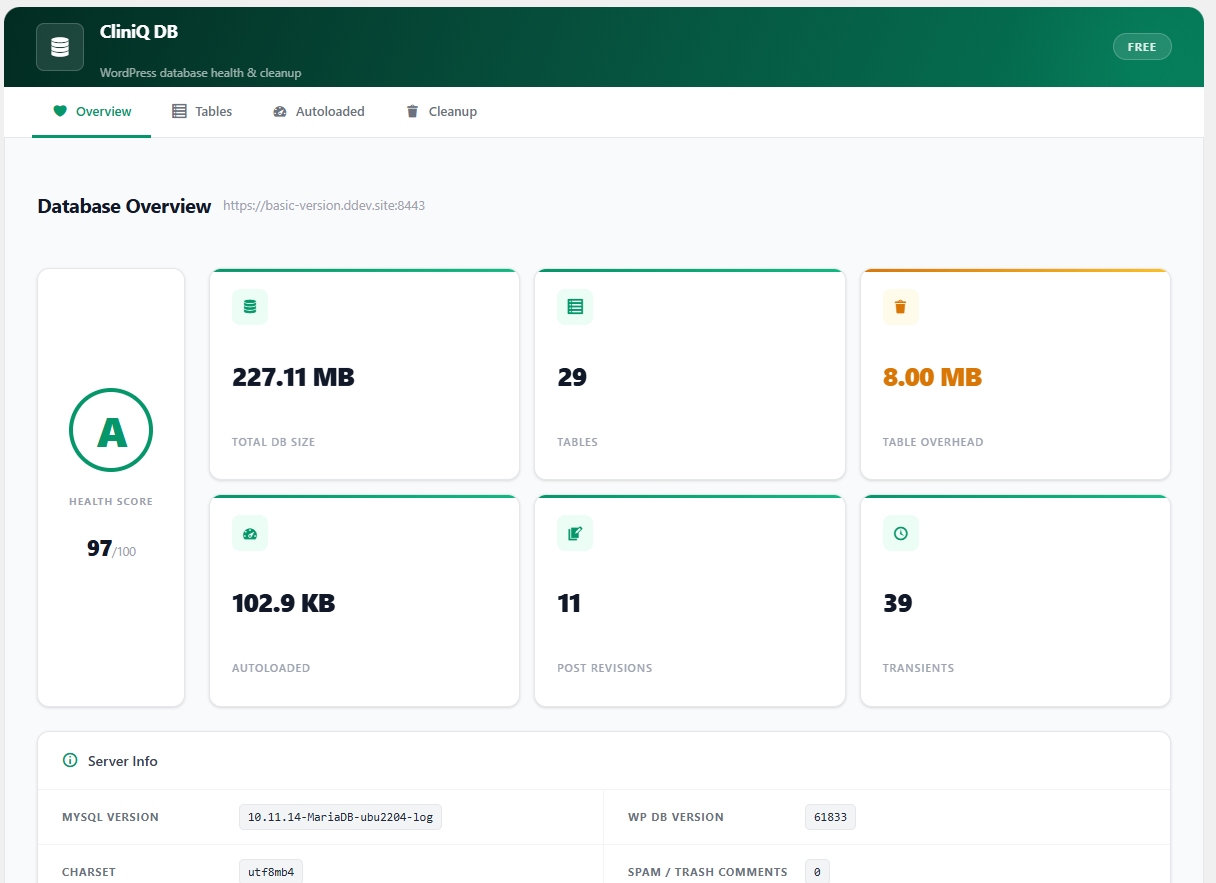
Overview tab
- Letter grade (A–F) with a 0–100 score
- Table count, total DB size, table overhead
- Autoloaded options size, revision count, transient count
- MySQL version, charset, WP DB version
- Spam/trash comment count, orphaned postmeta count
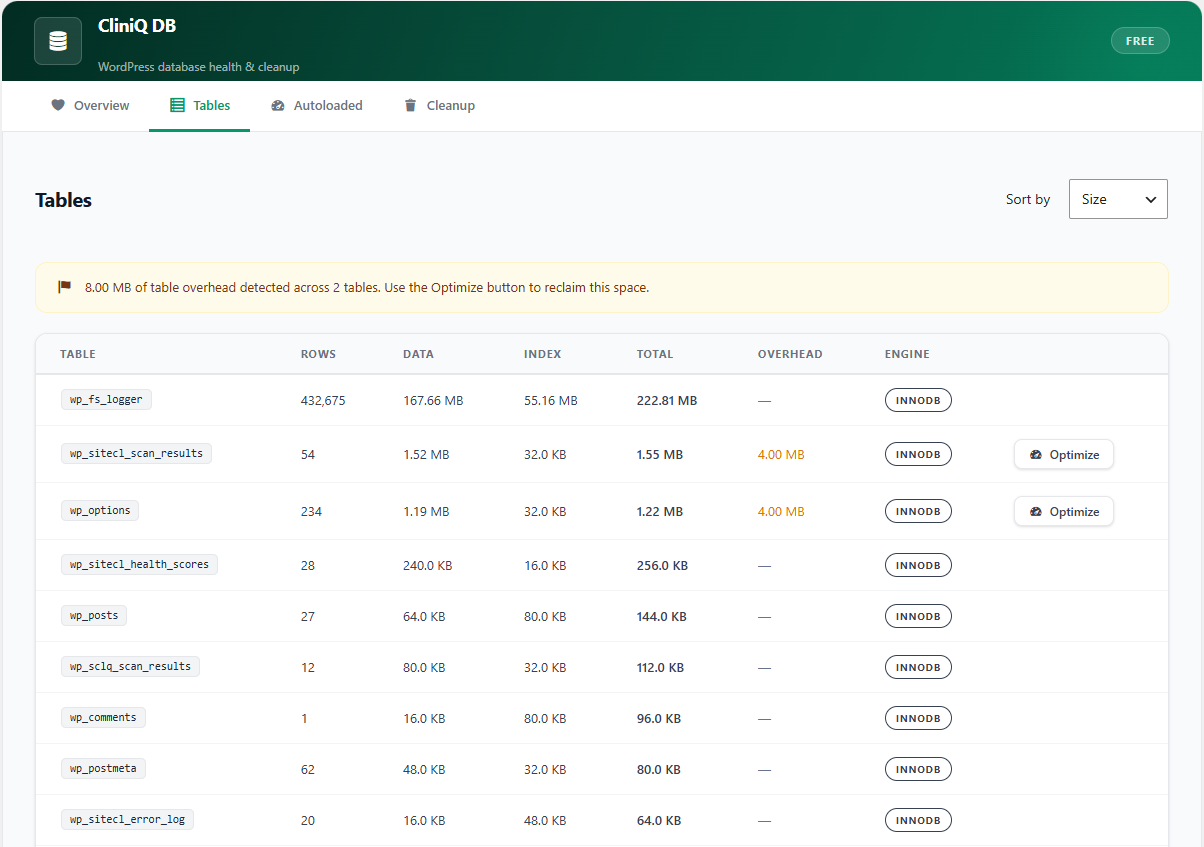
Tables tab
- Full list of all database tables sorted by size, overhead, or row count
- Per-table: data size, index size, overhead, engine, collation
- One-click Optimize button for tables with overhead
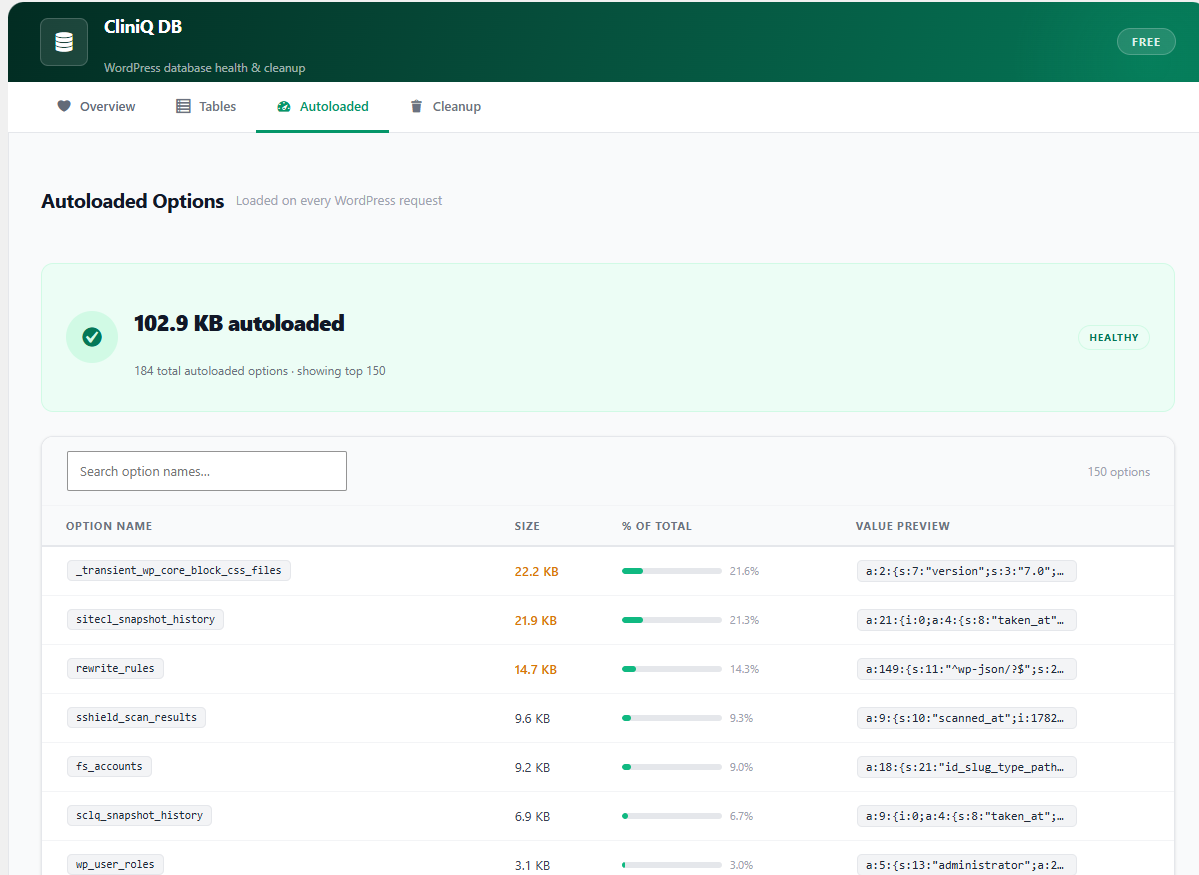
Autoloaded Options tab
- Lists the top 150 autoloaded options by size
- Per-option: name, size in bytes, percentage of total, value preview
- Highlights options over 10 KB in amber, over 50 KB in red
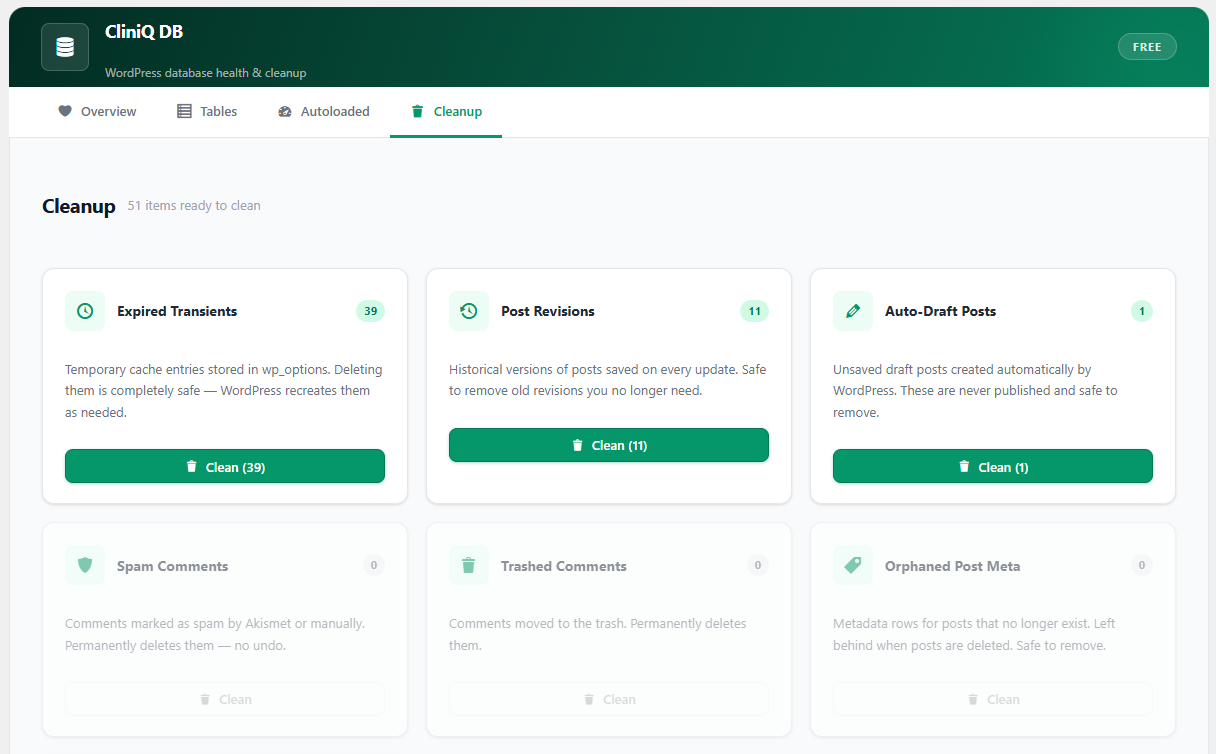
Cleanup tab
- Expired transients
- Post revisions
- Auto-draft posts
- Spam comments
- Trashed comments
- Orphaned postmeta
- Orphaned commentmeta
Each cleanup card shows the row count before cleaning and a confirmation message after. All operations are permanent — back up your database first.
Source Files & Build Process
The compiled JavaScript at assets/build/index.js is human-readable ES5 code that uses WordPress’s bundled wp.element (React) directly — no minification or transpilation is applied. The JSX source components in assets/src/ are included for reference.
To compile from JSX source:
- Run
npm installin the plugin folder. - Run
npm run build.
Build requirements: Node 18+, @wordpress/scripts ^26.
屏幕截图
安装
- Upload the
cliniq-dbfolder to/wp-content/plugins/. - Activate the plugin through the Plugins screen in WordPress.
- Navigate to CliniQ DB in the left admin menu.
常见问题
-
Is it safe to run the cleanup operations?
-
Yes. Every cleanup task only removes data WordPress no longer uses — expired transients, deleted-post leftovers, spam and trash. Back up your database before running cleanup on a production site as a precaution.
-
Will this affect my site’s front end?
-
No. CliniQ DB is an admin-only tool. It does not output anything to the front end and does not modify published content.
-
How is the health score calculated?
-
Each detected issue reduces the score: critical issues subtract 30 points, warnings subtract 15, and informational issues subtract 3. The letter grade maps to score ranges: A (90–100), B (75–89), C (60–74), D (45–59), F (0–44).
-
Does this work with Multisite?
-
The plugin scans the current site’s database tables. Full Multisite network-wide support is not included in this version.
评价
此插件暂无评价。
贡献者及开发者


更新日志
1.0.0
Initial release.
* Added translators comments to all i18n strings with placeholders.
* Fixed: esc_sql() applied to table name in OPTIMIZE TABLE query.
* Updated Tested up to: 7.0.
* Added languages/ directory for future translations.
* Added uninstall.php to remove plugin data on deletion.
1.0.0
Initial release.