

描述
The power of a page builder, the simplicity of native blocks.
DesignSetGo brings forms, sliders, dynamic queries, animations, and parallax to the block editor — without the bloat, lock-in, or learning curve. If you know WordPress blocks, you already know how to use it.
Why DesignSetGo
- Native blocks, not a page builder. Editor matches frontend. Static content stays put if you deactivate; dynamic blocks need the plugin to render. No proprietary markup, no lock-in.
- 53 blocks replace 5+ plugins. Forms, sliders, tabs, accordions, modals, maps, breadcrumbs, timelines, comparison tables, and the new Dynamic Query family.
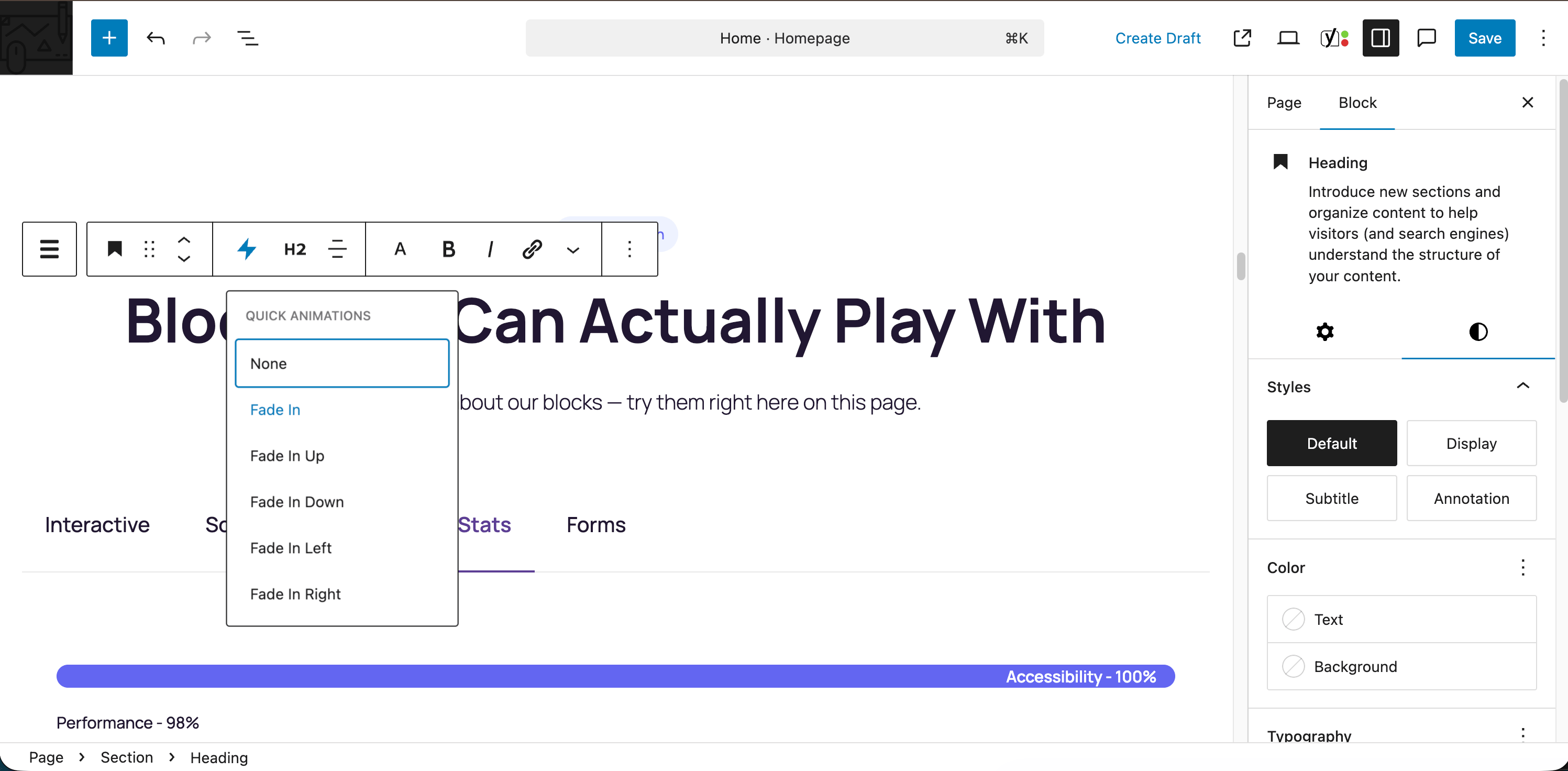
- 16 extensions enhance ANY block — including core and third-party blocks. Animations, parallax, sticky headers, responsive visibility, hover effects, conditional visibility.
- Complete form builder built in. AJAX, spam protection (Cloudflare Turnstile included), email notifications, submission dashboard. No Contact Form 7 required.
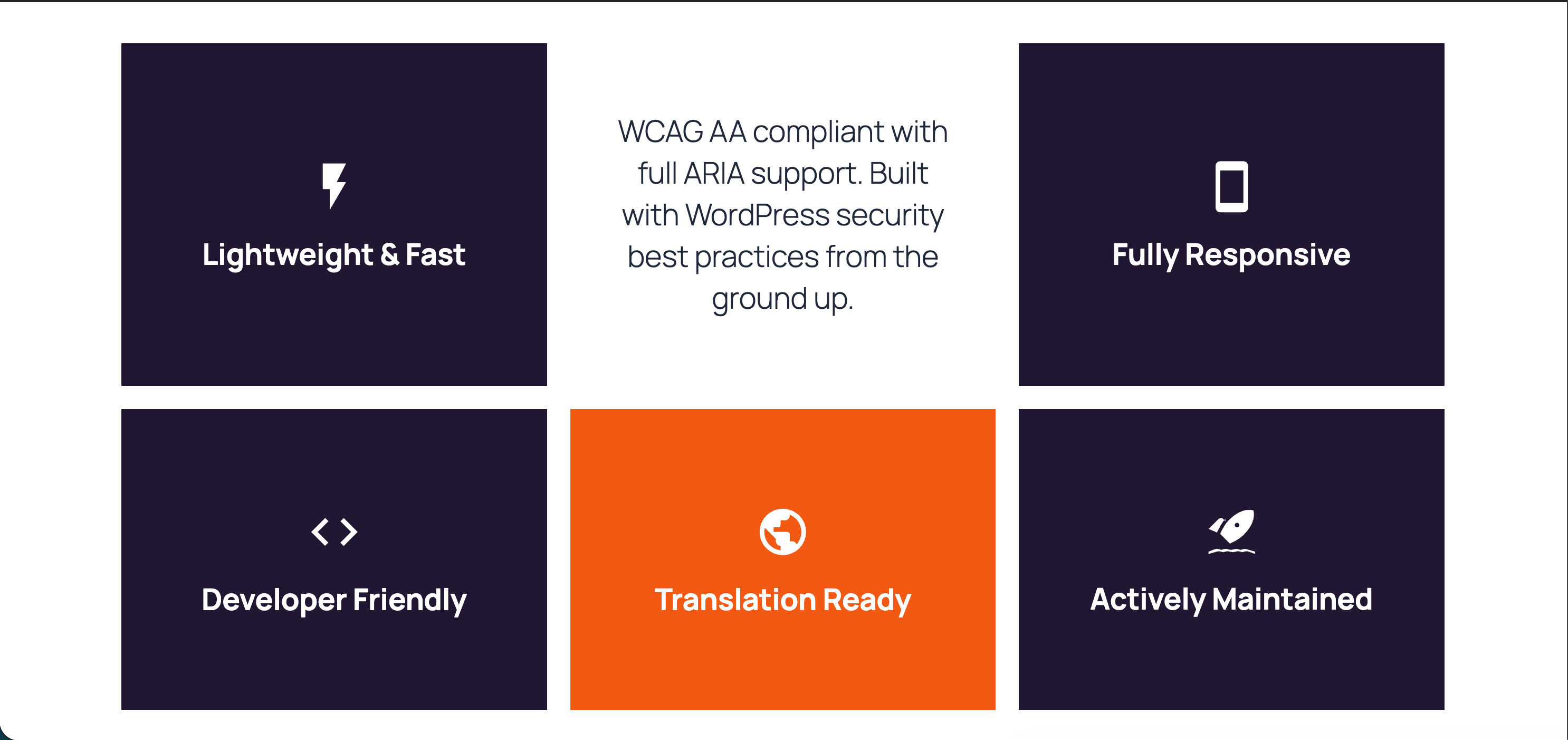
- Performance first. CSS bundle under 10 KB gzipped, no jQuery, per-block on-demand assets. PageSpeed scores stay high.
- WordPress-standard everything. theme.json, FSE, Block Bindings, REST API, WP-CLI, Schema.org markup, WCAG 2.1 AA accessible.
New in 2.1
- Dynamic Query — display any posts, users, terms, or relationship fields with filters, search, sort, and pagination (numbered, load-more, or infinite scroll). Faceted result counts, nested loops, group-by, server-rendered with editable templates.
- Dynamic Tags — bind any block’s text, link, or image to live data: post meta, ACF, Meta Box, Pods, JetEngine, or your own source. Works on DesignSetGo blocks and core blocks via the WordPress 6.9+ Block Bindings API.
- Conditional Visibility — show or hide any block by meta, taxonomy, login state, or position in a query loop, with AND/OR rules.
- Hover Effects extension, grid column toolbar with row span, per-URL Markdown for AI clients via the
Accept: text/markdownrequest header.
What’s Inside
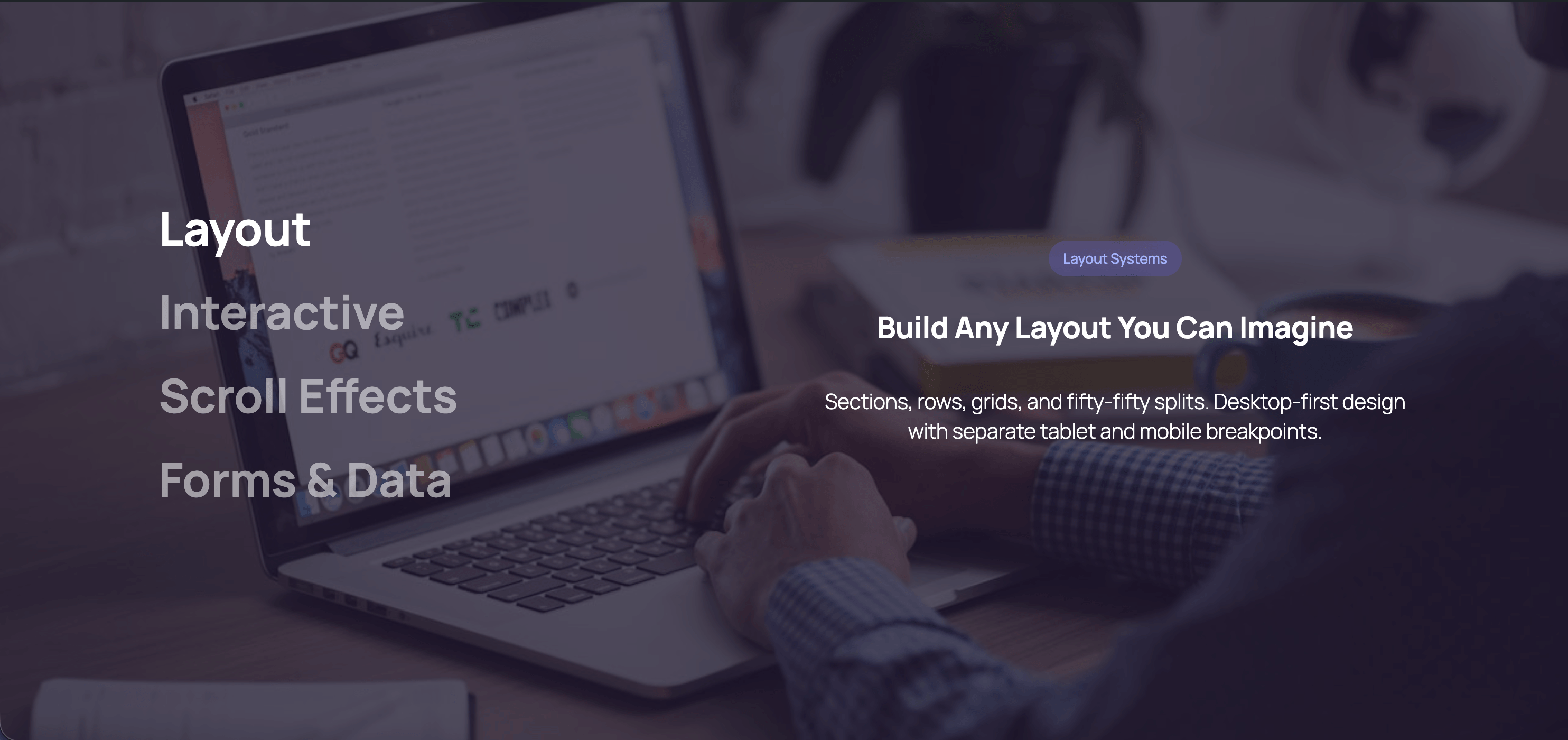
- Layout (3) — Grid, Row, Section with shape dividers
- Forms (13) — full builder with 11 field types and admin dashboard
- Interactive (15) — Tabs, Accordion, Modal, Modal Trigger, Flip Card, Slider, Scroll Slides, Sticky Sections, Scroll Marquee, Scroll Accordion, Image Accordion, Counter, Progress, Comparison Table, Timeline
- Dynamic Query (6) — Query, Pagination, Filter, Results, Group Header, No Results
- Typography & Navigation — Advanced Heading, Breadcrumbs (Schema.org), Table of Contents
- Visual (9) — 500+ Icons, Icon Button, Icon List, Pills, Cards, Dividers, Countdown, Blobs, Dynamic Image
- Media & Location — Fifty Fifty split layout, Map (Google Maps + OpenStreetMap)
- WooCommerce — Product Categories Grid, Product Showcase Hero
- Extensions (16) — Animations, Parallax, Text Reveal, Expanding Background, Sticky Header, Hover Effects, Clickable Groups, Background Video, Responsive Visibility, Conditional Visibility, Max Width, Custom CSS, Grid Span, Grid Mobile Order, SVG Patterns (25+), Reveal Control
- Plus — Text Style inline format, llms.txt + per-URL Markdown for AI, form submissions dashboard, draft mode for published pages
Privacy & Security
DesignSetGo respects your privacy:
* No tracking or analytics
* No data collection
* No external server connections
* No cookies or localStorage for tracking
* 100% GDPR compliant
Form submissions are processed on your server and sent via your WordPress email system. No third-party services required.
屏幕截图

区块
该插件提供了 65 个区块.
- Table of Contents Auto-generate a table of contents from page headings with smooth scroll navigation and scroll spy.
- Accordion Create accessible accordion sections with customizable icons and behavior for FAQs and content organization.
- Row Flexible horizontal or vertical layouts with wrapping. Perfect for button groups, hero sections, and responsive card layouts.
- Card Display content in a card layout with image, badge, title, subtitle, body text, and CTA button. Perfect for pricing, features, services, and team members.
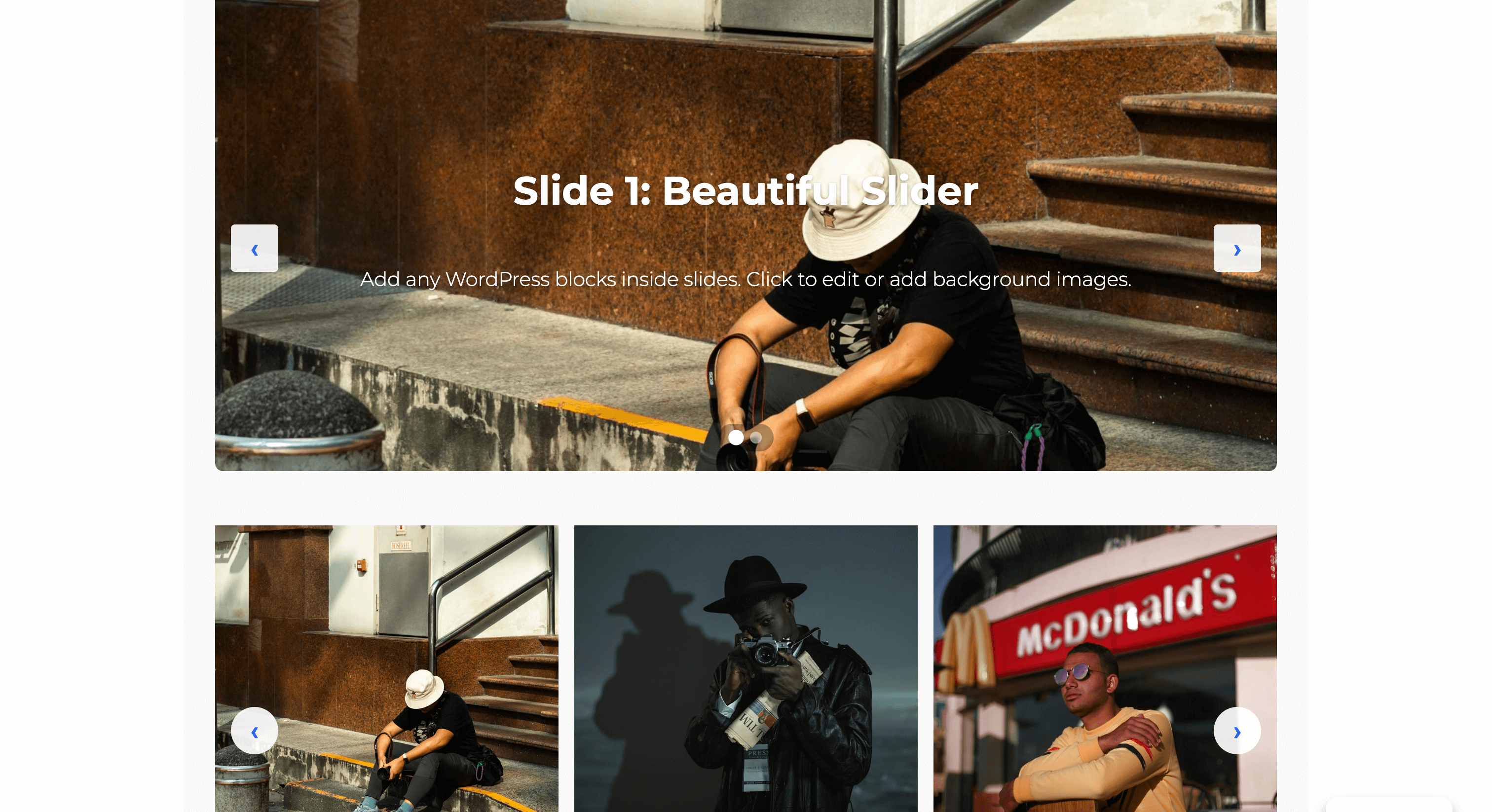
- Slider A modern, performant slider with multiple transition effects, auto-play, and full block support inside slides.
- Map Display an interactive map using OpenStreetMap or Google Maps.
- Comparison Table Display a feature comparison table for products, services, or plans
- Flip Card Interactive card that flips to reveal content on the back. Perfect for team profiles, product showcases, and feature highlights.
- Blobs Create random, unique, and organic-looking blob shapes. Customize with gradients, overlays, and images. Animate with smooth morphing effects.
- Tabs Create tabbed content with icons, deep linking, and responsive accordion mode.
- Product Showcase Hero Full-width hero section showcasing a WooCommerce product with large image, price, rating, and add-to-cart action. Requires WooCommerce.
- Section Vertical stacking container for sections and content areas. Perfect for building layouts with consistent spacing. Can be nested within other sections for complex page structures.
- Icon Button A customizable button with optional icon and hover animations.
- Divider Add a visual separator with multiple style options including solid, dashed, gradient, and decorative patterns.
- Counter Group Display animated statistics and numbers that count up on scroll
- Icon Display an inline SVG icon with customizable styling.
- Modal Trigger A button or link that opens a modal dialog.
- Dynamic Query Query any posts, users, or terms and render them with your own block design. Supports filters, pagination, and Block Bindings.
- Pill Display text with a rounded background that wraps tightly around content.
- Query Filter Filter, search, sort, or reset a Dynamic Query via URL parameters with no page reload.
- Grid Responsive multi-column grid layouts. Perfect for feature grids, product listings, team members, and card layouts.
- Dynamic Image An image block whose source resolves at render time from the post, site, user, or a custom field (ACF, Meta Box, Pods, JetEngine).
- Fifty Fifty Full-width 50/50 split layout with edge-to-edge media on one side and constrained content on the other. Perfect for hero sections, feature highlights, and about sections.
- Sticky Sections Sections that stick and stack as you scroll, creating a card-stacking reveal effect
- Timeline Display chronological events, company history, or process steps in a visual timeline format with customizable layouts and scroll animations.
- Breadcrumbs Display navigation breadcrumbs with Schema.org markup for improved UX and SEO.
- Scroll Accordion Accordion that reveals items progressively as you scroll down the page
- Icon List Create a list of items with icons, titles, and descriptions.
- Countdown Timer Display a countdown timer to a specific date and time with customizable styling.
- Advanced Heading Create headings with multiple font styles — mix fonts, weights, and colors within a single heading for advanced typographic designs.
- No Results Content shown when the Dynamic Query returns no items.
- Progress Bar Display progress or statistics with an animated bar
- Product Categories Grid Display WooCommerce product categories in a visual grid with images, names, and product counts. Requires WooCommerce.
- Scroll Slides Full-screen scroll-pinned slideshow with crossfading content and navigation
- Query Pagination Pagination controls for the Dynamic Query block. Supports numbered links and Interactivity-API load-more.
- Scrolling Gallery Display rows of images that scroll horizontally in alternating directions based on page scroll. For best performance, use optimized images (WebP format recommended) and limit to 20 images or less.
- Form Builder Create custom forms with multiple field types, AJAX submission, and spam protection.
- Modal Create accessible modal dialogs with customizable triggers and content.
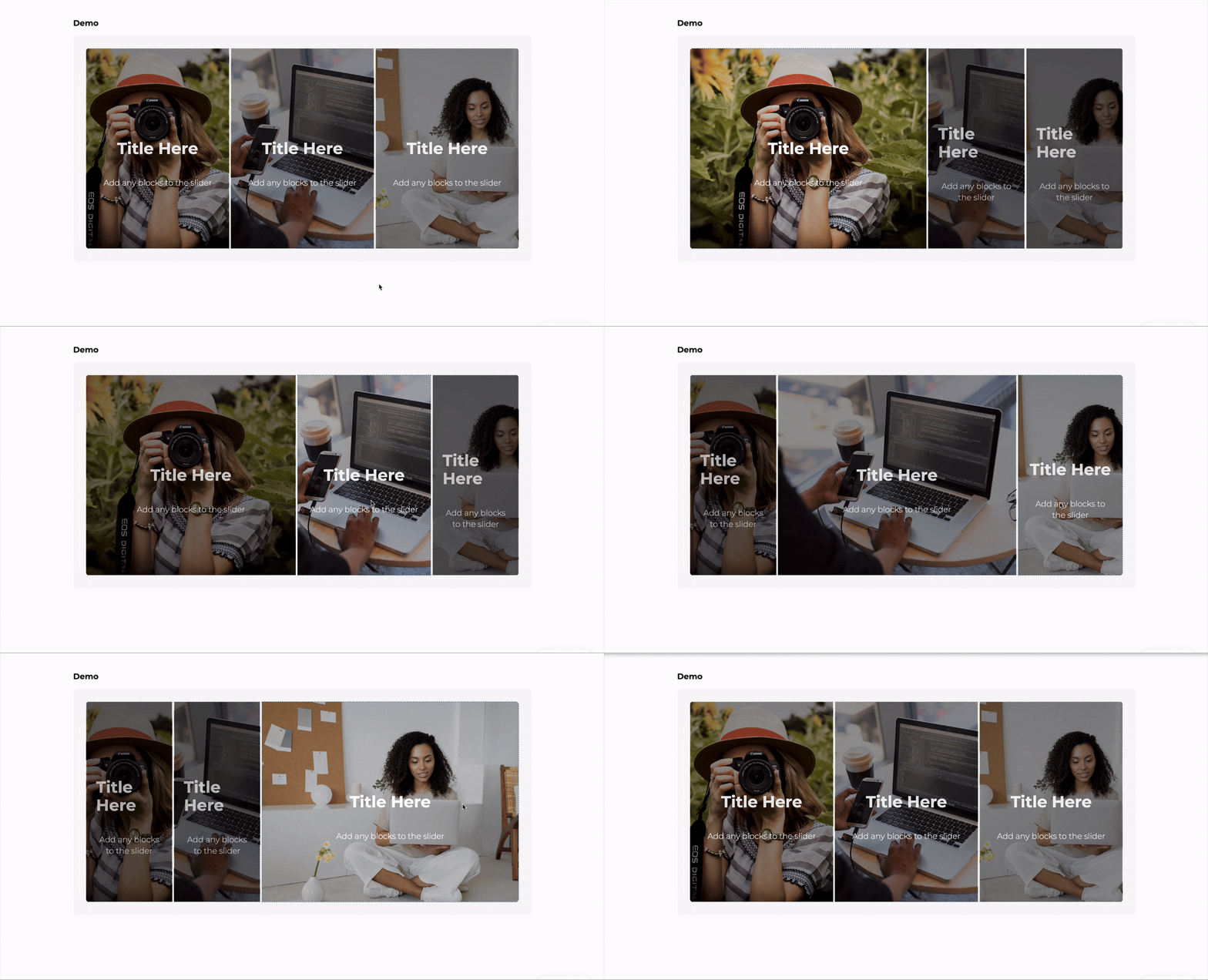
- Image Accordion Display a series of expandable image panels that reveal content on hover or click, perfect for showcasing portfolios, galleries, or featured content.
- Slide Individual slide within a slider with background image support and full block flexibility.
- Date Field A date picker input field for forms.
- Scroll Slide Individual slide within a Scroll Slides block
- Flip Card Back Back face of the flip card.
- Email Field Email input field with built-in validation.
- Query Results The repeating grid of items inside a Dynamic Query. Holds the item template that renders once per result.
- Text Field Single-line text input field for forms.
- Heading Segment A text segment within an Advanced Heading — each segment can use a different font, weight, or color.
- Textarea Multi-line text area for longer text input.
- Query Group Header Renders once per group inside a Query with group-by enabled. Use block bindings or context to display the group label.
- Timeline Item An individual milestone or event within a timeline.
- URL Field A URL/website address input field for forms.
- Flip Card Front Front face of the flip card.
- Select Field A dropdown select field for forms.
- Time Field A time picker input field for forms.
- Tab Individual tab panel within a Tabs block.
- Flip Card Face A face of the flip card. Use the Side attribute to mark it as front or back.
- Checkbox Field A single checkbox field for forms.
- Image Accordion Item An individual expandable panel within an image accordion.
- Icon List Item A single item in an icon list with icon, title, and description.
- Hidden Field A hidden field for passing data in forms.
- Phone Field A phone number input field for forms.
- Counter Individual counter item with animated number
- Scroll Accordion Item Individual item within a Scroll Accordion
- Number Field A number input field for forms.
- Accordion Item An individual collapsible item within an accordion.
安装
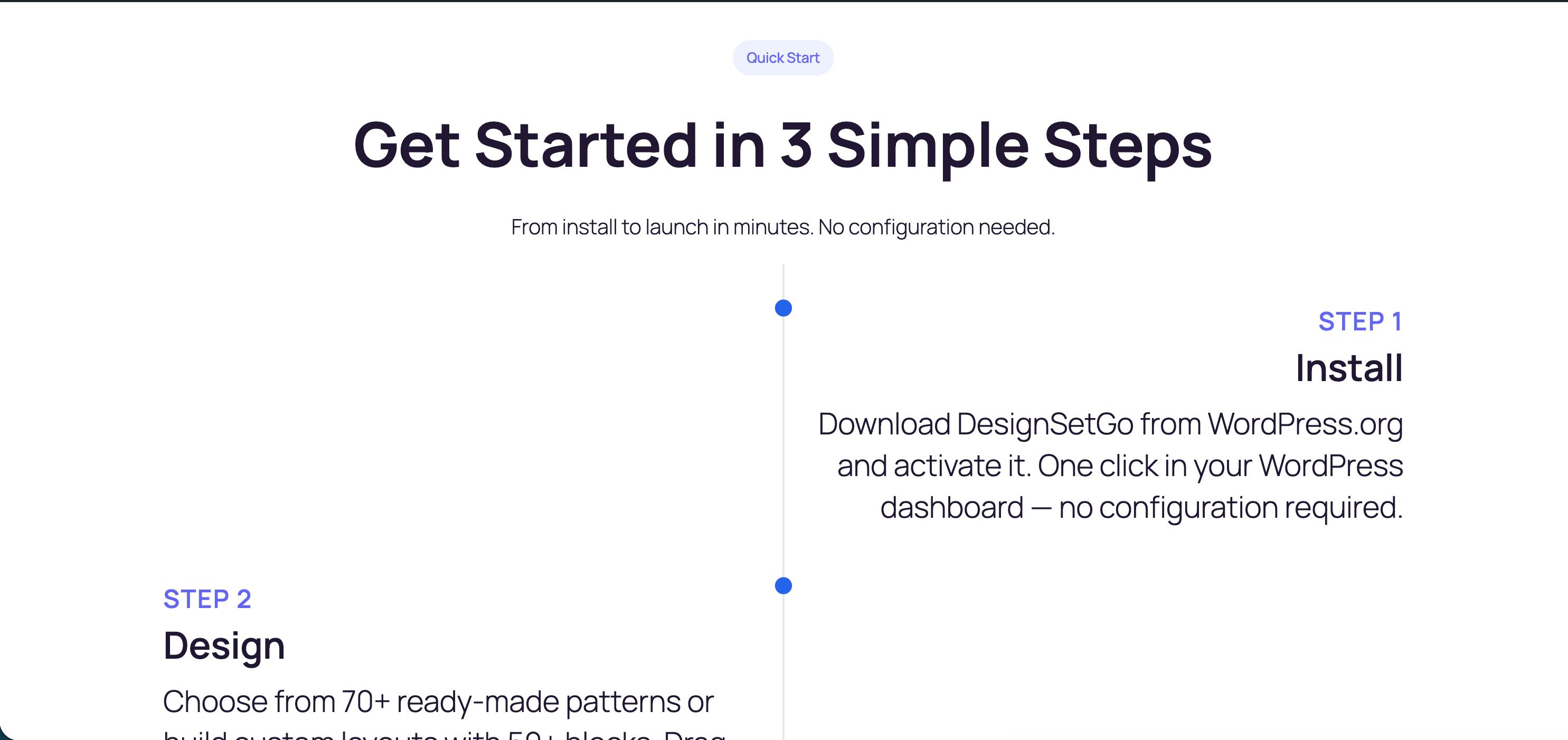
- Plugins Add New, search DesignSetGo, click Install, then Activate.
- Edit any post or page, click +, and look for the DesignSetGo category.
Manual install: upload the ZIP via Plugins Add New Upload Plugin.
常见问题
-
Will it work with my theme?
-
Yes. DesignSetGo respects theme.json colors, spacing, and typography, and is tested with FSE themes including Twenty Twenty-Five.
-
Will it slow my site down?
-
No. CSS is under 10 KB gzipped, there’s no jQuery, and per-block assets load on-demand.
-
What happens if I deactivate it?
-
Your content stays intact. DesignSetGo uses WordPress standards, so layouts render as standard containers — no broken markup, no lock-in.
-
Do I need to know code?
-
No. Everything is controlled through the block inspector. Custom CSS per block is supported if you want it.
-
Does it work with FSE and WooCommerce?
-
Yes to both. All blocks work in the Site Editor, templates, and template parts. Use DesignSetGo blocks on any WooCommerce page; the Sticky Header extension is built for FSE header parts.
-
Where do I get support?
-
Documentation, the support forum, or GitHub.
评价


贡献者及开发者

更新日志
2.1.2 – 2026-05-13
- New: Abilities API —
designsetgo/get-global-cssanddesignsetgo/update-global-cssfor reading and writing the active theme’s Additional CSS (the WordPress Customizer’s “Additional CSS” panel) viawp-abilities/v1. - New:
designsetgo_llms_txt_extra_sectionsfilter — lets sibling plugins inject extra sections into the generatedllms.txt. - Fix: Modal block now falls back to in-memory state when
localStorage/sessionStorageis blocked (private mode, sandboxed iframe, storage-access denial), so “shown once” / “dismissed” modals no longer throw. - Fix:
designsetgo/get-global-cssability now accepts empty/missing JSON input on GET requests instead of returning arest_invalid_paramerror. - Perf: Simplified block-detection cache key, trimmed redundant frontend enqueues, and clear the cache before post deletion so stale entries no longer survive trash delete cycles.
2.1.1 – 2026-04-27
- Fix: Eliminates
_load_textdomain_just_in_timePHP notices on WordPress 6.7+. Dynamic Tags default group registration now defers toafter_setup_theme, and Abilities API registrations defer toinitwhen those hooks fire before translations are loaded. Recommended for all sites; no content or settings changes required. (Props @ncimbaljevic-godaddy)
2.1.0 – 2026-04-24
New Blocks
* New: Dynamic Query — a full-featured query block that iterates Posts, Users, Terms, Manual selections, or the Current archive, with tax_query, meta_query, search, author, date, and offset controls. Renders entirely server-side with an editable template and pluggable sources.
* New: Query Pagination — numbered, load-more, or infinite-scroll pagination variations (infinite scroll uses IntersectionObserver and auto-pauses after 3 loads, respecting prefers-reduced-motion).
* New: Query Filter — 6 variations (checkbox, select, search, sort, active-filters, reset) with per-option result counts that update as other filters change.
* New: Query No Results — content shown when a query returns zero items.
* New: Query Group Header — renders once per group when group-by is enabled, with designsetgo/groupLabel + designsetgo/groupValue context for bindings.
* New: Query Results — the child renderer block split out of Dynamic Query so non-grid layout hosts (Slider, Scroll Slides) can take over rendering while sharing the same source and filters.
Dynamic Tags — bind any block to dynamic data
* New: Dynamic Tags — an Elementor-style picker on the block toolbar that binds text, titles, URLs, and images to live data (post meta, ACF, Meta Box, Pods, JetEngine, or any custom source). Live preview in the editor, and works on DesignSetGo blocks plus any core block that opts into WordPress 6.9’s Block Bindings API.
* New: Native Block Bindings support on DesignSetGo blocks for WordPress 6.9+ — Advanced Heading Segment, Breadcrumbs home/prefix text, and Query Pagination labels are now bindable out of the box.
* New: Third-party field sources for Meta Box, Pods, and JetEngine — formatted dates, files, and relationships render correctly because each source delegates to the host plugin’s own formatting API. Each source only registers when its host plugin is active.
* New: DesignSetGo post-meta and ACF binding sources — always available, with an optional scope arg (self / parent / root) for nested loops.
Dynamic Query — filters, grouping, nested loops, and more
* New: Relationship source — point a Dynamic Query at a relationship field (meta or ACF) and it iterates the referenced posts. Configurable fallback when no IDs are resolved.
* New: Nested loops with parent context — an outer Query’s current item flows into inner Queries via a shared parent stack, so bindings in the inner loop can read the outer item’s fields via a new scope setting (self / parent / root).
* New: Group-by partitioning — split iterated items by taxonomy, meta, or date (year / year-month / year-month-day). Each group is wrapped in its own <section> with the new Query Group Header block rendered once per group.
* New: Date Query builder — before / after / between filters with relative expressions (-30 days, today, ISO dates).
* New: Multi-level AND/OR filter groups in both the Taxonomy and Meta clause builders.
* New: Per-clause “Include children” toggle on taxonomy filters.
* New: Filter index powering sub-millisecond per-option counts on Dynamic Query filters ((N) counts next to each option, intersection-aware across multiple active filters).
* New: Settings DesignSetGo Dynamic Query admin dashboard — rebuild filter index and manage ad-hoc filter registrations.
* New: WP-CLI commands: wp dsgo query index rebuild/rebuild-filter/status/drop.
* New: Editor live preview for Dynamic Query — real posts, users, and terms render in the editor with the first item’s template editable.
* New: Template picker onboarding on fresh Dynamic Query inserts (Minimal, Blog Index, Team, Portfolio, Testimonials, Related Posts, Events).
* New: Template export/import as JSON — share a configured Dynamic Query (or template part within one) between sites via REST + inspector buttons.
* New: Query-bound Slider and Scroll Slides — both blocks can now iterate Dynamic Query items as slides, with editor/frontend parity.
* New: Query Monitor integration — when Query Monitor is active, a “DSGo (N)” panel shows per-render query args, found-posts count, duration, and the actual SQL.
* New: CSS-only loading skeletons during filter/pagination refreshes (shown via aria-busy="true" state).
* New: ItemList schema.org markup for Posts queries (on by default, togglable per block).
* New: REST endpoints for headless / AJAX consumption — /designsetgo/v1/query/render, /preview, /filter-register, /filter-status, /filter-rebuild, /filters, /template.
Conditional visibility
* New: Every block now has an Advanced Visibility panel. Show or hide a block based on meta, taxonomy, the current item’s index in a query loop, or whether the visitor is logged in. Combine rules with AND/OR and operators like equals / contains / gt / lt / empty. Editor previews mirror what ships on the frontend.
Per-URL Markdown
* New: Per-URL Markdown content negotiation — any published page or post URL returns Markdown when a client sends Accept: text/markdown. Passes the acceptmarkdown.com readiness contract. Respects the llms.txt enablement flag, post-type allowlist, per-page exclusion, and password-protected posts.
New Extension
* New: Hover Effects — animated hover interactions that work on any block, including core.
Editor UX foundations (Themes 1–6)
* Improved: Unified first-insert placeholder & onboarding across compound blocks (accordion, flip-card, image-accordion, scroll-accordion, slider).
* Improved: Flip Card — front/back child blocks consolidated into a single Flip Card Face block with a side attribute and starter colors.
* Improved: Inspector IA standardized across the library — every block’s sidebar uses the same Settings Style Advanced panel structure, with per-control reset-to-default.
* Improved: Discoverability polish — block icons, category registration, and naming cleaned up across ~30 blocks.
* Improved: Shared tablist keyboard navigation and child block toolbar (Add / Duplicate / Move / Remove) rolled out to Tabs and Slider.
Editor UX — new controls and polish
* New: Grid column toolbar — pick 1–6 columns directly from the Grid block’s toolbar (dropdown above 6).
* New: Grid row span — grid children can now span multiple rows alongside the existing column span.
* Improved: Dynamic Image — new inspector layout with a sticky footer, live editor preview, and Select-based controls for every finite-option setting.
* Improved: Form builder now persists the confirmation message across page reloads, so submitters still see the thank-you after a refresh.
* Improved: Distinct titles for taxonomy / meta / date filter panels, visible unchecked checkboxes, optional horizontal orientation, and modern filter inputs that inherit theme.json presets.
Bug Fixes
* Fix: Heading Segment default gap is now 0 so adjacent segments read as a single heading.
* Fix: Section clears its default padding automatically when nested inside another Section.
* Fix: Row — inner flex-direction flips correctly on mobile stack.
* Fix: Sticky header — smooth logo shrink transition in both scroll directions.
* Fix: Sticky header — a typo in the custom selector setting no longer breaks frontend JavaScript; invalid selectors silently fall back to the default header detection.
* Fix: llms.txt generation now writes reliably on managed hosts (WP Engine, Kinsta, Pantheon) — file writes route through the WordPress filesystem API with a safe fallback.
* Fix: Advanced Heading segment appender restored on the canvas.
* Fix: Inspector panel controls render full-width correctly; Tabs activeTab index clamped defensively on editor and frontend.
* Fix: Abilities API add-block output round-tripped through save() to prevent block validation failures.
* Fix: Abilities JSON Schema — inline required:true migrated to JSON Schema compliant form.
Security
* Security: Form submissions — redirect URL normalized and validated before navigation (blocks javascript: and other unsafe protocols).
* Security: Draft Mode REST routes now require nonce verification on their permission callbacks.
* Security: Dynamic CSS style bindings block dangerous values (url(, expression(, javascript:) and enforce a property allowlist so bindings can’t leak behavioral styles.
* Security: Global Styles values are validated against a CSS-value allowlist before being saved — every functional CSS context (var, calc, clamp, min, max, rgb, hsl) rejects url(, expression(, and javascript: payloads.
* Security: Sticky header custom selector setting rejects HTML angle brackets and known CSS injection patterns (javascript:, expression(, url(, @import) before the value reaches the frontend.
Removed
* Removed: Visual Revision Comparison — WordPress 7.0 ships native visual diffs for revisions, so the custom admin page, block differ, REST endpoints, and associated settings have been removed.
Developer
* designsetgo_register_bindings_source( $slug, $callback, $options ) — public helper to register custom binding sources with DSGo’s post-password, viewable, protected-meta, and scope gates built in.
* designsetgo_resolve_bindings_post_id( $args, $block ) — scope-aware post-ID resolution for callers that use the core binding registration API directly.
* designsetgo_visibility_rule filter — add custom visibility rule types.
* designsetgo_query_partition_items( $post_ids, $group_spec ) — public helper for custom group-by integrations.
* designsetgo_query_args + designsetgo/query/{queryId}/args — pre-WP_Query filter hooks (scoped or global).
* designsetgo_query_registered_filters — programmatic filter registration for the Dynamic Query filter index.
* designsetgo_block_bindings_supported_attributes — extend native Block Bindings coverage to additional DSGo block attributes.
2.0.51 – 2026-04-16
Editor UX Improvements:
* Slider: new editor-only slide navigator strip below the track with per-slide duplicate/remove actions and an “Add slide” button
* Slider: the slide “+” appender is pinned to the bottom-center of each slide so it no longer collides with the editor preview arrows
* Form Builder: skippable first-insert template chooser with Blank, Contact, Newsletter, Event Registration, and Lead Capture presets
* Form Builder: “Reply-To Field” is now a structured dropdown populated from the actual form fields (was a raw text input)
* Image Accordion: “Default Expanded Item” is now a named item picker showing each item’s heading text (was a 0–10 numeric slider)
* Tabs: inline-editable tab titles in the nav strip, per-tab duplicate/remove on hover, and an “Add tab” button
* Advanced Heading: the segment appender is restored so authors can add more heading segments from the canvas
Security Hardening:
* Validate background-video overlay color against an explicit CSS color grammar before assigning to the DOM — blocks url()/expression()/javascript: injection
* Replace innerHTML with DOM APIs (createElement/createElementNS) in slider and modal frontend scripts
* Gate LLMS markdown REST endpoint at feature-disabled check before rate-limiter to prevent post-existence enumeration on disabled installations
* Normalize CSS unicode escapes and null bytes before the custom CSS sanitizer’s regex pipeline; add a final defense pass after the filter hook
Bug Fixes:
* Fix: Tabs frontend no longer shows “Click the + button below to add content to this tab” — the block.json style asset was pointing at the editor CSS bundle
* Fix: an empty Form Builder (placeholder dismissed without picking a template) no longer renders an orphan submit button on the frontend
2.0.50 – 2026-04-14
Bug Fixes:
* Fix: Form submissions not sending email notifications — server-side block attribute lookup now honors block.json defaults so forms with default settings correctly trigger admin email on submit
2.0.49 – 2026-04-12
Bug Fixes:
* Fix: Form submissions rejected as “too fast” due to timestamp being set at submit time instead of page load time — anti-spam timing check now works correctly
2.0.48 – 2026-04-12
Bug Fixes:
* Fix: Form submissions failing on GoDaddy and Cloudflare-hosted sites with “Unexpected token” JSON error — added admin-ajax.php fallback with three-tier submission (REST API admin-ajax native POST)
* Fix: Non-AJAX form submission path was not saving submissions or showing success messages — added admin_post handler
* Fix: Slider navigation arrows and dots not working in block editor — resolved iframe DOM scoping and pointer-events issues
* Fix: Phone field paste handler crash when browser extensions interfere with clipboard events
Improvements:
* Enhancement: SMTP plugin compatibility notice in Email Notifications panel
* Enhancement: User-friendly error messages for rate-limited form submissions
* Enhancement: Form status query params cleaned from URL after displaying messages
2.0.47 – 2026-04-03
Bug Fixes:
* Fix: Soft-reload support for sticky header, form builder, and phone field — blocks now re-initialize correctly after soft page navigation
* Fix: Re-initialize icons and scripts on soft page reload
* Fix: Add initialization guards for countdown-timer, counter-group, and progress-bar to prevent double-init
* Fix: Tear down parallax scroll/resize listeners and disconnect orphaned IntersectionObserver before re-init
* Fix: Refresh form timestamp at submit time instead of init time
* Fix: Stop setting default colors on sticky header and allow clearing color controls
* Fix: Harden draft-mode navigateTo() — validate URL protocol before navigation (security)
Improvements:
* Enhancement: CI — skip wp plugin delete in lifecycle test, use @wordpress/env, allow wp-env stop to fail gracefully
* Enhancement: Optimize screenshot-1.gif for WordPress.org 10MB limit
2.0.46 – 2026-03-23
Bug Fixes:
* Fix: Flip card inner blocks no longer allow duplicate front/back faces — dynamic allowedBlocks only permits missing face types
* Fix: Flip card now fills parent grid cells equally when align-items is stretch
* Fix: Horizontal tabs nav no longer shows unwanted vertical scrollbar
* Fix: Shape divider line visible on flipped shapes
* Fix: Handle nested JSON braces in draft mode block comment preservation
New Features:
* Feat: Scroll slides auto-apply overlay color (#111111) when a slide gets a background image
Improvements:
* Enhancement: CI — use npx wp-env stop to survive plugin delete; check transients via DB query
2.0.45 – 2026-03-23
Bug Fixes:
* Fix: Plugin deletion no longer causes a critical error — uninstall cleanup is now fault-tolerant with per-step error handling
* Fix: Deactivation modal no longer auto-scans your site — shows an explanation first and lets you choose to scan or just deactivate
* Fix: Orphan llms.txt file is now cleaned up during plugin deletion
* Fix: Modal focus restored to deactivate link when closed (accessibility)
Improvements:
* Enhancement: Added plugin lifecycle smoke test (activate/deactivate/delete) to CI pipeline
* Enhancement: Added PHPUnit integration test for uninstall cleanup logic
2.0.44 – 2026-03-19
Bug Fixes:
* Fix: Frontend assets (responsive visibility, animations, extensions) now load for blocks in template parts (header/footer), not just post content
* Fix: Remove unwanted has-global-padding on grid inner container that caused extra padding in headers
* Fix: Responsive visibility classes (hide desktop/tablet/mobile) now properly override layout display rules on all blocks
* Fix: Remove unused has_dashicon_blocks method (PHPStan)
* Fix: Row block vertical alignment now works correctly when nested inside a grid
2.0.43 – 2026-03-19
Bug Fixes:
* Fix: Icon button blocks in header/footer template parts now display correct styles and icons on all pages, not just pages containing an icon button in post content
2.0.42 – 2026-03-19
Enhancements:
* Feat: Add left/center/right content justification controls to breadcrumbs block
2.0.40 – 2026-03-09
Bug Fixes:
* Fix: Add padding below scroll-driven slider for progress bar clearance
* Fix: Apply slide block gap to content wrapper for editor/frontend parity
* Fix: Increase scroll-driven slider CSS specificity to prevent sticky header override
* Fix: Add bare color slug detection to convertPresetToCSSVar for CSS Color L4 compliance
* Fix: Remove white background from scroll slides nav inputs in editor
2.0.39 – 2026-03-08
Bug Fixes:
* Fix: Resolve React DOM removeChild error in editor on pages with form blocks by moving render-time setAttributes calls to useEffect in all form field blocks
* Fix: Add phone field v3 deprecation for API-generated content with inline country code options
* Fix: Prevent duplicate placeholder option in select field when API includes placeholder in options array
2.0.37 – 2026-03-08
New Blocks:
* New: Scroll Slides block — scroll-pinned slideshow with crossfade transitions, navigation headings, and mobile tap-to-navigate mode
* New: Sticky Sections block — card-stacking scroll effect where sections stack on top of each other as you scroll
New Features:
* New: Scroll-driven horizontal mode for Slider block with vertical viewport centering
Improvements:
* Enhancement: Unified block inserter icon color to #F25912 orange across all blocks and variations
Bug Fixes:
* Fix: Shape divider sub-pixel coverage gaps at certain zoom levels
* Fix: Revert premature block support stabilization and add enableAlpha to color pickers
* Fix: Restore accordion color control UX help text lost during migration
* Fix: Editor overlay stacking context containment for sticky sections
Tests:
* Test: Add frontend unit tests for 11 blocks
Documentation:
* Docs: Add user guides for Scroll Slides and Sticky Sections blocks
2.0.36 – 2026-03-07
New Features:
* New: Redirect visitors to a custom URL after successful form submission — perfect for thank-you pages, upsells, or next steps
* New: Phone field country code dropdown is now compact and easier to use on all screen sizes
Improvements:
* Enhancement: Simplified abilities system from ~110 to 14 focused abilities for faster, more reliable AI-powered block insertion
* Enhancement: WordPress 7.0 compatibility — stabilized block support keys for seamless upgrades
* Enhancement: Removed custom visual revision comparison — WordPress 7.0 now includes native visual diffs, so this feature is no longer needed
Bug Fixes:
* Fix: Resolved “unexpected or invalid content” errors that could appear when updating from older plugin versions
* Fix: Maps now show a fallback location instead of a blank map when an address can’t be geocoded
* Fix: Shape divider colors now apply correctly in all themes
* Fix: Form submit button no longer flickers when redirect is enabled
* Fix: Form fields properly disable when AJAX submission is turned off
* Fix: Redirect URLs are validated to prevent unsafe protocols
2.0.35 – 2026-03-06
New Features:
* New: Product Categories Grid block — display WooCommerce product categories in a responsive grid with image overlays, text position control, sidebar spacing, manual category selection, and category exclusion
* Fix: Abilities API show_in_rest meta nesting updated for WordPress 6.9 compatibility
Bug Fixes:
* Fix: Add isEligible and migrate functions to all block deprecations for silent auto-migration (no more “Attempt Recovery” warnings)
* Fix: Narrow overlapping isEligible conditions in deprecations to prevent false matches
Dependencies:
* Bump immutable from 5.1.4 to 5.1.5
* Bump svgo from 3.3.2 to 3.3.3
* Bump @tootallnate/once and @wordpress/scripts
2.0.34 – 2026-02-27
Bug Fixes:
* Fix: Add deprecations for form text, email, select, and textarea field blocks to handle content saved without aria-required attribute
* Fix: Add deprecation for form builder block to handle content saved without aria-hidden on honeypot and aria-atomic on message div
* Fix: Normalize multi-line addresses in map geocoding — replace newline characters with commas before querying Nominatim, with automatic retry stripping the business name line
2.0.33 – 2026-02-25
Bug Fixes:
* Fix: Resolve form block kses validation failures — remove defaultValue from select-field and phone-field save output that wp_kses_post() strips
* Fix: Phone field country code options now JS-rendered via data-dsgo-country-code attribute + view.js hydration, expanding from 13 to 60+ country codes
* Fix: Add deprecations for select-field and phone-field blocks to migrate existing content
* Fix: Expand kses allowlist with aria-*/data-* wildcards for textarea, button, div
* Fix: Editor select field width not filling container
* Fix: Map block address-based geocoding fallback when lat/lng are both 0, with error handling for null geocode results
* Fix: Make Deactivate the primary action in deactivation modal
2.0.32 – 2026-02-25
Bug Fixes:
* Fix: Register Leaflet CSS as viewStyle so map renders correctly on the frontend
2.0.31 – 2026-02-24
Bug Fixes:
* Fix: Prevent sub-pixel border gaps on shape dividers at small screen sizes
* Fix: Bundle Leaflet locally to fix map in CSP-restricted iframes
2.0.30 – 2026-02-23
New Features:
* New: Product Showcase Hero block for highlighting WooCommerce products with a two-column layout featuring product image, price, ratings, stock status, and add-to-cart button
* New: Overlay header text color setting to control nav link and title colors in the transparent overlay state
* New: Sticky header option to scroll the top bar out of view before the nav row snaps into a sticky position
* New: Click-drag and mouse wheel scroll interactions for the Scroll Marquee block
* New: Starter design patterns for the Advanced Heading block
Bug Fixes:
* Fix: Slider block now correctly grows to match its content height instead of clipping content
2.0.29 – 2026-02-18
Bug Fixes:
* Fix: Add form elements (form, input, select, option) to global KSES allowlist so form block content survives wp_kses_post() sanitization during REST API imports
* Fix: Add missing textarea attributes (placeholder, required) to KSES allowlist for form blocks
2.0.28 – 2026-02-16
Bug Fixes:
* Fix: Icon list grid layout now stacks to single column on mobile for proper responsive behavior
* Fix: Declare $block_migrator property to resolve PHP 8.2 dynamic property deprecation warning
2.0.27 – 2026-02-15
New Features:
* New: Fifty Fifty block for 50/50 split layouts with edge-to-edge media and constrained content
* New: Scroll-driven rotation support for parallax extension
* New: Block gap support for Advanced Heading block
* New: Inline button layout styles for form builder
* New: Block transforms to core blocks for graceful plugin deactivation
Bug Fixes:
* Fix: Remove default padding on sections nested inside sections
* Fix: Replace JSON.stringify comparison with direct property checks for better performance
* Fix: Respect explicit max-width inside no-width-constraint flex containers
* Fix: Icon list horizontal layout stacking on tablet
* Fix: Slider layout issues in flex/grid containers
* Fix: Remove unused attributes check in max-width HOC
2.0.26 – 2026-02-14
New Features:
* New: Per-page overlay header with transparent-to-sticky transition effect
* New: Header and footer block patterns for quick site building
* New: Enhanced llms.txt with full spec compliance
Bug Fixes:
* Fix: Add vertical stretch support for section flex children
* Fix: Replace undefined wp_strlen/wp_substr with mb_strlen/mb_substr for PHP compatibility
* Fix: Preserve inner section width constraints when nested in unconstrained sections
* Fix: Apply same nested section width fix to editor styles for consistent editor/frontend parity
2.0.25 – 2026-02-13
Bug Fixes:
* Fix: Resolve llms.txt 404 error caused by trailing slash redirect
* Fix: Auto-save and generate markdown files when llms.txt is toggled on
* Fix: Harden redirect_canonical filter to prevent query var abuse
* Fix: Correct conflict detection for third-party physical llms.txt files
* Fix: Guard physical file writes to only occur when feature is enabled
* Fix: Add UI rollback when llms.txt toggle save fails
2.0.24 – 2026-02-13
Bug Fixes:
* Fix: Add SVG element allowlist to KSES filters for proper SVG rendering in post content
* Fix: Add color and gradient CSS functions (rgb, rgba, hsl, hsla, linear-gradient, radial-gradient, conic-gradient) to KSES safe style filters
2.0.23 – 2026-02-12
New Features:
* New: Border radius control for form builder input fields
Bug Fixes:
* Fix: Unify form field block context namespace for consistent field registration
* Fix: Add global safe_style_css filter for block inline styles
* Fix: Responsive visibility and clickable group class handling
Maintenance:
* chore: Bump qs from 6.14.1 to 6.14.2
2.0.22 – 2026-02-12
New Features:
* New: Vertical alignment control for icons in icon-list block
* New: Icon search aliases and canonical icon name resolution for easier icon discovery
* New: Slider height now optional with content-fit fallback for natural sizing
Improvements:
* Enhancement: Form builder submit button now inherits Global Styles for consistent theming
* Enhancement: Sticky header scroll colors refactored to use dropdown UI for better UX
* Enhancement: Email configuration moved to server-side for improved form security
* Enhancement: Twitter social links updated to X platform branding
* Enhancement: E2E test improvements for block selection and class detection
Bug Fixes:
* Fix: Vertical scroll parallax centering for natural element positioning
* Fix: CSS preset colors now properly resolved in SVG patterns and shape dividers
* Fix: Blob wrapper background reset styles with increased specificity
2.0.21 – 2026-02-11
Bug Fixes:
* Fix: Encode preset colors as WordPress CSS variables instead of raw hex values for consistent theme integration
* Fix: Inherit Global Styles button element styles in icon-button and modal-trigger blocks
* Fix: CSS sanitization hardened with safecss_filter_attr() for Global Styles injection
* Fix: Legacy modal-trigger border-radius now respects Global Styles via CSS variable
2.0.2 – 2026-02-11
New Features:
* New: Server-side SVG pattern rendering for improved performance
* New: Extension attributes exposed in REST API
Bug Fixes:
* Fix: Remove blockTypes restriction from patterns to fix multi-plugin visibility
* Fix: Flush rewrite rules when llms.txt feature is toggled in settings
2.0.1 – 2026-02-10
New Features:
* New: Global default hover animation for Icon Button blocks
* New: Alpha channel support on Section block hover and scroll color pickers
* New: Polka-dots SVG pattern with opacity support for all patterns
Bug Fixes:
* Fix: Icon list item default template changed from heading to paragraph for better semantics
* Fix: REST content sanitization always applied; pattern cache test reliability improved
* Fix: Theme spacing presets now respected instead of being overridden
* Fix: Parallax effect feedback loop resolved with server-side attribute injection
* Fix: Moroccan pattern removed (replaced by polka-dots)
2.0.0 – 2026-02-08
New Blocks:
* New: Comparison Table block – dynamic columns, checkmark/X/text cells, featured column highlighting, CTA buttons, and responsive layout
* New: Timeline block – vertical and horizontal orientations, alternating layouts, customizable markers, scroll animations, and optional links
* New: Advanced Heading block – create headings with multiple font styles, weights, and colors using independent heading segments
New Extensions:
* New: Grid Mobile Order – reorder grid items on mobile without changing the desktop layout or HTML structure
* New: SVG Patterns – add 25+ repeatable SVG background patterns to sections and groups with customizable color, opacity, and scale
New Features:
* New: Shape Dividers for Section blocks – 24 decorative shapes (waves, curves, peaks, clouds, and more) with customizable color, height, and width
* New: Frontend Draft Preview Mode – administrators can browse the frontend and see draft content across all pages with a preview/live toggle
* New: 150+ reusable section patterns and 12 complete homepage templates for SaaS, agency, restaurant, real estate, fitness, and more
* New: Tabs hover color controls for custom text and background colors on hover
* New: Sticky Header text color on scroll – switch text colors when header scrolls over content
* New: Modal hash link reopening – modals reopen when clicking anchor links to the same modal ID
* New: 4 new icons added to the icon library (dumbbell, fire, layers, refresh)
* New: Animations now respect prefers-reduced-motion accessibility preference
Improvements:
* Enhancement: Row block now supports vertical alignment (top, center, bottom, stretch, space-between)
* Enhancement: Section block vertical alignment now works with min-height
* Enhancement: Modal Trigger inherits theme.json button styles and supports WordPress alignment
* Enhancement: Pattern loading optimized with caching and editor-only registration
* Enhancement: Code splitting with lazy loading for extensions and admin – smaller bundle, faster editor load
* Enhancement: Animation performance optimized with shared observers and reduced overhead
* Enhancement: Section overflow handling improved for better dropdown and sticky element compatibility
* Enhancement: Icon Button link settings now use WordPress LinkControl with search and autocomplete
Bug Fixes:
* Fix: Pill, Icon Button, Icon, and Modal Trigger no longer float beside content in Group blocks
* Fix: Grid and Row blocks go edge-to-edge with full-width alignment outside Section blocks
* Fix: Pill alignment carries through Grid > Section nesting
* Fix: Icon block double-layered background color removed
* Fix: Card block overflow in grid layouts
* Fix: Full-width video background alignment in editor
* Fix: Icon Button default focus outline removed
* Fix: Pill block no longer stretches to fill flex and grid containers
* Fix: Buttons and pills no longer stretch vertically in grid layout contexts
* Fix: Text alignment now works in sections with content justification
* Fix: Icon block vertical alignment and SVG rendering in editor
* Fix: Row block overflow when padding or border is applied
* Fix: Background images with URL query parameters now render on frontend
* Fix: Icon block sizing improved in editor
* Fix: Draft mode no longer strips CSS or SVG content from blocks
* Fix: Modal trigger button padding now consistent with WordPress buttons; link-style triggers maintain compact styling on mobile
* Fix: Card block badge and overlay color controls now appear correctly in sidebar
* Fix: Sticky header no longer overrides custom button and element colors in non-navigation areas
Internationalization:
* i18n: Updated translation strings for v2.0.0 across all 9 supported languages with new block, extension, and UI strings
Security:
* Security: Fixed potential XSS bypass in block attribute sanitization
Earlier releases (1.4.1 and earlier)
For the full version history prior to 2.0, see CHANGELOG.md in the GitHub repository. Highlights include:
- 1.4.x — llms.txt support for AI language models, Draft Mode for published pages, Visual Revision Comparison, Block Exclusion System, PHP 8.0+ requirement.
- 1.3.x — WordPress 6.9 Abilities API (50 AI abilities), scroll-driven extensions (Parallax, Text Reveal, Expanding Background), Text Style inline format, Cloudflare Turnstile spam protection.
- 1.2.x — 9 language translations, REST API hardening, editor performance pass.
- 1.1.x — Map and Card blocks, redesigned admin dashboard, 11 universal extensions.
- 1.0.x — Initial public release: 43 blocks + 11 universal extensions.