

描述
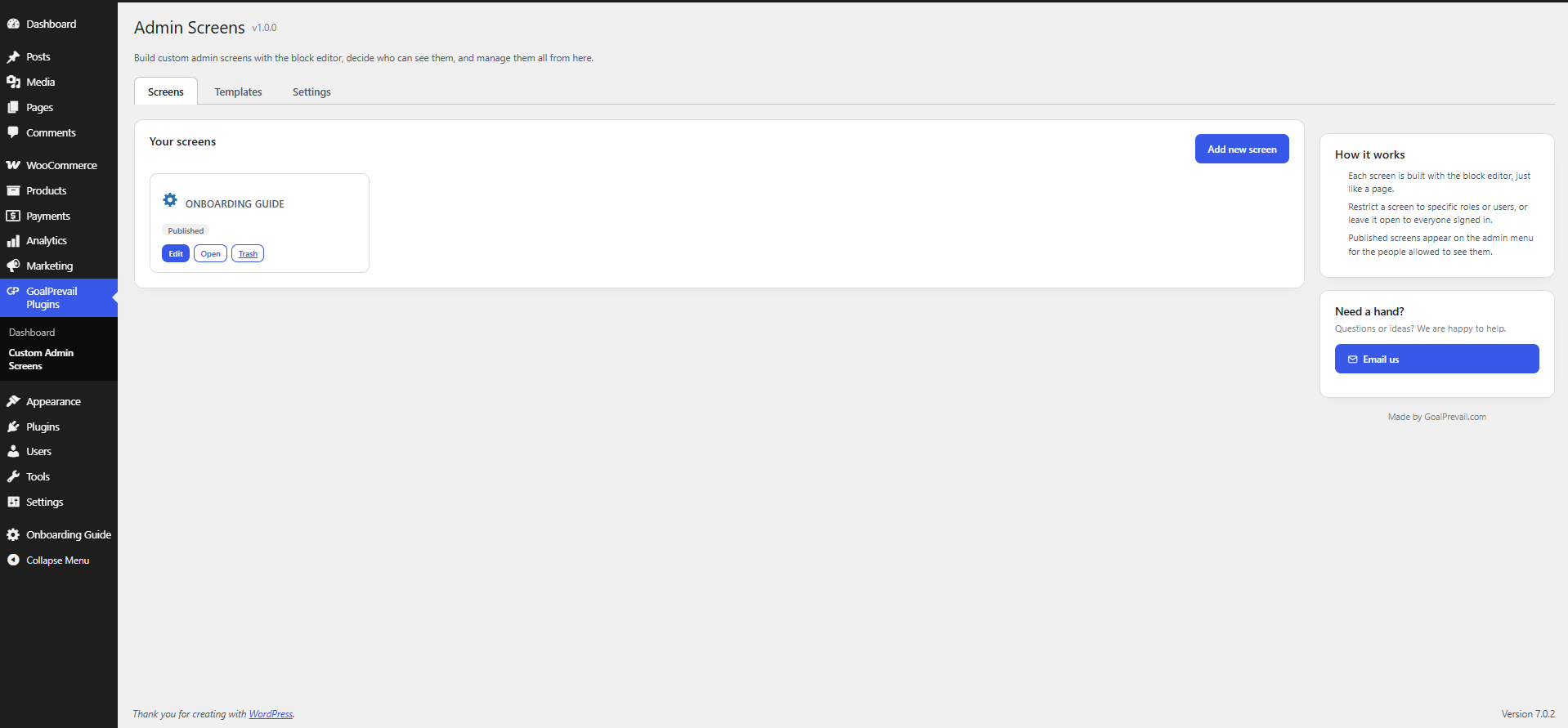
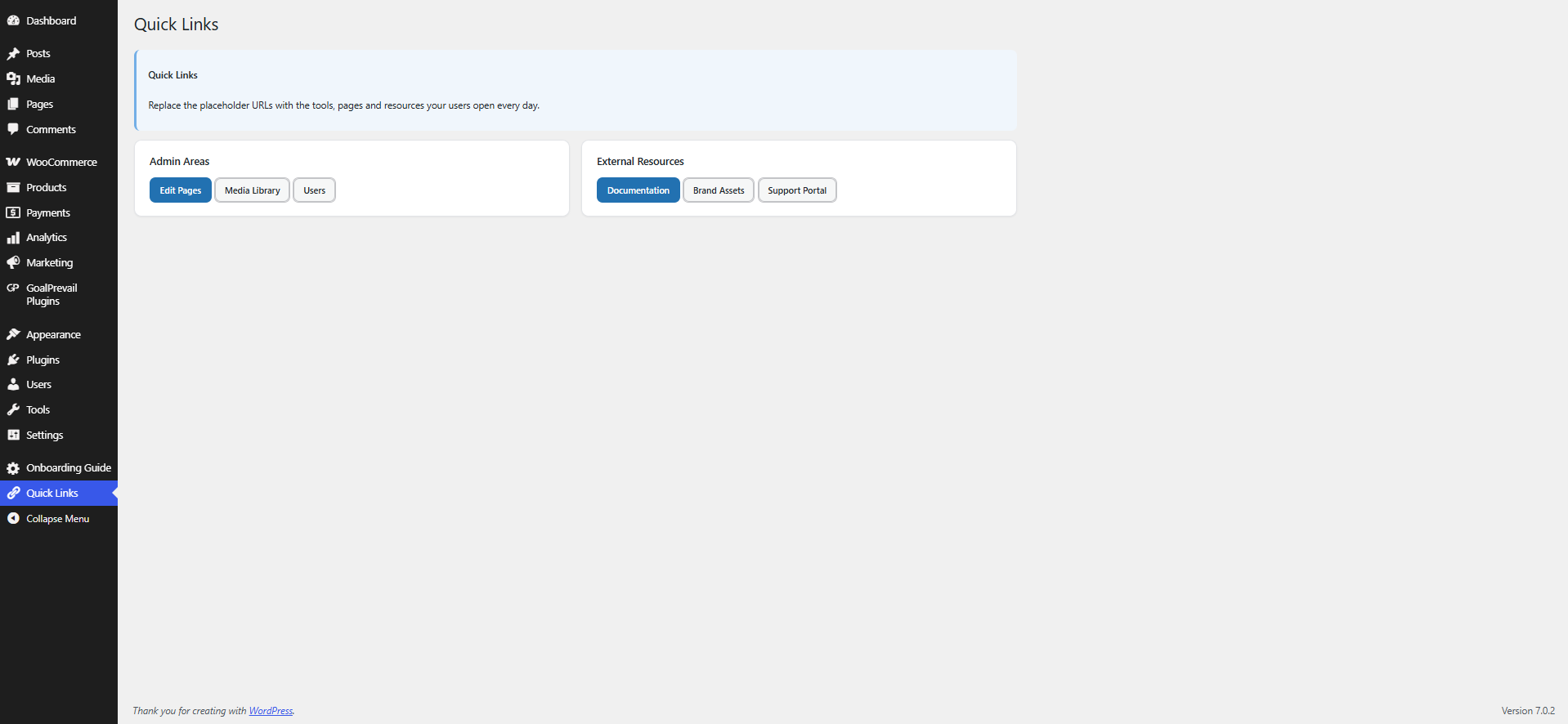
GoalPrevail Custom Admin Screens lets you build backend-only pages with the standard WordPress editor and surface them inside wp-admin.
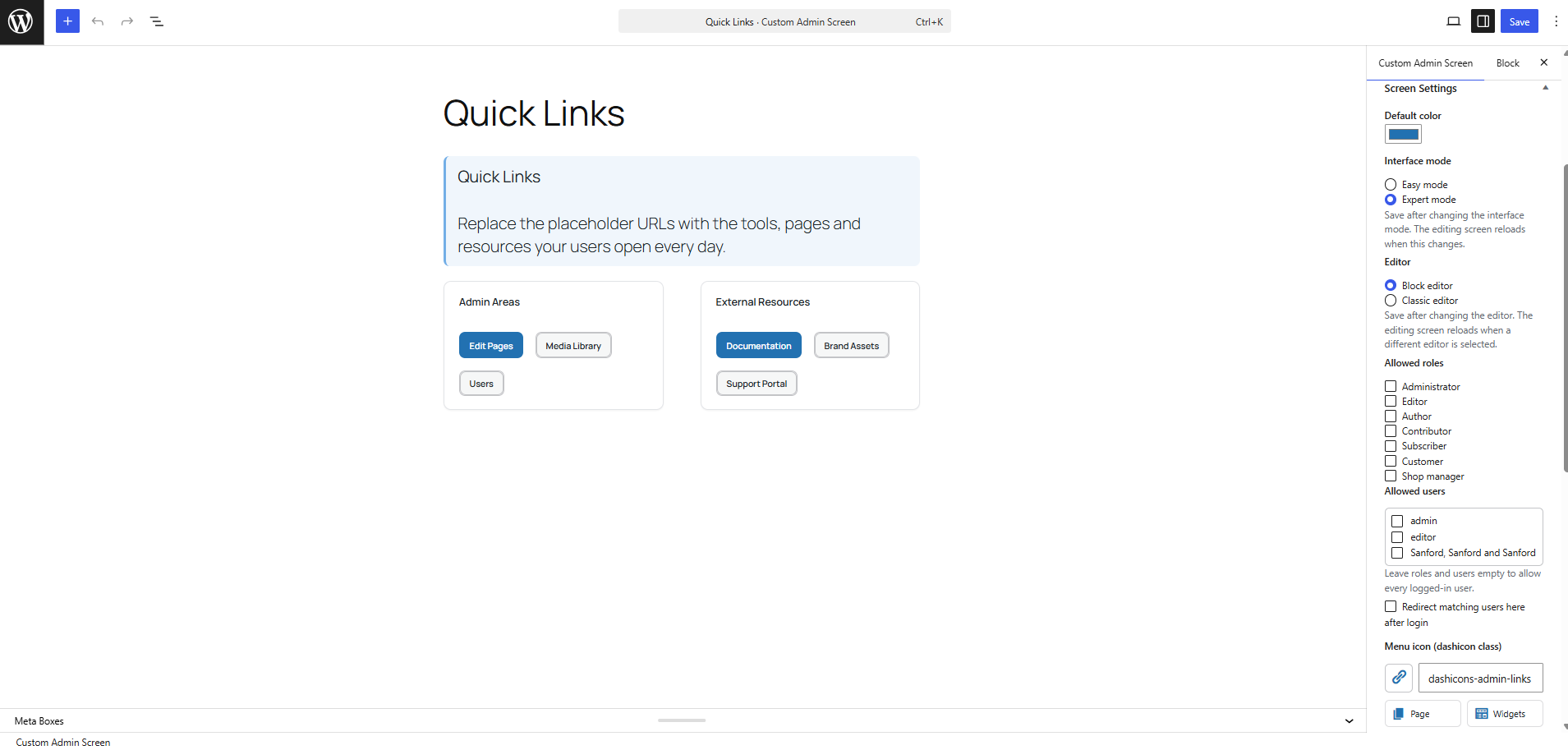
- Choose the Classic editor or Block editor per screen.
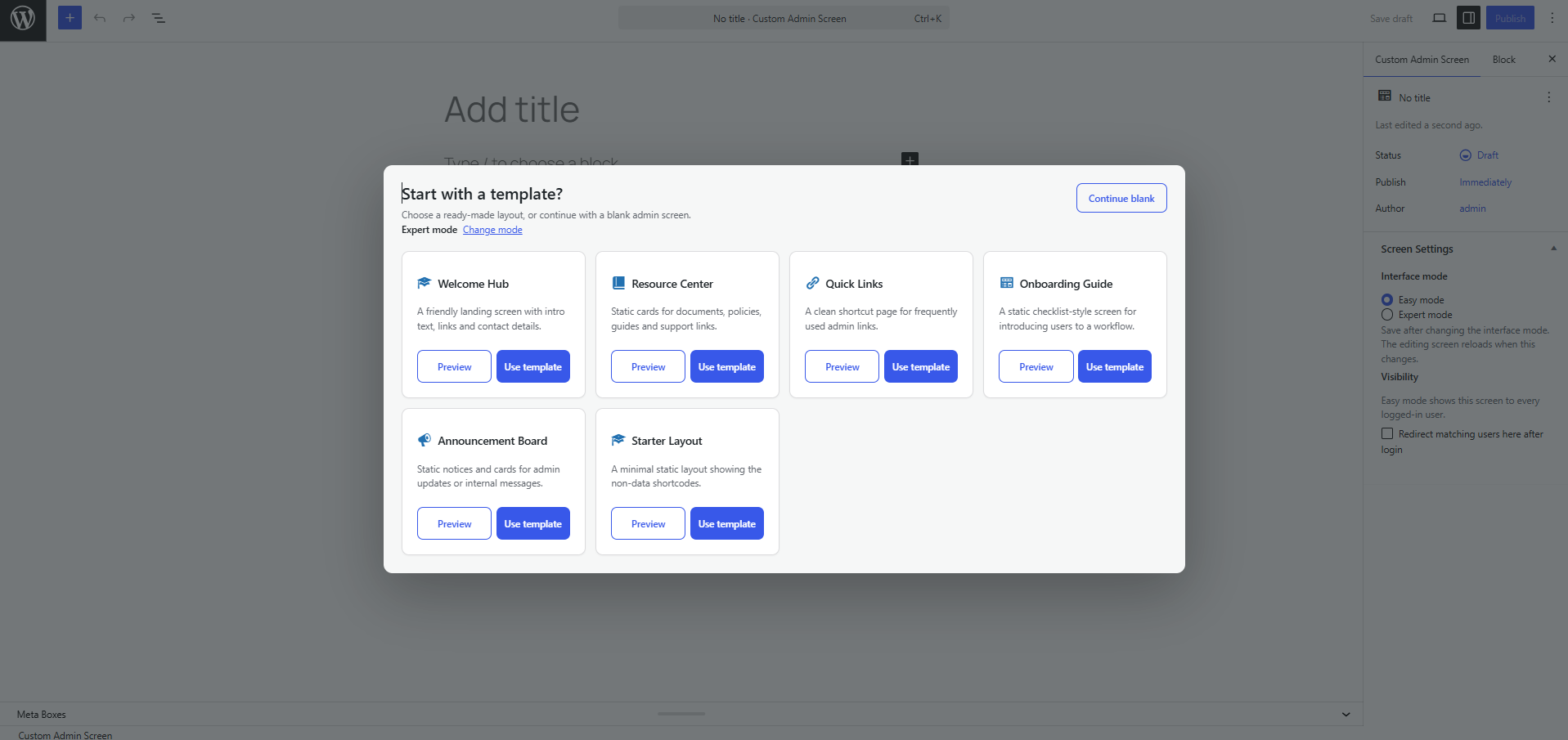
- Start from static prebuilt templates: Welcome Hub, Resource Center, Quick Links, Onboarding Guide, Announcement Board or a Starter Layout.
- When adding a new screen, choose a template from the popup or continue with a blank screen.
- Choose Easy or Expert mode when creating a screen, then change it later from Screen Settings.
- Templates are inserted as editable core blocks by default, and each screen can be switched to the Classic editor from its Screen Settings box.
- Compose admin screens with built-in widget shortcodes: grid, card, button, notice and a personalised greeting. Data-style widgets are still available when you need them.
- Each screen shows up on the admin menu — as a top-level item or grouped under one “My Screens” menu.
- Limit a screen to specific roles, specific users, or leave it open to every logged-in user.
- Mark a screen as a post-login redirect target. Individual-user targeting wins over role targeting, which wins over an unrestricted screen.
- Settings page: default interface mode, login-redirect master switch, default icon and menu placement.
- Screen Settings box: default color, interface mode, editor mode, access rules, redirect target and menu icon.
- The Admin Screens hub is available to users who can edit pages; the Settings tab remains limited to administrators.
- All screen content is sanitized with
wp_kses_post()before it is rendered.
Widget shortcodes
[gpcas_grid columns="3"]...[/gpcas_grid][gpcas_card title="..." icon="dashicons-marker"]...[/gpcas_card][gpcas_stat label="Leads" value="38" icon="dashicons-groups" trend="+12%"][gpcas_button text="Open" url="#" style="primary" icon="dashicons-plus-alt"][gpcas_notice type="success" title="..."]...[/gpcas_notice][gpcas_progress label="Target" value="48" max="100"][gpcas_recent_posts count="5" type="post"][gpcas_user_greeting]
屏幕截图
安装
- Upload the
goalprevail-custom-admin-screensfolder to/wp-content/plugins/. - Activate the plugin through the Plugins menu in WordPress.
- Open “Admin Screens Templates” to create a screen in one click, or “Add New” to start blank.
- Edit the content, then set access and redirect options in the “Screen Settings” box.
常见问题
-
Can each screen use a different editor and default color?
-
Yes. Edit a screen and use the Screen Settings box to choose its default color and whether it opens in the Classic editor or Block editor.
-
What is Easy mode?
-
Easy mode keeps template creation simple by showing fewer action buttons. Expert mode adds template preview actions and fuller controls. Each screen can use its own mode.
-
Who can edit screens?
-
Users who can edit pages (administrators and editors by default).
-
Do shortcodes work?
-
Yes. Screen content renders blocks and shortcodes in the admin screen view.
-
Can other tools or AI read and write screens?
-
Yes, for authenticated users who can edit screens. Screens are exposed over the REST API at
/wp/v2/gpcas-screens, with reads limited to users with theedit_pagescapability so screen content is never exposed publicly, and the access rules, redirect flag and icon are registered meta fields. Thegpcas_user_can_view,gpcas_login_redirect_screenandgpcas_templatesfilters allow extending behaviour in code.
评价
此插件暂无评价。
贡献者及开发者

更新日志
1.0.0
- Initial release: custom admin screens, role/user access, post-login redirect, prebuilt templates, widget shortcodes and a settings page.