描述
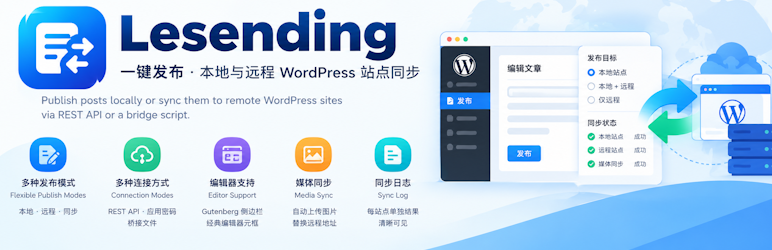
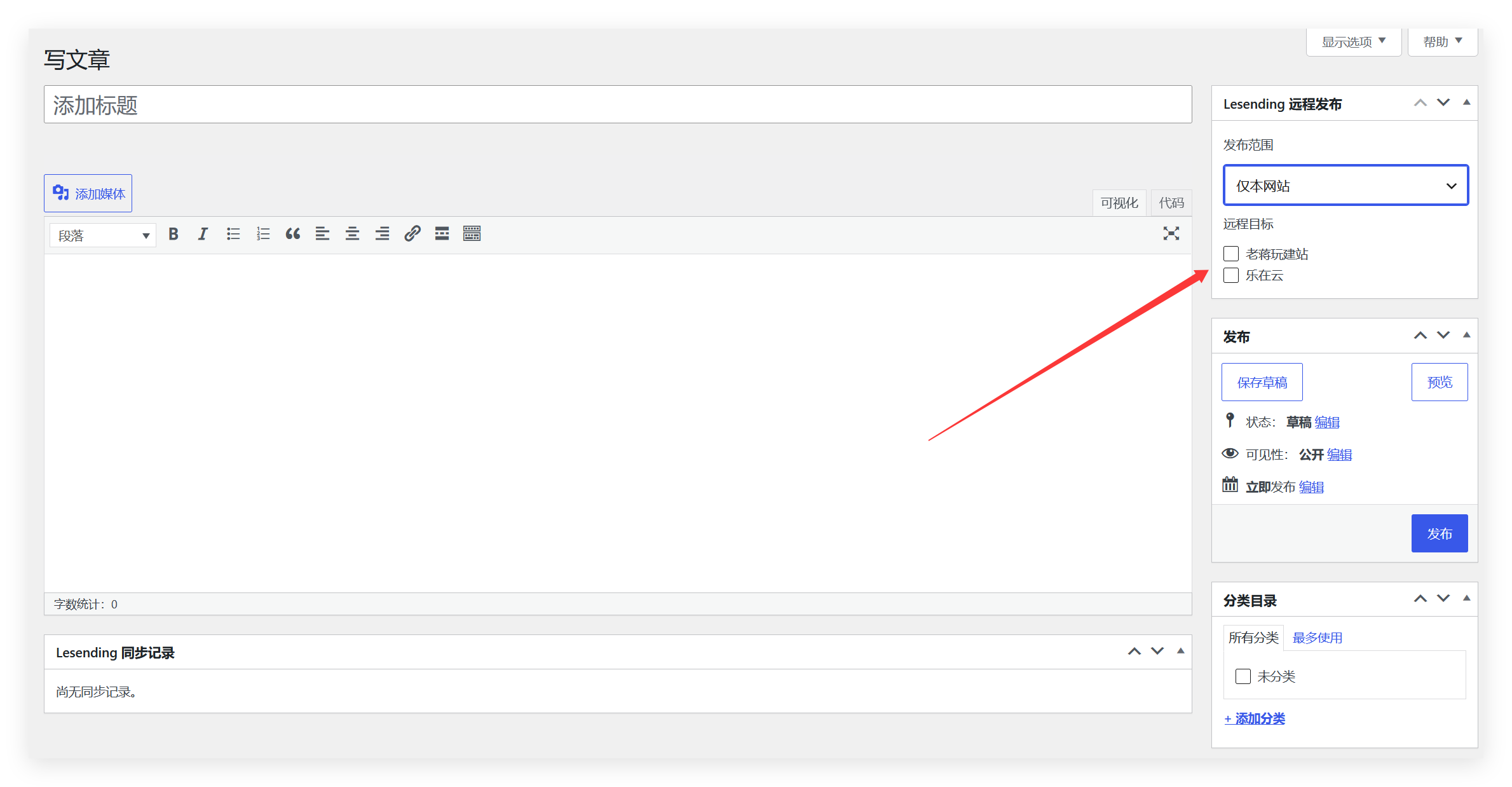
Lesending lets you choose a publish target while editing: local site only, local plus remote, or remote only (after a successful sync the local post is saved as a draft and the mode resets to local only).
This plugin is developed by Lezaiyun Studio and maintained by LaoJiang.
Official product page: https://www.lezaiyun.com/lesending.html
Developer blog: https://www.laojiang.me
Connection modes
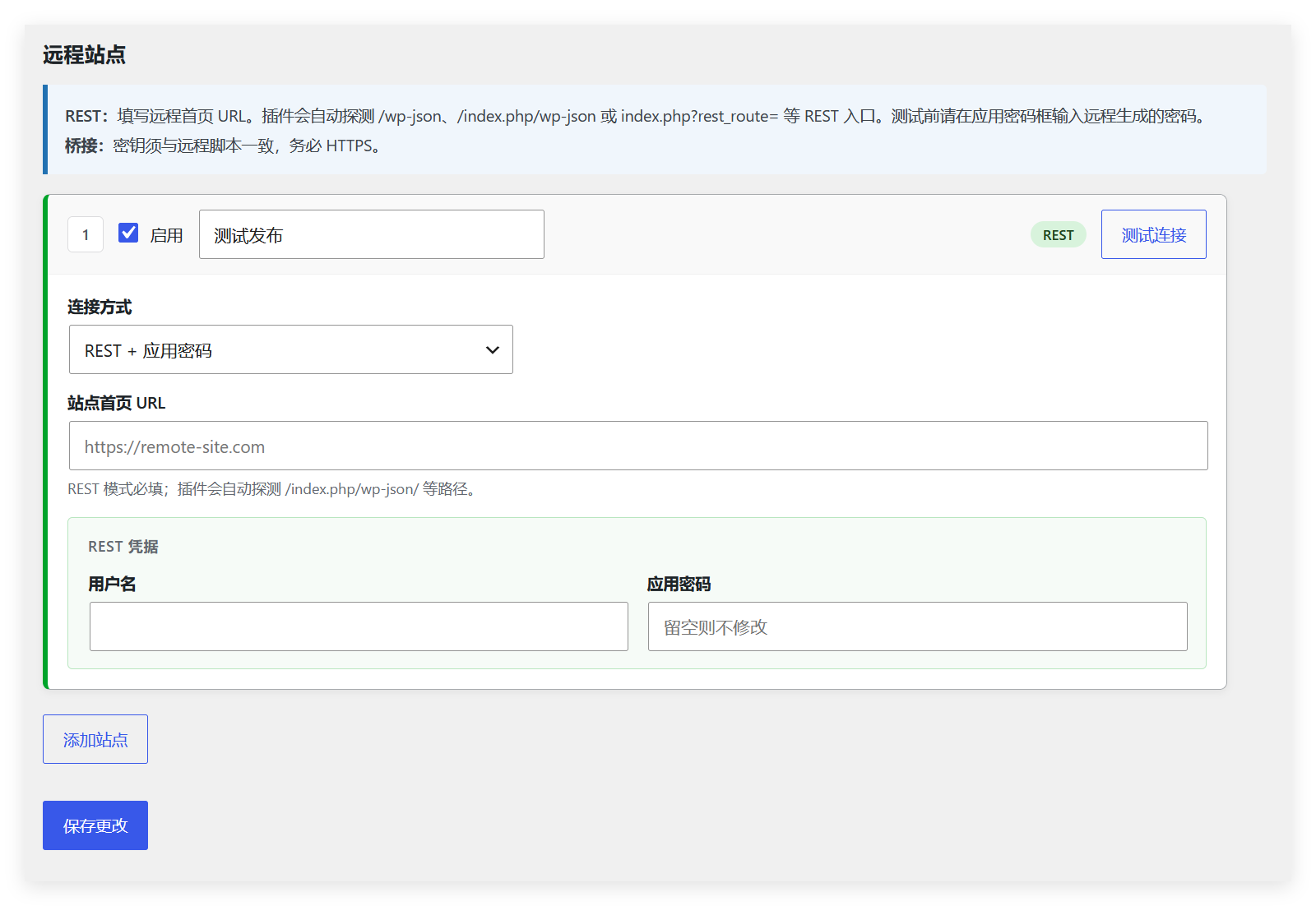
- REST + Application Passwords: for sites with a working WordPress REST API. The plugin auto-detects /wp-json, /index.php/wp-json, and index.php?rest_route= endpoints.
- Bridge file: when remote REST is restricted, upload a standalone PHP bridge to the remote WordPress root and authenticate with a shared secret.
Editor
- Gutenberg sidebar panel
- Classic editor meta box
- Sync log meta box with per-site results
Media sync
- Toggle image sync in plugin settings
- When enabled, content images and the featured image are uploaded to the remote media library and URLs are rewritten
- Supports REST media upload and bridge sideload
Settings
- Card-style remote site list
- Connection test for REST and bridge modes
- Bridge script download (optional custom .php filename)
Uninstalling the plugin removes options and related post meta (see uninstall.php).
屏幕截图

安装
- Upload the
lesendingfolder to/wp-content/plugins/. - Activate Lesending under Plugins.
- Go to Settings Lesending, enable remote publishing, and add remote sites.
- For bridge mode: download the bridge script, upload it to the remote WordPress root (same folder as wp-config.php), set the secret and user ID, then enter the bridge URL and the same secret on this site.
常见问题
-
What does REST mode require on the remote site?
-
The remote site must be WordPress, with Application Passwords enabled for a user who can publish posts. The REST API must not be fully blocked by a security plugin. For plain permalinks (index.php?rest_route=), the plugin tries to discover the REST entry automatically.
-
When should I use bridge mode?
-
Use the bridge when remote REST is unavailable, blocked, or returns 404. Upload the downloaded bridge file (or a custom .php name) to the remote site root, set LESENDING_BRIDGE_SECRET and LESENDING_BRIDGE_USER_ID, and enter the same secret in Lesending settings.
-
Which images are synced?
-
Only images from this site’s uploads directory (wp-content/uploads), including content images, block images, and the featured image. External CDN or third-party URLs are not downloaded. Up to 30 images per post.
-
How do I disable image sync?
-
Uncheck “Sync images” under Settings Lesending, or use the
lesending_sync_mediafilter in code.
评价
此插件暂无评价。
贡献者及开发者

更新日志
1.1.2
- Plugin Check compliance: English readme, languages folder, bridge shipped as downloadable template with ABSPATH-protected stub.
- Admin download uses WP_Filesystem; stricter input sanitization; settings view variable prefixes.
1.1.1
- Security hardening: remote sync requires publish_posts; credentialed requests use wp_safe_remote_* with no redirects; HTTPS required by default.
- Credential storage upgraded to AES-256-GCM (legacy ciphertext still supported); public editor site list no longer exposes remote usernames.
- Bridge: minimum 32-char secret, explicit user ID, optional IP allowlist, sideload limits, minimal ping payload.
1.1.0
- Sync content images and featured image to the remote media library (REST upload / bridge sideload).
- Settings toggle for image sync.
- Bridge refactor: validate secret before loading WordPress; improved ping and error JSON.
- REST discovery for index.php?rest_route= and Link header parsing.
- Card-style settings UI; connection tests can reuse a saved bridge secret.
1.0.0
- Initial release: REST sync, three publish modes, block editor sidebar, settings page, and uninstall cleanup.