
描述
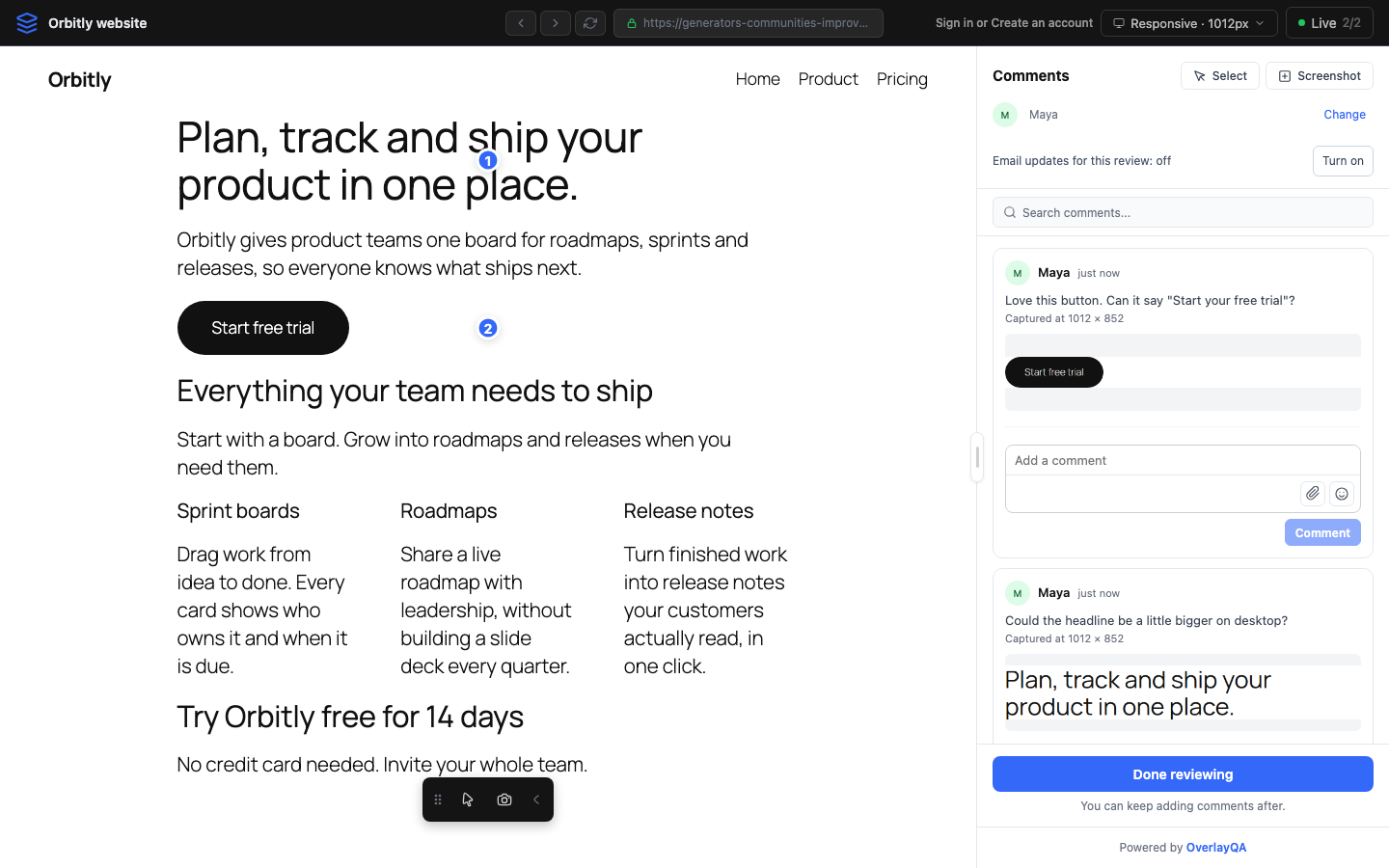
OverlayQA for WordPress turns a published page or post into a shareable visual feedback link. Your client opens the link, enters their name and pins comments on the live page. Every comment lands in your OverlayQA project with a screenshot of what the client selected, ready for your team to work through.
How it works
- Connect your OverlayQA account from Tools > OverlayQA.
- Choose the OverlayQA project the feedback belongs to.
- Create a review link for a published page or post.
- Copy the link and send it to your client.
- Read and manage the comments in your OverlayQA project.
Nothing is added to your public site
This plugin works only in the WordPress admin. It does not add a script, widget, tracking code or feedback button to your public pages, so visitors never load anything from OverlayQA. Reviews open on OverlayQA’s hosted review page, and only people you send the link to know where to leave feedback.
Who it is for
- Agencies and freelancers collecting client feedback on a WordPress build.
- In-house teams gathering comments on a page from colleagues.
- Site owners who want visual feedback without installing a frontend widget.
What the plugin does
- Connects each WordPress administrator to their own OverlayQA account through an explicit authorization screen.
- Lists the OverlayQA projects you can access.
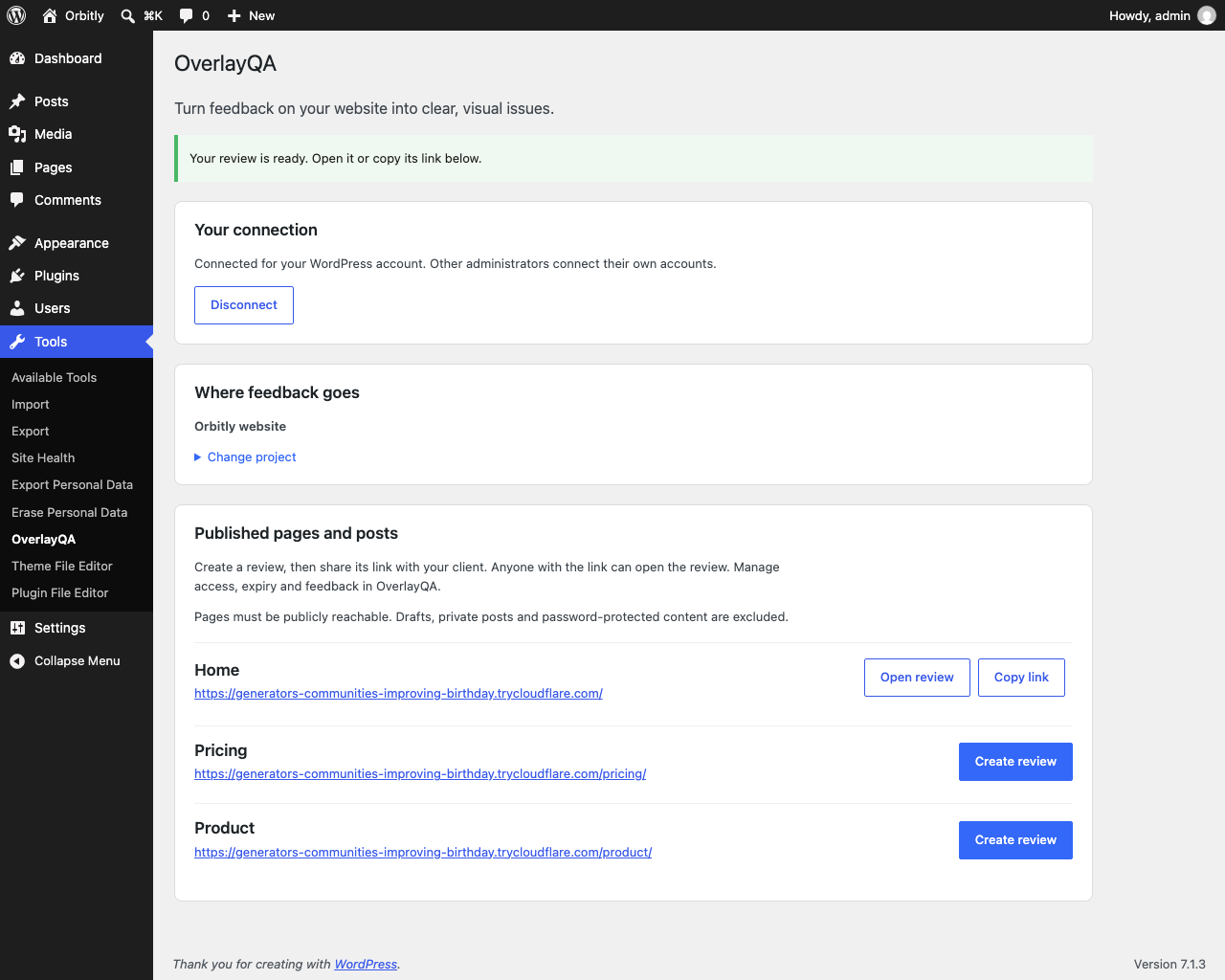
- Creates a review link for a page, or reopens the existing one for that page and project instead of making a duplicate.
- Copies the review link for you to share. The plugin does not email your client.
Clients leave feedback in the hosted OverlayQA review without installing a browser extension or creating an account.
Limitations
- Published, public pages and posts only. Drafts, private posts and password-protected pages are excluded.
- Pages must be publicly reachable. Staging sites behind a login, private networks and authenticated previews are not supported.
- Each administrator connects separately. OverlayQA enforces project permissions and plan limits.
External service and privacy
An OverlayQA account and a service plan that includes client reviews are required. The plugin has no paid code or time limit; access to the hosted service depends on your OverlayQA plan.
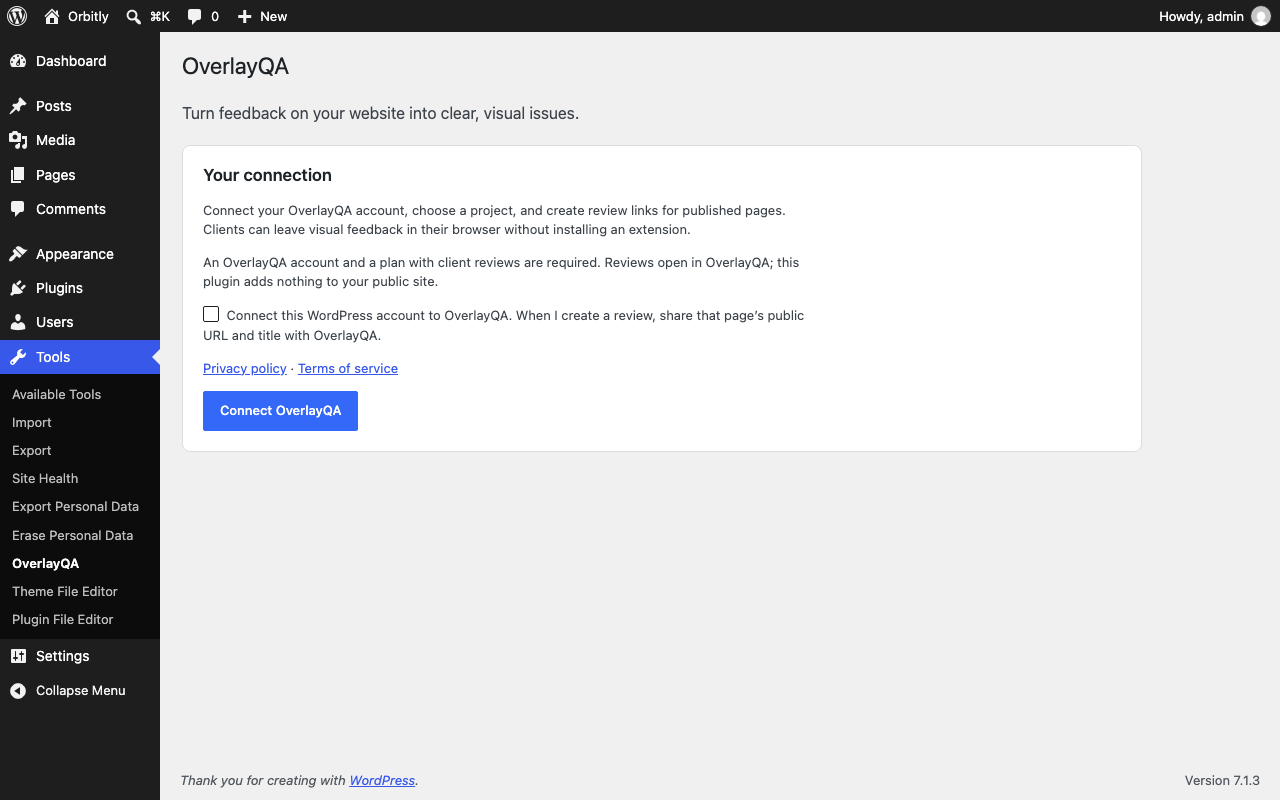
No OverlayQA requests are made until an administrator explicitly connects and confirms the data-sharing checkbox. Connecting sends a client name, your WordPress administrator callback URL and the requested permissions to https://api.overlayqa.com. Account authorization happens on OverlayQA. Revocable account credentials are stored in the WordPress database for that administrator and site. WordPress passwords are never sent to OverlayQA.
After connection, opening the plugin admin page requests accessible projects and review links from https://api.overlayqa.com. Creating a review sends the project identifier, public page URL, title and review mode. OverlayQA fetches the public page to provide its hosted review service. Feedback, screenshots and reviewer details submitted in the hosted review are processed there under OverlayQA’s privacy policy.
The connection requests read and write permissions, which also cover project and issue data, comments, labels, teammate details and client review recipients. This plugin uses them only to list projects and reviews and create reviews. Anyone with a review link can access the review; share links with intended reviewers only.
Disconnect revokes the connection and removes local credentials. Uninstall removes local account settings for all administrators and sites; hosted reviews remain. Disconnect before uninstalling, or revoke remaining connections in your OverlayQA account. Credentials may remain in your own database backups.
Service: https://overlayqa.com
Pricing: https://overlayqa.com/pricing/
Terms: https://overlayqa.com/terms
Privacy: https://overlayqa.com/privacy
屏幕截图
安装
- Upload the plugin ZIP through Plugins > Add New > Upload Plugin, then activate it.
- Open Tools > OverlayQA as an administrator.
- Confirm the data-sharing checkbox and select Connect OverlayQA. Your WordPress admin must use HTTPS, except on localhost during development.
- Sign in to OverlayQA and approve access to the intended workspace.
- Choose and save a project, then create a review for a published page.
- Open the review or copy its link to share with your client.
常见问题
-
What is OverlayQA?
-
OverlayQA is a website QA and visual feedback service. Teams capture issues with screenshots, collect client comments on live pages and export issues to tools like Jira and Linear. This plugin connects WordPress to its client review feature.
-
How do clients leave feedback on a WordPress page?
-
Send them the review link from Tools > OverlayQA. They open it in their browser, enter their name and click on the page to pin a comment. Their comments appear in your OverlayQA project.
-
Do my clients need an account or a browser extension?
-
No. Clients only enter their name. They do not create an OverlayQA account or install anything.
-
Does this plugin slow down my website?
-
No code from this plugin runs on your public pages. Its CSS and JavaScript load only on its own admin screen, Tools > OverlayQA.
-
No. This version creates hosted review links from WordPress without changing public pages.
-
Is an OverlayQA account required?
-
Yes. Visual reviews, screenshots and issue storage use the external OverlayQA service. Your account must include client reviews.
-
Is the plugin free?
-
The plugin is free and licensed under the GPL. The hosted review service requires an OverlayQA plan. See https://overlayqa.com/pricing/ for plans.
-
Can I review drafts, staging sites or password-protected posts?
-
No. Only publicly published, unprotected pages and posts are offered. OverlayQA needs to reach the page without WordPress login cookies, so staging sites behind a login are not supported.
-
Who can use the plugin?
-
Administrators with the manage_options capability. Each connects separately. OverlayQA checks project access and write permissions.
-
What if a request fails after creating a review?
-
Refresh. The plugin reads saved reviews before creating another for the same URL and project.
-
How do I revoke a review link?
-
Manage its access and expiry in your OverlayQA project. Disconnecting WordPress does not revoke existing shared reviews.
评价
此插件暂无评价。
贡献者及开发者

更新日志
0.1.0
- Initial release: account connection, project selection and visual feedback links for published pages and posts.