

描述
Referti IGEA adds a private area to your WordPress site where registered patients of a facility using the IGEA CRM by S0ft.it can download their medical reports (referti).
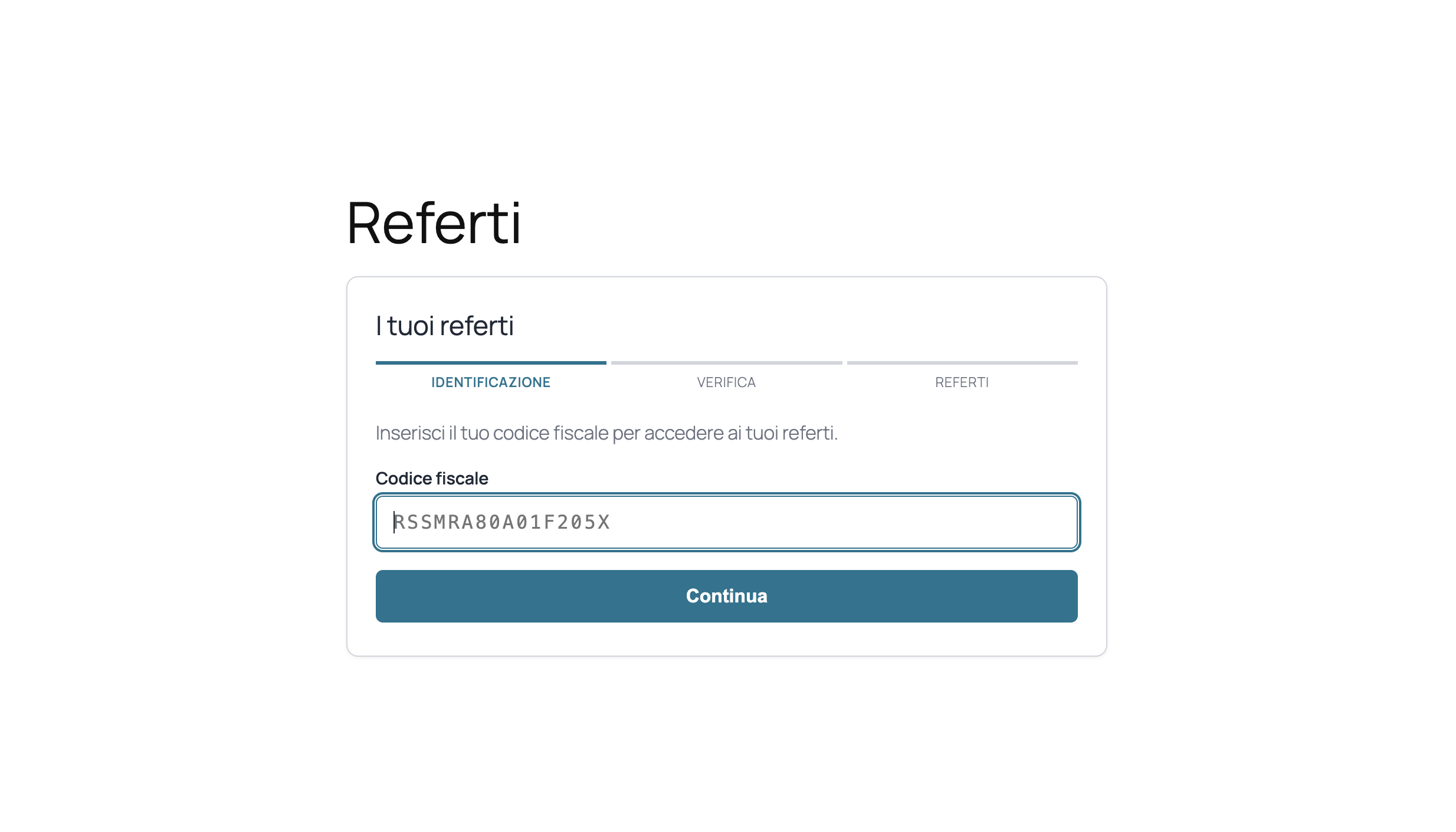
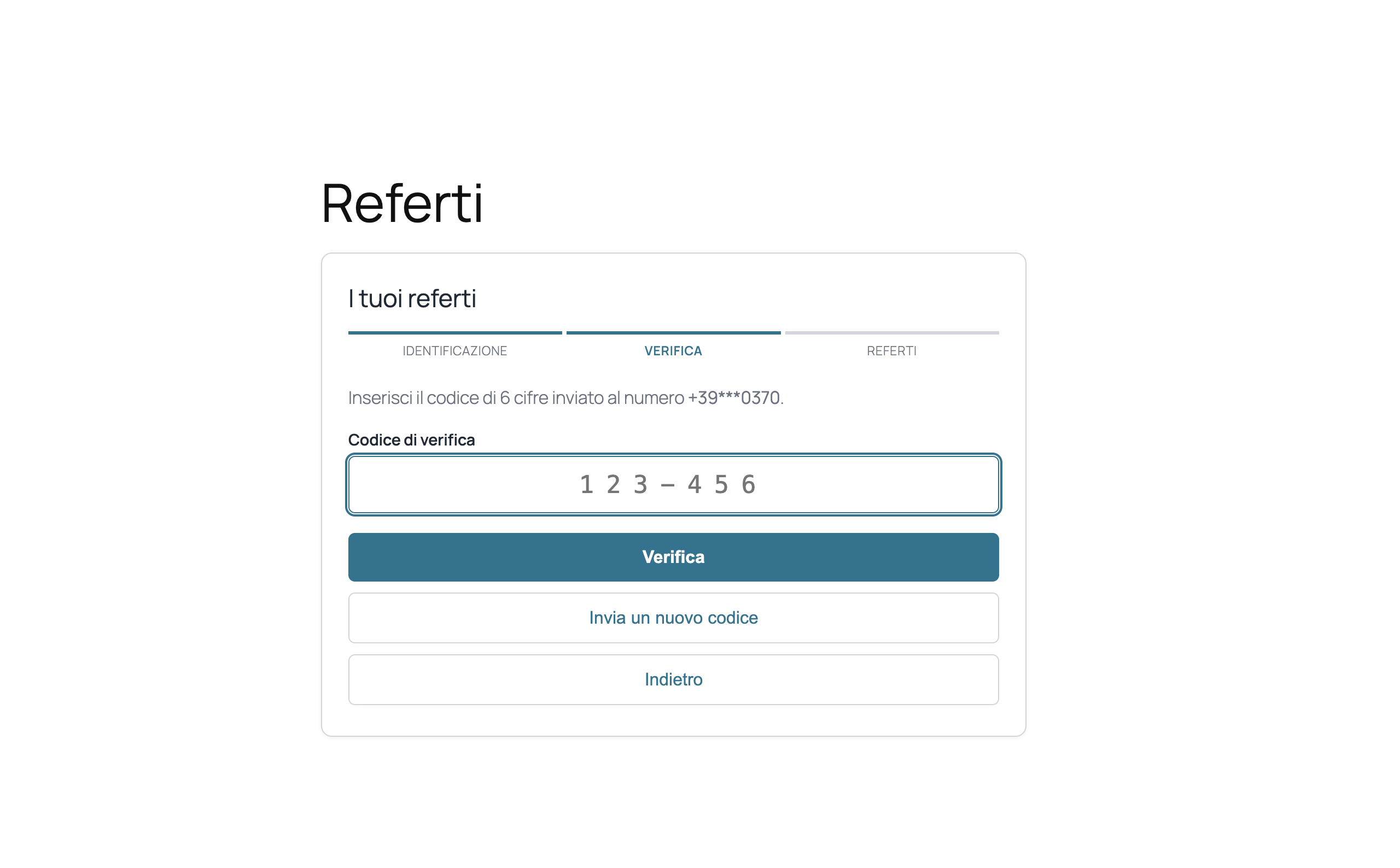
Patients identify themselves with their Italian fiscal code (validated with check digit and “omocodia” support) and verify their identity with a one-time password sent via SMS or with a personal password issued in the “report ready” email — optionally combined (two-step verification).
Reports are exported by the CRM to docs/{PATIENT_ID}/referti/ and registered with the PUSHReferto() helper, which updates the referti table and notifies the patient by email and/or SMS according to the plugin settings.
Main features
- Secure identification: fiscal code + SMS OTP, personal password, or both — with optional two-step verification (password + OTP)
- Personal password automatically generated and delivered with the “report ready” email
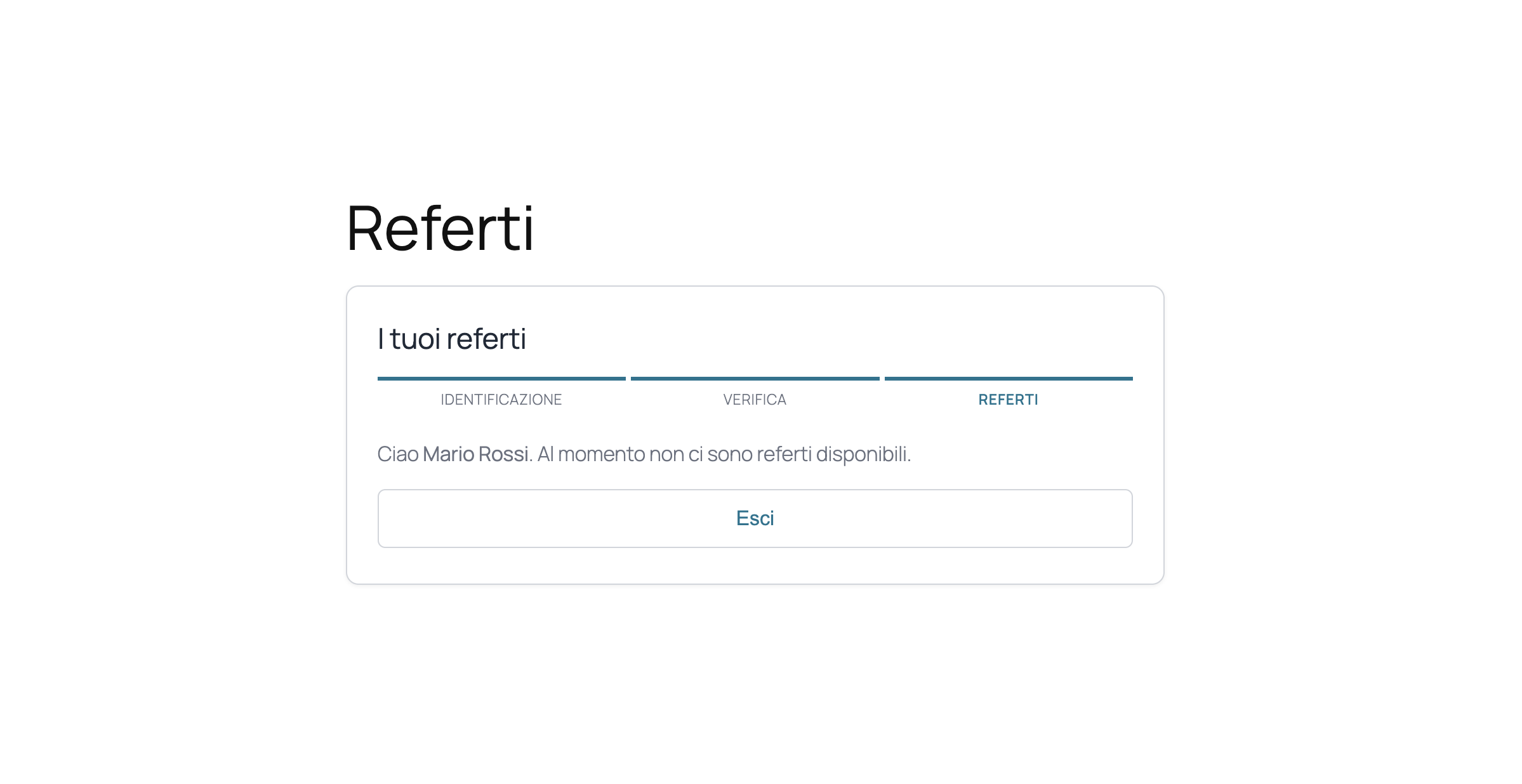
- Report list with date, type, specialty, description and “new” badge for reports never downloaded
- One-click download; download tracking (first download date, counter)
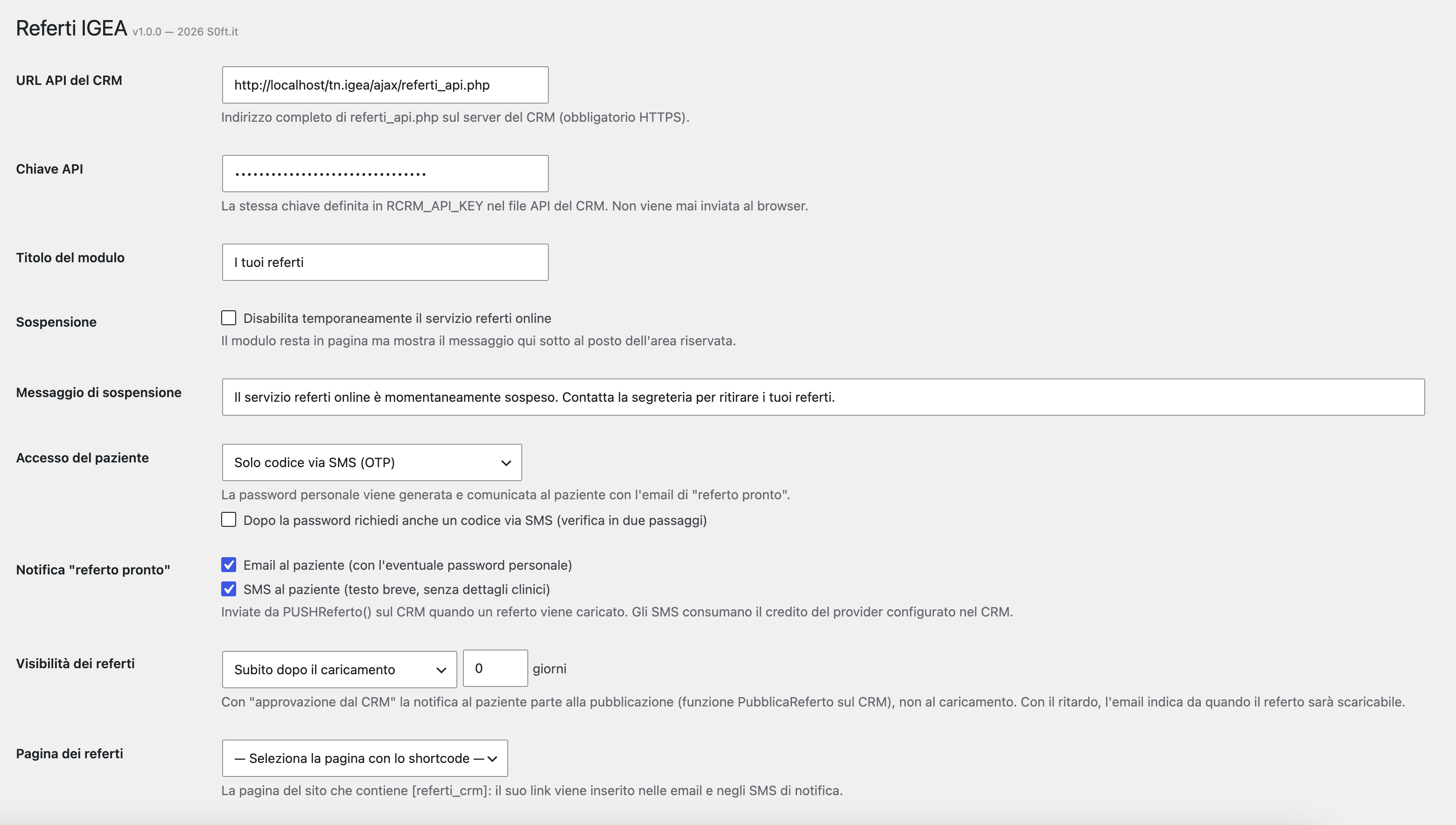
- Configurable notifications on new report: email (with password when first issued) and/or SMS (short text, no clinical details)
- Configurable visibility: immediately, after approval from the CRM (
PubblicaReferto()), or after N days - Access audit log on the CRM (logins and downloads, with IP) — reports are health data
- Rate limiting, OTP expiry and attempt limits, password lockout after repeated failures
- Temporary suspension of the service with a custom message
- Customizable colors to match your theme; same look & feel as Prenotazioni IGEA
- No external dependencies: all CSS and JavaScript is bundled with the plugin
Security
The API key never leaves the server: the patient’s browser only talks to WordPress, which forwards requests to the CRM. Nonce on every call, field whitelisting, session tokens issued only after identity verification, ownership check on every download, path hardening on the CRM side, rate limiting per IP and per patient.
Requirements
This plugin is a connector: it requires an installation of the IGEA CRM by S0ft.it, reachable over HTTPS, with the referti_api.php endpoint, the referti_push.php helper, the SQL script (referti.sql) executed, and — for OTP and SMS notifications — an SMS provider configured. Without the CRM the plugin has no standalone functionality. More about the CRM: www.s0ft.it.
External services
This plugin sends data to the IGEA CRM server configured by the site administrator (URL and API key in the plugin settings). The data transmitted is what the patient enters in the form (fiscal code, verification codes or password) plus the visitor’s IP address, used exclusively for anti-abuse rate limiting and access logging. Downloaded reports travel from your CRM server to the patient’s browser through your WordPress site. No data is ever sent to S0ft.it or to any third party by this plugin: the destination server is chosen and operated by the site owner.
屏幕截图
安装
- Install and activate the plugin from Plugins Add New, or upload the
referti-igeafolder to/wp-content/plugins/. - On the IGEA CRM server: copy
referti_api.phpandreferti_push.phpinto theajax/folder (next toorari.php), edit the API key, token secret and WordPress origin at the top ofreferti_api.php, and run thereferti.sqlscript on the CRM database. - Go to Settings Referti IGEA and enter the API URL and key (the same key configured on the CRM).
- Choose the access method, notifications, visibility mode and the page that will contain the shortcode (its link is used in emails and SMS).
- Add the
[referti_crm]shortcode to that page. - In the CRM, call
PUSHReferto($patientId, $fileName, $meta)after exporting each report file todocs/{patientId}/referti/. In “approval” visibility mode, callPubblicaReferto($reportId)to publish and notify. - Optional: create the
SEND_REFemail template in the CRMtemplates_emailtable to customize the notification (placeholders: [nome] [cognome] [nominativo] [cf] [email] [cellulare] [tiporeferto] [descrizione] [specialita] [datareferto] [datadisponibile] [password] [linkreferti]).
常见问题
-
Does the plugin work without the IGEA CRM?
-
No. It is a connector for the IGEA CRM by S0ft.it: report files, patient records, email and SMS sending all live on the CRM. The plugin provides the private area on the website and the secure connection.
-
Where are the report files stored?
-
On the CRM server, in
docs/{PATIENT_ID}/referti/. They are streamed to the patient through WordPress only after identity verification and an ownership check; they are never copied to the WordPress server. -
How does the patient get their personal password?
-
It is generated by
PUSHReferto()the first time a report is published for that patient (when the access method includes the password) and delivered in the notification email. Only a hash is stored. If lost, the patient can use the SMS code (when enabled) or the secretary can regenerate it with therigenera_passwordoption ofPUSHReferto(). -
Can new patients register from the website?
-
No. The reports area is reserved for patients already in the CRM archive: registration happens at the facility (or through the Prenotazioni IGEA plugin).
-
Is the plugin GDPR compliant?
-
Reports are health data: the plugin verifies the patient’s identity before any access, never exposes clinical details in SMS, and logs every login and download with date and IP on the CRM. Overall compliance depends on the site owner’s privacy policy and processes.
-
How do I customize the notification email?
-
Create the
SEND_REFtemplate in the CRMtemplates_emailtable (same mechanism as Prenotazioni IGEA). If the template does not exist, a built-in fallback body is used which, for confidentiality, does not include the clinical description of the report.
评价
此插件暂无评价。
贡献者及开发者

更新日志
1.0.0
- First release: fiscal code + SMS OTP or personal password (optional two-step), report list and download, configurable notifications and visibility, access audit log, suspension mode, custom colors