
描述
Stop chasing replies across group chats and reconciling half-finished spreadsheets the week before you walk down the aisle. Wedding Party RSVP gives planners and couples a single source of truth inside WordPress—every RSVP, headcount, and meal note lives in one guest list your whole team can trust from save-the-date to seating.
- Less stress for your planning team – Shared visibility in wp-admin replaces version chaos; everyone works off the same guest list instead of emailing fragile copies back and forth.
- Fewer “we thought they were coming” surprises – Clear statuses and structured follow-up help you confirm attendance earlier, so catering and rentals are not guessing at the last minute.
- Confidence at the venue – One accurate count for who is attending, what they are eating, and how many plus ones are included—aligned with how your invites are organized.
Guests sign in with a simple Party ID, so households RSVP together while you manage plus ones like a built-in plus one manager tied to each invite code (not stray “+1” notes buried in email threads). The plugin works as a meal choice collector for adult entrées with dietary notes, supports event capacity limits when you need to cap attendance, and includes wedding guest list export when finance, catering, or your venue needs the latest numbers in one place.
Built with modern WordPress patterns so multiple planners can collaborate in the dashboard at once—roles and permissions stay native while you update invitations, meals, and RSVP status together on desktop or mobile.
Try It Live – Preview This Plugin Instantly
Experience Wedding Party RSVP without installation! Click the link below to open WordPress Playground with the plugin pre-installed and configured with sample data.
Preview on WordPress Playground
For a short visual overview of setup and the admin dashboard, see the walkthrough on the plugin information page.
How to Purchase Pro
Go to https://landtechwebdesigns.com/wedding-party-rsvp-wordpress-plugin/
Purchase the license key to unlock the full suite of features.
屏幕截图
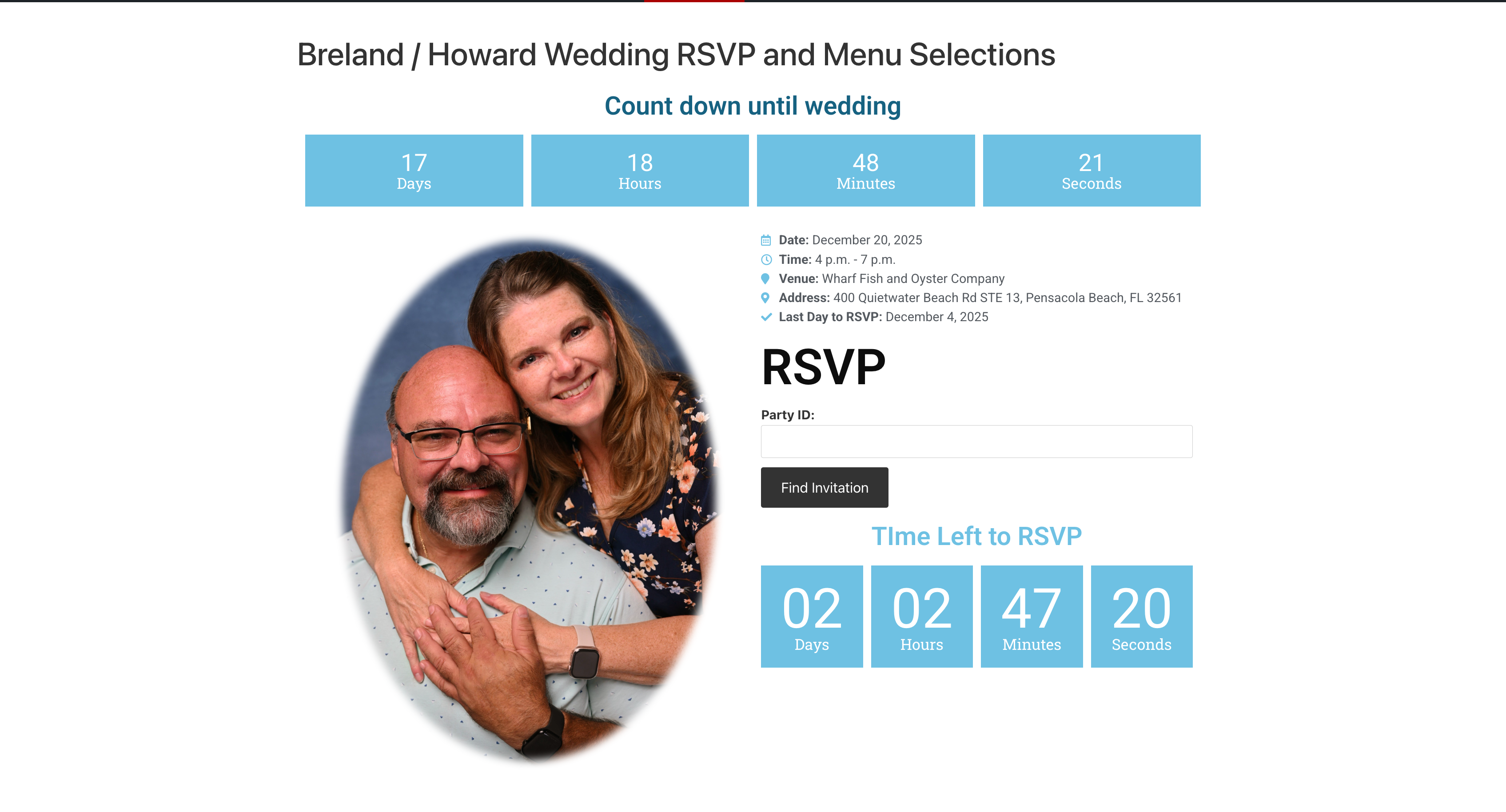
Public RSVP: guests enter their Party ID to open the form (works with any WordPress theme). 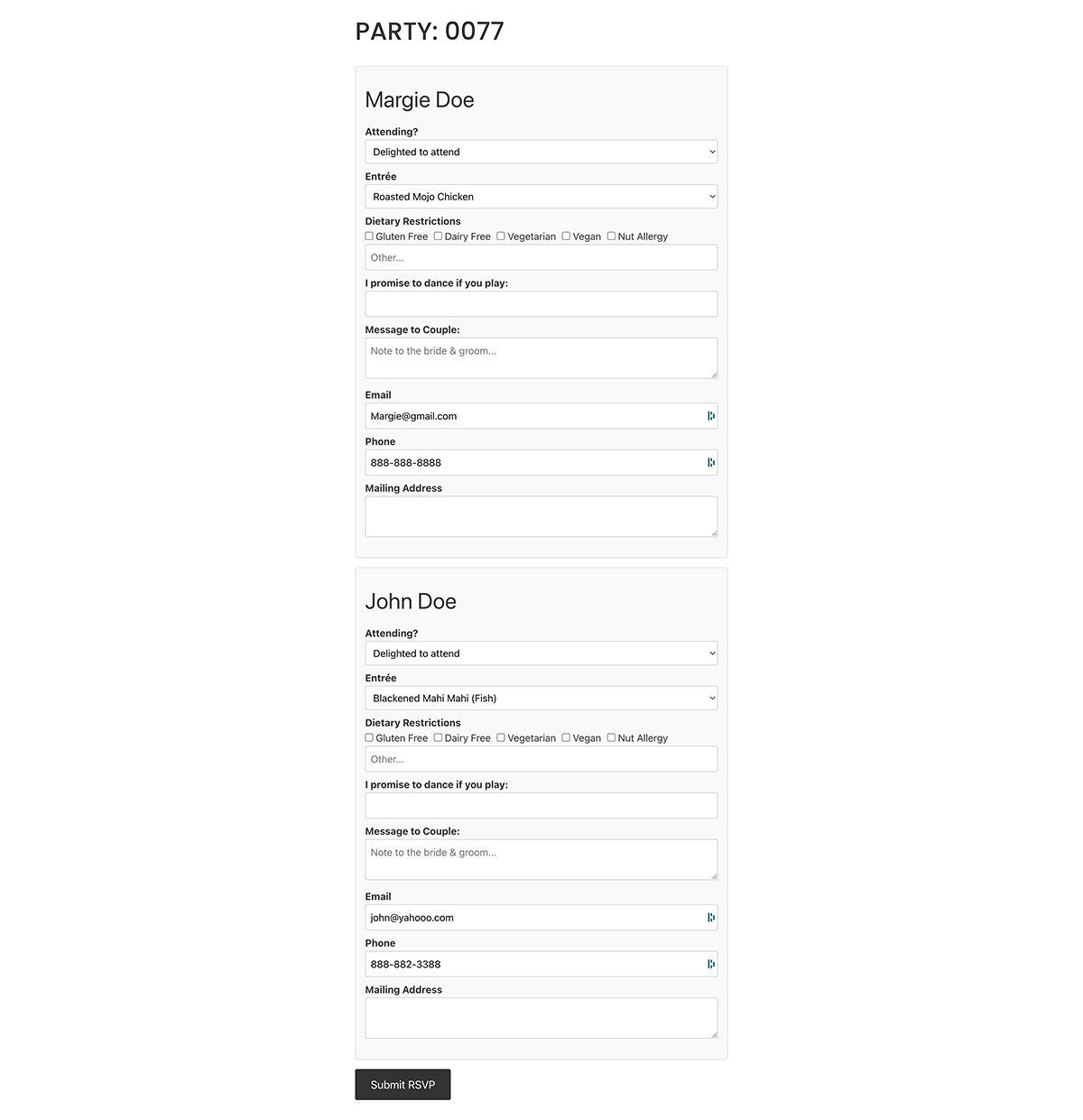
Public RSVP: meal choices and dietary options after signing in with Party ID. 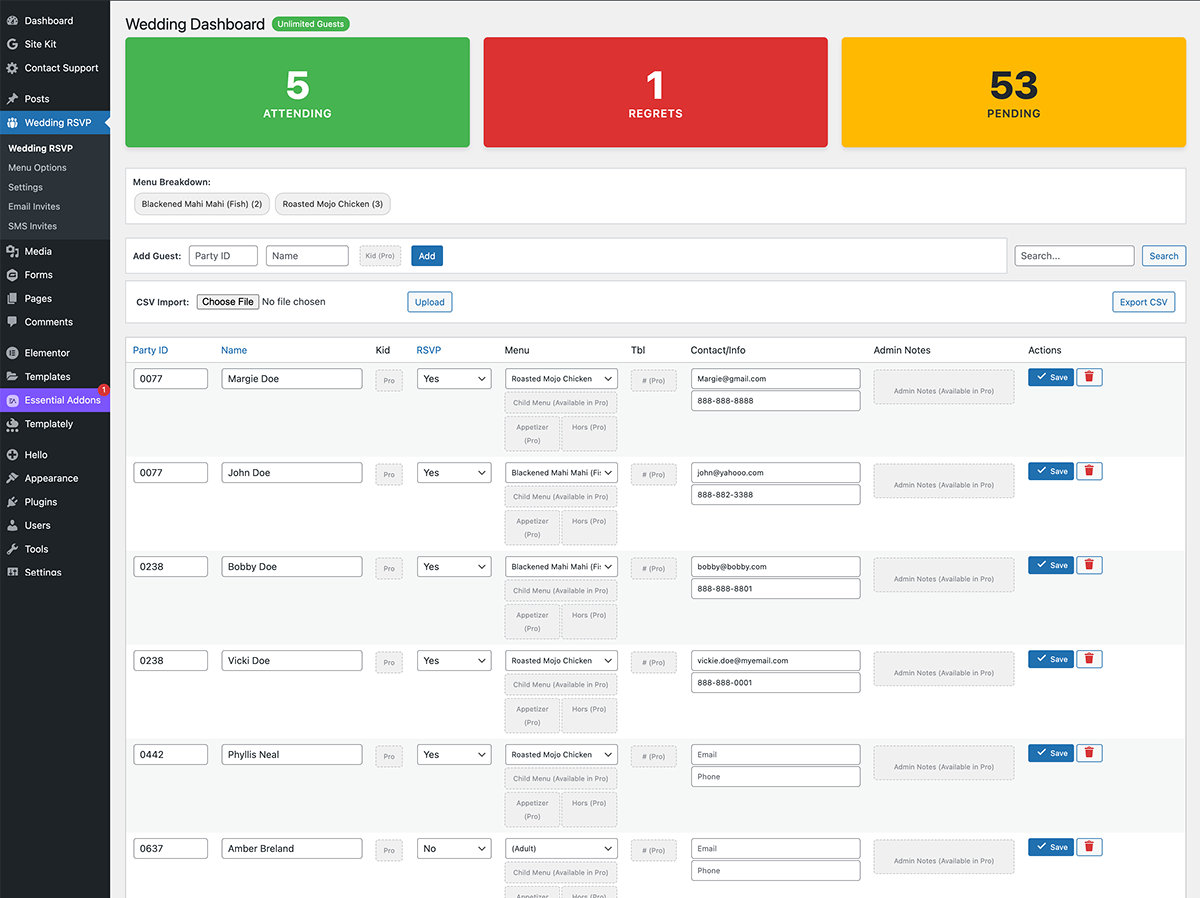
Admin dashboard with guest statistics and quick filters. 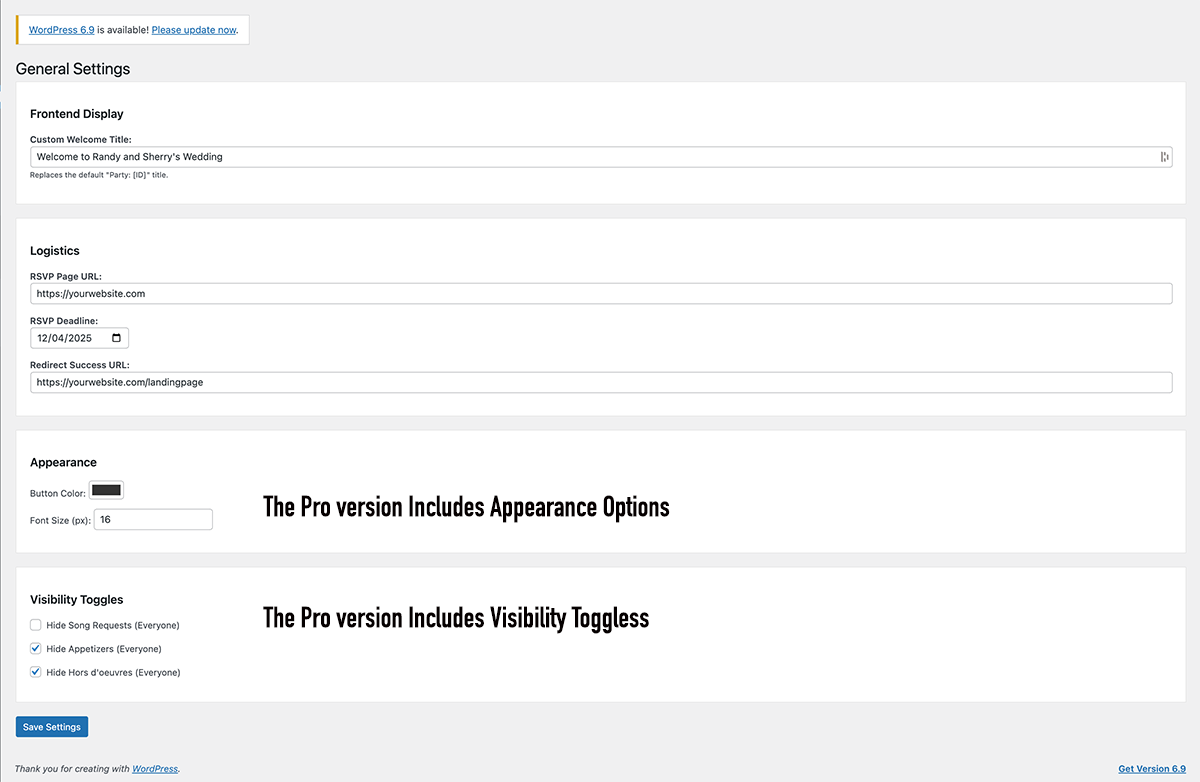
General settings: RSVP page URL, welcome title, and deadline. 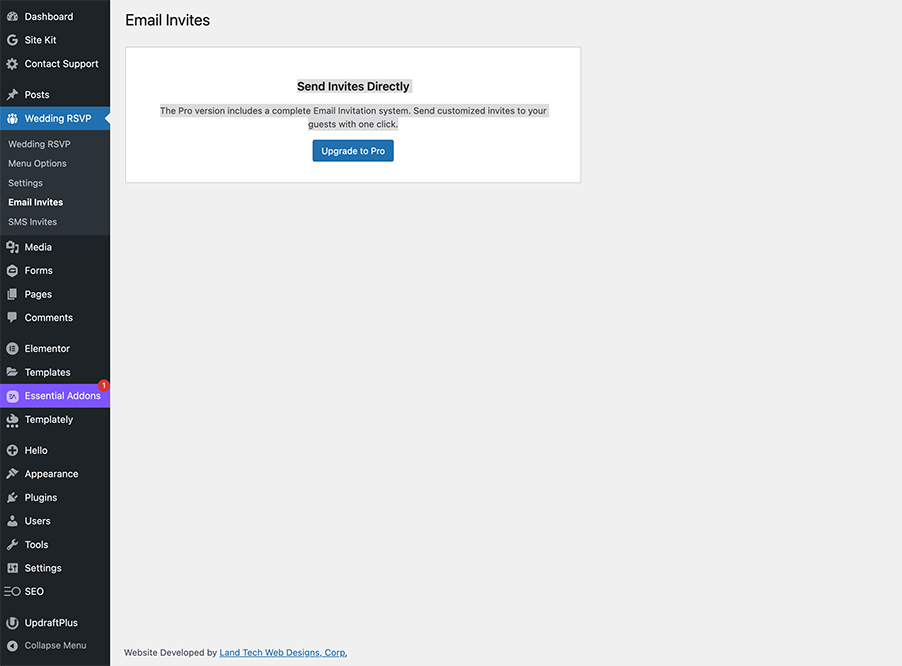
Free plugin: Email and SMS screens link to Pro for batch invites (Pro adds sending from WordPress). 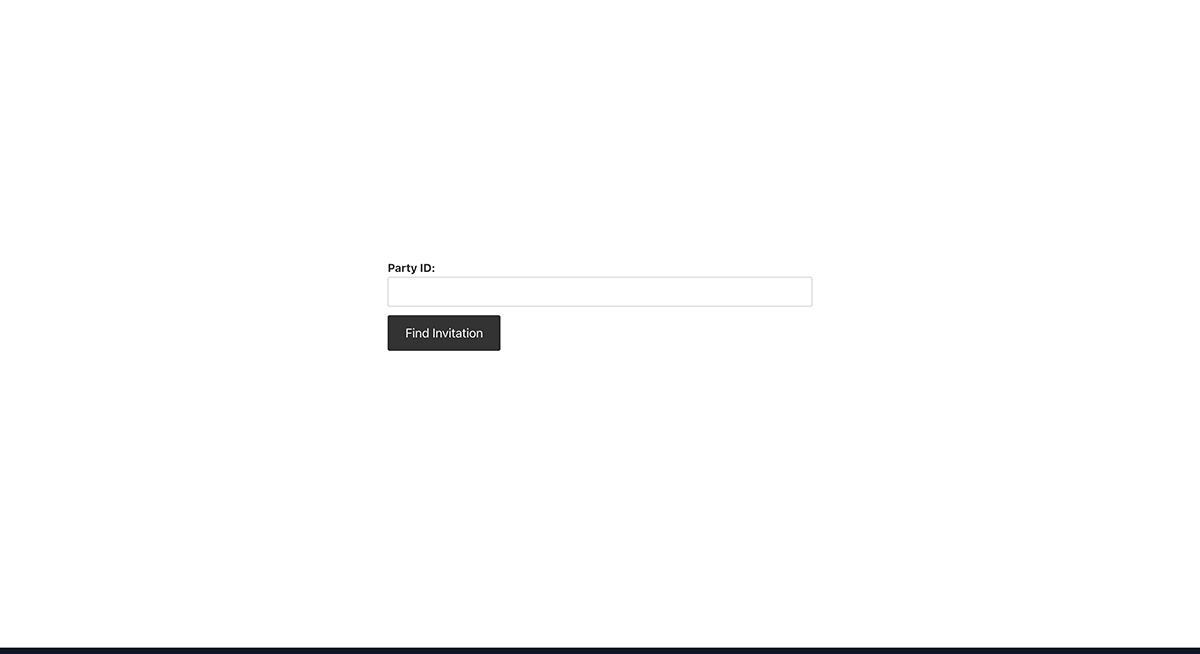
Embedding the RSVP form with the shortcode on a page. 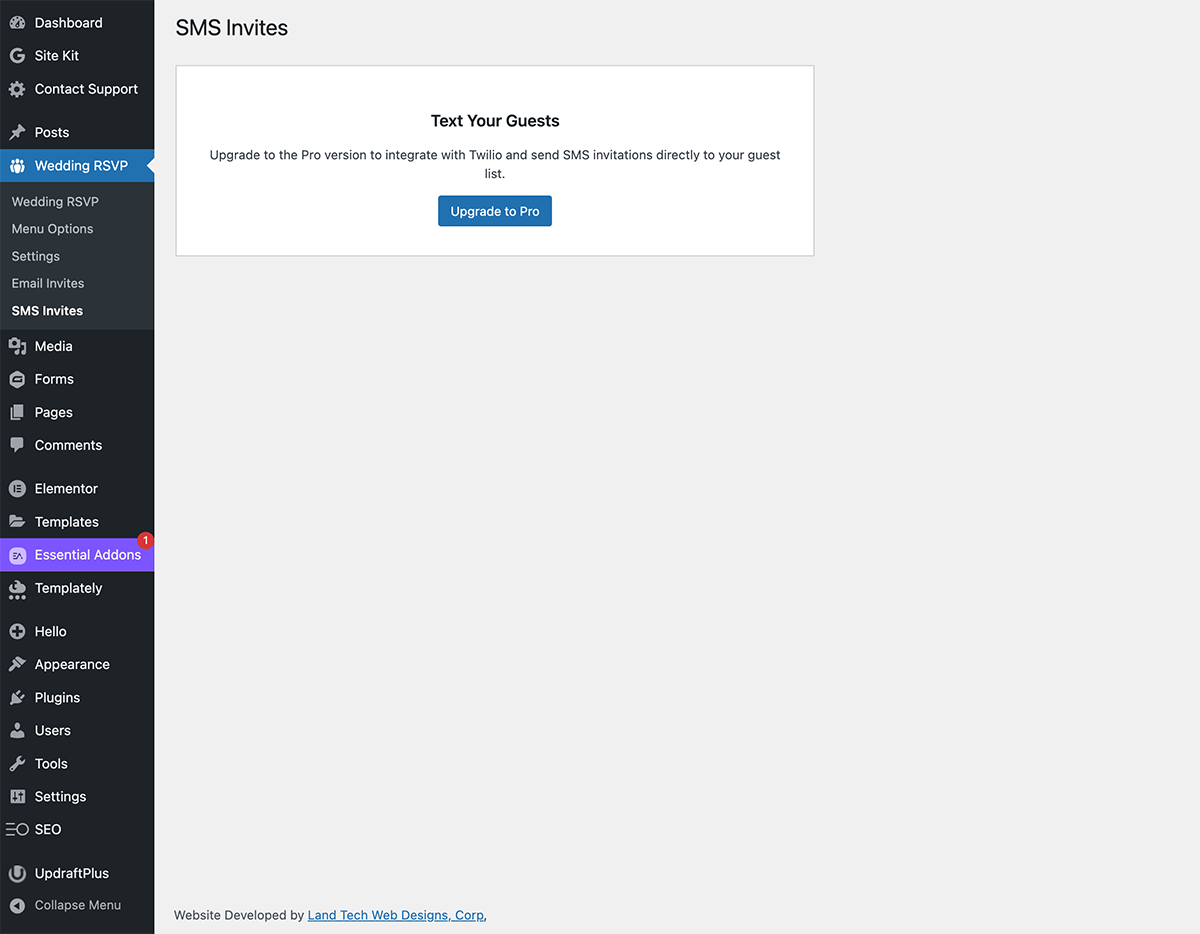
Mobile-friendly guest list and actions in wp-admin.
安装
Upload the wedding-party-rsvp folder to the /wp-content/plugins/ directory.
Activate the plugin through the ‘Plugins’ menu in WordPress.
Create a new Page (e.g., “RSVP”).
Add the shortcode [wedding_rsvp_form] to the page content.
Go to Wedding RSVP -> Settings and set the “RSVP Page URL” to the link of the page you just created.
常见问题
-
Can I use this for events other than weddings?
-
Yes! While tailored for weddings, it works for any event requiring basic RSVP tracking.
-
How do I reset the guest list?
-
Go to Settings and scroll to the bottom “Danger Zone”. Click “Reset Program to Default”.
-
Is there a Pro version?
-
Yes. Wedding Party RSVP Pro adds child guests, full menu courses, seating notes, batch email and SMS, and deeper styling. The free plugin covers unlimited guests, adult entrées, dietary options, CSV import/export, and the public RSVP form.
-
Do guests need a WordPress account to RSVP?
-
No. Guests use a Party ID (invite code) you assign—no user registration required.
-
Does this work with the block editor?
-
Yes. Add a Shortcode block (or the classic block) and paste
[wedding_rsvp_form]. A block pattern is also available in the editor when the plugin is active. -
Can I use Wedding Party RSVP Pro together with the free plugin?
-
Yes. Keep both plugins active: the free plugin provides the core guest list and RSVP form; Pro extends it with premium features when your license is valid.
-
What guest data does Wedding Party RSVP store?
-
Guest records live in your WordPress database (a custom table, usually
wp_wedding_rsvpswith your site prefix). Typical fields include Party ID, name, RSVP status, meal choice, and anything guests enter on the public form (for example email, phone, dietary notes, allergies, song request, message, address). Only users who can manage the plugin in wp-admin can view or edit that list. -
How can I export or erase a guest’s personal data?
-
In wp-admin, use Tools Export Personal Data and Tools Erase Personal Data (WordPress 4.9.6+). This plugin registers an exporter and an eraser that match guest rows by email address stored on the guest record. Erasing removes all guest rows that use that email from the RSVP table—use only when appropriate for your jurisdiction and event.
评价


贡献者及开发者

更新日志
7.3.10
Fix: When Wedding Party RSVP Pro is active with a valid license, the free plugin no longer runs its classic RSVP POST handler on init with the wrong nonce, so guests submitting the public RSVP form no longer see “Security check failed.” (Pro owns the shortcode and nonce in that configuration.)
Compatibility: Confirmed “Tested up to” WordPress 6.9.x for this release.
7.3.9
Maintenance: Coordinated release with Wedding Party RSVP Pro; version and metadata alignment for the directory.
7.3.8
NEW: Suggested privacy policy text in Settings Privacy (via WordPress privacy policy guide) describing stored guest data, export, and erase behavior.
NEW: Personal data eraser (Erase Personal Data) for guest rows matched by email; dashboard stats cache refreshes after a successful erase.
IMPROVED: Readme FAQ for data storage and export/erase; directory tag event added.
7.3.7
NEW: Optional block pattern to insert the RSVP shortcode from the block inserter.
NEW: Plugins screen link to Pro; dismissible post-activation setup checklist; optional dashboard widget for RSVP counts (filterable).
NEW: Optional milestone notice after the first guest RSVP (dismissible).
NEW: CSV export can match the current guest list search and filters; “Copy RSVP link” for Party ID on the guest list; optional custom message when the RSVP deadline has passed; optional grouped-by-party view; optional privacy exporter for guest data; optional one-time sample guest seed for empty sites.
IMPROVED: Works alongside Wedding Party RSVP Pro with both plugins active (merged admin menu when licensed; Pro owns the public shortcode when the license is active).
7.3.6
NEW: Optional frontend RSVP flow using the WordPress Interactivity API (6.5+): data-wp-interactive, data-wp-context, data-wp-on--submit, and live feedback via data-wp-text (no full page reload when the interactivity module loads). Classic POST submission remains for older WordPress or when script modules are unavailable.
7.3.5
Maintenance: Release version bump for coordinated directory update (aligns with Pro licensing documentation release).
7.3.4
Hardening: Addressed WordPress.org checker warnings around nested guest POST handling and custom-table database operations.
Maintenance: Updated tested-up-to metadata formatting for directory compliance.
7.3.3
Maintenance: Release version bump and metadata normalization for directory checks.
Compatibility: Updated ‘Tested up to’ formatting to WordPress.org-compliant major.minor (6.9).
Hardening: Improved frontend guest POST handling and clarified custom-table DB operations for Plugin Check compliance.
7.3.2
Compatibility: Tested up to WordPress 6.9.
7.3.1
New: Review request notice after 7 days (Enjoying Wedding Party RSVP?) with Yes / No (Support) / Dismiss. AJAX dismissal, nonce-secured, shown only on plugin admin pages.
7.3
Security Update: Implemented late escaping for inline styles and rigorous variable escaping for output.
Cleanup: Removed unused external service references to comply with directory guidelines.
7.2
Security: Updated prefixes, nonce sanitization, and SQL preparation.
Architecture: Moved form processing to init hook for safer redirects.
7.1
Security Update: Fixed escaping and sanitization issues.
Mobile Responsiveness: Updated Admin Dashboard with “Card View”.
Performance: Implemented Object Caching.
7.0
Major update with new UI.
1.0
Initial Release.