
描述
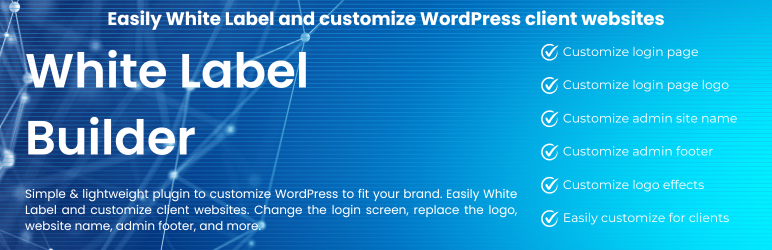
Simple & lightweight plugin to customize WordPress to fit your brand. Easily White Label and customize client websites. Change the login screen, replace the logo, website name, admin footer, and more.
Core Features
- Supports customization of the login page background.
- Allows customizing the login page logo with animation effects.
- Enables site name customization in the dashboard menu without affecting the site name set in WordPress settings.
- Customizes content in the Logged-in Profile Menu.
- Provides options to show or temporarily hide the WordPress menu and logo in the top left corner.
- Customizes the Admin Footer content.
Upcoming Features & Completely Free
- Manage a list of customizable login page templates.
- Display custom templates based on user roles: customer, guest, author, editor, etc.
- Manage animation effects separately for logos and backgrounds, supporting background sliders on the login page.
- Support setting background images for the dashboard and admin menu.
- Configure templates to display based on specific conditions, such as seasonal promotions (ideal for shopping sites), company anniversaries, employee birthdays, and recognition highlights within the system.
Support
For support, please visit https://wikipoly.com/en/white-label-builder/
屏幕截图


安装
Minimum Requirements
- PHP 7.4 or greater is required (PHP 8.0 or greater is recommended)
- MySQL 5.6 or greater, OR MariaDB version 10.1 or greater, is required
- Upload the plugin files to the
/wp-content/plugins/white-label-builderdirectory, or install the plugin through the WordPress plugins screen directly. - Activate the plugin through the ‘Plugins’ screen in WordPress. Then, in the display section for plugins, themes, categories, tags, etc., you will see a pin button next to its name.
- Use the Settings->White Label screen to configure the plugin.
- Refer to the feature guide list here: https://wikipoly.com/en/white-label-builder/
常见问题
-
Where to find help?
-
-
First-time users should read https://wikipoly.com/en/white-label-builder/, which explains the basics and includes a lot of screenshots and shortcodes.
-
Update to the new plugin version at: https://wikipoly.com/en/white-label-builder/ and WordPress.org (https://wordpress.org/plugins/white-label-builder), where we share and provide free support or sell our products.
-
评价
此插件暂无评价。
贡献者及开发者


更新日志
Version 1.1.0 (May 17, 2025)
NEW
- Enable/disable logo effect on front-end.
FIXED
– Fixed distorted logo size when Sticky Menu mode is enabled on Flatsome.
Version 1.0.0 (February 24, 2024)
NEW
– Release version.