

描述
WordPress Import Export Plugin is an easy, fast, and advanced tool to import and export your WordPress site data.
WP Import Export gives you the ability to export your site data into multiple file formats and import those files into any WordPress site. All types of Posts, Pages, Custom Post Types, Taxonomies, Comments, and Users can be imported or exported with just a few clicks. It is an effective way to manage and migrate data across multiple WordPress installations.
Main Features
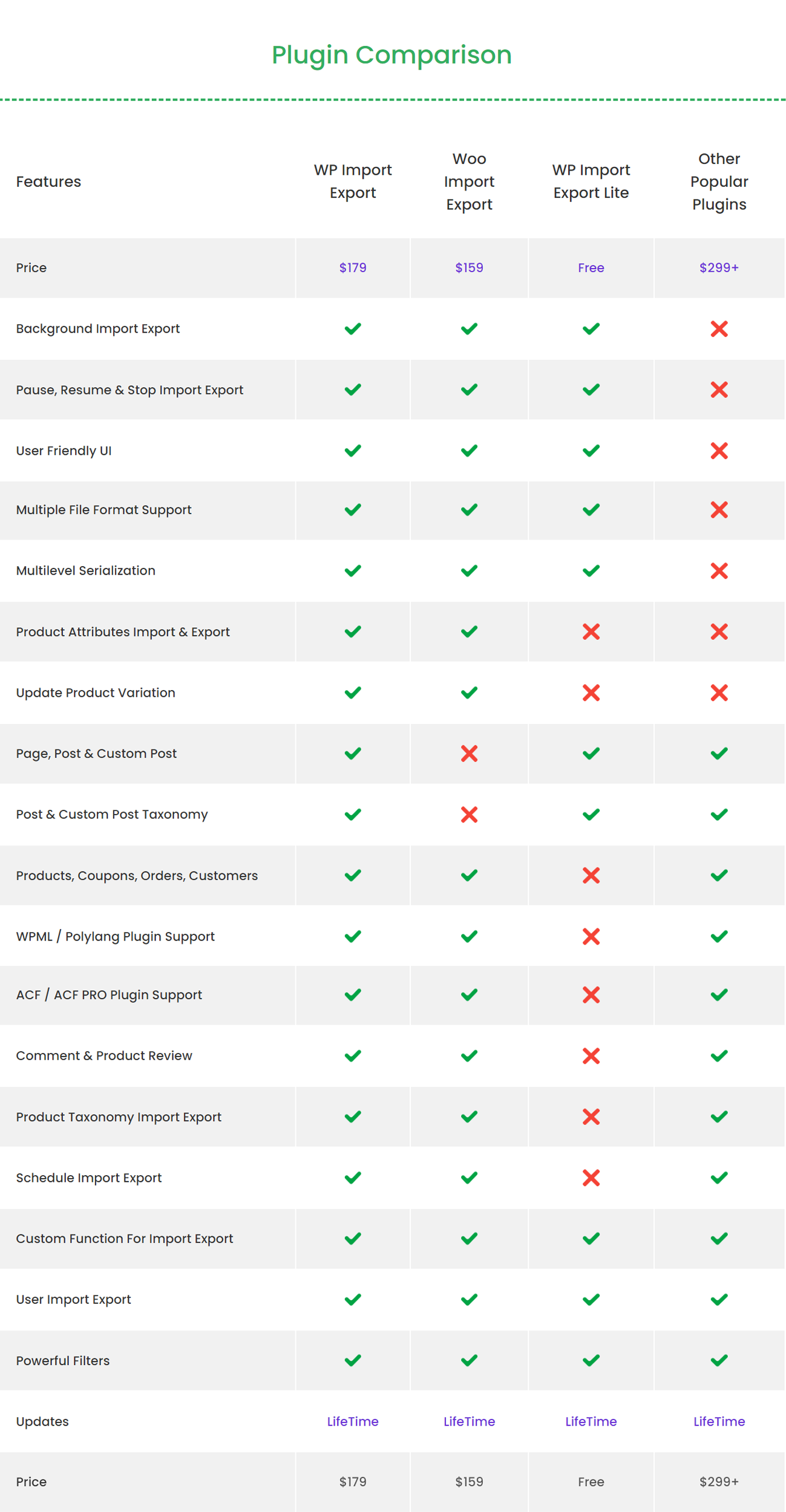
- Pause, resume, and stop active imports and exports
- Background processing for large imports and exports
- Scheduled import & export (Available in Pro)
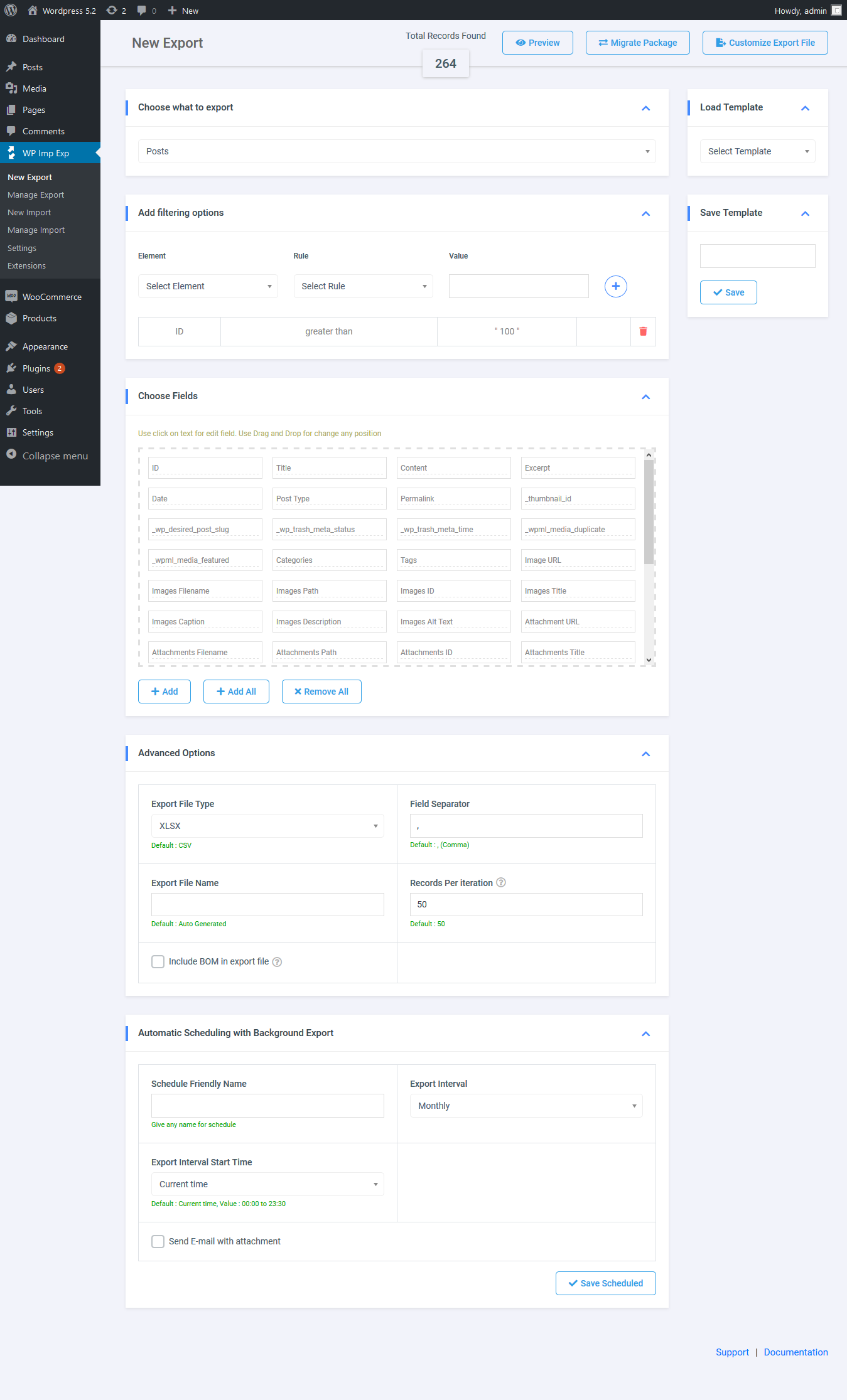
- Powerful data filtering options
- Drag-and-drop field mapping
- Add-on integrations for popular WordPress plugins
- Support for multiple file formats
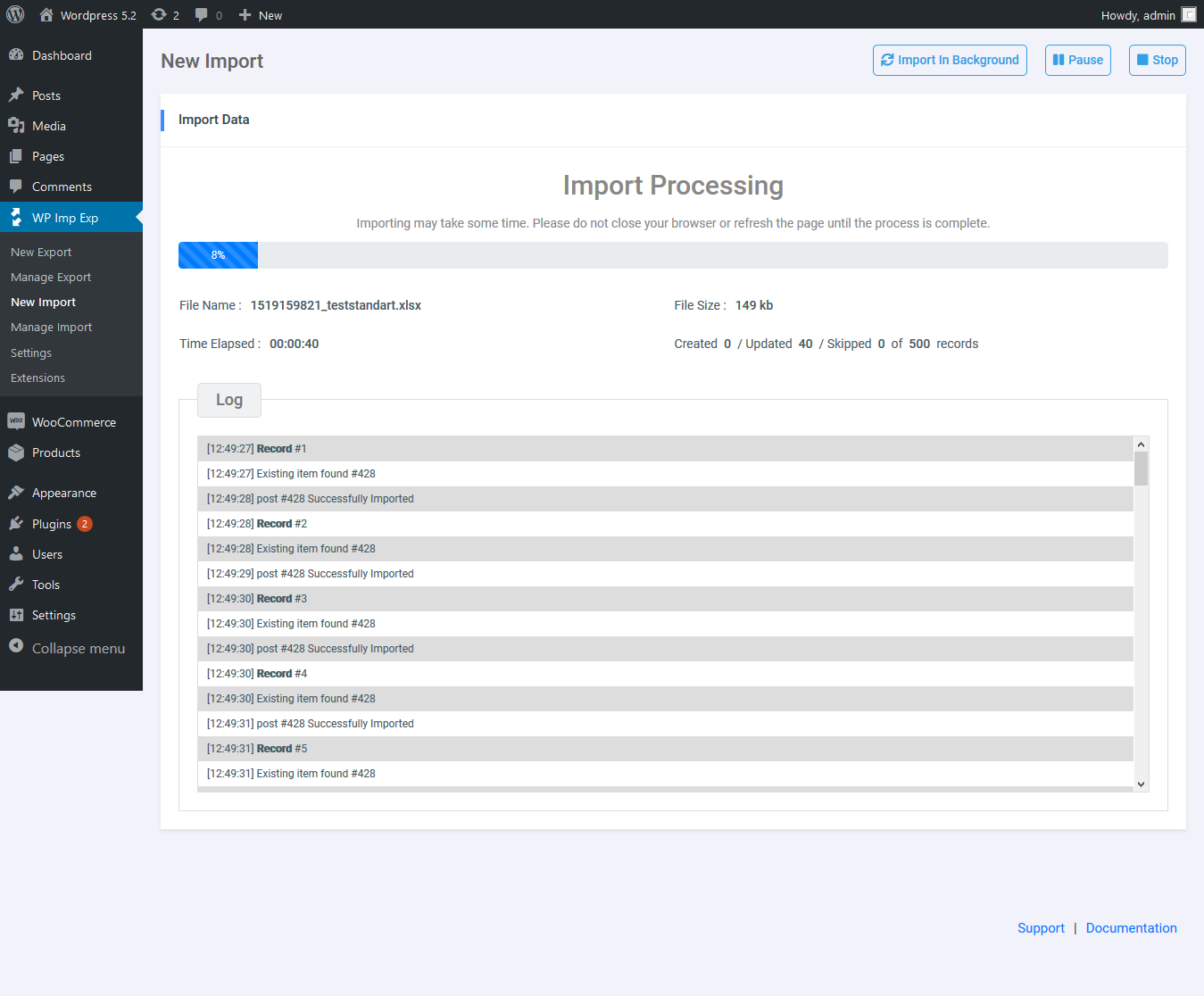
- Detailed import process logs
暂停,回复 & 停止
- Imports and exports can be paused, resumed, and stopped at any stage.
- Supports pause and resume functionality with background processing.
- Cancel or stop any processing task whenever needed.
Background Import & Export
- Run import and export tasks asynchronously in the background.
- Background jobs can be monitored, paused, resumed, and stopped.
- Process multiple import and export tasks concurrently.
- Convert standard import/export jobs into background processes with ease.
强大的过滤器
- Apply precise filter rules during export (e.g., export posts where Post ID is greater than 50).
- Advanced filtering rules for uploaded source data during import.
字段管理
- Rearrange and edit fields quickly before exporting.
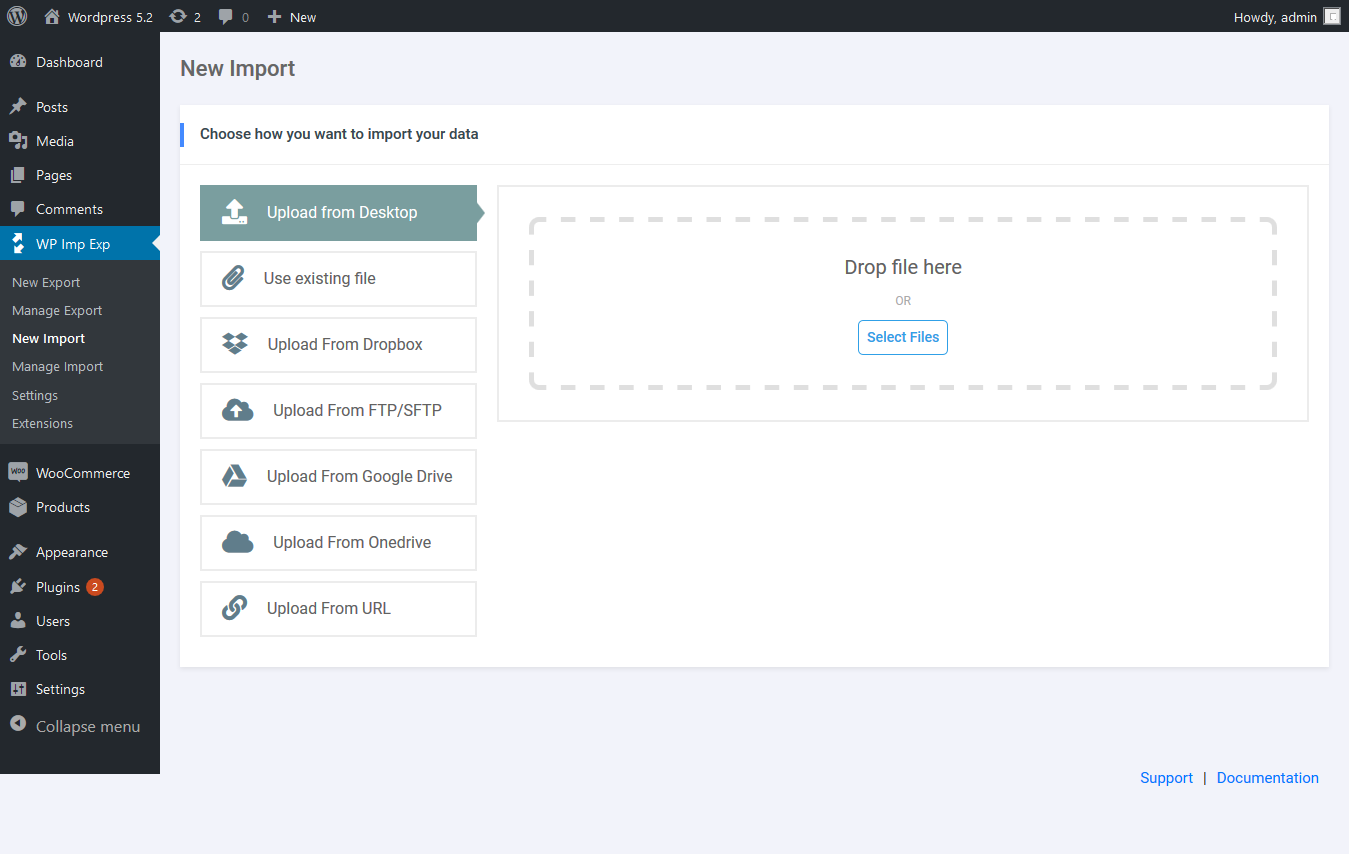
- Intuitive drag-and-drop field mapping for incoming import data.
Multiple File Formats
- Full support for both import and export across multiple formats.
- Supports ZIP archives.
- Supports CSV, XLS, XLSX, JSON, TXT, ODS, and XML file formats.
Scheduled Import & Export (Pro)
- Set up automatic cron-scheduled imports and exports.
- Centralized schedule management interface.
- Runs reliably alongside background processing.
Import Process Log
- Comprehensive process and execution logs.
- Step-by-step logging for each individual record.
Supported Add-Ons
- Yoast SEO 导入 & 导出
- ACF & ACF Pro Import & Export
- WPML 导入 & 导出
- Polylang 导入 & 导出
- WooCommerce Import & Export (Pro)
- Schedule Import & Export (Pro)
- Attributes Import & Export
- Google Drive Import (Pro)
- Microsoft OneDrive Import (Pro)
- Dropbox Import (Pro)
- FTP / SFTP Import (Pro)
- Background Import & Export
WP导入导出专业版
Export Premium Add-Ons
- ACF/ACF 专业版导出
- Scheduled Export
- WooCommerce 导出
- WPML 导出
- Attributes Export
- Polylang 导出
Import Premium Add-Ons
- ACF / ACF Pro 导入
- Dropbox File 导入
- 从FTP/SFTP 导入
- Google Drive 文件导入
- Microsoft OneDrive Import
- Scheduled Import
- WooCommerce 导入
- WPML 导入
- Attributes Import
- Polylang 导入
Upgrade to the Pro edition of WP Import Export
实时Demo
Try the WP Import Export Live Demo
文档
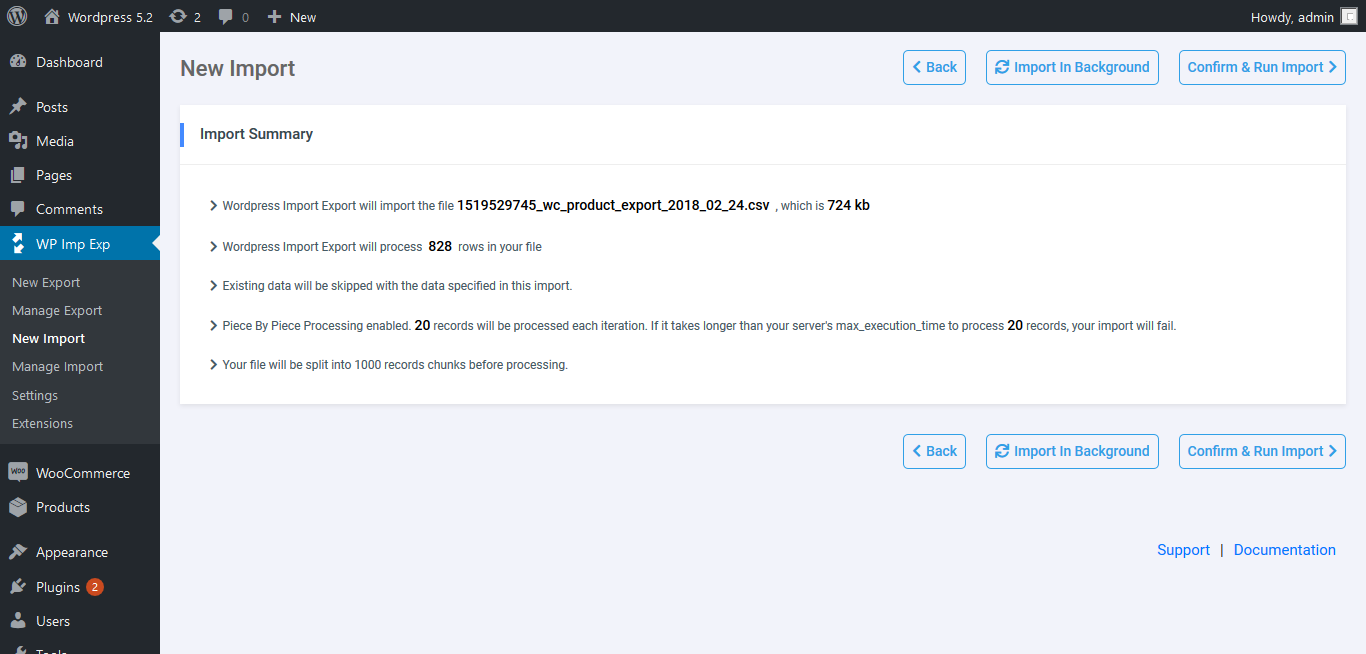
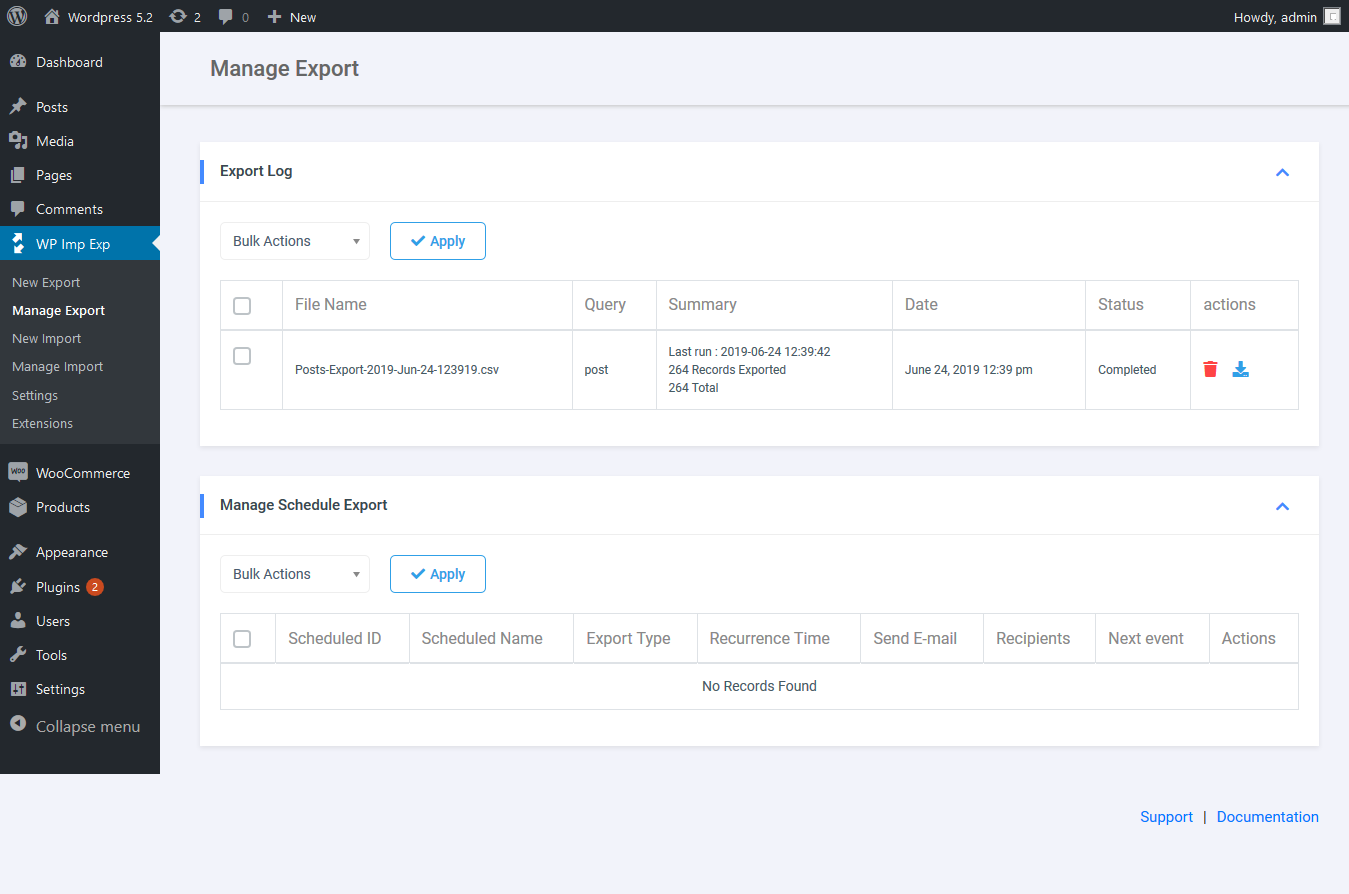
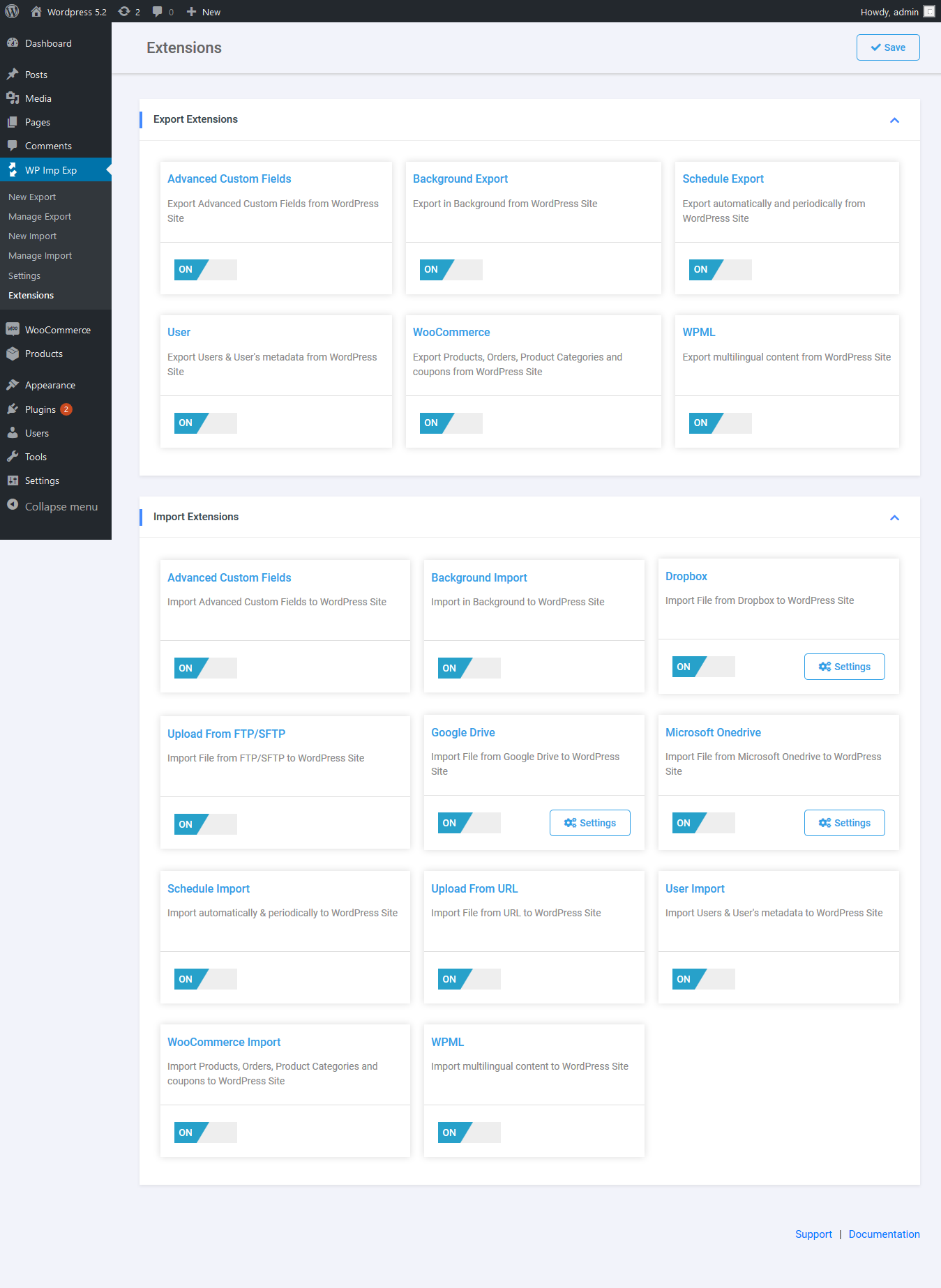
屏幕截图
安装
Automatic Installation
Automatic installation is the easiest way to install the WP Import Export plugin.
- Log in to your WordPress admin dashboard.
- Navigate to Plugins -> Add New Plugin.
- Click Upload Plugin at the top.
- Select the plugin ZIP file and click Install Now.
- Once installed, click Activate Plugin.
Manual Installation
- Unzip the downloaded plugin archive.
- Upload the
wp-import-export-litefolder to the/wp-content/plugins/directory on your web server via SFTP/FTP. - Log in to your WordPress dashboard, navigate to Plugins -> Installed Plugins, and activate WP Import Export Lite.
常见问题
-
Does this plugin support PHP 8.x?
-
Yes, WP Import Export Lite is fully compatible with PHP 5.6 through PHP 8.5+.
-
Can I import data in the background?
-
Yes, you can enable background processing to allow large imports or exports to run asynchronously without timing out your browser.
-
Where can I get support or view documentation?
-
Documentation and tutorials are available at VJInfotech Documentation.
评价


贡献者及开发者

更新日志
3.9.35
- Security: Hardened multisite user import authorization by evaluating capabilities across all network subsites (including archived, spam, and deleted sites).
3.9.34
- Security: Enhanced directory containment and file validation during export processing.
- Security: Hardened capability and role checks during user import on Multisite installations.
- Security: Strengthened function execution controls in SafeFunction helper.
- Security: Enhanced data sanitization and output escaping in admin interface.
- Fix: Minor UI refinements and stability improvements.
3.9.33
- Security: Comprehensive security update improving input sanitization, file containment, and permission checks across import and export workflows.
- Fix: Updated deprecated utf8_encode() for PHP 8.2+ compatibility.
- Fix: Maintenance update and compatibility verification with latest WordPress and PHP versions.
- Fix: Minor UI refinements and stability fixes.